1. Táirge Tharview
The OTTOCAST Mini 3.0 is a versatile 2-in-1 wireless adapter designed to convert your car's factory-wired CarPlay or Android Auto system into a wireless experience. It is compatible with a wide range of vehicles including sedans, SUVs, and trucks that already feature wired CarPlay or Android Auto functionality.

Image: The OTTOCAST Mini 3.0 adapter shown with its packaging and included USB-C adapter.
Príomhghnéithe
- Universal Car Compatibility: Works as both a wireless CarPlay and wireless Android Auto adapter for vehicles with existing wired systems.
- Automatic Phone Switching: Automatically reconnects to the last used phone or a second saved device, ideal for shared vehicles.
- High-Speed Dual-Band WiFi: Supports 5GHz for low latency and stable performance in navigation, music streaming, and call quality.
- Universal USB-A & USB-C Fit: Includes a USB-A plug and an A-to-C adapter for broad compatibility with various car systems.
- Drive-Friendly Controls: Maintains full compatibility with existing steering wheel buttons, dash knobs, touchscreens, and voice assistants.
- Ardchaighdeán Fuaime: Delivers Hi-Fi sound with reduced lag compared to standard Bluetooth car adapters.
2. Ábhar Pacáiste
Cinntigh go bhfuil na míreanna seo a leanas go léir i láthair i bpacáiste do tháirge:
- OTTOCAST Mini 3.0 Wireless CarPlay/Android Auto Adapter
- Cuibheoir USB-A go USB-C
- Lámhleabhar Úsáideora

Image: The OTTOCAST Mini 3.0 adapter, USB-A to USB-C adapter, and user manual as found in the product packaging.
3. Treoir Socraithe
Follow these steps for a quick and effortless setup of your OTTOCAST Mini 3.0 adapter.
Step 1: Connect the Adapter to Your Car
Plug the OTTOCAST Mini 3.0 adapter into your car's USB port. Use the included USB-A to USB-C adapter if your car only has USB-C ports. The adapter's indicator light will illuminate.

Image: Visual guide for connecting the adapter to the car's USB port.
Step 2: Enable Wi-Fi and Bluetooth on Your Phone
On your iPhone (iOS 10.0+) or Android device (Android 11.0+), ensure both Wi-Fi and Bluetooth are turned on.
Step 3: Pair and Confirm Connection
Cuardaigh le haghaidh the adapter's Bluetooth name (e.g., "AUTO2-xxxx") in your phone's Bluetooth settings and select it to pair. Confirm any authorization requests on your phone. Once successfully paired, your car's display should show the CarPlay or Android Auto interface.
Físeán: Achoimre ghearrview demonstrating the connection process of the OTTOCAST Mini 3.0.
4. Treoracha Oibriúcháin
Nascacht Gan Sreang
The adapter seamlessly converts your wired CarPlay or Android Auto into a wireless connection, allowing you to access your phone's features on your car's display without cables.
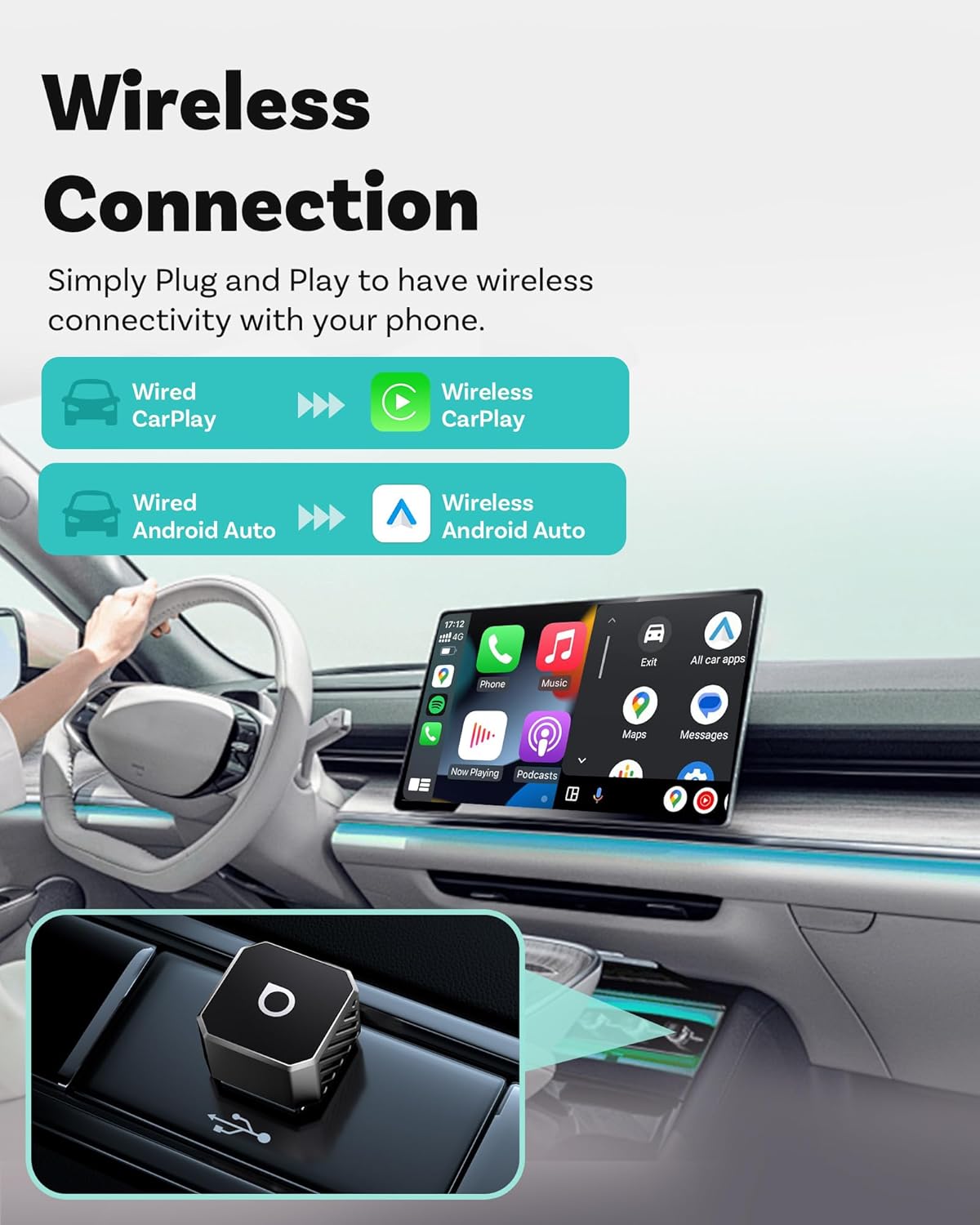
Image: Illustration of wired to wireless conversion for CarPlay and Android Auto.
Dual Phone Memory
The device is designed to remember up to two paired phones. It will automatically reconnect to the last used device or the second saved device upon entering the vehicle, facilitating easy use for multiple drivers.
Vehicle Controls Integration
All original car control methods remain functional, including steering wheel buttons, dash knob, touchscreen, and voice assistants (Siri/Google Assistant) for a safe and familiar driving experience.
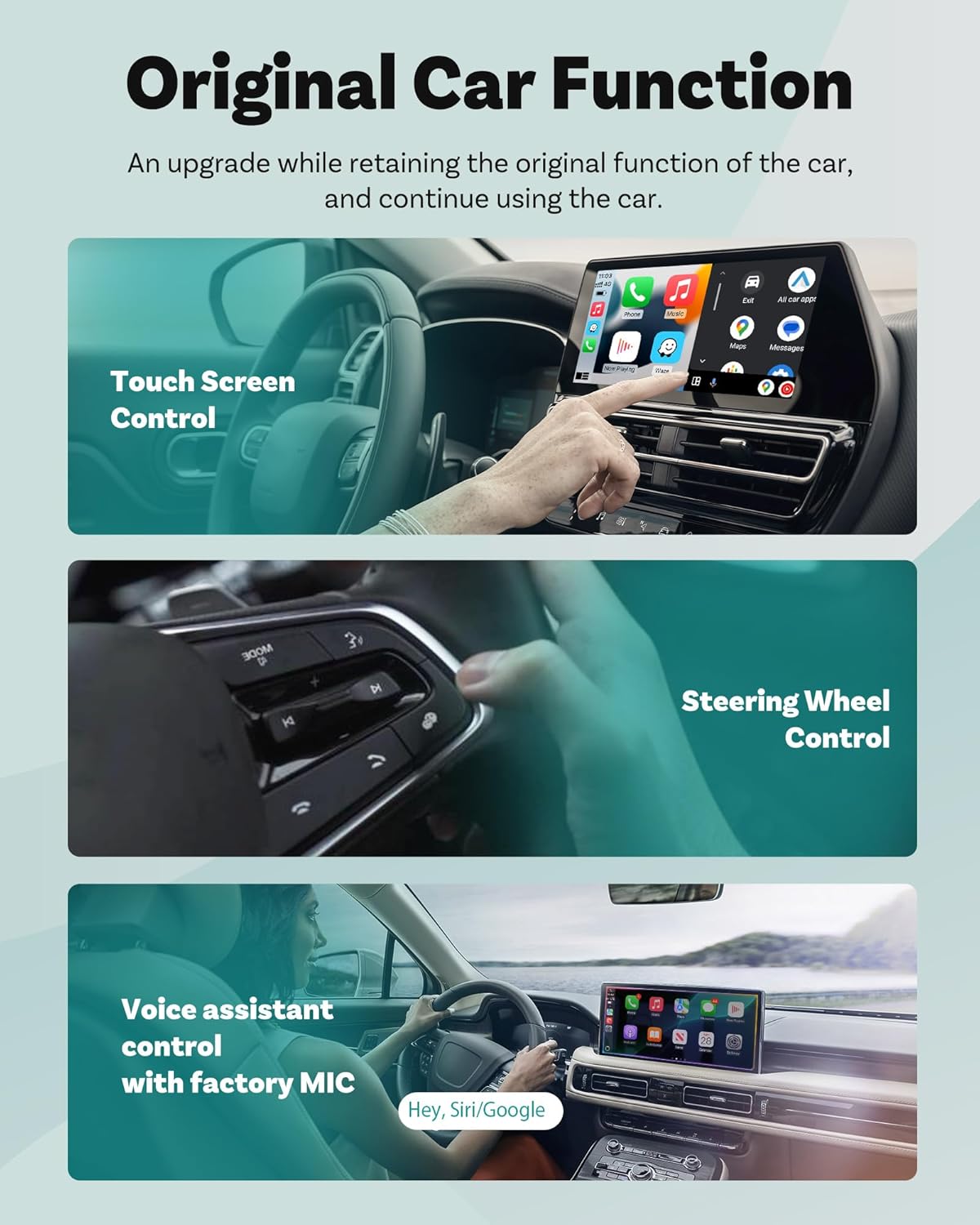
Image: Demonstrates compatibility with various car control methods.
Cáilíocht Fuaime
Experience superior Hi-Fi audio quality for music and calls, with reduced latency compared to standard Bluetooth connections.
5. Comhoiriúnacht
The OTTOCAST Mini 3.0 adapter is compatible with most car models that come with factory-wired CarPlay or Android Auto. It supports:
- iPhones with iOS 10.0 or later for Wireless CarPlay.
- Android phones with Android 11.0 or later for Wireless Android Auto.

Íomhá: Tharview of supported car models and phone operating systems.
6. Cothabháil agus Nuashonruithe
Nuashonruithe Firmware (OTA)
The OTTOCAST Mini 3.0 supports Over-The-Air (OTA) firmware upgrades. This ensures your device remains up-to-date with the latest features and performance enhancements. Instructions for performing OTA updates can be found in the detailed user manual or by contacting customer support.
7. Leideanna Fabhtcheartú
If you encounter any issues with your OTTOCAST Mini 3.0 adapter, please try the following basic troubleshooting steps:
- Saincheisteanna Ceangail: Ensure the adapter is securely plugged into the correct USB port in your car. Verify that your phone's Wi-Fi and Bluetooth are enabled. Try restarting both your phone and your car's infotainment system.
- Fadhbanna Fuaime: Check your car's volume settings and your phone's media volume. Ensure no other Bluetooth devices are interfering with the connection.
- Lag Feidhmíochta: Ensure your phone's operating system is up to date. Check for any available OTA firmware updates for the adapter.
- Adapter Indicator Light: Refer to the user manual for specific meanings of the adapter's indicator light colors and patterns.
For more detailed troubleshooting or persistent issues, please refer to the full user manual or contact OTTOCAST customer support.
Video: A user guide for the OTTOCAST Mini 3.0, offering further assistance with setup and potential issues.
8. Sonraíochtaí Teicniúla
| Sonraíocht | Sonraigh |
|---|---|
| Múnla | Mini 3.0 |
| Meáchan Mír | 1.44 unsa (0.04 cileagram) |
| Toisí Pacáiste | 3.74 x 2.95 x 1.14 orlach |
| Teicneolaíocht Nascachta | USB |
| Gné Speisialta | Mini, Dual-Band WiFi (2.4/5GHz) |
| OS comhoiriúnach | iPhone (iOS 10.0+), Android (Android 11.0+) |
| Ordú Gutha | Buttons, Voice Assistants |
| Cineál Taispeána | LCD |
| Cineál Scáileán Tadhaill | Capacitive |
9. Barántas agus Tacaíocht
The OTTOCAST Mini 3.0 Wireless CarPlay & Android Auto Adapter comes with a Barántas monaróra 24 mhí. Additionally, customers benefit from a Beartas fillte 30 lá agus tiomnaithe US-based support for any inquiries or assistance needed.
For warranty claims, returns, or technical support, please refer to the contact information provided in your product packaging or visit the official OTTOCAST websuíomh.


