1. Réamhrá
This manual provides essential information for the safe and efficient operation of your GAOMON 12000 BTU Portable Air Conditioner. This versatile 3-in-1 unit offers cooling, dehumidification, and fan functions, designed to provide comfort in rooms up to 550 square feet. Please read all instructions carefully before use.
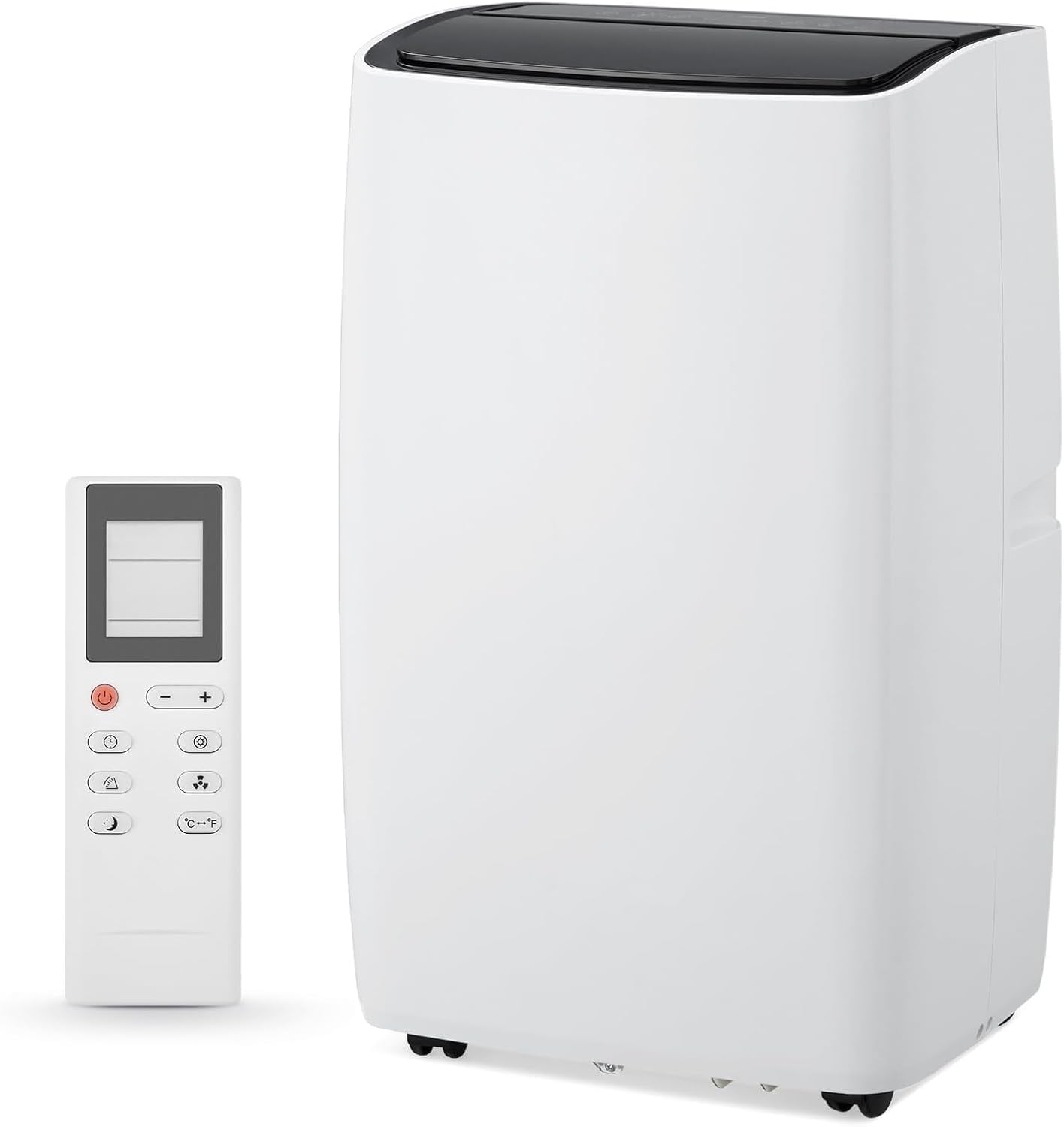
Figure 1: GAOMON 12000 BTU Portable Air Conditioner and Remote Control.

Figure 2: Cooling capacity of the 12000 BTU unit.
2. Treoracha Tábhachtacha Sábháilteachta
Chun an baol tine, turrainge leictreach nó gortaithe a laghdú agus d’oiriúntóir aer á úsáid agat, lean na réamhchúraimí bunúsacha seo:
- Léigh na treoracha go léir roimh úsáid a bhaint as an bhfearas.
- Ensure the power supply matches the requirements specified on the unit's label.
- Ná oibrigh an t-aonad le téad damáiste nó breiseán.
- Coinnigh an t-ionraon agus an t-asraon aer glan ó bhaic.
- Ná cuir rudaí isteach san asraon aer.
- Díphlugáil an t-aonad roimh ghlanadh nó seirbhísiú.
- Keep the unit on a firm, level surface to prevent water leakage.
- Ná hoibriú gar do bhallaí, cuirtíní, nó rudaí eile a d'fhéadfadh bac a chur ar an inlet agus asraon aer.
- Seachain solas díreach agus foinsí teasa.
- Do not install the unit in rooms that exceed 4 m² or where inflammable gas may leak.
3. Ábhar Pacáiste
Deimhnigh go bhfuil na hearraí uile i láthair agus i riocht maith:
- GAOMON 12000 BTU Portable Air Conditioner Unit
- Cianrialú
- Hose sceite
- Hose Connector (for unit)
- Window Kit Adapter (for window)
- Window Slider Panels (adjustable)
- Píob Drain
- Sealing Foam Tape
- Lámhleabhar Úsáideora
Físeán 1: Díbhoscaíocht agus níos móview of included components for the Portable Air Conditioner.
4. Socrú agus Suiteáil
Follow these steps to properly set up your portable air conditioner:
- Ullmhaigh an trealamh fuinneoige:
- Assemble the window slider panels to match the length of your window opening.
- Secure the panels using the provided butterfly screws.
- Apply the sealing foam tape along the edges of the window opening to ensure a tight seal.
- Suiteáil an Píobán Sceite:
- Ceangail ceann amháin den phíobán sceite leis an nascóir píobáin.
- Ceangail an ceann eile den phíobán sceite leis an oiriúntóir don trealamh fuinneoige.
- Insert the assembled window kit into your window frame and close the window securely against it.
- Attach the hose connector to the exhaust air outlet of the air conditioner unit.
- Suíomh an Aonaid:
- Place the unit on a firm, level surface, ensuring at least 19 inches (45cm) of free space around it for proper air circulation.
- Plug an t-aonad isteach i asraon caighdeánach leictreach.

Figure 3: Easy installation steps for the exhaust hose and window kit.
Video 2: Detailed installation process for the portable air conditioner, including window kit and hose attachment.
5. Modhanna Oibriúcháin
Your GAOMON Portable Air Conditioner offers three primary operating modes:
- Mód Cool: Provides powerful cooling for small to medium rooms. Adjust the temperature settings to your desired comfort level.
- Mód Díhumidigh: Effectively removes excess moisture from the air, ideal for humid conditions.
- Mód Fan: Circulates air without cooling, providing gentle airflow for ventilation.
Switch between modes using the 'Mode' button on the control panel or remote control.

Figure 4: Control panel showing 3-in-1 functions.

Figure 5: Illustration of the three operating modes.
6. Príomhghnéithe
- Uaineadóir 24 Uair: Cláraigh an t-aonad chun é a chasadh air nó as go huathoibríoch laistigh de thréimhse 24 uair an chloig.
- Silent Cooling: Operates at a low noise level of 45dB, ensuring minimal disturbance, especially during sleep.
- Mód Codlata: Automatically reduces sound output and dims the display light for uninterrupted nighttime use.
- Cianrialú: Coigeartaigh socruithe go háisiúil ar fud an tseomra.
- Eco-Smart Technology: Designed for energy efficiency with intelligent temperature regulation.
- Soghluaisteacht: Equipped with smooth-rolling 360° wheels for easy relocation between rooms.

Figure 6: Sleep mode functionality for quiet operation.

Fíor 7: Rialú cianda le haghaidh oibriú áisiúil.
7. Glanadh agus Cothabháil
- Glanadh Scagaire: The unit features a dual filtration system. Remove, rinse under running water, and reinstall the reusable filter every two weeks to maintain peak efficiency.
- Draenáil Uisce: The unit has a drain outlet for water removal. For continuous drainage in dehumidify mode, connect the provided drain pipe. If the "HL" icon shows on the panel or the device is unused for a long time, drain water from the bottom drain hole.
Video 3: Demonstrates filter cleaning and water drainage procedures.
8. Fabhtcheartú
Má bhíonn fadhbanna agat, féach ar an tábla thíos le haghaidh fadhbanna agus réitigh choitianta:
| Fadhb | Cúis Féideartha | Réiteach |
|---|---|---|
| Ní oibríonn an t-aonad | No power supply; Power cord not securely connected. | Check power connection; Ensure plug is fully inserted. |
| Unit operates with reduced capacity | Air filter is dirty; Air duct is blocked; Room door/window is open. | Clean the air filter; Clear obstructions; Close doors and windows. |
| Sceitheadh uisce | Drain hose is detached or kinked; Unit is not level. | Securely attach/straighten drain hose; Place unit on a firm, level surface. |
| Torann iomarcach | Loose or vibrating parts; Noise from flowing refrigerant. | Secure and tighten parts; Noise from refrigerant is normal. |
| "HL" icon displayed | Tá umar uisce lán. | Drain water from the unit. |
9. Sonraíochtaí
- Branda: GAOMÁN
- Eolas Múnla: ZMS0609Geu
- Cumhacht Fuarú: 12000 BTU
- Cools Area: Suas le 550 Sq. Ft.
- Meáchan Mír: 76.3 punt
- Toisí Táirge: 18.5"D x 15.35"W x 35.24"H
- Leibhéal Torainn: 45dB (Silent Mode) / 52 Decibels (General)
- Imltage: 115V
- Cóimheas Éifeachtúlachta Fuinnimh Séasúrach (SEER): 7.22
- Gné Speisialta: Swing 4 Bealach

Fíor 8: Toisí an táirge.
10. Barántas agus Tacaíocht
For warranty information, technical support, or service inquiries, please refer to the contact details provided in the original product packaging or visit the GAOMON official websuíomh. Coinnigh d’admháil cheannaigh le haghaidh éilimh bharánta.


