1. Réamhrá
This manual provides comprehensive instructions for the setup, operation, and maintenance of your Tibuta 15.6 Inch WiFi Digital Photo Frame. Please read this manual thoroughly before using the device to ensure proper functionality and to maximize your user experience.

Image 1.1: Tibuta 15.6 Inch WiFi Digital Photo Frame in use, showing its touchscreen capabilities and companion app integration.
2. Faisnéis Sábháilteachta
Observe the following safety precautions to prevent damage to the device or personal injury:
- Ná nochtaigh an gléas d'uisce ná do thaise iomarcach.
- Seachain an gléas a chur in aice le foinsí teasa nó i solas díreach na gréine ar feadh tréimhsí fada.
- Bain úsáid as an adapter cumhachta amháin a chuirtear ar fáil.
- Ná déan iarracht an gléas a dhíchóimeáil nó a dheisiú tú féin. Déan teagmháil le tacaíocht do chustaiméirí le haghaidh cúnaimh.
- Coinnigh an gléas ar shiúl ó leanaí agus peataí.
3. Ábhar Pacáiste
Deimhnigh go bhfuil na míreanna uile i láthair sa phacáiste:
- Tibuta 15.6 Inch WiFi Digital Photo Frame
- Cuibheoir Cumhachta
- Lámhleabhar Úsáideora (an doiciméad seo)
- Seasamh
4. Táirge Tharview
Familiarize yourself with the components of your digital photo frame.
4.1 Tosaigh View

Íomhá 4.1: Tosaigh view and key features of the Tibuta 15.6 Inch Digital Photo Frame.
- 15.6 Inch HD Touch Screen: High-definition display with 1280x800 resolution and IPS technology for wide viewuillinneacha.
- Comhéadan scáileán tadhaill: Allows for direct interaction with the frame's menus and settings.
4.2 Cúil View agus Calafoirt

Íomhá 4.2: Cúil view of the Tibuta Digital Photo Frame with labeled ports and features.
- Athraigh Cumhacht: Cuireann sé an gléas ar siúl nó as.
- Suite ar an mBalla: Mounting points for wall installation.
- Ampardaitheoirí: Cainteoirí comhtháite le haghaidh athsheinm fuaime.
- Sliotán Cárta Micrea SD: Tacaíonn sé le cártaí Micrea SD suas le 128GB le haghaidh stórála leathnaithe.
- Cluasáin Jack: Chun feistí seachtracha fuaime a nascadh.
- Port USB Cineál-A: For connecting USB drives or other peripherals.
- Mini Port USB: For data transfer (if applicable).
- Port Cumhachta DC: Nascann sé leis an adapter cumhachta.
- seas: Attachable stand for desktop placement.
5. Socrú
5.1 Cumhacht Tosaigh Ar
- Attach the stand to the back of the photo frame for stable placement on a flat surface.
- Ceangail an t-oiriúntóir cumhachta leis an gCalafort Cumhachta DC ar chúl an fhráma.
- Plug an adapter cumhachta isteach asraon balla.
- Press the Power Switch to turn on the device.
- Follow the on-screen prompts to select your language, time zone, and connect to a Wi-Fi network.
5.2 Ag nascadh le Wi-Fi
- From the main menu, navigate to "Settings" and then "Wi-Fi".
- Roghnaigh an líonra Wi-Fi atá uait ón liosta.
- Cuir isteach an focal faire Wi-Fi ag baint úsáide as an méarchlár ar an scáileán.
- Tap "Connect". Once connected, a Wi-Fi icon will appear on the screen.
5.3 An Aip Chomhcheangailte a Shuiteáil
To share photos and videos remotely, download the dedicated companion app.

Image 5.1: Download the Uhale App from Google Play or the App Store.
- On your smartphone or tablet, open the Google Play Store (for Android devices) or the Apple app store (for iOS devices).
- Cuardaigh le haghaidh "Uhale App" (or the specified app name in your frame's instructions).
- Íoslódáil agus a shuiteáil an app.
- Follow the in-app instructions to pair your device with the digital photo frame. This typically involves entering a unique code displayed on your photo frame.
6. Treoracha Oibriúcháin
6.1 Sharing Photos and Videos via App
Once the frame is connected to Wi-Fi and paired with the app:
- Oscail an app companion ar do smartphone.
- Select the photos or videos you wish to share.
- Tap the "Send" or "Share" button within the app.
- The selected media will be transferred to your digital photo frame and displayed.
The frame supports various display modes, including timing, zooming, and cropping, which can often be adjusted via the app or directly on the frame's settings.
6.2 Using External Storage (Micro SD Card)
The frame has 16GB of built-in storage and supports Micro SD cards up to 128GB.
- Insert a Micro SD card into the designated slot on the back of the frame.
- The frame will automatically detect the card.
- Navigate to the "Gallery" or "Files" section on the frame to access content from the Micro SD card.
- Is féidir leat a chóipeáil files from the Micro SD card to the internal storage or play them directly.
6.3 Automatic Rotation (Gravity Sensing)
The frame features gravity sensing for automatic rotation, adjusting the display orientation based on how the frame is positioned (landscape or portrait).
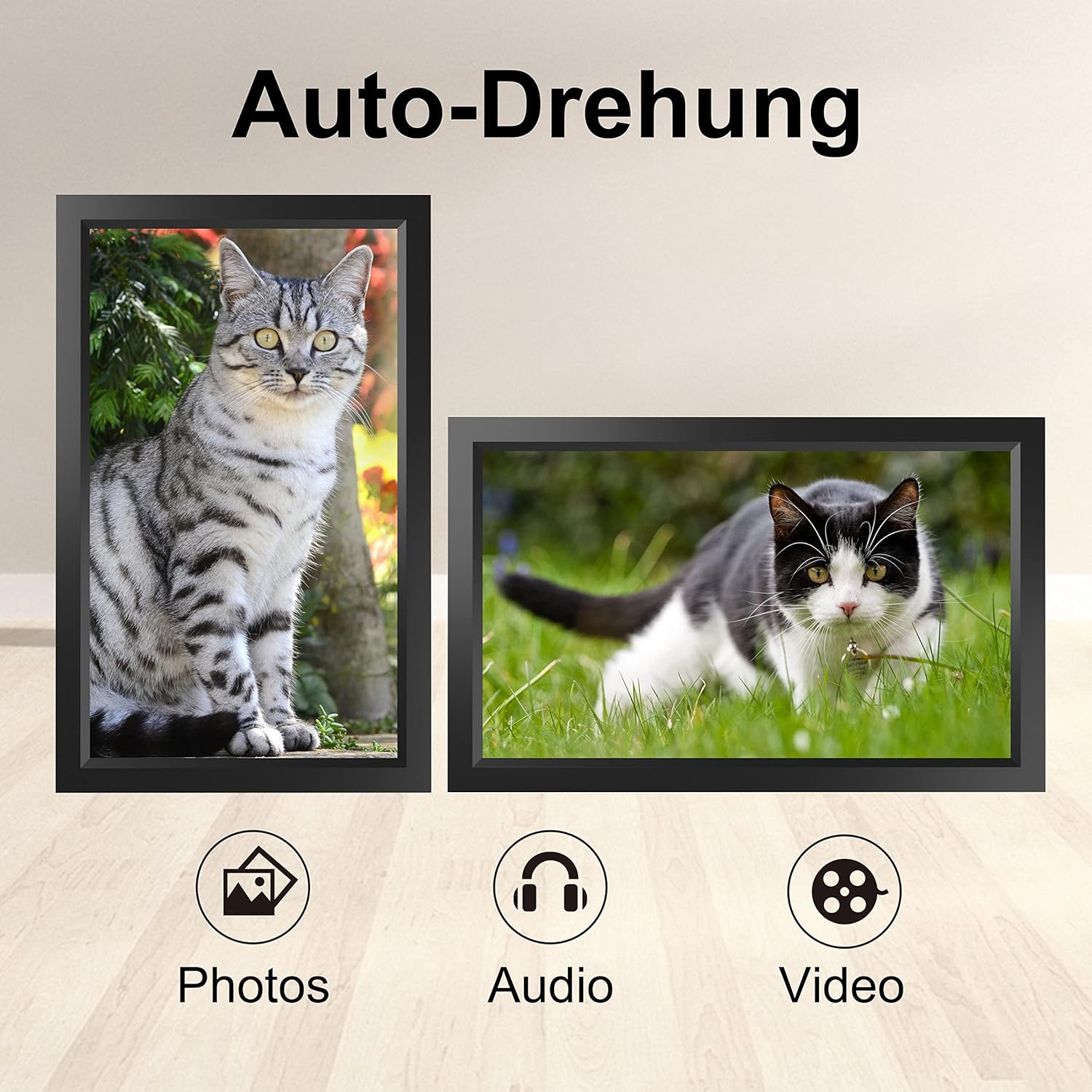
Image 6.1: Automatic display rotation based on frame orientation.
Ensure the gravity sensing feature is enabled in the frame's settings if you wish to utilize this functionality.
6.4 Socruithe Taispeána
Saincheap do viewing experience through the frame's settings menu:
- Eatramh Taispeána Sleamhnán: Adjust how long each photo is displayed.
- Éifeachtaí Idirthréimhseacha: Choose different effects between photos.
- Gile: Coigeartaigh gile an scáileáin.
- Sleep Mode/Timer: Set schedules for the frame to turn on/off automatically.
- Zoom/Crop: Options to adjust how photos fit the screen.
7. Cothabháil
7.1 Glanadh an Scáileáin
Chun an scáileán tadhaill a ghlanadh, cuimil go réidh é le héadach bog, saor ó lint. I gcás smúdáin righne, déan beagán...ampNigh an t-éadach le huisce nó le tuaslagán glantacháin scáileáin. Seachain ceimiceáin ghéara nó ábhair scríobacha a úsáid.
7.2 Cúram Ginearálta
- Keep the frame in a dry environment.
- Protect it from dust by occasionally wiping the frame's body with a soft cloth.
- Seachain an gléas a scaoileadh nó a chur faoi réir tionchair láidre.
8. Fabhtcheartú
| Fadhb | Cúis Féideartha | Réiteach |
|---|---|---|
| Ní lasann an fráma. | Níl an t-oiriúntóir cumhachta ceangailte nó lochtach. | Cinntigh go bhfuil an t-oiriúntóir cumhachta ceangailte go daingean leis an bhfráma agus le hasraon cumhachta atá ag obair. Bain triail as asraon eile. |
| Ní féidir ceangal le Wi-Fi. | Pasfhocal mícheart, lasmuigh den raon, nó fadhb líonra. | Verify the Wi-Fi password. Move the frame closer to the router. Restart your router. |
| Níl grianghraif/físeáin le feiceáil. | App not paired, incorrect file format, or storage issue. | Ensure the app is correctly paired. Check if the media files are in a supported format. Verify sufficient storage space on the frame or SD card. |
| Níl an scáileán tadhaill freagrach. | Fabht sealadach bogearraí. | Restart the frame by holding the power button or unplugging and replugging the power adapter. |
| Automatic rotation not working. | Feature disabled or sensor issue. | Check the frame's settings to ensure gravity sensing/auto-rotation is enabled. |
9. Sonraíochtaí
| Gné | Sonraigh |
|---|---|
| Uimhir Mhúnla | TID15.6 |
| Méid an Scáileáin | 15.6 Orlach |
| Cineál Taispeána | Scáileán Tadhaill IPS |
| Rún | 1280x800 |
| Stóráil Inmheánach | 16GB (approx. 20,000 photos) |
| Stóráil Sheachtrach | Cárta micrea SD suas le 128GB |
| Nascacht | Wi-Fi |
| Gnéithe Speisialta | Gravity Sensing Automatic Rotation, Touchscreen |
| Toisí (L x W x H) | 39.12 x 24.64 x 2.51 cm |
| Meáchan | 1.48 kg |
| Foinse Cumhachta | Battery Powered (includes 1 Lithium Ion battery) |
Nóta: Tá na sonraíochtaí faoi réir athraithe gan fógra a thabhairt roimh ré.
10. Barántas agus Tacaíocht
10.1 Barántas Táirgí
The Tibuta Digital Photo Frame comes with a one-year product warranty. This warranty covers manufacturing defects and operational issues arising from normal use. If any issues arise during this period, please contact our after-sales support team for assistance.
10.2 Tacaíocht do Chustaiméirí
For technical support, warranty claims, or any other inquiries, please refer to the contact information provided on the Tibuta official website or your purchase documentation. When contacting support, please have your model number (TID15.6) and purchase date available.


