1. Réamhrá
The Snakebyte Gamepad S Pro is a wireless controller designed for use with Nintendo Switch, Switch Lite, and Switch OLED consoles. It offers a console-style gaming experience with features such as dual precision analog sticks, dual rumble motors for immersive feedback, and a dedicated Capture button for recording gameplay moments. The controller connects via Bluetooth 3.0, aiming to provide a low-latency gaming experience. It also includes an assignable turbo feature and charges via an included USB-C cable.

Fíor 1: Tosaigh view of the Snakebyte Gamepad S Pro Controller.
2. Socrú
2.1 An Rialaitheoir a mhuirearú
Before initial use, fully charge the controller. Connect the included 5.9 ft (1.8 m) USB-C cable to the controller's charging port and the other end to a USB power source (e.g., Nintendo Switch dock, USB wall adapter, or computer USB port). The charging indicator lights on the controller will provide status feedback.
2.2 Péireáil le Nintendo Switch
To pair the Snakebyte Gamepad S Pro with your Nintendo Switch console:
- Cinntigh go bhfuil consól do Nintendo Switch ar siúl agus go bhfuil sé cothrom le dáta leis na bogearraí córais is déanaí.
- Ón Roghchlár BAILE, roghnaigh "Rialaitheoirí", ansin "Athraigh Greim/Ordú".
- On the Snakebyte Gamepad S Pro, press and hold the Cnaipe baile (house icon) and the Cnaipe Y. simultaneously for approximately 5 seconds. The indicator lights on the controller will begin to flash rapidly.
- Once the controller is successfully paired, the player indicator light(s) on the bottom of the controller will illuminate solid.
The controller is compatible with Nintendo Switch, Switch OLED, and Switch Lite models.

Figure 2: The Gamepad S Pro is compatible with Nintendo Switch, Switch OLED, and Switch Lite.
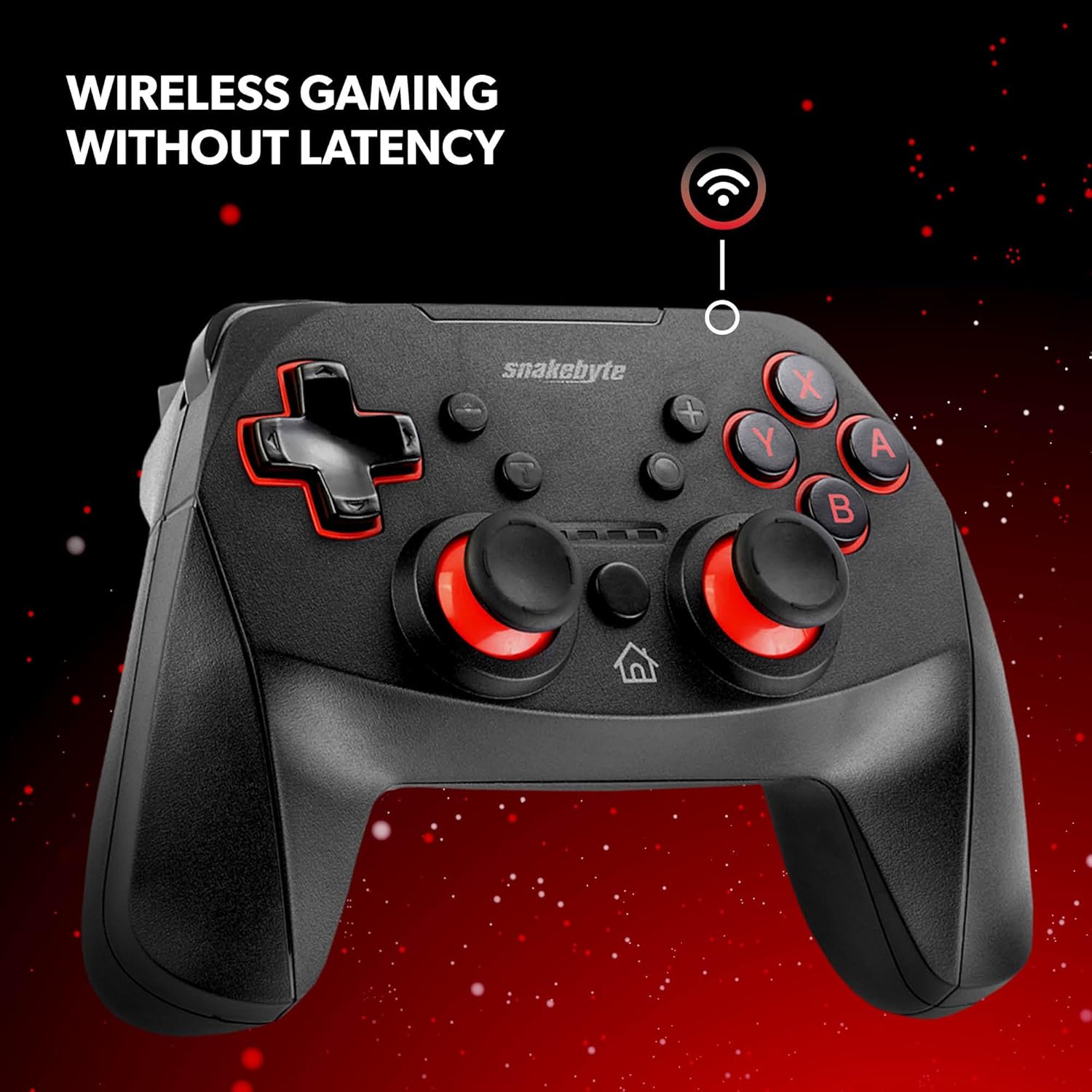
Figure 3: The controller offers wireless connectivity for gaming without latency.
3. Oibriú an Rialaitheora
3.1 Leagan Amach agus Feidhmeanna na gCnaipí
- Cnaipí A/B/X/Y: Cnaipí gníomhaíochta caighdeánacha.
- D-Pad: Ionchur treorach.
- Bataí Analógacha Clé/Deas: Le haghaidh gluaiseacht chruinn agus rialú ceamara.
- Cnaipí C/D: Cnaipí gualainn.
- Cnaipí ZL/ZR: Cnaipí spreagtha.
- Cnaipe Baile: Returns to the HOME Menu.
- Cnaipe Gabhála: Saves screenshots or video clips of gameplay.
- Cnaipí Móide (+) / Lúide (-): Equivalent to Start/Select or Menu buttons.
3.2 Dual Rumble Vibration
The controller features dual rumble motors that provide haptic feedback, enhancing immersion during gameplay. The intensity of the vibration is determined by the game.
3.3 Assignable Turbo Feature
The assignable turbo feature allows a button to be pressed repeatedly with a single hold. Consult the controller's specific instructions (often included in the packaging or on the manufacturer's website) for details on how to assign and activate the turbo function for desired buttons.
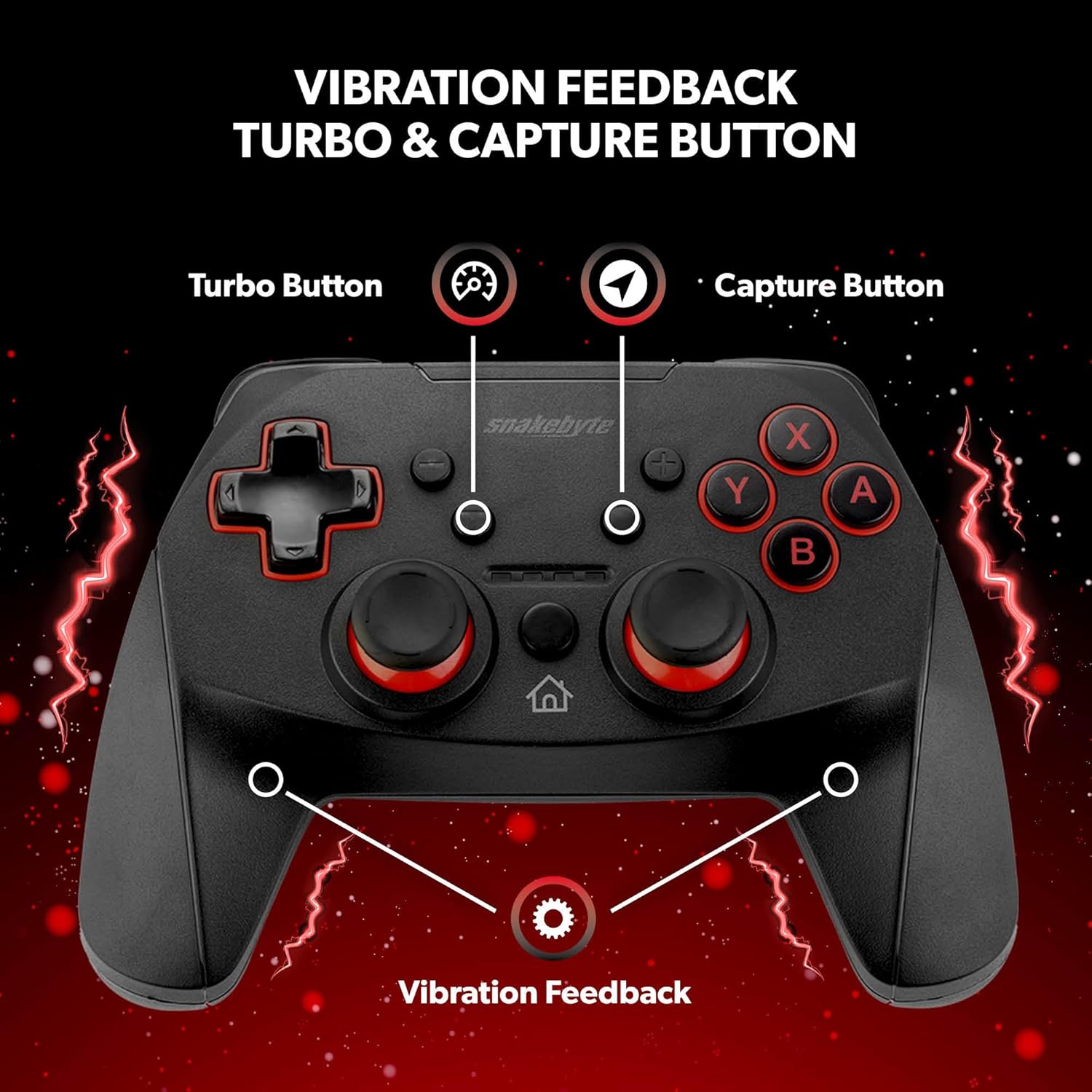
Figure 4: Key features including Turbo Button, Capture Button, and Vibration Feedback.
3.4 Jack Fuaime
The controller is equipped with an audio jack, allowing you to connect a compatible headset for in-game audio and communication (if supported by the game and console settings).

Figure 5: Detail of the controller's audio jack.
4. Cothabháil
4.1 Glanadh
Chun an rialtóir a ghlanadh, bain úsáid as éadach bog, tirim. I gcás salachar righin, déan beagán díghalrúcháin.ampen the cloth with water. Avoid using harsh chemicals, abrasive cleaners, or solvents, as these can damage the controller's surface and internal components.
4.2 Cúram Ceallraí
The controller contains a rechargeable Lithium Metal battery. To prolong battery life:
- Seachain an ceallraí a dhíluchtú go hiomlán go minic.
- Stóráil an rialtóir in áit fhionnuar tirim nuair nach bhfuil sé in úsáid ar feadh tréimhsí fada.
- Do not expose the controller to extreme temperatures.
5. Fabhtcheartú
- Controller not pairing or disconnecting frequently:
- Cinntigh go bhfuil an rialtóir luchtaithe go hiomlán.
- Verify the pairing steps (Home + Y buttons) are followed correctly.
- Move closer to the Nintendo Switch console to ensure a strong Bluetooth connection.
- Check for any firmware updates for the controller on the official Snakebyte website, as updates can resolve connectivity issues.
- Restart both the Nintendo Switch console and the controller.
- Buttons or joysticks are unresponsive or sticking:
- Power off the controller and then power it back on.
- Ensure no debris is lodged around the buttons or joysticks. Clean as per maintenance instructions.
- Controller does not wake the Nintendo Switch from standby:
- This controller may not support waking the console from standby mode. Power on the console manually using the power button on the console itself.
- No Gyro Sensor:
- Please note that this controller does not include a gyro sensor. Games requiring motion controls or fine aiming adjustments via tilting will not function as intended with this controller.
6. Sonraíochtaí
| Uimhir Mhúnla | SB911194 |
| Branda | Snakebyte |
| Nascacht | Bluetooth 3.0 |
| Comhoiriúnacht | Nintendo Switch, Switch Lite, Switch OLED |
| Toisí (L x W x H) | 3.94 x 2.36 x 5.51 orlach |
| Meáchan Mír | 8.47 unsa (240 ghram) |
| Cineál Battery | 1 ceallraí litiam miotail (san áireamh) |
| Fad Cábla Muirir | 5.9 troigh (1.8 m) |
| Gnéithe Speisialta | Dual Motor Vibration, Assignable Turbo, Capture Button, Audio Jack |

Figure 6: The controller is designed for absolute durability.
7. Barántas agus Tacaíocht
For detailed warranty information, please refer to the warranty card included with your product packaging or visit the official Snakebyte website. For technical support, product registration, or further inquiries, please contact Snakebyte customer service through their official channels.
Official Snakebyte Websuíomh: www.snakebyte.com


