Réamhrá
The Logitech G430 7.1 Gaming Headset is designed to provide an immersive audio experience for gaming, movies, and music. Featuring 7.1 Dolby Headset surround sound and DTS Headphone:X, comfortable ear cups, and a noise-canceling microphone, this wired headset is compatible with various platforms.
Cad atá sa Bhosca
- Logitech G430 Gaming Headset
- Adapter Fuaime USB
- Lámhleabhar Úsáideora
Táirge Tharview
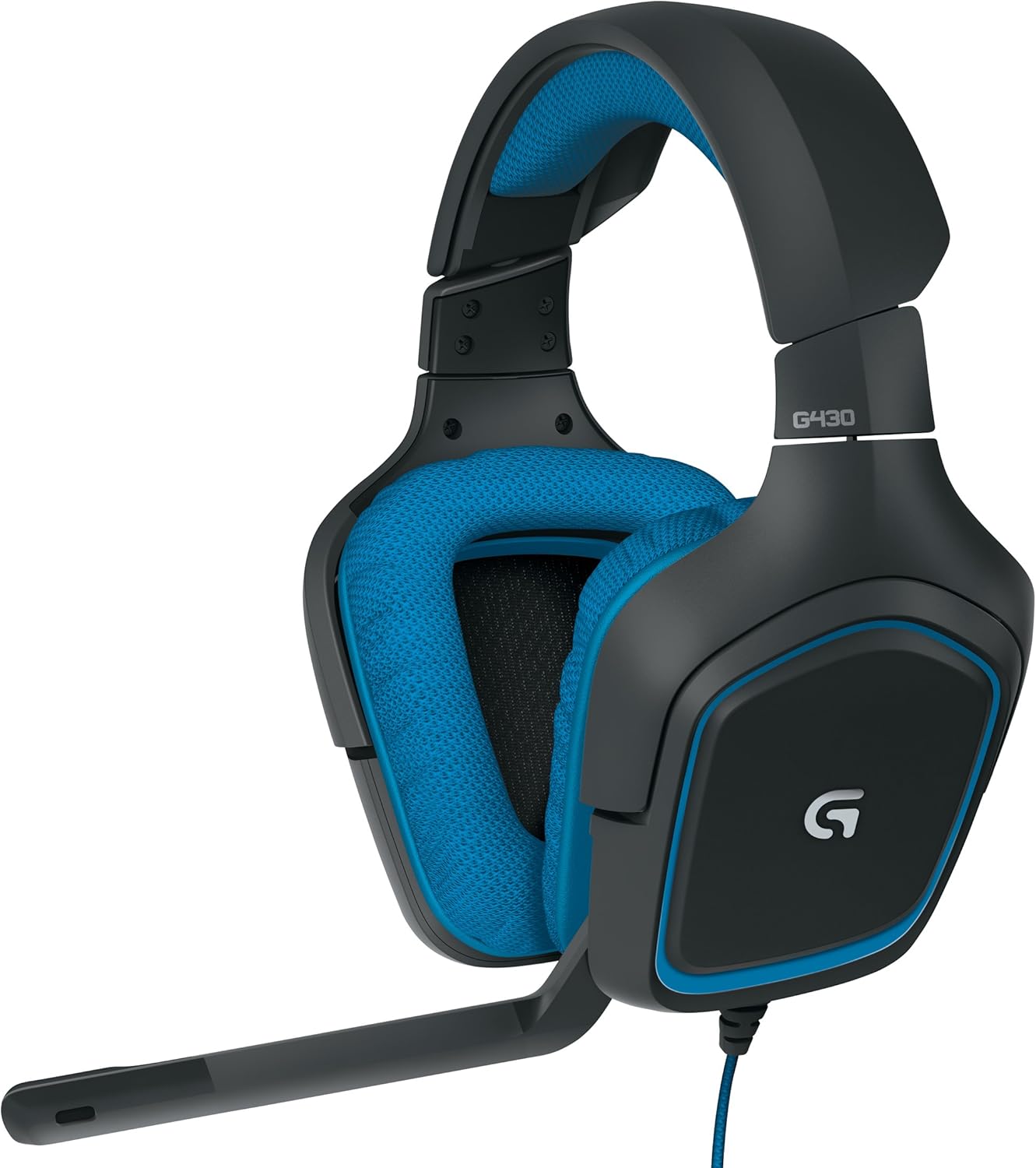


Socrú
Riachtanais Chórais
- Windows 7 or later (Windows 10, Windows 8, Windows 7, Windows Vista)
- Nintendo Switch
- PS4 or Xbox One
- USB port or 3.5mm headphone and microphone ports
- Internet connection for Logitech G HUB (optional)
Ag nascadh an Headset
- For PC (using USB Audio Adapter):
a. Connect the headset's 3.5mm headphone and microphone jacks to the corresponding ports on the USB Audio Adapter.
b. Plug the USB Audio Adapter into an available USB port on your computer. - For Consoles (PS4, Xbox One, Nintendo Switch) or Mobile Devices (using 3.5mm jack):
a. Connect the headset's 3.5mm combined audio jack directly into the controller or device's 3.5mm port. (Note: The USB Audio Adapter is not typically used for these connections unless specified by the console/device manufacturer for specific features.)
Suiteáil Bogearraí (Roghnach)
For full customization and advanced features, including 7.1 surround sound, download and install the Logitech G HUB software from the official Logitech website. An internet connection is required for software installation and updates.
Treoracha Oibriúcháin
Fit a Choigeartú
- Adjust the headband to ensure a comfortable and secure fit on your head.
- The earcups feature a 90-degree swivel for personalized fit and comfort.
Úsáid Micreafón
- The headset features a folding, noise-canceling boom mic.
- To use, rotate the microphone boom down towards your mouth.
- To mute, flip the microphone boom up and out of the way, or use the in-line mute switch.
On-Cable Controls
- Dial toirte: Rotate the dial up or down to adjust the audio volume.
- Athraigh Mute: Sleamhnaigh an lasc chun an micreafón a mhúchadh nó a dhímhúchadh.
Surround Sound Activation
When connected via the USB Audio Adapter to a compatible PC, the 7.1 Dolby Headset surround sound and DTS Headphone:X features can be enabled and customized through the Logitech G HUB software for an immersive 360-degree sound field.
Físeán: This video demonstrates the comfort and features of the Logitech G430 headset, including its adjustable microphone and in-line controls. It also discusses the sound quality and the long cable, providing a user's perspective on its functionality for gaming and streaming.
Físeán: Soláthraíonn an físeán seo níos móview of the Logitech G430 Gaming Headset, highlighting its design, comfort, and key features for gamers. It offers insights into what users should know about the product.
Cothabháil
- Glanadh: Bain úsáid as bog, damp cloth to clean the earcups and headband. Avoid harsh chemicals or abrasive materials. The cloth earcups are designed for easy removal and cleaning.
- Stóráil: Store the headset in a dry, cool place away from direct sunlight and extreme temperatures to prolong its lifespan.
- Cúram Cábla: Seachain lúbadh géar nó tarraingt iomarcach ar an gcábla chun damáiste a chosc.
Fabhtcheartú
- Gan Fuaim/Micreafón Gan Obair:
a. Ensure all cables are securely connected to the correct ports.
b. Check the in-line volume dial and mute switch to ensure they are not set to minimum volume or muted.
c. Verify audio settings in your operating system or game. - Saobhadh Fuaime:
a. Ensure the headset is properly connected.
b. On Windows, check audio enhancement settings (e.g., 'Speaker Fill') as some users report issues when surround sound and stereo audio play simultaneously. Adjusting these settings may resolve distortion. - Saincheisteanna Compord:
a. Adjust the headband and earcup swivel for optimal fit.
b. Take regular breaks during extended use to prevent discomfort.
Sonraíochtaí
| Ainm an tSamhail | G430 |
| Teicneolaíocht Nascachta | Sreangaithe |
| Rialú Torainn | Cealú Torainn Gníomhach |
| Cluasáin Jack | 3.5 mm Jack |
| Impedance | 32 Óm |
| Íogaireacht | 90 dB |
| Freagra Minicíochta | 20Hz - 20KHz (Headphone), 50 - 20KHz (Microphone) |
| Microphone Pickup Pattern | Cardioid (Aontreoch) |
| Fad Cábla | 10.5 tr |
| Meáchan Mír | 8.1 unsa (229 gram) |
| Gléasanna Comhoiriúnacha | Windows Computers, Gaming Consoles (PS4, Xbox One, Nintendo Switch), Mobile Devices |
Barántas agus Tacaíocht
Logitech products are designed for reliability and performance. For warranty information, technical support, and additional resources, please visit the official Logitech support website. You can find detailed FAQs, driver downloads, and contact information for customer service.


