
Réamhrá
Thank you for choosing the johgee Wi-Fi Smart Irrigation Computer. This device is designed to automate your garden watering system, offering convenient control via a smartphone application and voice commands. Featuring advanced RF technology for extended range and stable connectivity, this system ensures efficient and precise irrigation for your plants. Please read this manual carefully before installation and operation to ensure proper use and optimal performance.
Táirge Tharview
The johgee Wi-Fi Smart Irrigation Computer system includes the following components:
- Smart Water Timers (x2): These units connect directly to your outdoor faucet and control water flow to your irrigation system.
- Wi-Fi Gateway (x1): This hub connects to your home's 2.4 GHz Wi-Fi network and communicates with the water timers using RF technology.
- Gabhálais: Includes 1/2" adapter, quick connector, raw tape, O-rings, and this user manual.

Image: System components including water timers, gateway, and accessories.
Príomhghnéithe:
- 300m RF Technology: Provides an extended and stable connection between the gateway and water timers, surpassing standard Bluetooth ranges.
- Smart Life App Control: Manage your irrigation system from anywhere, anytime, using the Smart Life application on your smartphone.
- Rialú Gutha: Compatible with Alexa and Google Assistant for convenient hands-free operation.
- Flexible Watering Schedules: Set single or circular watering modes with adjustable start times, durations (1 second to 11 hours 59 minutes 59 seconds), and frequencies (Monday to Sunday).
- Feidhm Mhoill Báistí: Automatically detects weather conditions or allows manual delay settings (24/48/72 hours) to prevent overwatering during rainfall.
- Multiple Watering Modes: Choose between 'irrigation' or 'spray' modes, supporting up to 5 watering plans and 1 spray plan per zone.
- Uisciú Lámhleabhar: Initiate immediate watering for emergency or temporary needs directly from the app.
- Uiscedhíonach IPX5: The water timer is designed to withstand various adverse weather conditions.
Treoracha Socraithe
1. Install the Smart Life App:
- Íoslódáil an aip "Smart Life" ó shiopa aipeanna do ghutháin chliste (iOS nó Android).
- Cláraigh nó logáil isteach i do chuntas Smart Life.
2. Connect the Wi-Fi Gateway:
- Plug the Wi-Fi Gateway into a power outlet indoors, within range of your 2.4 GHz Wi-Fi router.
- Open the Smart Life app, tap '+' to add a device, and follow the in-app instructions to connect the gateway to your 2.4 GHz Wi-Fi network. Ensure your Wi-Fi is 2.4 GHz, as 5 GHz networks are not supported.

Image: Remote control via app and gateway connection.
3. Install the Water Timers:
- Insert 4 AA batteries (not included) into each water timer.
- Attach the water timer to your outdoor faucet. Ensure a tight fit to prevent leaks. Use the provided raw tape and O-rings if necessary.
- Connect your garden hose or irrigation system to the outlet of the water timer.

Image: Water timer installation on an outdoor faucet.
4. Pair Water Timers with Gateway:
- In the Smart Life app, select your connected gateway.
- Follow the app's instructions to add the water timers. The gateway uses RF technology to communicate with the timers, offering a connection distance of up to 300 meters in open environments.

Image: RF technology range and wall penetration capability.
Treoracha Oibriúcháin
1. App Control and Scheduling:
Once your water timers are paired, you can manage them through the Smart Life app. Each timer can be configured with independent watering zones and multiple customizable programs.
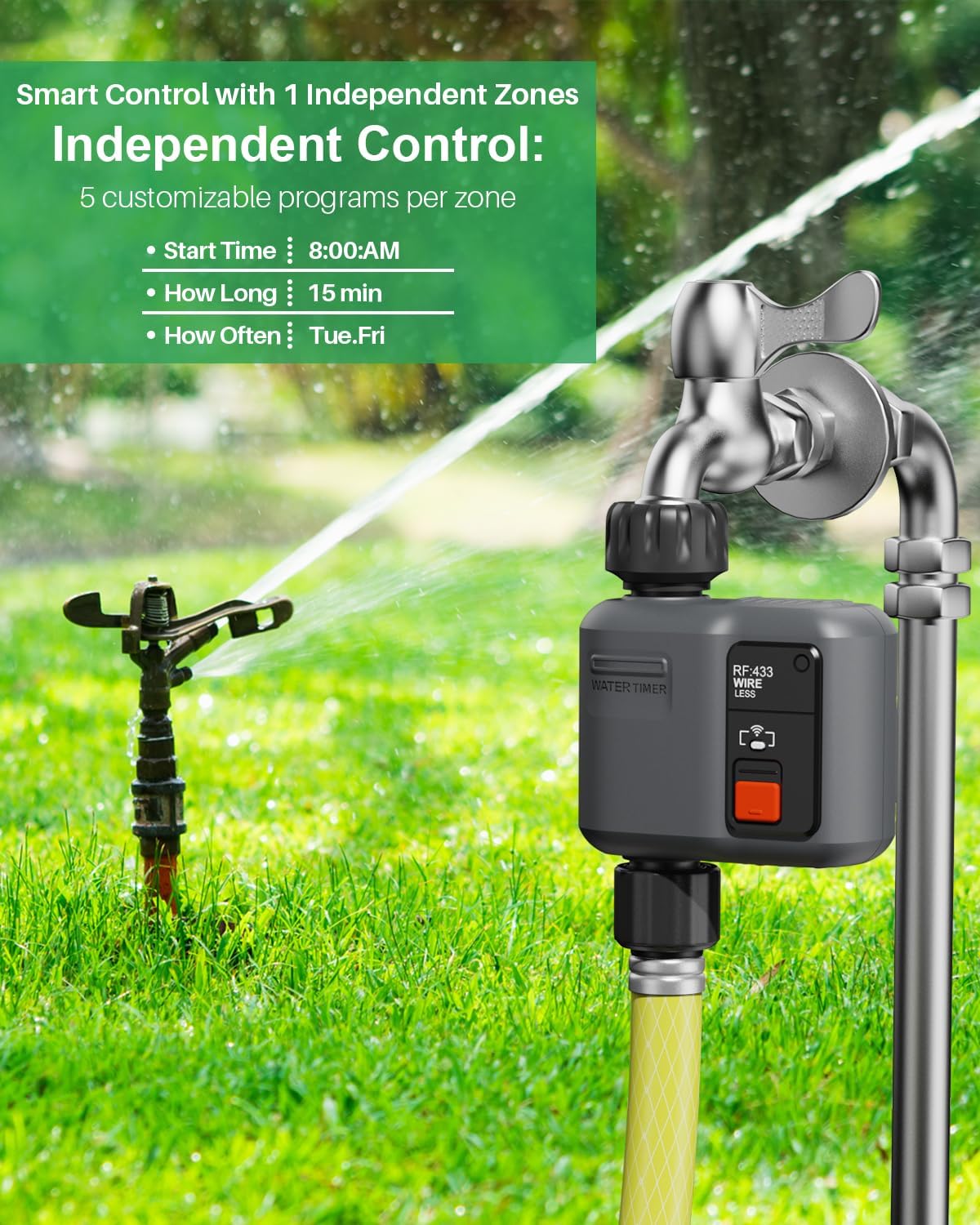
Image: Independent zone control and customizable programs.
Sceideal a Shocrú:
- In the app, select the desired water timer.
- Choose between 'Single Watering Mode' or 'Circular Watering Mode'.
- Socraigh an Am Tosaigh for irrigation.
- Sainmhínigh an Ré Uisce (from 1 second up to 11 hours 59 minutes and 59 seconds).
- Roghnaigh an Minicíocht (specific days of the week, e.g., Monday to Sunday, or every few days).

Image: Scheduled irrigation setup via the app.
Flexible Watering (Irrigation/Spray Modes):
The system supports both standard irrigation and spray modes. You can configure up to 5 irrigation plans and 1 spray plan per zone.
- Select the desired mode ('Irrigation' or 'Spray') within the app.
- Adjust specific settings for each mode, such as spray duration and interval for spray mode.

Image: Spray irrigation mode settings in the app.
2. Rain Delay Function:
The system can automatically detect rain and pause watering, or you can manually set a delay.
- Automatic Delay: Enable the intelligent weather detection feature in the app. Watering will be automatically stopped when rain is detected.
- Manual Delay: Access the 'Rain Delay' option in the app to manually set a delay for 24, 48, or 72 hours.

Image: Rain delay function interface.
3. Uisce de Láimh:
For immediate or temporary watering needs, use the manual watering function.
- In the app, select the desired water timer.
- Activate the 'Manual Watering' mode.
- Set the desired duration for manual watering.

Image: Manual watering in progress and irrigation records in the app.
4. Rialú Gutha:
Integrate your johgee irrigation system with Alexa or Google Assistant for voice commands.
- Link your Smart Life account to your Alexa or Google Home app.
- Use simple voice commands such as "Alexa, turn on the smart water timer" to control your system.

Image: Smart voice control integration with Alexa and Google Assistant.
Cothabháil
- Athsholáthar Ceallra: Replace the AA batteries in the water timers when the low battery indicator appears in the app or on the device. Ensure proper polarity.
- Glanadh: Periodically clean the water timers and gateway with a soft, damp cloth. Do not use abrasive cleaners or immerse the gateway in water.
- Geimhreadh: Before freezing temperatures, disconnect the water timers from the faucets and store them indoors to prevent damage.
- Seiceáil le haghaidh sceitheadh: Regularly inspect connections for any leaks and tighten if necessary. Replace O-rings if they show signs of wear.
Fabhtcheartú
- No Connection to Gateway:
- Ensure the gateway is plugged in and within range of your 2.4 GHz Wi-Fi router.
- Verify your Wi-Fi network is 2.4 GHz.
- Restart the gateway and try pairing again.
- Water Timer Not Responding:
- Check the batteries in the water timer and replace if necessary.
- Ensure the water timer is within the RF range of the gateway.
- Re-pair the water timer with the gateway via the Smart Life app.
- Water Not Flowing:
- Seiceáil an bhfuil an sconna oscailte go hiomlán.
- Cinntigh go bhfuil brú uisce leordhóthanach ann.
- Verify that no rain delay is active.
- Check the schedule in the app to ensure it is correctly set and enabled.
- Ceisteanna Aipe:
- Cinntigh go bhfuil nasc idirlín cobhsaí ag do ghuthán cliste.
- Update the Smart Life app to the latest version.
- Restart the app or your smartphone.
Sonraíochtaí
| Branda | Seoigh |
| Múnla | 1-Output Smart Irrigation Computer (2-Pack) |
| Dath | Liath |
| Nascacht | Wi-Fi (2.4 GHz only) for Gateway, RF (300m range) for Timers |
| Comhoiriúnacht App | Aip Saol Cliste |
| Comhoiriúnacht Cúntóir Gutha | Amazon Alexa, Cúntóir Google |
| Ré Uisce | 1 second to 11 hours 59 minutes 59 seconds |
| Rátáil uiscedhíonach | IPX5 (Water Timer) |
| Power Source (Timer) | 4 x Cadhnraí AA (gan a bheith san áireamh) |
Barántas agus Tacaíocht
For warranty information and technical support, please refer to the documentation included in your product packaging or contact johgee customer service through their official websuíomh. Coinnigh d’admháil cheannaigh le haghaidh éilimh bharánta.