
1. Réamhrá
Thank you for choosing the UXD A5 Android Tablet. This manual provides essential information for setting up, operating, and maintaining your new device. Please read it thoroughly to ensure optimal performance and longevity of your tablet.
The UXD A5 is a versatile 10-inch Android 15 tablet featuring an Octa-Core CPU, 12GB RAM, and 512GB internal storage, designed for productivity and entertainment. It supports WiFi 6 and 4G LTE connectivity.
2. Ábhar Pacáiste
Deimhnigh le do thoil go bhfuil na hearraí uile i láthair i do phacáiste:
- UXD A5 Android Tablet
- Stíl
- Méarchláir Inscortha
- Luch Beachtas
- Screen Protector (pre-applied or separate)
- Cuibheoir OTG
- Cás Infhillte
- Muirear
- Cábla USB
3. Táirge Tharview
The UXD A5 tablet features a 10-inch HD IPS display. Key components include:
- Ceamara Tosaigh: Typically located at the top center when held vertically, used for video calls and selfies. (5MP)
- Ceamara Cúil: Located on the back of the tablet, used for high-resolution photography. (15MP)
- Cnaipe Cumhachta: Usually on the side, used to turn the tablet on/off or put it to sleep.
- Cnaipí Toirt: Adjacent to the power button, used to adjust audio levels.
- Port USB-C: Le haghaidh muirearú agus aistriú sonraí.
- Sliotán Cárta SIM/MicroSD: For inserting a 4G SIM card and expanding storage with a microSD card (up to 1TB).
- Cainteoirí: Le haghaidh aschur fuaime.
- Micreafón: Le haghaidh ionchur gutha.
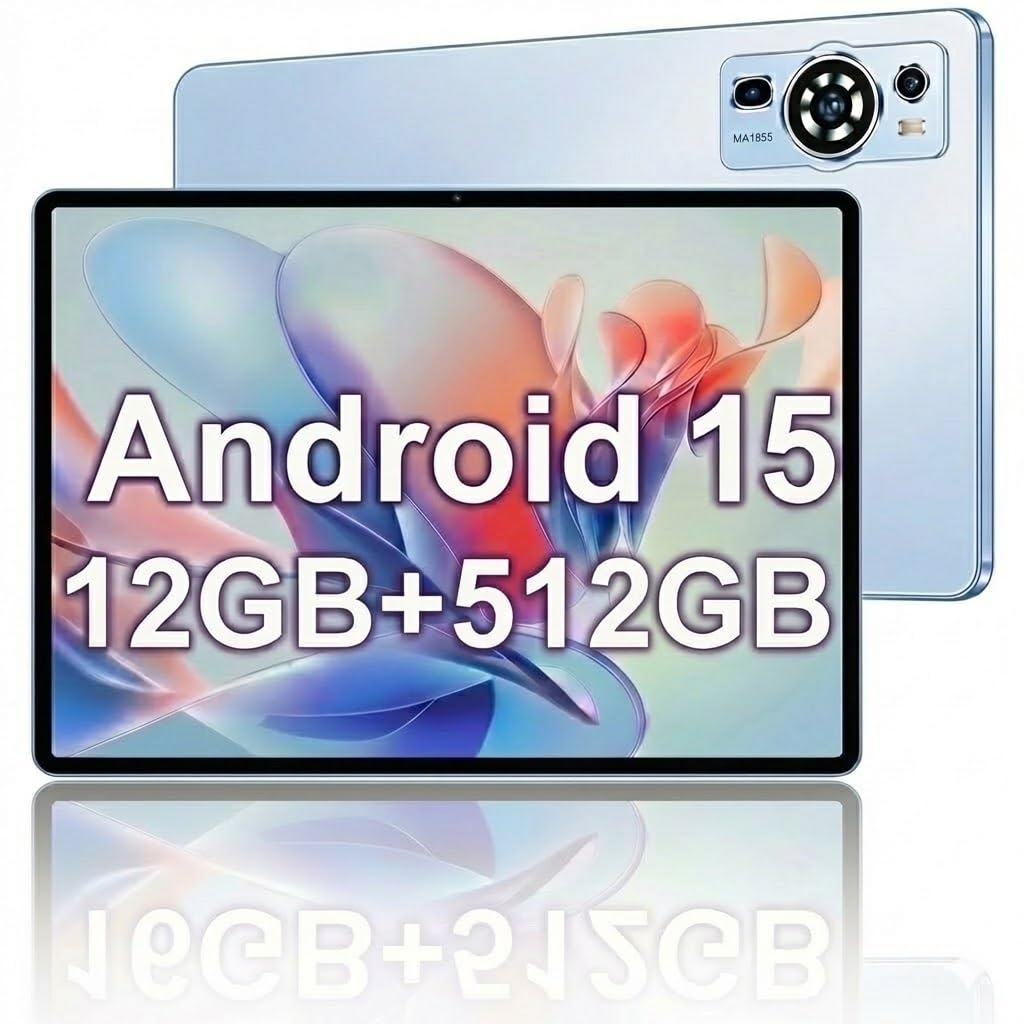
Image: The UXD A5 Android Tablet shown with its included accessories, such as the detachable keyboard, mouse, and stylus, highlighting its comprehensive package.
4. Socrú
4.1 Muirearú Tosaigh
Before first use, fully charge the tablet using the provided charger and USB cable. Connect the USB cable to the tablet's USB-C port and the charger to a power outlet. The battery indicator on the screen will show charging status.
4.2 Cumhachtú Amach/Amach
- Chun Cumhacht a Chur ar: Press and hold the Power button until the UXD logo appears.
- Chun Cumhacht as: Press and hold the Power button until the power options appear, then select 'Power off'.
- Chun Codladh/Dúiseacht: Go hachomair brúigh an cnaipe Power.
4.3 Ag nascadh le Wi-Fi
- Téigh go dtí Socruithe > Líonra & Idirlíon > Wi-Fi.
- Wi-Fi a scoránaigh On.
- Roghnaigh an líonra Wi-Fi atá uait ón liosta.
- Cuir isteach an focal faire má iarrtar ort é, ansin tapáil Ceangail.
4.4 Inserting SIM Card (4G LTE)
If your model supports 4G LTE, locate the SIM card slot on the side of the tablet. Use the provided SIM ejector tool (if applicable) to open the tray. Insert a nano-SIM card into the designated slot with the gold contacts facing down, then reinsert the tray. Ensure the tablet is powered off before inserting or removing a SIM card.
4.5 Expanding Storage with MicroSD Card
The tablet supports microSD cards up to 1TB. Locate the SIM/MicroSD card slot. Insert the microSD card into the appropriate slot with the gold contacts facing down. The tablet will detect the card and prompt you for formatting options if necessary.
4.6 Gabhálais a Cheangal
- Méarchláir / Luch: These typically connect via Bluetooth. Go to Socruithe > Gléasanna nasctha > Bluetooth. Turn Bluetooth on, put the accessory in pairing mode, and select it from the list of available devices.
- Stíl: The stylus is generally passive or connects automatically via Bluetooth. Refer to the stylus's specific instructions for pairing if required.
- Oiriúntóir OTG: Connect the OTG adapter to the tablet's USB-C port to connect USB devices like flash drives.
5. Treoracha Oibriúcháin
5.1 Nascleanúint Bhunúsach
The UXD A5 tablet uses a capacitive touchscreen. Use gestures such as tap, swipe, pinch-to-zoom, and long-press to navigate the interface, open apps, and interact with content.
Córas Oibriúcháin 5.2 Android 15
Your tablet runs on Android 15, offering enhanced privacy features, improved notifications, and a refined user interface. Explore the Socruithe menu to customize your tablet's behavior, appearance, and security options.
5.3 Bainistíocht Stórála
The tablet comes with 512GB of internal storage. To manage your storage, go to Socruithe > Stóráil. Anseo is féidir leat view spás a úsáid, spás a shaoradh, agus bainistiú files on your internal storage and microSD card.
5.4 Úsáid Ceamara
Open the Camera app to take photos and videos. The tablet features a 5MP front camera and a 15MP rear camera. Tap the screen to focus, and use the on-screen shutter button to capture images. Switch between front and rear cameras using the icon on the screen.
5.5 Uasmhéadú Ceallraí
Soláthraíonn an ceallraí 6000mAh úsáid fhada. Chun saolré na ceallraí a uasmhéadú:
- Coigeartaigh gile an scáileáin.
- Múch Wi-Fi, Bluetooth, agus GPS nuair nach bhfuil siad in úsáid.
- Dún feidhmchláir nach bhfuil in úsáid agus atá ag rith sa chúlra.
- Cumasaigh mód Sábhála Ceallraí i Socruithe > Ceallraí.
6. Cothabháil
6.1 Glanadh an Táibléid
Bain úsáid as éadach bog, saor ó lint chun an scáileán agus corp an táibléid a ghlanadh. I gcás smúdáin righne, déan beagán díampNigh an t-éadach le huisce nó le tuaslagán glantacháin scáileáin. Seachain ceimiceáin ghéara nó ábhair scríobacha a úsáid.
6.2 Nuashonrú Bogearraí
Regularly check for software updates to ensure your tablet has the latest features and security patches. Go to Socruithe > Córas > Nuashonrú córais chun nuashonruithe atá ar fáil a sheiceáil agus a shuiteáil.
6.3 Cúram Ceallraí
To prolong battery lifespan, avoid extreme temperatures and do not let the battery completely drain frequently. It is recommended to keep the battery charge between 20% and 80% for optimal long-term health.
7. Fabhtcheartú
- Níl an táibléad ag dul ar siúl: Ensure the tablet is charged. Connect the charger and wait a few minutes before attempting to power on again.
- Fadhbanna nascachta Wi-Fi: Restart your tablet and your Wi-Fi router. Ensure you are within range of the Wi-Fi signal and have entered the correct password.
- Feidhmíocht mhall: Close unused apps, clear cache, or restart the tablet. Consider uninstalling rarely used applications to free up resources.
- Scáileán tadhaill neamhfhreagrach: Atosaigh an táibléad. Má leanann an fhadhb, cinntigh go bhfuil an scáileán glan agus saor ó smionagar.
- Gabhálais nach bhfuil ag ceangal: Ensure Bluetooth is enabled on the tablet and the accessory is in pairing mode. Check the accessory's battery level.
8. Sonraíochtaí
| Branda | UXD |
| Ainm an tSamhail | A5 |
| Córas Oibriúcháin | Android 15 |
| Méid an Scáileáin | 10.1 Orlach |
| Taifeach Taispeána | 1280x800 Pixels (HD IPS) |
| Próiseálaí | LAP Octa-Core |
| Cuimhne RAM | 12 GB |
| Stóráil Inmheánach | 512 GB |
| Stóráil Expandable | Suas le 1 TB (MicroSD) |
| Teicneolaíocht Gan Sreang | Wi-Fi 6, Bluetooth 5.0 |
| Teicneolaíocht Ceallach | 4G LTE |
| Ceamara Tosaigh | 5 MP |
| Ceamara Cúil | 15 MP |
| Cumas Battery | 6000 mAh (Polaiméir Litiam) |
| Meánshaol Battery | Up to 72 Hours (standby) |
| Toisí (F x L x D) | 9.4"F x 6.3"L x 2.7"T |
| Dath | Gorm |
9. Barántas agus Tacaíocht
The UXD A5 Android Tablet comes with a 1-year limited warranty. For warranty claims or technical support, please refer to the contact information provided with your purchase or visit the official UXD support websuíomh.
Coinnigh do chruthúnas ceannaigh le do thoil chun críocha barántais.