
1. Táirge Tharview
The HP Laptop 15-fd2353la is a versatile and efficient computing device designed for everyday tasks, entertainment, and productivity. It features an Intel Core Ultra 5 processor, a vibrant 15.6-inch Full HD display, ample memory, and fast solid-state storage. This manual will guide you through the setup, operation, and maintenance of your new laptop.

Tosaigh view of the HP Laptop 15-fd2353la, highlighting its Intel Core Ultra 5 processor, 24 GB RAM, 512 GB SSD, and 15.6-inch Full HD display.
2. Socrú
2.1 Díphacáil
Bain do ríomhaire glúine agus na gabhálais go léir as an bpacáistiú go cúramach. Cinntigh go bhfuil na míreanna seo a leanas i láthair:
- HP Laptop 15-fd2353la
- Adaptóir Cumhachta agus Cábla
- Doiciméadacht (Treoir Tosaigh Thapa, Faisnéis Bharántais)
2.2 Ag Ceangal an Oiriúnaitheora Cumhachta
Before first use, connect the power adapter to the laptop's power port and then plug it into a wall outlet. Allow the battery to charge for a few hours, or until fully charged, before initial use.
2.3 An Chumhacht Ar Siúl Tosaigh agus Socrú Windows
Press the power button located on the keyboard to turn on the laptop. Follow the on-screen instructions to complete the Windows 11 Home setup process. This includes selecting your language, connecting to a Wi-Fi network, and creating a user account.
3. Treoracha Oibriúcháin
3.1 Cumhachta Ar Siúl/Múch agus Mód Codlata
- Cumhacht ar: Brúigh an cnaipe cumhachta.
- Múchadh: Cliceáil an cnaipe Tosaigh, ansin Cumhacht > Múch síos.
- Mód Codlata: Dún an clúdach nó cliceáil an cnaipe Tosaigh, ansin Cumhacht > Codladh.
3.2 Ag Úsáid an Mhéarchláir agus an Teagmhéadáin
The laptop features a full-size Spanish QWERTY keyboard and a precision touchpad. Use the touchpad for navigation, clicking, and multi-touch gestures. Refer to Windows settings for touchpad customization.
3.3 Ag nascadh le Wi-Fi
Chun nascadh le líonra gan sreang:
- Cliceáil ar an deilbhín Wi-Fi sa bharra tascanna.
- Roghnaigh an líonra atá uait ón liosta.
- Cuir isteach focal faire an líonra má iarrtar ort é, agus ansin cliceáil Ceangail.
4. Príomhghnéithe
The HP Laptop 15-fd2353la offers a range of features designed to enhance your computing experience:
- Próiseálaí: Intel Core Ultra 5 225U (up to 4.8 GHz with Intel Turbo Boost Technology, 12 MB L3 Cache, 12 cores, 14 threads) for efficient multitasking.
- Stóráil: 512 GB PCIe NVMe M.2 Solid State Drive for fast boot times and application loading.
- Cuimhne: 24 GB DDR5-5600 MT/s RAM for smooth performance across demanding applications.
- Taispeáin: 15.6-inch Full HD (1920 x 1080) IPS anti-glare display with 250 nits brightness and 62.5% sRGB for clear visuals.
- Córas Oibriúcháin: Réamhshuiteáilte le Windows 11 Home.
- Saol Battery: Up to 9 hours and 45 minutes of AI-optimized battery life, with HP Fast Charge capable of recharging 50% in approximately 30 minutes.
- Webcam and Audio: Comhtháite webcam with a privacy shutter and a clear microphone featuring external noise reduction for improved video calls.
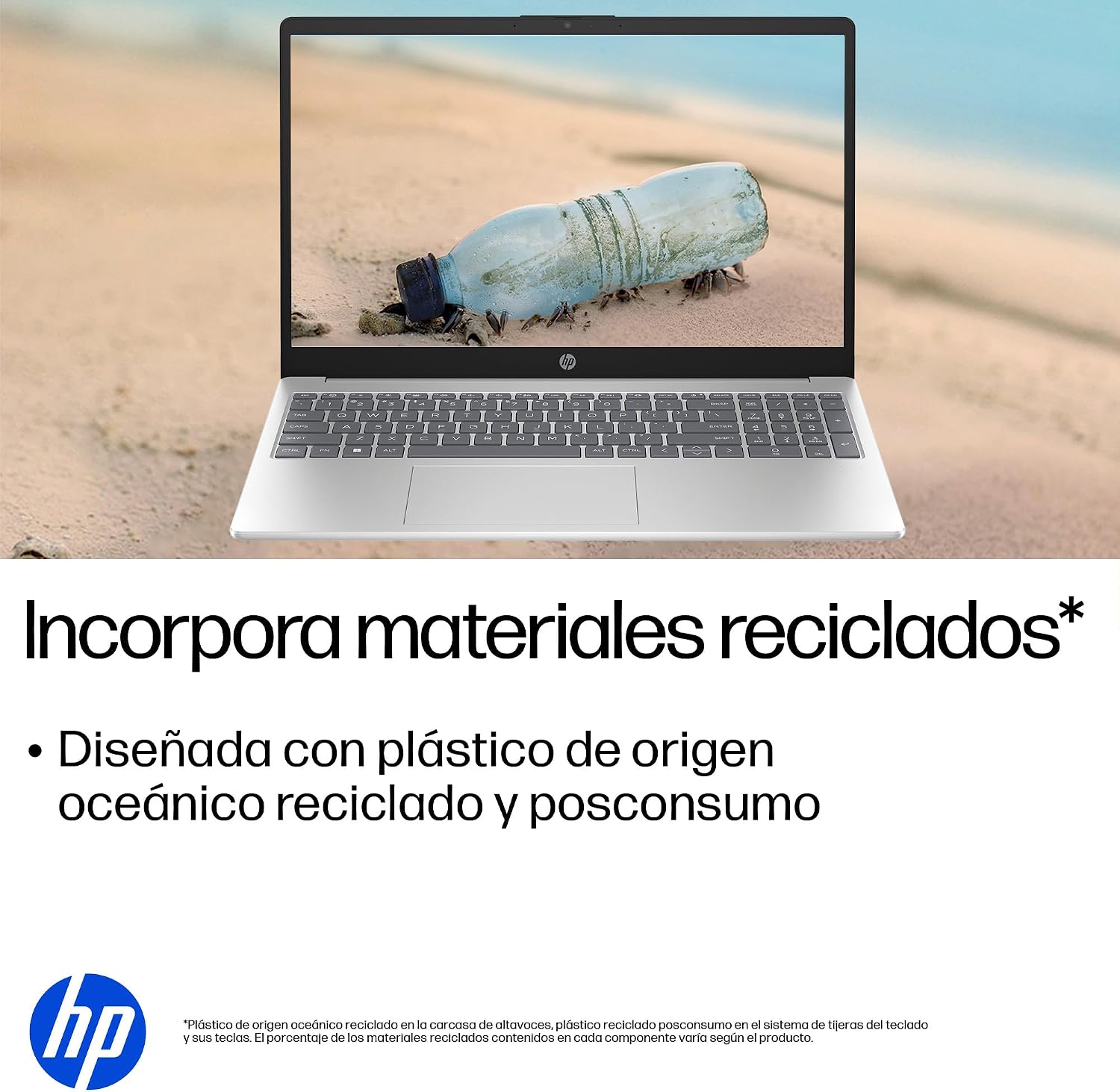
- Dearadh Inbhuanaithe: Constructed with ocean-bound and post-consumer recycled plastics in various components.

The laptop features an integrated webcam shutter for privacy and a clear microphone with external noise reduction.

Experience an immersive visual display with an 85% screen-to-body ratio and an anti-glare Full HD screen.

Enjoy extended use with up to 9 hours and 45 minutes of AI-optimized battery life, and quickly recharge 50% in 30 minutes with HP Fast Charge.

This laptop incorporates recycled materials, including ocean-bound and post-consumer plastics, in its design.
5. Calafoirt agus Nascacht
Your HP Laptop 15-fd2353la is equipped with various ports for connecting peripherals and external devices:

Diagram illustrating the location and type of ports on the HP Laptop 15-fd2353la.
- Taobh Chlé:
- 1 x USB Type-A 5 Gbps signaling rate port
- 1 x port HDMI
- 1 x USB Type-C 5 Gbps signaling rate port
- 1 x Headphone/Microphone combo jack
- Taobh Dheis:
- 1 x USB Type-A 5 Gbps signaling rate port
- 1 x Power connector
6. Sonraíochtaí
| Gné | Sonraíocht |
|---|---|
| Branda | HP |
| Ainm an tSamhail | 15-fd2353la |
| Méid an Scáileáin | 15.6 Orlach |
| Uastaifeach Scáileáin | 1920 x 1080 Picteilín (FHD) |
| Cineál Taispeána | IPS, Anti-glare LCD |
| Dath | Airgid |
| Múnla LAP | Tiománaí Intel Core Ultra 5 225U |
| Luas Próiseálaí | Suas go dtí 4.8 GHz |
| Méid RAM | 24 GB |
| Teicneolaíocht RAM | DDR5-5600 MT/s |
| Méid Tiomántán Crua | 512 GB SSD (PCIe NVMe M.2) |
| Córas Oibriúcháin | Windows 11 baile |
| Comhphróiseálaí grafaicí | Grafaicí Comhtháite Intel |
| Calafoirt USB | 3 (2x USB Type-A, 1x USB Type-C) |
| Poirt HDMI | 1 |
| Cineál Battery | ian Litiam |
| Ábhar Fuinnimh Ceallraí | 41 Watt-uair an chloig |
| Leagan Amach Méarchláir | QWERTY (Spanish) |
| Meáchan | 1.65 cileagram |
| Toisí (L x W x H) | 23.6 x 36 x 1.9 cm |
Visual representation of the laptop's dimensions and weight.
7. Cothabháil
7.1 Glanadh an ríomhaire glúine
- Bain úsáid as éadach bog, saor ó lint beagán dample huisce nó le glantóir scáileáin chun an taispeáint a ghlanadh.
- Maidir leis an méarchlár agus an chassis, bain úsáid as éadach bog. Seachain ceimiceáin ghéara nó ábhair scríobacha.
- Bain úsáid as aer comhbhrúite chun deannach a ghlanadh ó eochracha agus ó phoill an mhéarchláir.
7.2 Cúram Ceallraí
- Seachain teochtaí foircneacha.
- Ná díluchtaigh an ceallraí go hiomlán go minic.
- Má tá an ríomhaire glúine á stóráil ar feadh tréimhse fada, déan cinnte go bhfuil an ceallraí luchtaithe go dtí thart ar 50%.
7.3 Nuashonrú Bogearraí
Nuashonraigh do chóras oibriúcháin agus do thiománaithe Windows go rialta chun feidhmíocht agus slándáil is fearr is féidir a chinntiú. Is féidir rochtain a fháil ar Windows Update trí Socruithe > Windows Update.
7.4 Bainistíocht Stórála
Go tréimhsiúil maidir leview agus scrios neamhriachtanach files to maintain sufficient free space on your 512 GB SSD, which helps in sustaining system performance.
8. Fabhtcheartú
8.1 Fadhbanna Cumhachta
- Ríomhaire glúine nach bhfuil ag casadh air: Ensure the power adapter is securely connected to both the laptop and a working power outlet. Check if the power outlet is functional.
- Ceallra gan luchtú: Deimhnigh go bhfuil an t-oiriúntóir cumhachta ceangailte i gceart. Bain triail as asraon cumhachta eile.
8.2 Fadhbanna Taispeána
- Gan aon íomhá ar an scáileán: Connect an external monitor to the HDMI port to check if the issue is with the laptop's display or the graphics card.
- Scáileán doiléir nó ag caochadh: Adjust screen brightness using the keyboard function keys. Update display drivers.
8.3 Fadhbanna Nascachta
- Níl Wi-Fi ag ceangal: Cinntigh go bhfuil Wi-Fi cumasaithe. Atosaigh do ródaire agus do mhóidim. Seiceáil socruithe líonra i Windows.
- Gléasanna USB nach n-aithnítear: Bain triail as an ngléas a nascadh le port USB difriúil. Cinntigh go bhfuil tiománaithe gléis suiteáilte.
8.4 Saincheisteanna Feidhmíochta
- Feidhmíocht mhall: Close unnecessary applications. Check for background processes consuming high resources (Task Manager). Ensure sufficient free storage space.
- Reoiteann an córas: Restart the laptop. Check for recent software installations or updates that might be causing conflicts.
9. Barántas agus Tacaíocht
9.1 Faisnéis Bharántas
Your HP Laptop 15-fd2353la comes with a Barántas teoranta 1 bliana. This warranty covers manufacturing defects and hardware failures under normal use conditions. Please refer to the warranty documentation included with your product for full terms and conditions.
9.2 Tacaíocht Theicniúil
For technical assistance, warranty claims, or service inquiries, please visit the official HP support website or contact HP customer service. Have your product model number (15-fd2353la) and serial number ready when contacting support.
You can find more information and support resources at the official HP websuíomh: www.hp.com/tacaíocht