
1. Réamhrá
Go raibh maith agat as an gceannachasing the LG 27G411A UltraGear Gaming Monitor. This manual provides essential information for the safe and efficient use of your monitor. Please read it thoroughly before operating the product and retain it for future reference. This 27-inch Full HD (1920 x 1080) IPS display is designed for an immersive gaming experience, featuring a 144Hz refresh rate, 1ms Motion Blur Reduction (MBR), HDR10 support, and compatibility with NVIDIA G-Sync and AMD FreeSync technologies.
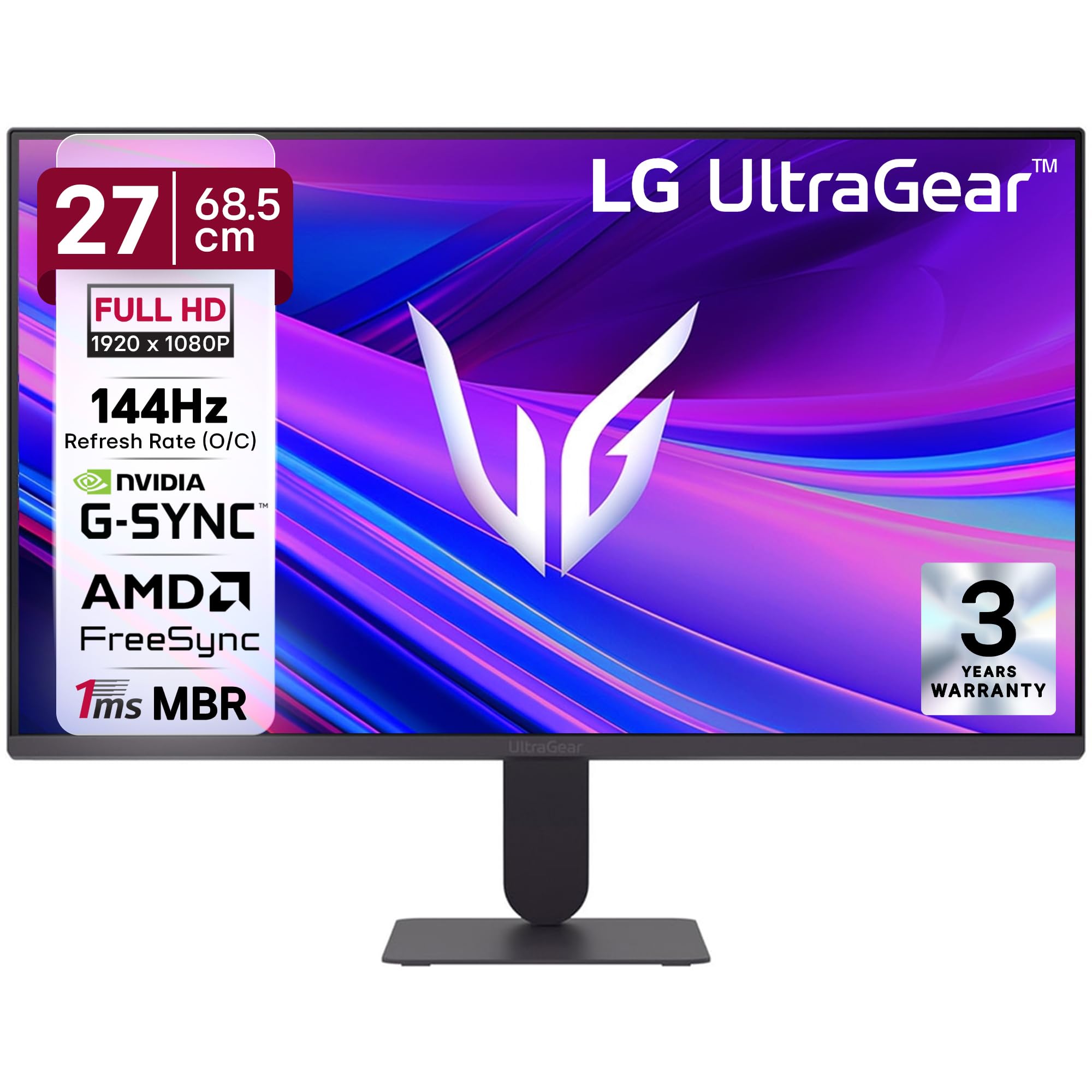
Fíor 1: Tosaigh view of the LG 27G411A UltraGear Gaming Monitor.
2. Faisnéis Sábháilteachta
Observe the following safety precautions to prevent damage to the product or injury to yourself and others.
- Cumhacht: Use only the power cord and adapter supplied with the monitor. Do not overload power outlets.
- Socrúchán: Place the monitor on a stable, level surface. Avoid direct sunlight, heat sources, and areas with high humidity or dust. Ensure adequate ventilation around the monitor.
- Láimhseáil: Do not drop the monitor or subject it to strong impacts. Avoid touching the screen with sharp objects.
- Glanadh: Disconnect the power cord before cleaning. Use a soft, dry cloth. Do not use liquid cleaners or aerosol sprays.
- Deisiúcháin: Ná déan iarracht an táirge seo a sheirbheáil ort féin. Déan gach seirbhísiú a tharchur chuig pearsanra seirbhíse cáilithe.
3. Ábhar Pacáiste
Deimhnigh go bhfuil na míreanna uile i láthair i mbosca do tháirge:
- LG 27G411A UltraGear Monitor
- Cábla Cumhachta
- Cábla HDMI
- Seasamh Monatóra (Bonn agus Muineál)
- Lámhleabhar Úsáideora (an doiciméad seo)
4. Socrú
4.1 Tionól Monatóra
Lean na céimeanna seo chun seastán an mhonatóra a chur le chéile agus é a cheangal leis an bpainéal taispeána.
- Carefully place the monitor face down on a soft cloth or cushion to prevent scratches.
- Attach the stand neck to the base, securing it with the captive screw.
- Align the assembled stand with the mounting slot on the back of the monitor panel and push until it clicks into place.
- Alternatively, the monitor supports VESA 100x100mm wall mounting. Remove the stand if using a wall mount.

Figure 2: Illustration of the monitor's ultra-slim design, tilt adjustment, and VESA wall mount compatibility.
4.2 An Monatóir a Nascadh
Ceangail do chuid feistí leis an monatóir ag baint úsáide as na cáblaí cuí.
- Ceangal Cumhachta: Ceangail an cábla cumhachta le hionchur cumhachta an mhonatóra agus ansin le soicéad balla.
- Ceangal HDMI: Use the supplied HDMI cable to connect your computer or gaming console to the HDMI port on the monitor.
- Ceangal DisplayPort: For optimal performance, especially for 144Hz refresh rate, connect your computer to the DisplayPort (DP) on the monitor using a DisplayPort cable (not always included).
- Cluasán Amach: Connect headphones or external speakers to the 3-pole headphone out port for audio output.

Fíor 3: Cúil view of the monitor displaying the power input, HDMI, DisplayPort, and headphone out ports.

Fíor 4: Mionsonraithe view of the DisplayPort (DP-IN), HDMI, and Headphone (HP) ports.
5. Treoracha Oibriúcháin
5.1 Cumhacht ar siúl / as
Press the joystick button located at the bottom center of the monitor to turn it on or off. A short press will bring up the OSD menu, while a long press will power off the monitor.
5.2 Roghchlár Taispeána Ar-Scáileán (OSD).
The OSD menu allows you to adjust various monitor settings. Use the joystick button to navigate:
- Bog an luamhán stiúrtha suas/síos/ar chlé/ar dheis chun nascleanúint a dhéanamh trí na roghanna roghchláir.
- Brúigh an luamhán stiúrtha chun rogha a roghnú nó socrú a dhearbhú.
5.3 Móid Pictiúr
The monitor offers several preset picture modes optimized for different content types:
- Saincheaptha: Allows manual adjustment of all picture settings.
- Gamer1/Gamer2: User-configurable modes for gaming preferences.
- FPS/RTS: Optimized for First-Person Shooter and Real-Time Strategy games.
- beoga: Enhances color and contrast for general viewing.
- Léitheoir: Reduces blue light for comfortable reading.
- Éifeacht HDR: Simulates HDR content for non-HDR sources.
- Laige Dath: Adjusts color settings to assist users with color vision deficiency.
5.4 Gaming Enhancements
The LG 27G411A is equipped with features to enhance your gaming experience:
- Ráta Athnuachana 144Hz & 1ms MBR: Experience fluid motion and reduced ghosting. The monitor supports a native 120Hz refresh rate and up to 144Hz in overclock mode via DisplayPort 1.4 (HDMI 2.0 supports up to 144Hz).
- AMD FreeSync & NVIDIA G-Sync Compatible: Sioncrónaíonn sé ráta athnuachana an mhonatóra le ráta fráma do GPU chun stróiceadh agus stamaireacht scáileáin a dhíchur.
- Cobhsaitheoir Dubh: Gealaíonn sé ceantair dhorcha chun cabhrú leat naimhde atá i bhfolach i scáthanna a fheiceáil.
- Sioncrónú Gníomhaíochta Dinimiciúil (DAS): Minimizes input lag for real-time action.
- Crosaire: Cuireann sé crosaire seasta i lár an scáileáin le haghaidh díriú feabhsaithe i gcluichí FPS.
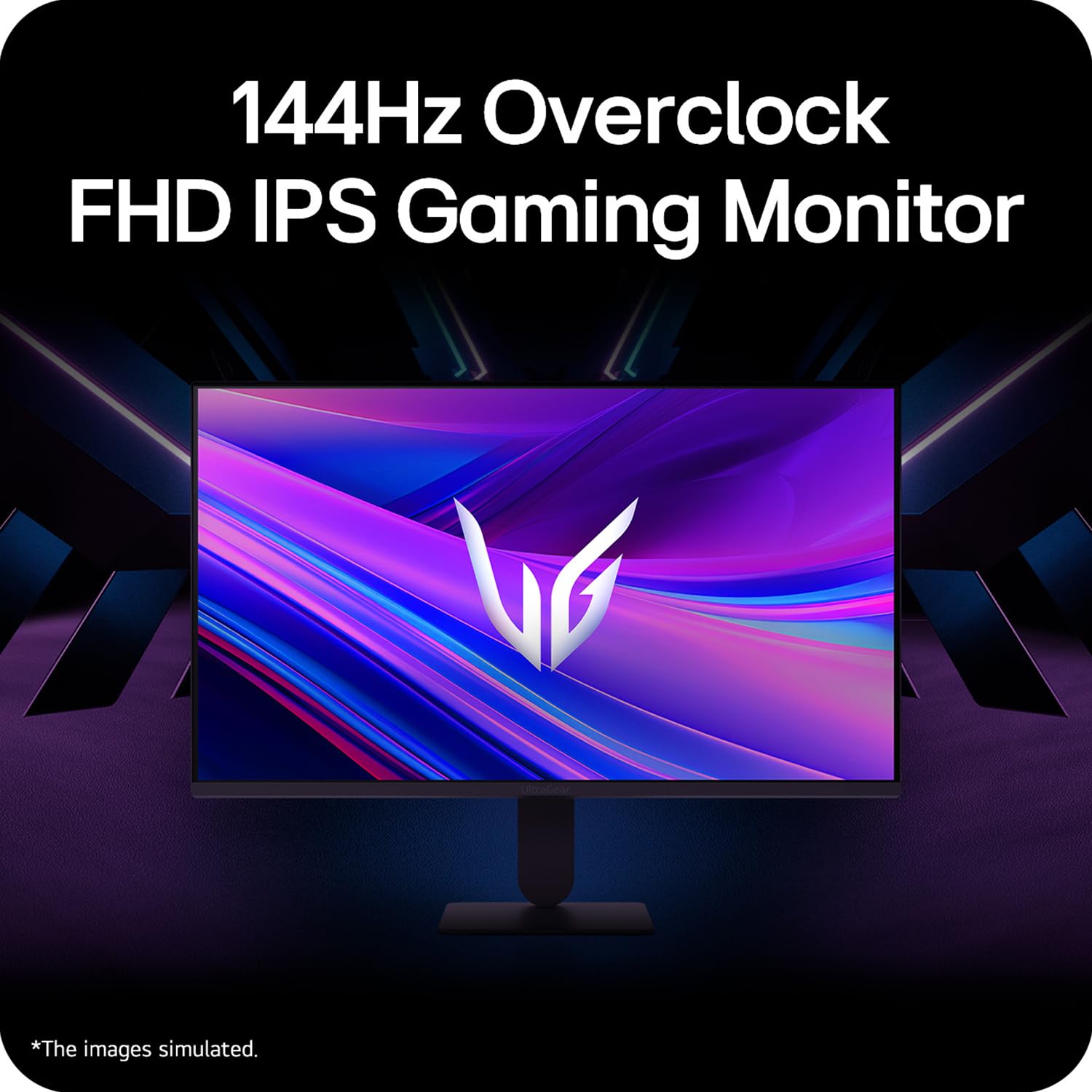
Figure 5: Visual representation of 144Hz overclock for fluid gaming motion.

Figure 6: Illustration of 1ms Motion Blur Reduction (MBR) for fast-paced gaming. Note: 1ms MBR causes lowered luminance and cannot be used with AMD FreeSync/DAS. Flicker may occur during 1ms MBR operation.

Figure 7: The monitor is certified compatible with NVIDIA G-Sync and AMD FreeSync technologies.

Figure 8: Precision Gaming Mode features: Dynamic Action Sync (DAS), Black Stabilizer, and Crosshair.
5.5 Eye-Care Features
To reduce eye strain during prolonged use, the monitor includes:
- Flicker Sábháilte: Reduces screen flicker to minimize eye fatigue.
- Mód Léitheoir: Adjusts color temperature and brightness to simulate paper, making it easier on the eyes for reading tasks.
- Laige Dath: Provides color adjustments for users with color vision deficiencies.
5.6 Smart Convenience (LG Switch App)
The LG Switch app offers enhanced control and customization options for your monitor directly from your computer. Features include Dual mode, Smart screen split, Launch a video call, and Personalized Picture Wizard.

Figure 9: The LG Switch app provides smarter control and seamless switching between various display modes and settings.
6. Cothabháil
6.1 An Monatóir a Ghlanadh
Chun cuma agus feidhmíocht an mhonatóra a choinneáil:
- Díphlugáil an monatóir ón asraon cumhachta i gcónaí sula ndéantar é a ghlanadh.
- Bain úsáid as éadach bog, saor ó lint chun an scáileán agus na dromchlaí seachtracha a ghlanadh go réidh.
- I gcás marcanna righne, déan iad a dhiúscairt go héadrom.ampNigh an t-éadach le huisce nó le glantóir scáileáin éadrom, neamh-scríobach. Ná spraeáil leacht go díreach ar an scáileán.
- Avoid using benzene, alcohol, or other volatile solvents, as they may damage the monitor.
7. Fabhtcheartú
Má bhíonn fadhbanna agat le do mhonatóir, féach ar na réitigh choitianta seo a leanas:
| Fadhb | Cúis / Réiteach Féideartha |
|---|---|
| Gan chumhacht | Ensure the power cable is securely connected to the monitor and a working power outlet. Check if the power outlet is functional. |
| Gan comhartha / Scáileán bán | Verify that the video cable (HDMI or DisplayPort) is securely connected to both the monitor and your computer/device. Ensure the correct input source is selected in the OSD menu. Check if the computer is powered on and not in sleep mode. |
| Íomhá ag priocadh nó ag saobhadh | Check the video cable for damage or loose connections. Try a different video cable or port. Adjust the refresh rate settings on your computer. Disable 1ms MBR if flicker is observed. |
| Backlight leakage on corners | Minor backlight leakage can be a characteristic of IPS panels, especially visible on a completely black screen in a dark environment. This is generally not considered a defect unless it significantly impacts normal viewing. |
| Monitor not recognized by PC | Update your graphics card drivers. Restart your computer. |
8. Sonraíochtaí
Key technical specifications for the LG 27G411A UltraGear Gaming Monitor:
- Méid an Scáileáin: 27 Inse (68.5 cm)
- Cineál Painéil: IPS
- Taifeach: FHD (1920×1080)
- Cóimheas Gné: 16:9
- Ráta Athnuachana: 144 Hz (Overclock)
- Am Freagartha: 1ms MBR (5ms GTG)
- Gile: 250 cd/m² (tipiciúil)
- Cóimheas Codarsnachta: 1500:1
- Gamut Dath: sRGB 99%
- Tacaíocht HDR: HDR10
- Sync Oiriúnaitheach: NVIDIA G-Sync Compatible, AMD FreeSync
- Viewing Uillinn: 178° (H/V)
- Nascacht: 1 x HDMI, 1 x DisplayPort, 1 x Headphone Out
- Dimensions (with stand, WxHxD): 61.2 x 45.2 x 22 cm (24.07 x 17.81 x 8.66 orlach)
- Meáchan (le seastán): 3.8 kg
- Tomhaltas Cumhachta: 20W (tipiciúil)
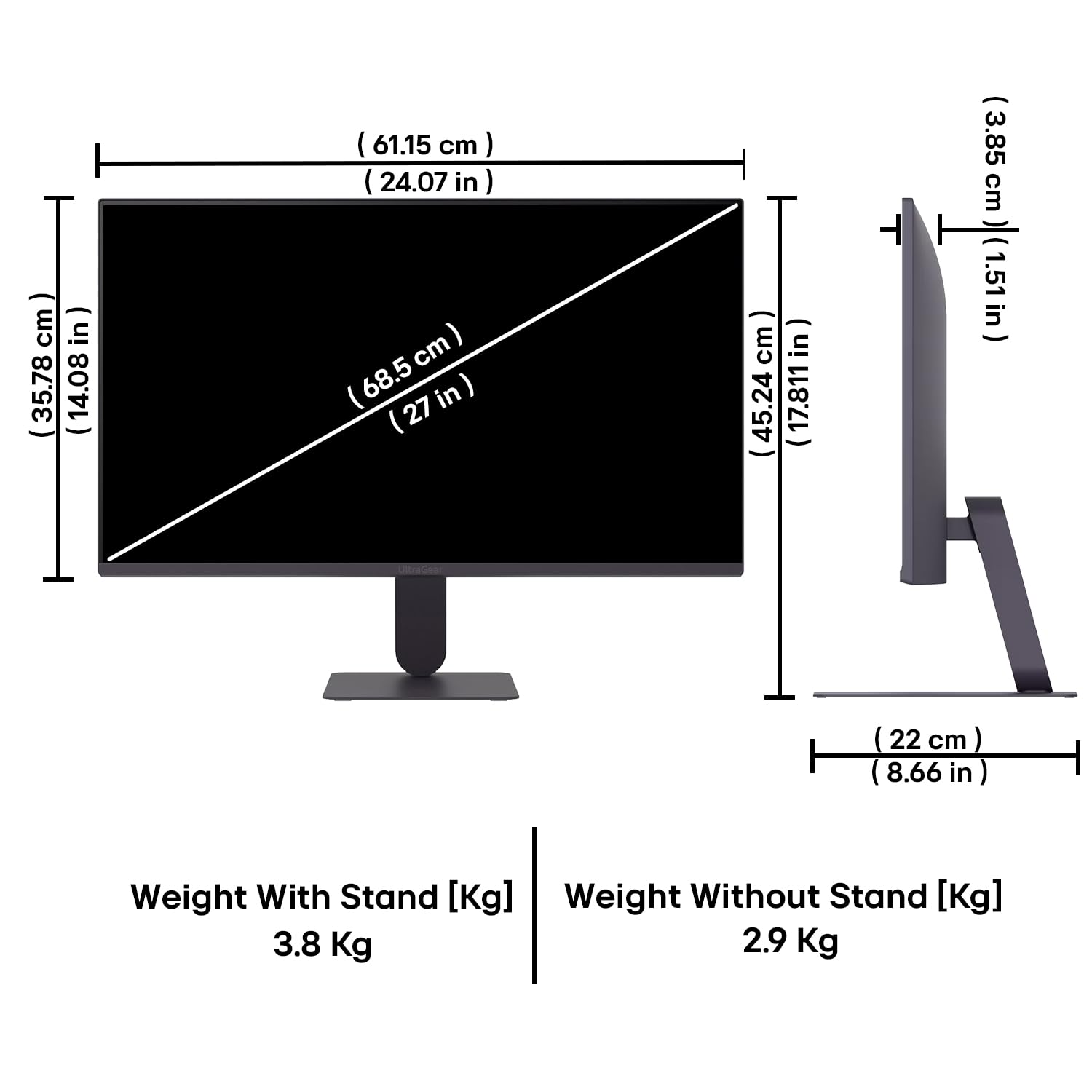
Figure 10: Physical dimensions and weight of the LG 27G411A monitor with and without the stand.
9. Faisnéis Bharántas
This LG 27G411A UltraGear Gaming Monitor comes with a Barántas Monaróra 3 Bhliain covering parts and labor. Please retain your proof of purchase for warranty claims. For detailed terms and conditions, refer to the warranty card included in your product packaging or visit the official LG websuíomh.
10. Tacaíocht do Chustaiméirí
Le haghaidh tuilleadh cúnaimh, tacaíocht theicniúil, nó fiosrúcháin seirbhíse, déan teagmháil le Seirbhís do Chustaiméirí LG. Is féidir leat faisnéis teagmhála a fháil ar shuíomh gréasáin oifigiúil LG. websuíomh nó sa doiciméadacht a cuireadh ar fáil le do mhonatóir.
Pvt India Leictreonaic LG. Teo.
PLOT NO. A-5, MIDC RANJANGAON.
TALUKA SHIRUR, PUNE, MAHRASHTRA (INDIA), 412220