
1. Réamhrá
This manual provides detailed instructions for the setup, operation, maintenance, and troubleshooting of your GMKtec Nucbox G10 Mini PC. The Nucbox G10 is a compact and powerful desktop computer designed for various applications, from office tasks to multimedia entertainment, featuring an AMD Ryzen 5 3500U processor, 16GB DDR4 RAM, and a 1TB NVMe SSD.
2. Ábhar Pacáiste
Deimhnigh go bhfuil na míreanna go léir atá liostaithe thíos i láthair i do phacáiste:
- GMKtec Nucbox G10 AMD Ryzen 5 3500U Mini PC Computer
- Power Supply & Cable
- Cábla HDMI
- VESA Mount and Screws
- Lámhleabhar Úsáideora (an doiciméad seo)

Image: Retail Boxed Packaging. This image displays the GMKtec Nucbox G10 Mini PC, power supply, HDMI cable, VESA mount, screws, and user manual, illustrating the complete contents of the product package.
3. Táirge Tharview
3.1 Príomhghnéithe
- Próiseálaí: AMD Ryzen 5 3500U (4 Cores, 8 Threads, up to 3.70GHz Turbo Boost)
- Grafaicí: Integrated AMD Radeon Vega 8 Graphics (1200 MHz)
- Cuimhne: 16GB Dual Channel DDR4 RAM (expandable up to 64GB)
- Stóráil: 1TB M.2 2280 NVMe SSD (expandable up to 16TB via dual M.2 2280 PCIe 3.0 slots)
- Líonra: 2.5GbE Ethernet, WiFi 5, Bluetooth 5.0
- Aschur Taispeána: Triple 4K display support via HDMI 2.1, DisplayPort 1.4, and Full Function USB-C
- Fuarú: Silent Turbo Cooling Fan system

Image: Nucbox G10 Feature Overview. This image provides a visual summary of the mini PC's core components including the AMD Ryzen 5 3500U CPU, Radeon Vega 8 Graphics, DDR4 RAM, M.2 SSD, 2.5GbE LAN, WiFi 5, Bluetooth 5.0, triple display support, and cooling system.
3.2 Calafoirt agus Nascóirí
The Nucbox G10 features a comprehensive set of ports for connectivity:
- Tosaigh: 1x CTIA Audio Jack, 2x USB 3.2 (5Gbps), 1x Power Button
- ar chúl: 1x Type-C (PD Only), 1x USB 2.0, 1x 2.5G Giga LAN, 1x HDMI 2.1 (4K@60Hz), 1x DP 1.4 (4K@60Hz), 1x Full Function USB-C (PD/DP/Data), 1x Kensington Lock slot

Image: Front Panel Ports. This image shows the front of the Nucbox G10, highlighting the power button, two USB 3.2 ports, and the CTIA audio jack.

Image: Rear Panel Ports. This image illustrates the rear of the Nucbox G10, detailing the USB-C (PD Only), USB 2.0, 2.5G LAN, HDMI 2.1, DisplayPort 1.4, Full Function USB-C, and Kensington Lock slot.
4. Treoir Socraithe
4.1 Forimeallaigh a Nascadh
- Monatóir: Connect your monitor(s) to the Mini PC using the HDMI, DisplayPort, or USB-C ports. The Nucbox G10 supports up to three 4K displays simultaneously.
- Méarchlár agus Luch: Ceangail do mhéarchlár USB agus do luch leis na calafoirt USB atá ar fáil.
- Líonra: For a wired connection, connect an Ethernet cable from your router/modem to the 2.5GbE LAN port. For wireless, ensure your WiFi network is available.
- Fuaim: Connect speakers or headphones to the 3.5mm audio jack on the front panel if needed.
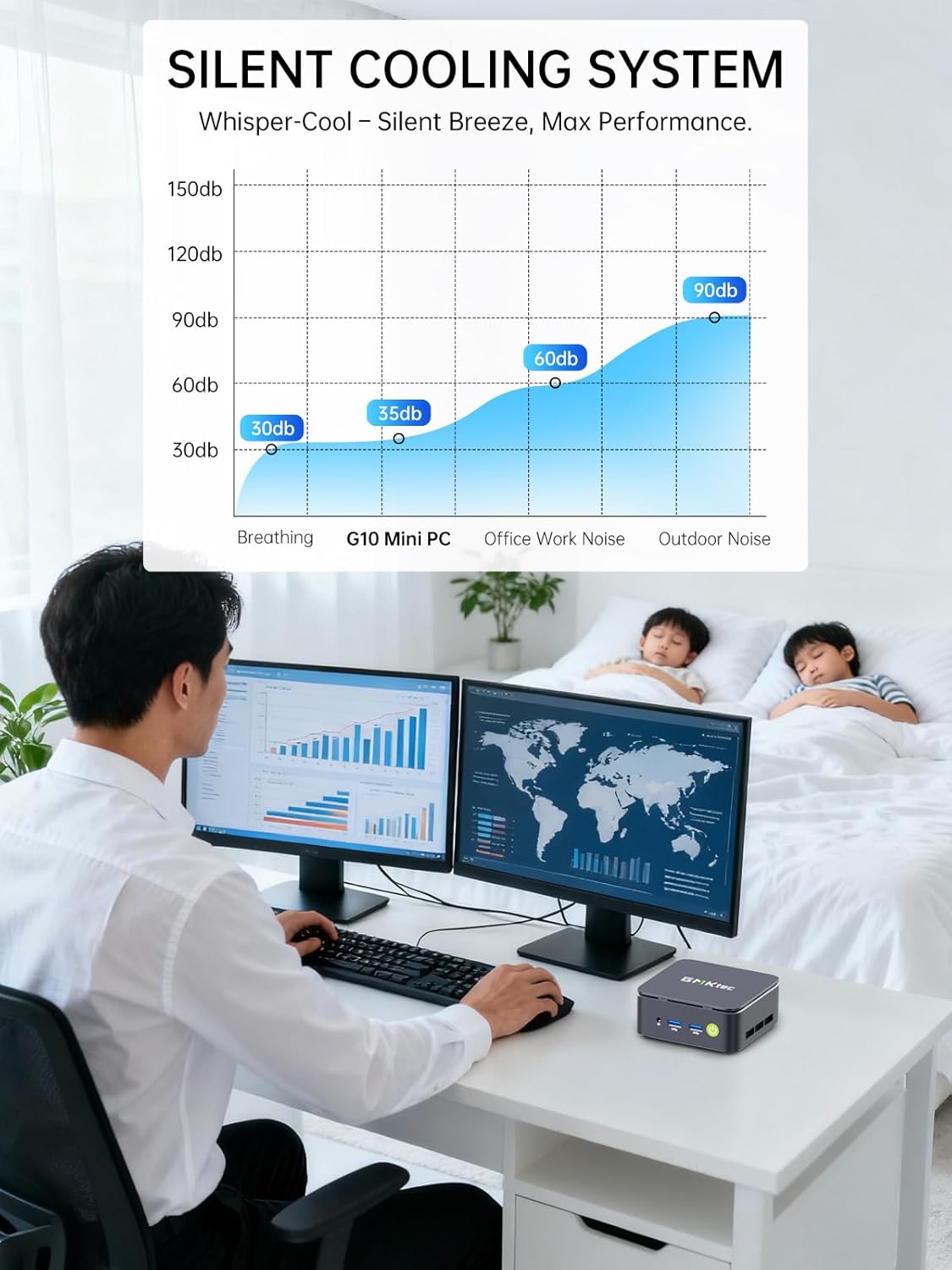
Image: Triple Display Setup. This image demonstrates the Nucbox G10 connected to two vertical monitors and a tablet, showcasing its triple display capability for enhanced productivity.
4.2 Ceangal Cumhachta
Connect the provided power adapter to the DC-in port on the Mini PC, then plug the power cable into a wall outlet. The Mini PC is designed for low power consumption.
4.3 Tosaithe Tosaigh
Press the power button on the front panel. The Mini PC will boot into the pre-installed Windows 11 Pro operating system. Follow the on-screen instructions for initial Windows setup.
5. Treoracha Oibriúcháin
5.1 Cumhacht ar siúl / as
- Cumhacht ar: Brúigh an cnaipe cumhachta uair amháin.
- Múch: From Windows, go to Start > Power > Shut down. Alternatively, press and hold the power button for 5 seconds to force a shutdown (use only when necessary).
Córas Oibriúcháin 5.2
Your Nucbox G10 comes with Windows 11 Pro pre-installed. Ensure you keep your operating system updated for optimal performance and security.
5.3 Nascacht Líonra
- Sreangaithe (Eiteirnéad): Once the Ethernet cable is connected, the system should automatically detect the network.
- Gan sreang (Wi-Fi): In Windows, click the Wi-Fi icon in the taskbar, select your network, enter the password, and connect.
- Bluetooth: To connect Bluetooth devices, go to Windows Settings > Bluetooth & devices, and pair your device.
6. Cothabháil
6.1 Glanadh
Regularly clean the exterior of the Mini PC with a soft, dry cloth. Ensure ventilation openings are free from dust to maintain optimal cooling performance. Do not use liquid cleaners directly on the device.

Image: Ultra Efficient Cooling System. This image provides an internal view of the Nucbox G10, highlighting the silent turbo cooling fan designed for efficient heat dissipation.
6.2 Nuashonrú Bogearraí
Coinnigh do chóras oibriúcháin Windows agus do thiománaithe cothrom le dáta chun cobhsaíocht, slándáil agus feidhmíocht an chórais a chinntiú. Is féidir rochtain a fháil ar Windows Update trí Socruithe > Windows Update.
6.3 Stóráil agus Leathnú Cuimhne
The Nucbox G10 supports memory expansion up to 64GB DDR4 RAM and storage expansion up to 16TB via its dual M.2 2280 PCIe 3.0 slots. Consult a qualified technician for hardware upgrades to avoid voiding your warranty or damaging the device.
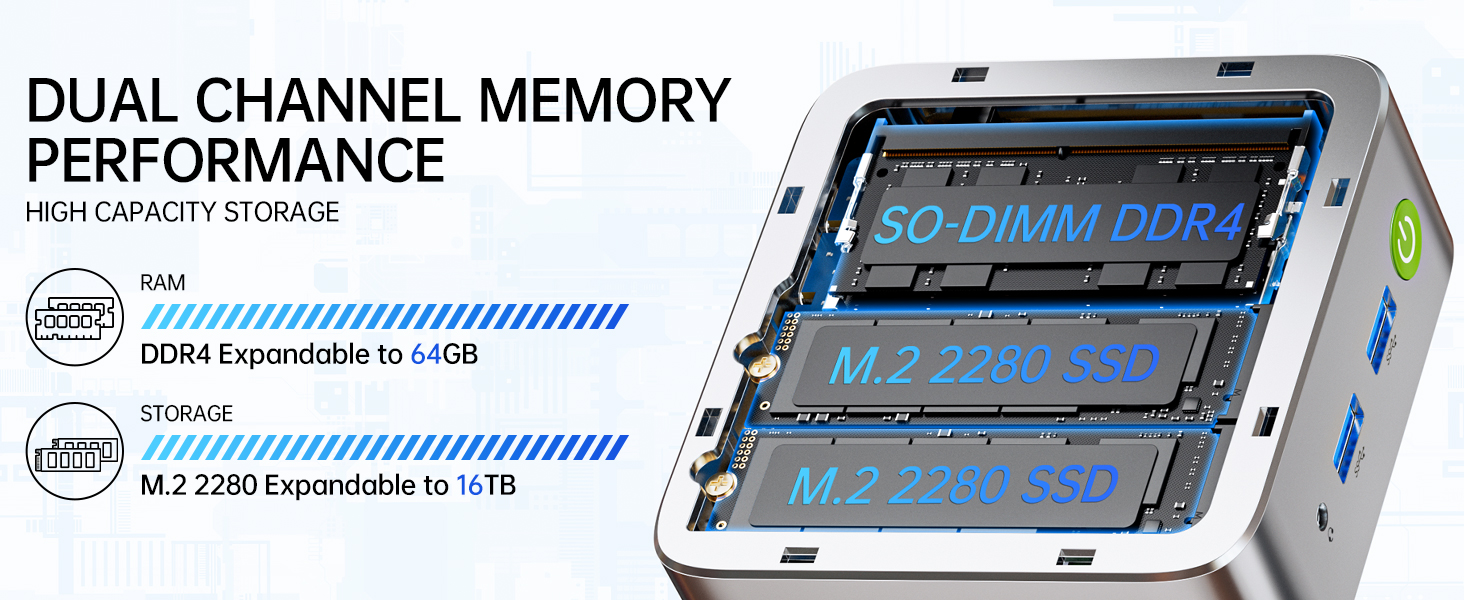
Image: Dual Channel Memory Performance and High Capacity Storage. This diagram illustrates the internal layout for SO-DIMM DDR4 RAM and M.2 2280 SSDs, indicating their expandability.
7. Fabhtcheartú
Má bhíonn fadhbanna agat le do Mini PC, féach ar na fadhbanna agus na réitigh choitianta seo a leanas:
- Gan Cumhacht:
- Cinntigh go bhfuil an t-oiriúntóir cumhachta ceangailte go daingean leis an Mini PC agus le hasraon cumhachta atá ag obair araon.
- Deimhnigh go bhfuil an asraon cumhachta ag feidhmiú trí ghléas eile a phlugáil isteach.
- Gan Taispeáin:
- Check that the HDMI, DisplayPort, or USB-C cable is firmly connected to both the Mini PC and the monitor.
- Cinntigh go bhfuil an monatóir ar siúl agus go bhfuil sé socraithe go dtí an fhoinse ionchuir cheart.
- Bain triail as ceangal le taispeáint dhifriúil nó cábla dhifriúil a úsáid.
- Fadhbanna Nascachta Líonra:
- Sreangaithe: Seiceáil an nasc cábla Eitirnéid. Atosaigh do ródaire/móideim.
- Gan sreang: Ensure Wi-Fi is enabled in Windows settings. Verify your Wi-Fi password. Restart your router.
- Feidhmíocht Mhall:
- Dún feidhmchláir neamhriachtanacha atá ag rith sa chúlra.
- Ensure the system has adequate ventilation and is not overheating.
- Check for and install any pending Windows updates or driver updates.
- Rith glanadh diosca chun spás stórála a shaoradh.
8. Sonraíochtaí
| Gné | Sonraíocht |
|---|---|
| Branda | GMKtec |
| Ainm an tSamhail | G10 |
| Córas Oibriúcháin | Windows 11 pro |
| Múnla LAP | AMD Ryzen 5 3500U |
| Luas LAP | 3.7 GHz (Boost) |
| Comhaireamh Próiseálaí | 4 |
| Comhphróiseálaí grafaicí | AMD Radeon Vega 8 Graphics 1200 MHz |
| Cuimhne RAM Suiteáilte | 16 GB DDR4 |
| Uasmhéid Cuimhne RAM | 64 GB |
| Luas Cuimhne | 2400MT/s |
| Cumas Stórála Cuimhne | SSD NVMe 1 TB |
| Cur síos ar an Diosca Crua | Dual Slot M.2 2280 PCIE Max. 16TB |
| Teicneolaíocht Nascachta | HDMI 2.1, RJ45 2.5GbE LAN, USB 3.2, USB-C (DP/DATA/PD), WIFI5/ BT 5.0 |
| Comhoiriúnacht Gan Sreang | 802.11a/b/g/n/ac (WiFi 5), Bluetooth 5.0 |
| Aschur Físeáin | HDMI 2.1, DisplayPort, Type-C (Triple Display) |
| Uasmhéid Taifeach Taispeána | 4096 × 2160 Pixels (4K) |
| Iomlán calafoirt USB | 4 (2x USB 3.2, 1x USB 2.0, 1x USB-C Full Function) |
| Tomhaltas Cumhachta | 25 Watts (Typical) |
| Toisí Mír | 4.1 x 3.8 x 1.7 orlach |
| Meáchan Mír | 0.95 cileagram |
| Modh Fuarú | Dual Cooling Fan |
| Gnéithe Breise | RTC Wake, Auto Power On, Wake On LAN, PXE Boot |
9. Barántas agus Tacaíocht
9.1 Faisnéis Bharántas
GMKtec offers a Barántas teoranta 1 bliana for each Mini PC, starting from the date of purchase. This warranty covers defects due to design and workmanship. Please retain your proof of purchase for warranty claims.
9.2 Tacaíocht do Chustaiméirí
For technical assistance, warranty claims, or any questions regarding your GMKtec Nucbox G10 Mini PC, please contact GMKtec customer support. You can typically find contact information on the official GMKtec website or through the seller's contact page where you purchased the product (e.g., GMKtec-Direct on Amazon).