
1. Réamhrá
Welcome to the OnePlus 15 user manual. This guide provides essential information for setting up, operating, maintaining, and troubleshooting your new smartphone. The OnePlus 15 is designed for high performance and extended battery life, featuring a Snapdragon 8 Elite Gen 5 processor, a 7300mAh battery, and a triple 50 MP camera system. Please read this manual thoroughly to ensure optimal use of your device.
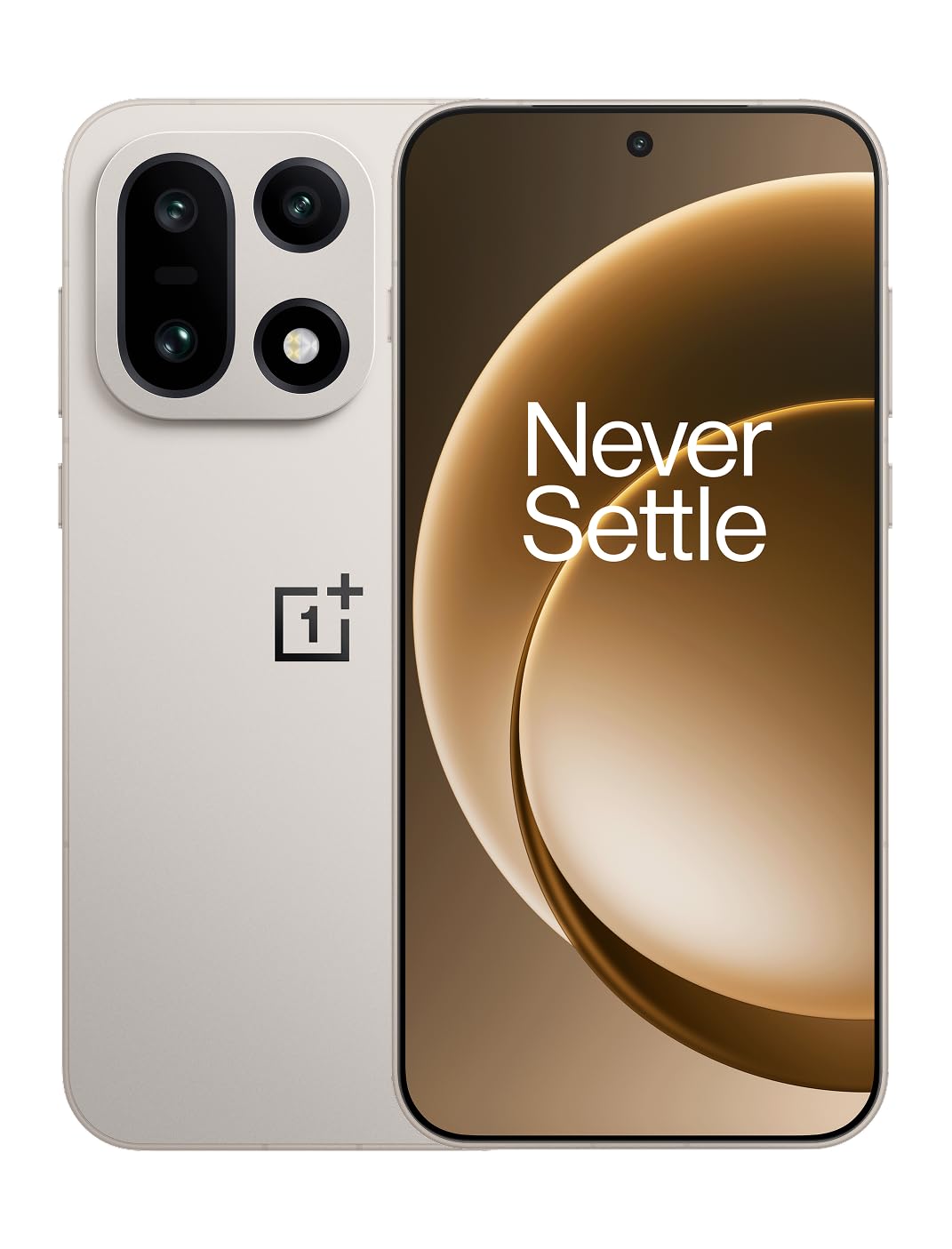
Fíor 1: Tosaigh view of the OnePlus 15 smartphone.
2. Cad atá sa Bhosca
Deimhnigh go bhfuil na hearraí uile i láthair i bpacáistiú do tháirge:
- OnePlus 15 Smartphone (x1)
- Luchtaire (x1)
- Cábla Sonraí USB (x1)
- SIM Ejector Tool (x1)
- Quick Guide (x1)
- Safety Guide (x1)

Figure 2: Included items in the OnePlus 15 package.
3. Socrú
3.1. Suiteáil Cárta SIM
The OnePlus 15 supports Dual-SIM functionality. To install your SIM card(s):
- Aimsigh an tráidire cárta SIM ar thaobh na feiste.
- Cuir an uirlis eisfhearaidh SIM isteach sa pholl beag in aice leis an tráidire agus brúigh go daingean go dtí go dtiocfaidh an tráidire amach.
- Cuir do chárta(í) Nano-SIM isteach sa tráidire leis na teagmhálacha óir os comhair síos. Cinntigh go bhfuil siad suite i gceart.
- Cuir an tráidire cárta SIM isteach sa ghuthán go cúramach.

Fíor 3: Taobh view of the OnePlus 15, highlighting the SIM card tray.
3.2. Cumhdach Ar Siúl agus Socrú Tosaigh
Chun do ghléas a chur ar siúl den chéad uair:
- Press and hold the Power button (located on the right side) until the OnePlus logo appears.
- Lean na leideanna ar an scáileán chun an socrú tosaigh a chríochnú, lena n-áirítear rogha teanga, nasc Wi-Fi, logáil isteach i gcuntas Google, agus socruithe slándála.
3.3. Muirearú an Battery
The OnePlus 15 is equipped with a 7300mAh battery. To charge your device:
- Muirearú Sreanga: Connect the provided USB Data Cable to the Type-C port on the bottom of the phone and the other end to the charger. Plug the charger into a power outlet.
- Muirearú Gan Sreang: Place the phone on a compatible wireless charging pad. Ensure the phone is centered on the pad for efficient charging.
A full charge provides approximately 68.7 hours of talk time.

Fíor 4: Léaráid ar chumas na ceallraí 7300mAh.
4. Do Ghléas a Oibriú
4.1. Taispeáint
The OnePlus 15 features a 6.78-inch AMOLED display with a 2772x1272 resolution and a 165 Hz refresh rate. This provides smooth visuals and vibrant colors. Adjust display settings such as brightness, color mode, and refresh rate in the device settings menu.
4.2. Feidhmíocht
Powered by the Snapdragon 8 Elite Gen 5 processor and 16GB of RAM, the OnePlus 15 delivers fast and efficient performance for multitasking, gaming, and demanding applications. The Tri-Chip System, combining the Snapdragon 8 Elite Gen 5 with a dedicated Wi-Fi chip and CPU scheduler, optimizes for speed, connectivity, and power efficiency.
Físeán 1: Tharview of the OnePlus 15's performance capabilities and user experience.
4.3. Córas Ceamara
The device is equipped with a Triple 50 MP camera system, offering wide, ultra-wide, and telephoto lenses for versatile photography. The DetailMax Engine enhances photo quality in various lighting conditions, including day, night, and motion shots. Both front and rear cameras are available for capturing images and videos.

Fíor 5: Cúil view of the OnePlus 15, showcasing the triple camera system.
Figure 6: DetailMax Engine for stunning photos.
4.4. Nascacht
The OnePlus 15 supports a range of connectivity options:
- Gan sreang: Wi-Fi, Bluetooth, NFC, Infrared.
- Sreangaithe: USB Cineál-C.
- Nascleanúint: Dual-band GPS (L1+L5) and Galileo (E1+E5a).
- SIM: Dual SIM support for managing multiple networks.
4.5. Córas Oibriúcháin
The device runs on Android 16 with OxygenOS 16, providing a fast and smooth user experience. Regular software updates will be provided to enhance features and security.
5. Cothabháil
5.1. Marthanacht agus Cosaint
The OnePlus 15 is built with IP66/IP68/IP69 and IP19K ratings, offering resistance against dust and water. While designed to be durable, avoid exposing the device to extreme conditions or prolonged submersion in water.

Figure 7: OnePlus 15 demonstrating water resistance.
5.2. Do Ghléas a Ghlanadh
Use a soft, lint-free cloth to clean the screen and body of your phone. Avoid using abrasive materials or harsh chemicals, which can damage the display or finish.
5.3. Nuashonruithe Bogearraí
Periodically check for software updates in the device settings. Keeping your software up-to-date ensures you have the latest features, security patches, and performance improvements.
6. Fabhtcheartú
This section addresses common issues you might encounter with your OnePlus 15.
6.1. Ní bhíonn an gléas ag dul ar siúl
- Cinntigh go bhfuil an ceallraí luchtaithe. Ceangail an fón leis an luchtaire agus fan cúpla nóiméad sula ndéanann tú iarracht é a chur air arís.
- Brúigh agus coinnigh an cnaipe Cumhachta ar feadh 10-15 soicind ar a laghad chun atosú a fhorchur.
6.2. Poor Network Connectivity
- Seiceáil an bhfuil do chárta SIM curtha isteach i gceart.
- Verify that airplane mode is not enabled.
- Atosaigh an gléas.
- If issues persist, contact your network provider.
6.3. Aipeanna ag Tuairteáil nó ag Reo
- Dún agus athoscail an app.
- Clear the app's cache and data in device settings.
- Cinntigh go bhfuil an aip nuashonraithe go dtí an leagan is déanaí.
- If the issue is widespread, consider restarting the phone.
6.4. Draenáil Thapa na Ceallraí
- Laghdaigh gile an scáileáin agus fad an ama scoir.
- Disable unused features like Wi-Fi, Bluetooth, or GPS when not needed.
- Identify and close power-intensive applications running in the background.
- Check for recent software updates, as they often include battery optimizations.
7. Sonraíochtaí
Detailed technical specifications for the OnePlus 15 (Model: CPH2749).
| Gné | Sonraigh |
|---|---|
| Ainm an tSamhail | OnePlus 15 |
| Uimhir Mhúnla Mír | CPH2749 |
| Toisí Táirge | 6.36 x 3.02 x 0.32 orlach |
| Meáchan Mír | 1.28 punt |
| Córas Oibriúcháin | Android 16 |
| Múnla LAP | Snapdragon 8 Elite Gen 5 |
| Luas LAP | 4.61 GHz |
| Méid Cuimhne RAM Suiteáilte | 16 GB |
| Cumas Stórála Cuimhne | 512 GB |
| Méid Taispeána Scáileáin Buan | 6.78 Orlach |
| Rún | 2772*1272 |
| Ráta Athnuachana | 165 Hz |
| Cumas Battery | 7300 Milliamp Uaireanta (7300mAh) |
| Am Comhrá Teileafóin | 68.7 Uair |
| Teicneolaíochtaí Nascachta | Infrared, NFC, USB, Wi-Fi, Bluetooth |
| GPS | Dual band: GPS(L1+L5) Galileo(E1+E5a) |
| Gnéithe Speisialta | Dual SIM, Wireless Charging |
| Fuaime Jack | Type-C headphones: supported Type-C digital headphones & Type-C analog headphones |
| Gnéithe Ceamara Eile | Front, Rear (Triple 50 MP Camera System) |
| Rátáil IP | IP66/IP68/IP69 and IP19K rated |
| Dath | Sand Storm |
8. Faisnéis Bharántas
Your OnePlus 15 device is covered by a limited manufacturer's warranty. Please refer to the included Safety Guide or visit the official OnePlus website for detailed warranty terms and conditions, including coverage duration and service procedures. Keep your proof of purchase for warranty claims.
9. Tacaíocht
For further assistance, technical support, or to access additional resources, please visit the official OnePlus support website or contact customer service. You can find contact details and FAQs on the OnePlus websuíomh.
Acmhainní Ar Líne: www.oneplus.com/support