
Réamhrá
The Turtle Beach Rematch Advanced Wired Gaming Controller is designed for enhanced gaming performance across Xbox Series X|S, Xbox One, and Windows PC platforms. This manual provides detailed instructions for setup, operation, customization, and maintenance to ensure optimal use of your controller.
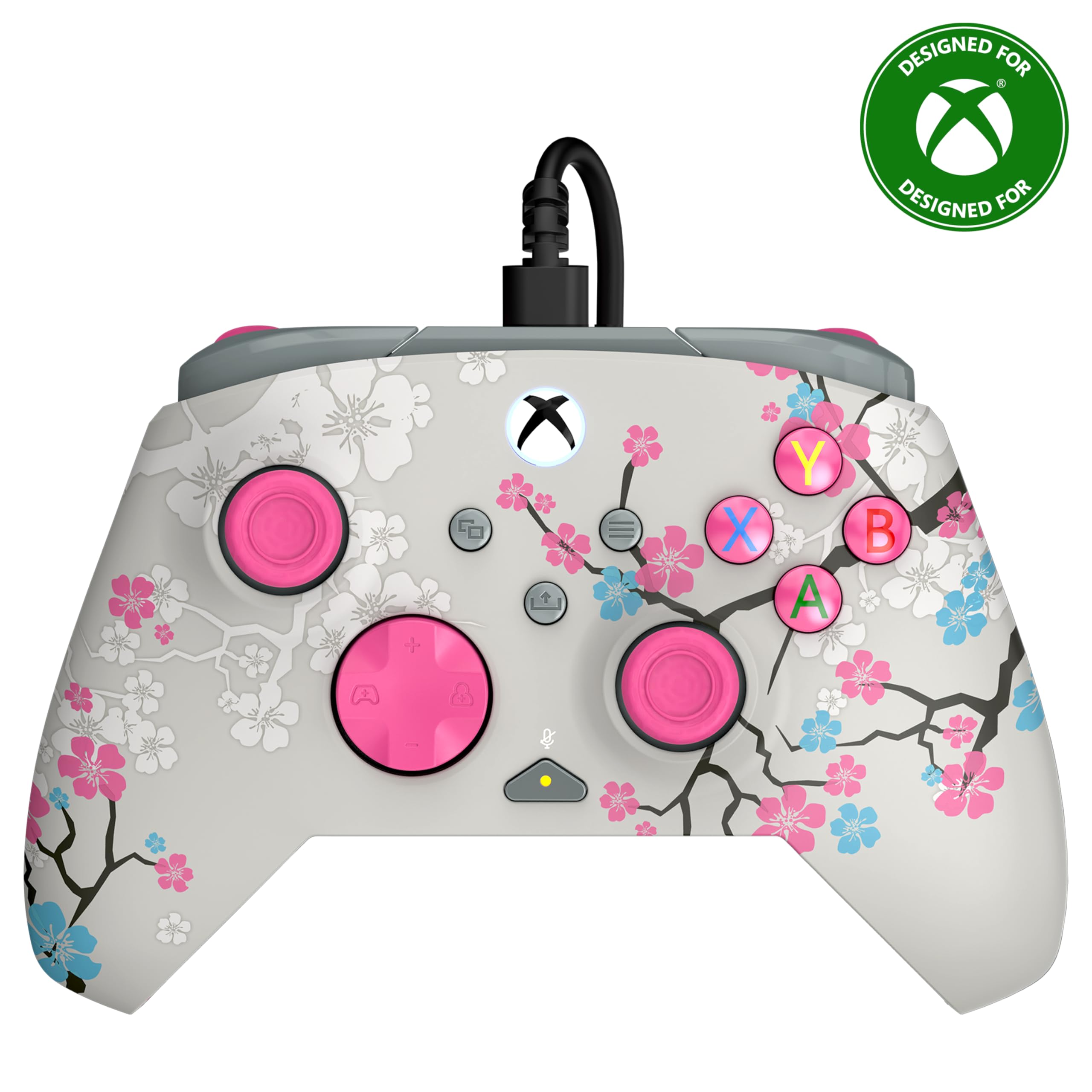
Image: The Turtle Beach Rematch Advanced Wired Gaming Controller in Cherry Blossom design, showcasing its vibrant aesthetic.
Ábhar an Phacáiste
- Turtle Beach Rematch Advanced Wired Gaming Controller
- Detachable 8ft / 2.5m USB-C Wired Connection Cable
Socrú
An Rialaitheoir a nascadh
- Locate the USB-C port on the top of your Rematch Advanced controller.
- Connect the smaller end of the provided USB-C cable to the controller's port.
- Connect the larger USB-A end of the cable to an available USB port on your Xbox console or Windows PC.
- Cuirfidh an rialtóir tús leis go huathoibríoch agus ceanglóidh sé. Soilseoidh cnaipe Xbox an rialtóir chun nasc rathúil a léiriú.
Treoracha Oibriúcháin
Rialuithe Bunúsacha
The Rematch Advanced controller features standard Xbox button layouts including A, B, X, Y buttons, D-pad, left and right analog sticks, bumpers (LB, RB), and triggers (LT, RT). Familiarize yourself with these controls for basic gameplay.
On-Board Audio Controls
The controller includes integrated audio controls for convenient management of game and chat audio. Use the dedicated buttons on the D-pad for quick adjustments.

Image: The D-pad area of the controller, highlighting the built-in audio controls for game/chat mix, master volume, and mic mute.
- Game/Chat Mix: Adjust the balance between game audio and chat audio.
- Máistir-imleabhar: Control the overall volume level.
- Mic Muimhneach: Quickly mute or unmute your microphone.
Remappable Quick-Action Back Buttons
Two programmable quick-action buttons are located on the back of the controller, allowing you to assign frequently used functions for improved responsiveness.

Image: The back of the controller, illustrating the placement of the two mappable quick-action buttons.
To map these buttons, refer to the Control Hub App section or the video below for detailed instructions.
Video: A demonstration on how to set up functions for the remappable back buttons on the controller.
2-Stop True Hall Effect Hair Triggers
The hair triggers feature two stop points, allowing for faster reaction times in games. Adjust the trigger stops to your preference for short or full pull distances.

Íomhá: Mionsonraithe view of the controller's trigger, highlighting the 2-stop True Hall Effect Hair Trigger functionality.
Mótair Rumble Déacha agus Spreagthóirí Impulse
Experience immersive feedback through dual rumble motors in the grips and impulse triggers, providing realistic vibrations for in-game events.
Íomhá: Trédhearcach view of the controller's side, revealing the internal dual rumble motors and impulse triggers for enhanced haptic feedback.
App Mol Rialaithe
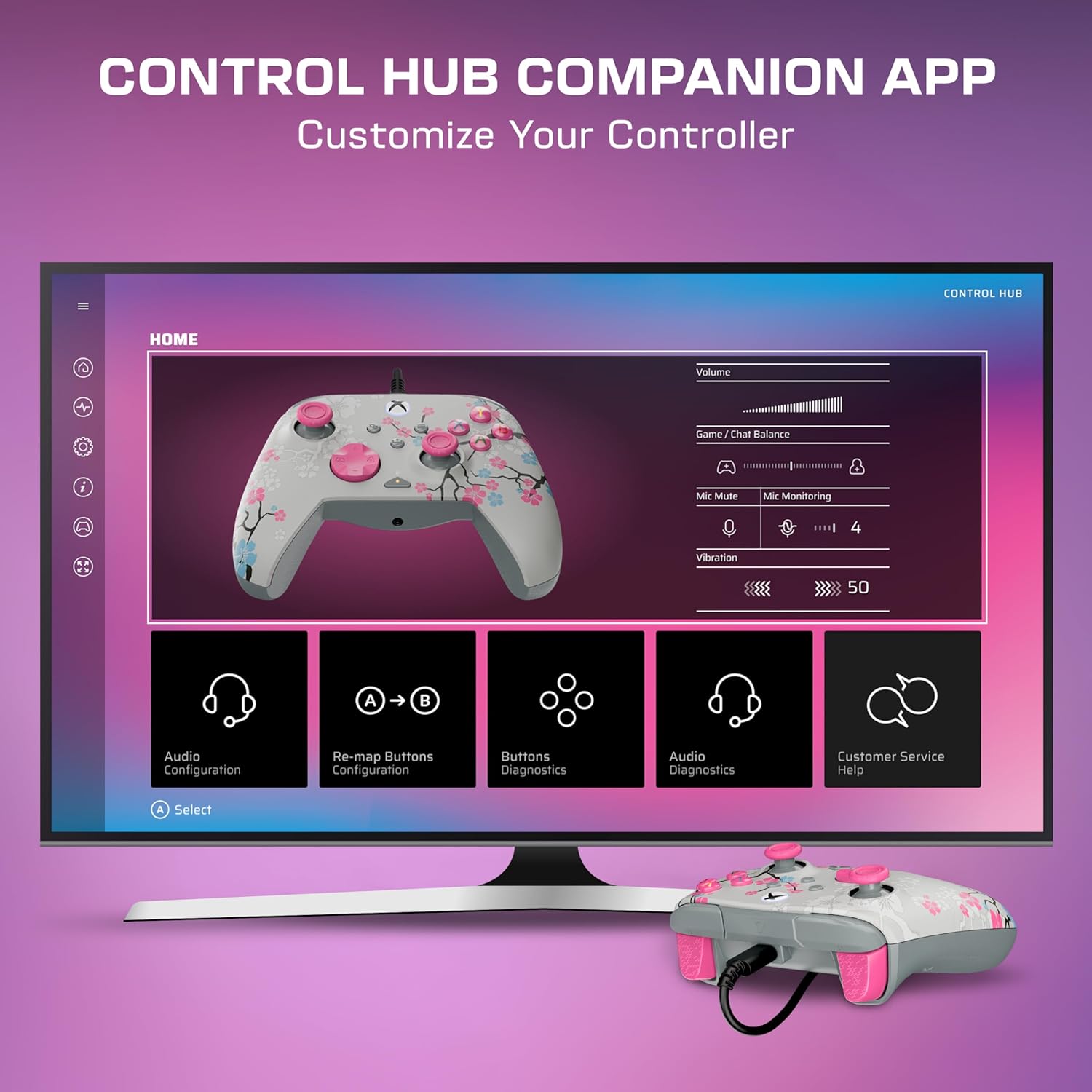
Download the Turtle Beach Control Hub App for comprehensive controller configuration and diagnostics. The app allows you to customize button mappings, adjust audio settings, and perform diagnostic tests.

Image: A display showing the Turtle Beach Control Hub App, illustrating the various customization and diagnostic options available for the controller.
Gnéithe Speisialta
Glow-in-the-Dark Design
The Cherry Blossom design features elements that glow in the dark after exposure to UV light, adding a unique visual effect to your controller.

Image: The Cherry Blossom controller design illuminated with a glow-in-the-dark effect.
Dearadh eirgeanamaíochta
The controller is designed for extended comfort during long gaming sessions, featuring a comfortable grip and balanced weight.
Cothabháil
Glanadh
- Bain úsáid as éadach bog, tirim chun dromchla an rialtóra a ghlanadh.
- Le haghaidh salachar righin, beagán dampNigh an t-éadach le huisce. Seachain ceimiceáin ghéara nó glantóirí scríobacha.
- Ensure the controller is disconnected from any power source before cleaning.
Stóráil
Store the controller in a cool, dry place away from direct sunlight and extreme temperatures to prevent damage.
Fabhtcheartú
Ní Fhreagraíonn an Rialaitheoir
- Cinntigh go bhfuil an cábla USB-C ceangailte go daingean leis an rialtóir agus leis an gconsól/ríomhaire araon.
- Bain triail as an rialtóir a nascadh le port USB difriúil.
- Atosaigh do chonsól Xbox nó do ríomhaire.
- Verify that the controller's firmware is up to date using the Control Hub App.
Saincheisteanna Fuaime
- Check headphone connections to the controller's 3.5mm jack.
- Adjust game/chat mix and master volume using the on-board controls.
- Ensure your microphone is not muted.
- Test audio settings within your console or PC's system settings.
Sonraíochtaí
| Gné | Sonraigh |
|---|---|
| Gléasanna Comhoiriúnacha | PC, Windows, Xbox One, Xbox Series S, Xbox Series X |
| Cineál Rialaitheora | Gamepad |
| Teicneolaíocht Nascachta | USB A, USB C (Wired) |
| Gnéithe Breise | Ergonomic, Headphone Jack, Multiuse, Rumble |
| Cainníocht Cnaipe | 14 |
| Meáchan Mír | 13.76 unsa |
| Toisí na Mír (D x W x H) | 2.82"D x 6.9"W x 6.9"H |
| Ainm an tSamhail | Rematch Advanced (TBC-2004-85) |
| UPC | 840454400540 |
Barántas agus Tacaíocht
For detailed warranty information and support resources, please visit the official Turtle Beach support page:
Turtle Beach Warranty and End-User License
For further assistance, contact Turtle Beach customer support through their websuíomh.

Image: The product packaging displaying the 'Officially Licensed By Xbox' badge.