
Réamhrá
This manual provides comprehensive instructions for the Care Bears Digital Pet, Share Bear Nano Pet (Model CB/KK1SB). It covers essential information regarding setup, operation, maintenance, and troubleshooting to ensure a fulfilling experience with your interactive virtual pet.

Image: The Care Bears Share Bear Digital Pet, a purple bear-shaped handheld device with a screen displaying a pixelated character, held in hands.
Socrú
1. Díbhoscailt
Carefully remove the digital pet from its packaging. Inspect the device for any visible damage before proceeding.
2. Suiteáil Battery
The Care Bears Digital Pet includes one nonstandard battery. To install or replace the battery, locate the battery compartment on the back of the device. Use a small screwdriver to open the compartment, insert the battery ensuring correct polarity, and then securely close the cover.
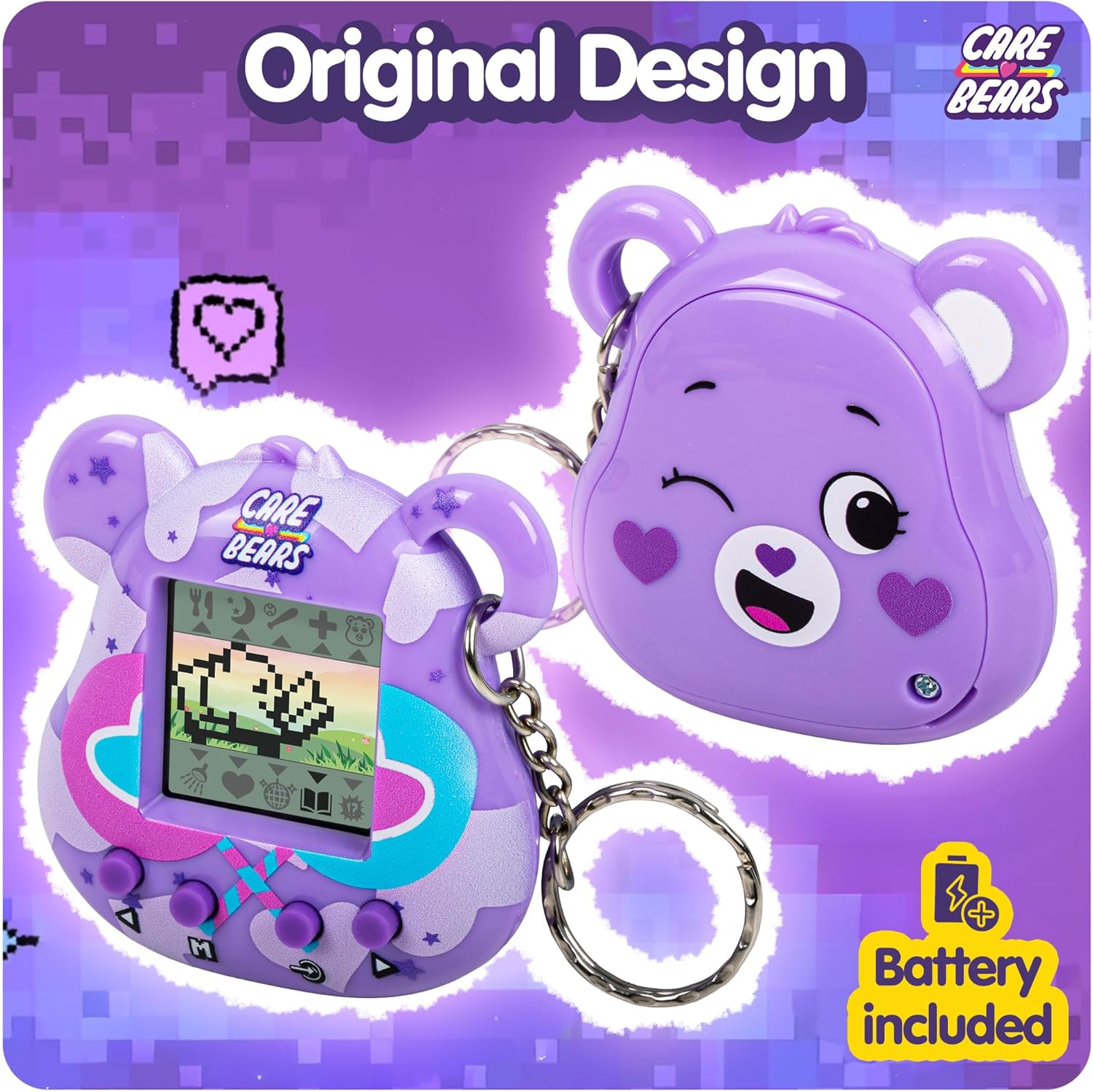
Image: The back of the Care Bears Digital Pet, highlighting the battery compartment and indicating that a battery is included.
3. Cumhacht Ar
Press and hold the power button, typically marked with an 'M' or a similar symbol, to turn on your digital pet. The screen should illuminate, and the initial setup sequence will begin.
Treoracha Oibriúcháin
1. Basic Interaction
Your Share Bear Digital Pet requires daily care to thrive. You can perform various actions such as feeding, cleaning, comforting, and playing with your pet to maintain its happiness and encourage its growth.
2. Nascleanúint agus Rialuithe
The device features an interactive display screen and several control buttons. These buttons are used to navigate through menus, select different actions, and engage in mini-games. Familiarize yourself with the button layout for optimal interaction.

Íomhá: Mionsonraithe view of the Care Bears Digital Pet, illustrating its interactive display screen, control buttons, and attached keychain.
3. Súgradh
Engage in various mini-games designed to promote positive values like kindness and generosity. These games are accessible through the main menu and contribute to your pet's development.

Image: Four distinct screenshots from the Care Bears Digital Pet gameplay, demonstrating options for nurturing, playing, feeding, and growing your virtual pet.
4. Growth and Development
Consistent care and regular interaction will enable your Share Bear to grow, develop unique expressions, and showcase its individual personality.
Video: An official video demonstrating the various Care Bears Digital Pets and their interactive features, including feeding, playing, and growing. This video provides a visual guide to the pet's capabilities.
Cothabháil
1. Glanadh
To clean your digital pet, gently wipe the device with a soft, dry cloth. Avoid using liquid cleaners, abrasive materials, or immersing the device in water, as this can cause damage.
2. Stóráil
When the digital pet is not in use for extended periods, store it in a cool, dry environment away from direct sunlight and extreme temperatures. For prolonged storage, consider removing the battery to prevent potential leakage.
Fabhtcheartú
1. Gléas Gan Casadh air
Ensure the battery is correctly installed and has sufficient charge. If the device still does not power on, try replacing the battery with a new one.
2. Fadhbanna Scáileáin
If the screen is blank, flickering, or displaying unusual graphics, try turning the device off and then on again. Verify that the battery level is not critically low. If the problem persists, a battery replacement may be necessary.
3. Unresponsive Buttons
Check for any obstructions or debris around the buttons that might prevent proper function. If buttons remain unresponsive, try removing and reinserting the battery to perform a soft reset.
Sonraíochtaí
- Méid an Scáileáin: 1.38 Orlach
- Toisí na Mír (L x W x H): 2.36" x 0.78" x 2.36"
- Battery: 1 Ceallraí Neamhchaighdeánach (san áireamh)
- Ábhar: Plaisteach
- Raon Aoise: 8 bliana +
- Uimhir Mhúnla: CB/KK1SB
- Comhpháirteanna san áireamh: 1 x Kea Kuma Digital Pet
Faisnéis Bharántas
This Care Bears Digital Pet comes with a 1-Year Manufacturer Warranty. Please retain your original proof of purchase for any warranty claims. For detailed terms and conditions, refer to the warranty card provided within the product packaging or consult the manufacturer's official websuíomh.
Tacaíocht do Chustaiméirí
For additional assistance, technical support, or any questions regarding your Care Bears Digital Pet, please visit the official Care Bears website or contact the manufacturer, Thumbs Up!, directly. Contact information can typically be found on the product packaging or on the manufacturer's official websuíomh.