
Bagotte A6 Pro
Bagotte A22/A6 Pro Robot Vacuum and Mop User Manual
Model: A6 Pro (A22/A21)
Réamhrá
Thank you for choosing the Bagotte A22/A6 Pro Robot Vacuum and Mop. This device is designed to provide efficient and convenient cleaning for your home. This manual will guide you through the setup, operation, and maintenance of your robot vacuum to ensure optimal performance and longevity.
Léigh an lámhleabhar seo go cúramach sula n-úsáideann tú an táirge agus coinnigh é le haghaidh tagartha sa todhchaí.
Treoracha Tábhachtacha Sábháilteachta
Before using this product, please read all safety instructions. Failure to follow these instructions may result in electric shock, fire, or serious injury.
- Is féidir le leanaí 8 mbliana d’aois agus os a chionn an fearas seo a úsáid agus daoine a bhfuil cumais choirp, céadfacha nó mheabhrach laghdaithe acu nó a bhfuil easpa taithí agus eolais tugtha dóibh má thugtar maoirseacht nó treoir dóibh maidir le húsáid an fhearais ar bhealach sábháilte agus má thuigeann siad na guaiseacha atá i gceist. .
- Ní ceadmhach do leanaí súgradh leis an bhfearas. Ní dhéanfaidh leanaí glanadh agus cothabháil úsáideora gan mhaoirseacht.
- Ná húsáid ach an t-oiriúntóir cumhachta bunaidh a sholáthraíonn an monaróir.
- Do not use the product in environments with open flames or flammable materials.
- Ensure the charging station is placed on a flat surface against a wall, with no obstacles within 1 meter on either side and 2 meters in front.
- Do not immerse the robot or charging station in water.
- Glan na scuaba agus na scagairí go rialta chun feidhmíocht is fearr a choinneáil.
- Coinnigh gruaig, éadaí scaoilte, méara, agus gach cuid den chorp ar shiúl ó oscailtí agus páirteanna gluaisteacha.
Táirge Tharview
Ábhar an Phacáiste
Deimhnigh go bhfuil na comhpháirteanna uile i láthair sa phacáiste:

Image: All components included in the Bagotte A22/A6 Pro Robot Vacuum and Mop package. This includes the robot vacuum cleaner, 2-in-1 water tank, charging station, remote control, power adapter, cleaning brush, mop holder, 2 mop cloths, 2 side brushes, and Hepa filters.
- Bagotte A22 Robot Vacuum Cleaner x 1
- 2-in-1 Water Tank x 1
- Stáisiún Luchtaithe x1
- Cianrialtán x 1
- Cuibheoir Cumhachta x1
- Scuab Glanadh x 1
- Mop Holder x 1
- Éadach Mop x 2
- Scuaba Taobh x 2
- HEPA Filters x 1
- Lámhleabhar úsáideora x1 saor in aisce,
Comhpháirteanna Robot
The Bagotte A22/A6 Pro features a compact design for efficient cleaning.

Image: The Bagotte A22/A6 Pro Robot Vacuum highlighting its slim profile of 2.87 inches, allowing it to clean under furniture. It also features automatic boost and can handle angles up to 15 degrees and obstacles up to 15mm in height.
The robot is equipped with various sensors for navigation and obstacle avoidance, including anti-drop sensors to prevent falls from elevated surfaces.
Socrú
1. Suiteáil Scuaba Taobh
Brúigh na scuaba taobh ar na cuaillí ag bun an róbait go dtí go gcliceálann siad ina n-áit.
2. Cuir an Stáisiún Muirir
Place the charging station against a wall in an open, uncluttered area. Ensure there are no obstacles within 1 meter (3 feet) on either side and 2 meters (6 feet) in front of the charging station. Connect the power adapter to the charging station and plug it into a wall outlet.

Image: The Bagotte A22/A6 Pro Robot Vacuum automatically returning to its charging station when its battery is low. The image illustrates the recommended clear space around the charging station for optimal docking.
3. Muirear Tosaigh
Place the robot on the charging station to fully charge the battery before first use. The indicator light on the robot will show charging status. A full charge typically takes 4-5 hours.
4. Connect to Tuya Smart App (Optional)
For advanced features and remote control, download the Tuya Smart app from your mobile app store. Follow the in-app instructions to connect your robot vacuum to your 2.4GHz Wi-Fi network.
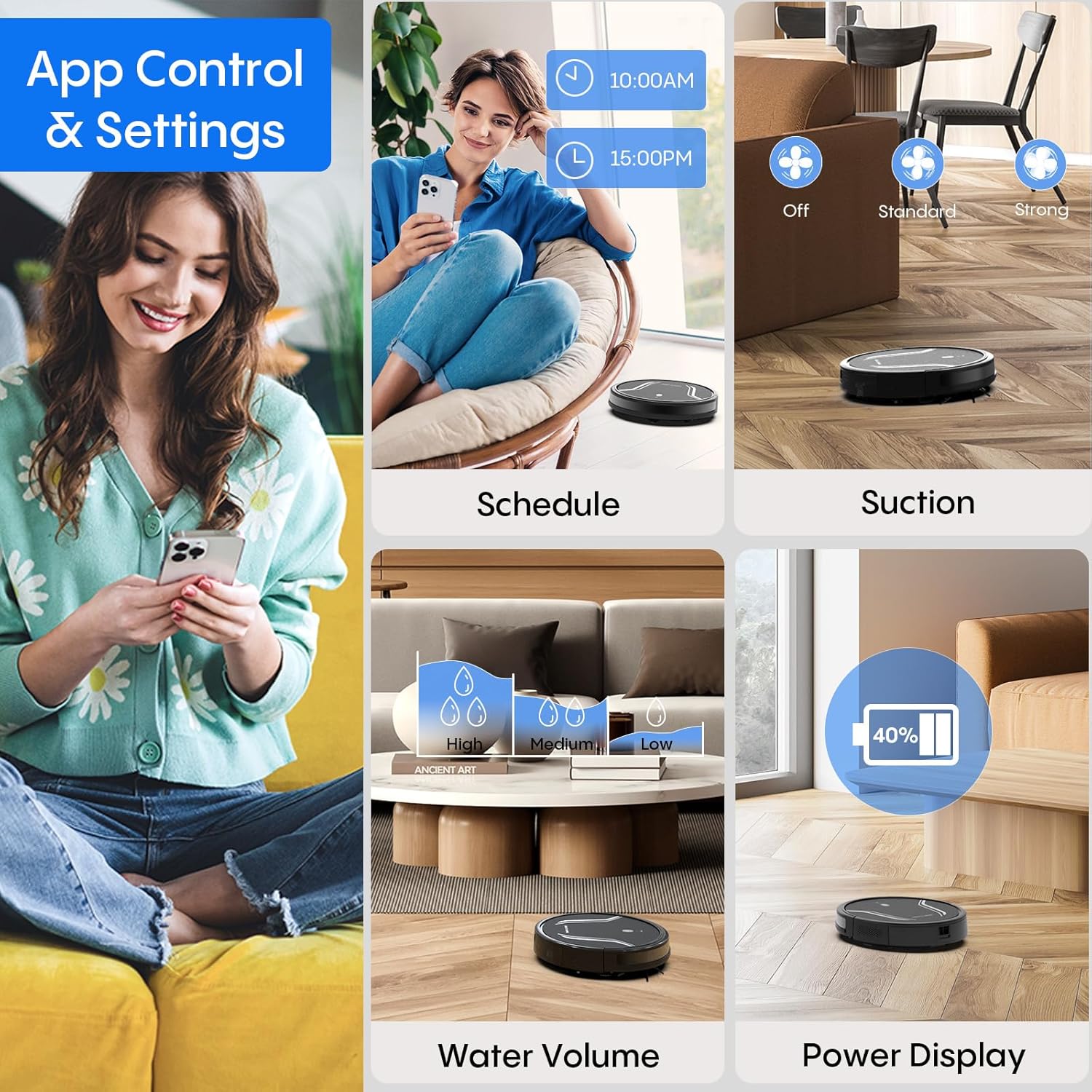
Image: A smartphone screen displaying the Bagotte A22/A6 Pro Robot Vacuum's app control interface, showing options for scheduling, suction adjustment, water volume control, and power display.
Treoracha Oibriúcháin
Ag Tosú Timthriall Glantacháin
Press the power button on the robot or the "Clean" button on the remote control/app to start an automatic cleaning cycle.
Modhanna Glantacháin
The Bagotte A22/A6 Pro offers four cleaning modes:
- Glanadh Uathoibríoch: Déanann an róbat nascleanúint chliste ar an urlár ar fad agus glanann sé é.
- Glanadh Imeall: Glanann an róbat feadh ballaí agus imill troscáin.
- Glanadh Spota: Díríonn an róbat ar limistéar salach ar leith, ag glanadh i bpatrún bíseach.
- Glanadh Lámhleabhar: Control the robot's direction using the remote control or app.

Íomhá: Forchostais view illustrating the four distinct cleaning modes of the Bagotte A22/A6 Pro Robot Vacuum: Auto Cleaning, Edge Cleaning, Spot Cleaning, and Manual Cleaning, showing their respective cleaning paths.
Feidhm Mopping
Chun an fheidhm mopála a úsáid:
- Fill the 2-in-1 water tank with clean water.
- Attach a clean mop cloth to the mop holder and then attach it to the water tank.
- Cuir an umar uisce lán isteach sa róbat.
- Adjust the water flow level (low/medium/high) via the Tuya Smart app.

Image: The Bagotte A22/A6 Pro Robot Vacuum demonstrating its 3-in-1 functionality: vacuuming, sweeping, and mopping. The image highlights the two levels of waterflow adjustment and three levels of suction adjustment.
Coigeartú Cumhachta trí shúchán
The robot features 5000Pa suction power with adjustable levels (Standard, Maximum) through the app or remote control to suit different cleaning needs.
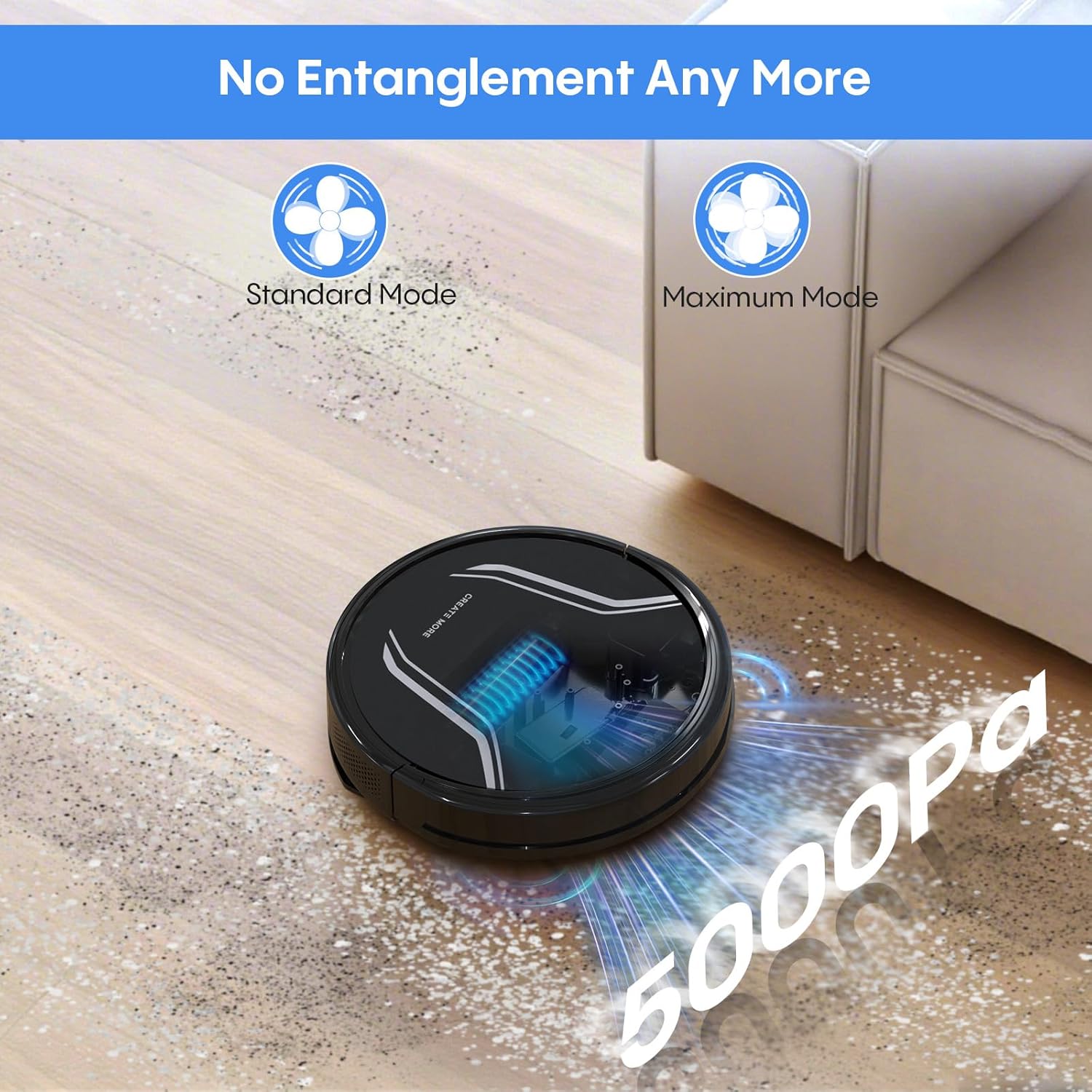
Image: The Bagotte A22/A6 Pro Robot Vacuum demonstrating its 5000Pa suction power, showing debris being collected. The image also indicates Standard Mode and Maximum Mode for suction adjustment.
Rialú Gutha (Alexa/Cúntóir Google)
Integrate your robot vacuum with Amazon Alexa or Google Assistant for convenient voice commands. Follow the instructions in the Tuya Smart app to link your device.

Image: The Bagotte A22/A6 Pro Robot Vacuum being controlled via voice commands through an Amazon Echo device, alongside a smartphone displaying the app interface. This illustrates the convenience of both voice and app control.
Cothabháil
Cinntíonn cothabháil rialta go n-oibríonn do fholúsghlantóir róbait go héifeachtúil.
An bosca bruscair a fholmhú
Empty the dustbin after each cleaning cycle. Press the release button to remove the dustbin, open it, and discard the collected debris.
Scagairí Glanadh
Tap the HEPA filter to remove dust. Rinse the pre-filter and sponge filter with water. Allow them to air dry completely before reinstalling. Do not wash the HEPA filter with water.
Glanadh an Phríomh-Scuab
Bain clúdach an phríomhscuib agus tóg amach an príomhscuib. Bain úsáid as an uirlis ghlantacháin chun gruaig agus smionagar atá fite fuaite timpeall an scuib a bhaint.
Scuaba Taobh Glanadh
Seiceáil na scuaba taobh go tréimhsiúil le haghaidh caitheamh nó damáiste. Bain aon ghruaig nó smionagar atá fite fuaite. Cuir scuaba caite ina n-áit de réir mar is gá.
Braiteoirí Glantacháin agus Teagmhálaithe Muirir
Wipe the anti-drop sensors, obstacle sensors, and charging contacts on both the robot and the charging station with a clean, dry cloth.
Cleaning the Water Tank and Mop Cloth
After mopping, empty any remaining water from the tank. Rinse the water tank and allow it to air dry. Wash the mop cloth by hand or machine and air dry.
Fabhtcheartú
| Fadhb | Cúis Féideartha | Réiteach |
|---|---|---|
| Ní chuireann robot ar siúl. | Ceallraí íseal; Múch an chumhacht. | Muirearaigh an róbat; Cinntigh go bhfuil an lasc cumhachta AR SIÚL. |
| Ní ghearrann an róbat. | Charging contacts dirty; Charging station not powered. | Clean charging contacts; Ensure charging station is plugged in. |
| Tá cumhacht shúchán lag. | Bosca bruscair lán; Scagaire blocáilte; Príomhscuab fite fuaite. | Empty dustbin; Clean/replace filters; Clean main brush. |
| Bíonn róbat sáinnithe go minic. | Obstacles on floor; Sensors dirty. | Clear floor of cables/small items; Clean sensors. |
| Níl an fheidhm mopála ag obair. | Water tank empty; Mop cloth dry; Water flow setting too low. | Fill water tank; Wet mop cloth; Adjust water flow in app. |
| App connection failed. | Incorrect Wi-Fi password; Not 2.4GHz Wi-Fi; Robot too far from router. | Verify password; Connect to 2.4GHz network; Move robot closer to router. |
Sonraíochtaí
| Gné | Sonraigh |
|---|---|
| Branda | Bagóta |
| Ainm an tSamhail | A21 (A6 Pro) |
| Cumhacht shúchán | 5000P |
| Modhanna Glantacháin | Auto, Edge, Spot, Manual |
| Modh Rialaithe | Aip, Cianrialtán, Guth (Alexa, Cúntóir Google) |
| Saol Battery | Suas le 120 nóiméad |
| Muirearú | Féinmhuirearú |
| Cineál Scagaire | HEPA |
| Toisí Táirge | 15"F x 12.5"L x 4"A |
| Meáchan Mír | 7.13 punt |
| Moladh Dromchla | Hard Floor, Low-Pile Carpet |
Barántas agus Tacaíocht
Bagotte provides a 12-month service warranty for this product. For technical support, warranty claims, or any questions regarding your Bagotte A22/A6 Pro Robot Vacuum and Mop, please contact Bagotte customer service.
Please refer to the contact information provided in the original packaging or on the official Bagotte websuíomh gréasáin le haghaidh na sonraí tacaíochta is déanaí.
Ask a question about this manual
Ask about setup, troubleshooting, compatibility, parts, safety, or missing instructions. Manuals+ will review the question and use this page’s manual context to help answer it.