
1. Réamhrá
Thank you for choosing the Desky Flexi Monitor Arm. This manual provides detailed instructions for the safe and efficient installation, operation, and maintenance of your new monitor arm. Please read this manual thoroughly before installation and retain it for future reference.
2. Faisnéis Sábháilteachta
Lean na réamhchúraimí sábháilteachta seo a leanas le do thoil chun díobháil nó damáiste don táirge a chosc:
- Cinntigh go bhfuil na comhpháirteanna uile i láthair agus gan damáiste sula ndéantar iad a thionól. Ná húsáid má tá aon chodanna ar iarraidh nó lochtach.
- Ná sáraigh an acmhainn meáchain uasta de 24.2 lb (11 kg).
- Ensure your desk surface is strong enough to support the combined weight of the monitor arm and your monitor.
- Tighten all screws firmly, but do not overtighten. Overtightening can damage threads.
- Keep children away from small parts that could be swallowed.
- Adjust the tension of the arm carefully according to your monitor's weight to prevent sudden movement.
3. Ábhar Pacáiste
Deimhnigh go bhfuil na comhpháirteanna seo a leanas go léir san áireamh i do phacáiste:
- Tionól Lámh Monatóireachta
- Deasc Clamp Sliabh
- Sliabh Grommet
- Pláta VESA
- Trealamh Crua-earraí (scriúnna, leicneáin, eochracha Allen)
- Lámhleabhar Treoraithe
Note: Specific screw sizes and quantities may vary. Refer to the hardware kit for exact contents.
4. Sonraíochtaí
| Gné | Sonraíocht |
|---|---|
| Branda | Desky |
| Múnla | Flexi Monitor Arm |
| Cineál Gléasta | Clamp or Through Desk (Grommet) |
| Cineál Gluaiseachta | Ag cur in iúl |
| Ábhar | Steel, Plastic, Aluminium |
| Dath | Dubh |
| Méid Monatóra Comhoiriúnach | 17" go 35" |
| Cumas Meáchan | 6.6 go 24.2 lbs (3 go 11 kg) |
| Comhoiriúnacht VESA | 75x75mm, 100x100mm |
| Uillinn tilt | +60° go -60° |
| Rothlú | 360° (with 180° rotation stop) |
| Airde Uasta | 500mm (from desk surface) |
| Airde Íosta | 250mm (from desk surface) |
The monitor arm supports a wide range of screen sizes and weights, offering flexibility for various setups.
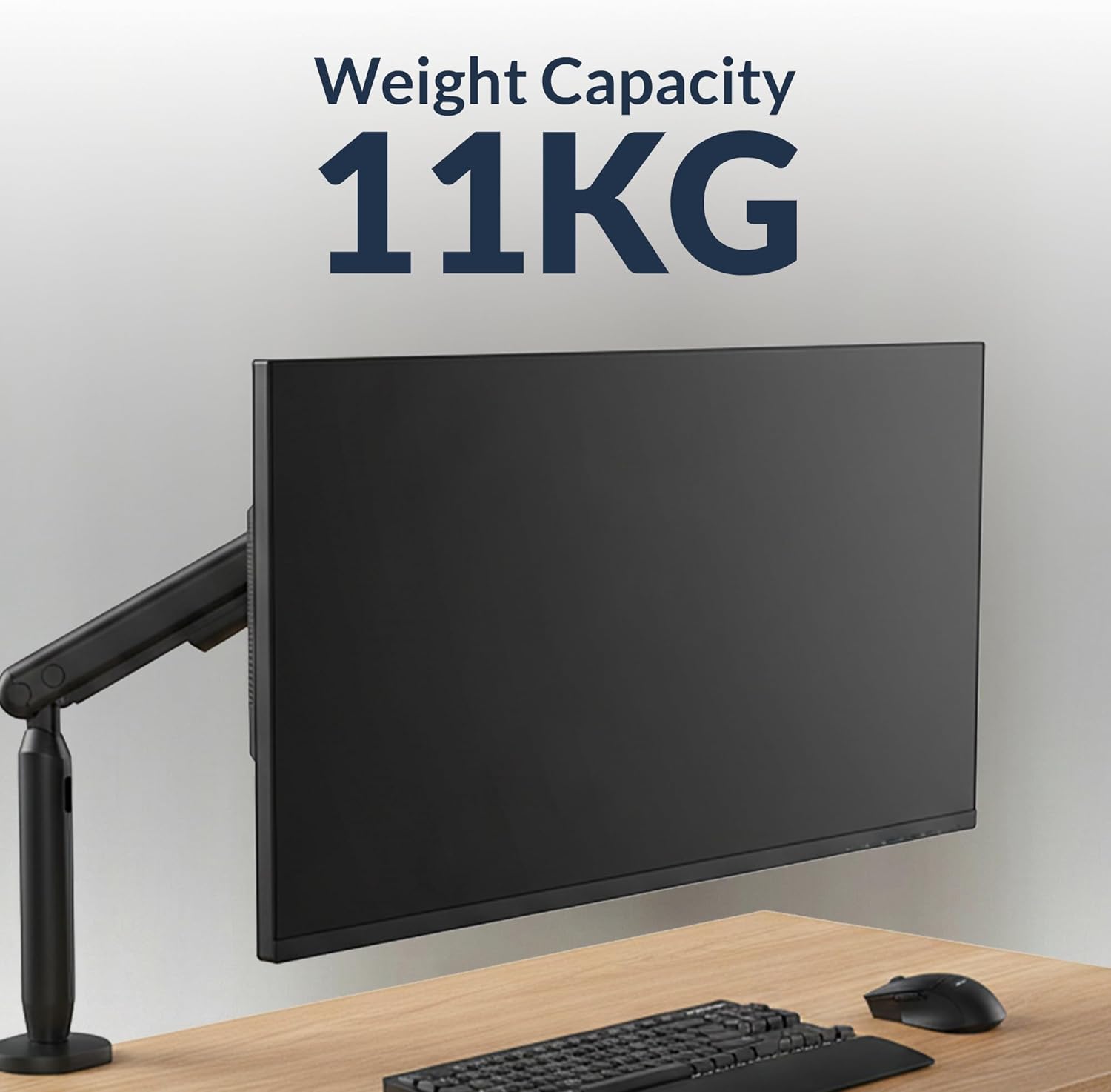
Image: The monitor arm is designed to support monitors up to 11 kg (24.2 lbs).

Image: The monitor arm is compatible with screens ranging from 17 to 35 inches.
5. Treoracha Socraithe
5.1 Choose Your Mounting Option
The Desky Flexi Monitor Arm offers two installation methods: Desk Clamp or Grommet Mount.
5.1.1 Deasc Clamp Suiteáil
- Ceangail an deasc clamp to the bottom of the monitor arm pole.
- Seasamh an clamp ar imeall do dheasc.
- Déan an clamp screw until the arm is securely fastened to the desk. Ensure it is stable and does not wobble.
5.1.2 Grommet Mount Installation
- Má tá poll grommet i do dheasc, cuir bonn an grommet tríd an bpoll.
- Secure the grommet base from underneath the desk using the provided plate and nut.
- Attach the monitor arm pole to the grommet base.
- Tighten all fasteners to ensure stability.
5.2 Attaching the Monitor
- Attach the VESA plate to the back of your monitor using the appropriate screws from the hardware kit. Ensure the VESA mounting holes (75x75mm or 100x100mm) align.
- Slide the monitor (with the attached VESA plate) onto the VESA head of the monitor arm until it clicks into place.
- Secure the monitor by tightening any safety screws on the VESA head, if applicable.

Image: A Desky Flexi Monitor Arm securely mounted to a desk with a monitor attached, demonstrating a typical setup.
6. Treoracha Oibriúcháin
The Desky Flexi Monitor Arm allows for various adjustments to achieve an ergonomic viewtaithí.
6.1 Coigeartú Airde
The arm features a spring-assisted mechanism for effortless vertical movement. Gently push or pull the monitor to the desired height. If the monitor does not stay in position, adjust the tension screw on the arm using the provided Allen key. Turn clockwise to increase tension for heavier monitors, and counter-clockwise to decrease tension for lighter monitors.
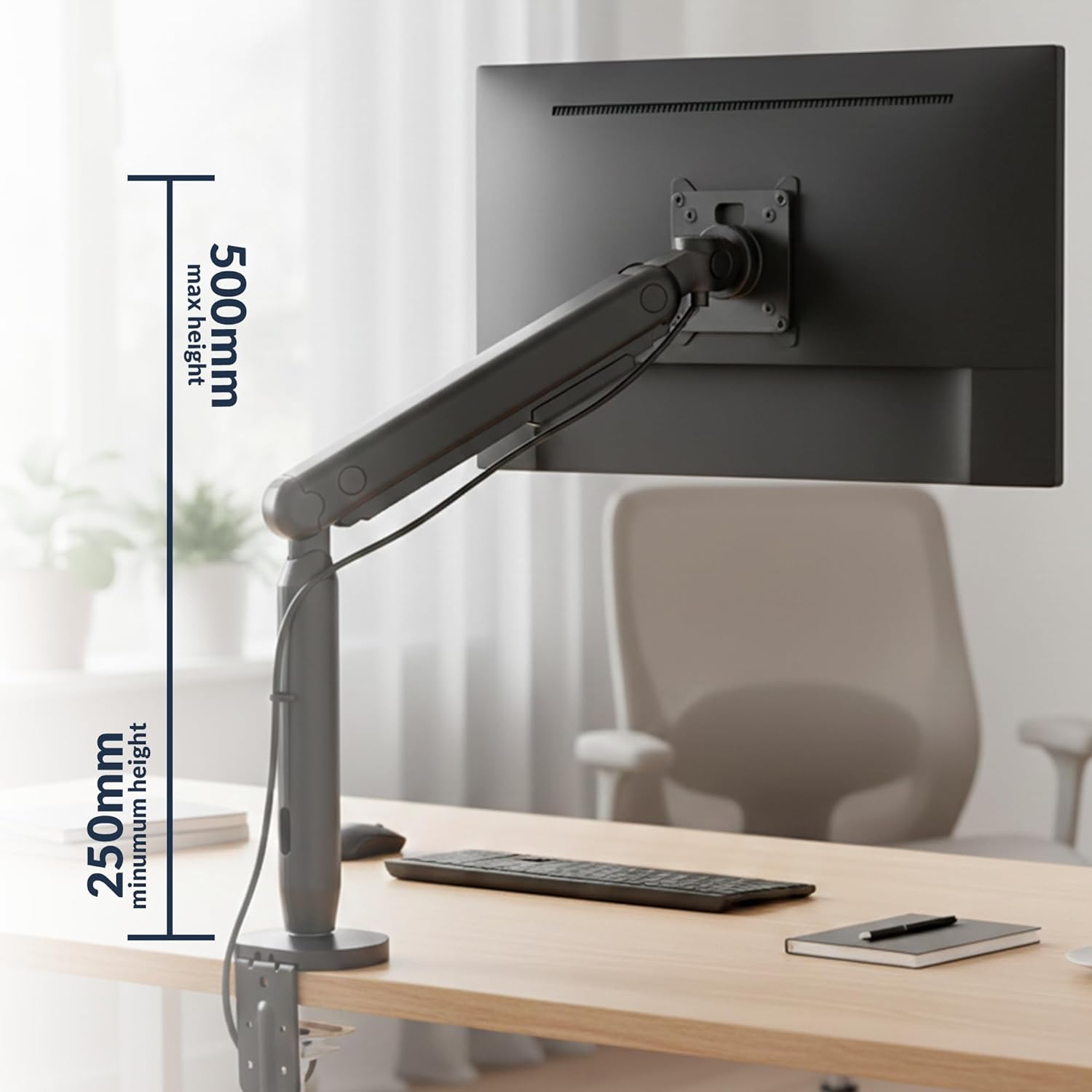
Image: The monitor arm can be adjusted vertically from a minimum height of 250mm to a maximum height of 500mm.
6.2 Tilt, Swivel, and Rotation
- Tilt: Is féidir an monatóir a chlaonadh +60° go -60° chun an glare a laghdú agus an radharc a bharrfheabhsú viewuillinneacha.
- Sclóine: The arm can swivel horizontally to share your screen or adjust your viewseasamh.
- Rothlú: The VESA plate allows for 360° rotation, enabling easy switching between landscape and portrait modes. A 180° rotation stop prevents the arm from swinging too far.

Image: The monitor arm allows for a tilt range of +60° to -60° and rotation of +/-90° at the VESA plate.
6.3 Bainistíocht Cábla
Utilize the integrated cable management system to keep your workspace tidy. Route cables through the designated channels along the arm to conceal them.

Image: A monitor arm with a cable routed through its built-in cable management system, keeping the desk organized.
7. Cothabháil
Cinntíonn cothabháil rialta fad saoil agus feidhmíocht is fearr do ghéag monatóireachta.
- Glanadh: Wipe the arm with a soft, damp éadach. Seachain glantóirí scríobacha nó tuaslagóirí.
- Cigireacht: Seiceáil na scriúnna agus na naisc go léir go tréimhsiúil lena chinntiú go bhfuil siad daingean. Athteannaigh más gá.
- Bealadh: The internal spring mechanism is designed for maintenance-free operation. Do not attempt to lubricate internal components.
8. Fabhtcheartú
If you encounter issues with your Desky Flexi Monitor Arm, refer to the following common problems and solutions:
| Fadhb | Cúis Féideartha | Réiteach |
|---|---|---|
| Tá an monatóir ag cromadh nó ní choinníonn sé a shuíomh | Arm tension is too low for monitor weight. | Increase tension by turning the adjustment screw clockwise with the provided Allen key. |
| Monitor is difficult to move up or down | Arm tension is too high for monitor weight. | Decrease tension by turning the adjustment screw counter-clockwise with the provided Allen key. |
| Arm feels unstable or wobbles | Cl gléastaamp/grommet is not tight enough. | Cinntigh an deasc clamp or grommet mount is securely tightened to the desk. |
| Monitor does not attach to VESA head | Incorrect VESA plate attachment or incompatible VESA pattern. | Verify VESA plate is correctly attached to monitor and that monitor supports 75x75mm or 100x100mm VESA patterns. |
9. Faisnéis Bharántas
The Desky Flexi Monitor Arm comes with a 5 Years Supplier Warranty. This warranty covers defects in materials and workmanship under normal use. Please retain your proof of purchase for warranty claims. For specific terms and conditions, please refer to the warranty documentation included with your product or contact Desky customer support.
10. Tacaíocht do Chustaiméirí
For further assistance, technical support, or warranty inquiries, please contact Desky customer service. Visit the official Desky websuíomh gréasáin le haghaidh sonraí teagmhála agus acmhainní breise.
Websuíomh: Desky Store on Amazon
Please have your product model (Flexi Monitor Arm) and purchase information ready when contacting support.