
VTech VTVM3258
Lámhleabhar Úsáideora Monatóir Leanbh Físe Digiteach VTech VM3258
Model: VTVM3258
Tharview
The VTech VM3258 Digital Video Baby Monitor allows you to keep a close eye on your baby with its high-resolution 2.8-inch color LCD screen. This monitor features a multi-color night-light, soothing lullabies and sounds, two-way audio communication, and a temperature sensor to ensure your baby's comfort. Designed for ease of use, it offers long battery life for extended monitoring.

Image: The VTech VM3258 monitor system, featuring the parent unit with a 2.8-inch LCD screen displaying a baby, and the baby unit with a night-light feature. Both units are white with VTech branding.
Ábhar an Phacáiste
Cinntigh go bhfuil na míreanna uile i láthair sa phacáiste:
- Aonad na dTuismitheoirí
- Aonad Leanbh
- 2 AC Cuibheoir
- 4 Screws (for wall mounting, if applicable)
- Lámhleabhar Úsáideora (an doiciméad seo)
- Treoir Thapa-Tosaigh
Gnéithe Táirge
- High-resolution 2.8-inch Color LCD Screen: Provides clear video of your baby.
- Night-light on Baby Unit: Soothing multi-color light with an auto-on feature based on noise detection.
- Soothing Sounds and Lullabies: Includes 2 melodies and 2 ambient sounds (trickling stream, white noise) to help baby sleep.
- Two-way, Talk-back Intercom: Allows you to speak to your baby from the parent unit.
- Saol Fada Battery: Up to 19 hours of video streaming or 29 hours of audio-only monitoring on a single charge.
- Braiteoir Teochta: Monitors the nursery temperature, displayed on the parent unit.
- Fís Oíche Infridhearg Uathoibríoch: Soláthraíonn sé físeán soiléir i ndálaí ísle solais.
- Sound Activation Screen Mode: Screen turns on when noise is detected.
- 2x Súmáil Digiteach: Allows for closer viewing of your baby.
- Up to 1,000 feet of Range: Ensures monitoring across larger homes.
Socrú
1. Muirearú an Aonaid Tuismitheora
Before first use, charge the parent unit for at least 12 hours. Connect one of the AC adapters to the parent unit and a power outlet. The battery indicator will show charging status.
2. Cumhacht a Chur ar an Aonad Leanaí
Connect the second AC adapter to the baby unit and a power outlet. The baby unit will power on automatically.
3. Suíomh na nAonad
Place the baby unit in your baby's room, at least 3 feet (1 meter) away from the baby. Position it on a flat surface or mount it to a wall using the provided screws. Ensure the camera has a clear view of the baby's crib. Keep the parent unit within range of the baby unit for optimal signal.

Image: An overhead diagram of a multi-story house illustrating the VTech baby monitor's long range capability, showing the baby unit in a nursery and the parent unit being used in various rooms up to 1000 feet away.
4. Ceangal Slán
The VTech VM3258 uses a secure, non-Wi-Fi connection, ensuring your privacy. No internet connection or app is required for operation.
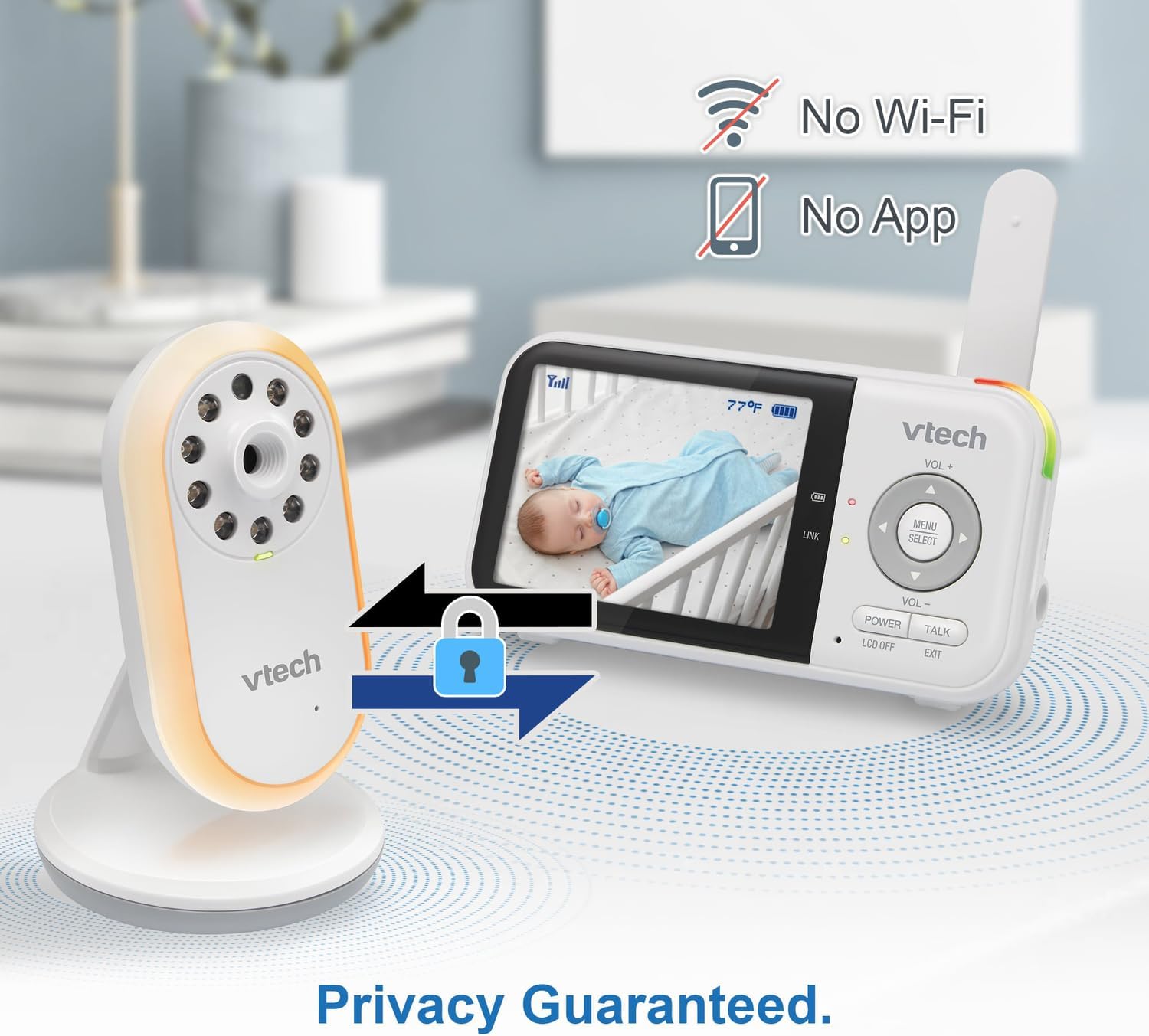
Image: The VTech baby monitor setup, showing the parent unit and baby unit with icons indicating "No Wi-Fi" and "No App," highlighting the secure, private connection.
Treoracha Oibriúcháin
1. Ag Casadh air/As
- Aonad na dTuismitheoirí: Brúigh agus coinnigh an CUMHACHT an cnaipe go dtí go gcasfaidh an scáileán air/as.
- Aonad Leanbh: Cuireann an t-aonad leanbh tús leis go huathoibríoch nuair a bhíonn sé ceangailte leis an gcumhacht.
2. Imleabhar a Choigeartú
Bain úsáid as an VOL+ agus Vol- cnaipí ar an aonad tuismitheora chun an toirt éisteachta a choigeartú.
3. Two-Way Talk-Back Intercom
Brúigh agus coinnigh an CAINT button on the parent unit to speak to your baby through the baby unit's speaker. Release the button to hear your baby.

Image: A split image depicting a parent holding the VTech parent unit and a baby playing, illustrating the two-way talk-back intercom functionality.
4. Night-Light and Lullabies
Access the menu on the parent unit to control the baby unit's night-light (choose from 3 colors) and to play soothing lullabies or ambient sounds. You can also enable the auto-on night-light feature, which activates when noise is detected.

Image: The VTech baby unit with its night light softly glowing, surrounded by musical notes, symbolizing its ability to play lullabies and soothing sounds.
5. Monatóireacht Teochta
The current nursery temperature is displayed on the parent unit's LCD screen, allowing you to ensure a comfortable environment for your baby.
6. Fís Oíche
The baby unit automatically activates infrared night vision in low-light conditions, providing a clear black and white image on the parent unit.

Image: A side-by-side comparison showing a baby in a crib, with one side labeled "Standard night vision" (darker, less clear) and the other "Our night vision" (brighter, clearer, without glare).
7. Battery Life Management
The parent unit offers extended battery life. To conserve battery, you can use the audio-only mode or enable the sound activation screen mode, which turns the screen off until sound is detected.

Image: A circular diagram showing a battery icon in the center, with two halves representing "19 hours in screen-on mode" (depicting a person exercising) and "29 hours in audio-only mode" (depicting a person watching TV at night), illustrating the monitor's long battery life.
Cothabháil
Cleaning the Units
Wipe the surfaces of the parent unit and baby unit with a soft, damp cloth. Do not use cleaning sprays or liquid cleaners. Ensure the units are dry before reconnecting to power.
Cúram Battery
To prolong battery life, avoid fully discharging the parent unit battery frequently. If storing the unit for an extended period, charge it fully before storage and recharge every few months.
Fabhtcheartú
| Fadhb | Réiteach Féideartha |
|---|---|
| Gan pictiúr/fuaim ar an aonad tuismitheora. |
|
| Tá an pictiúr dubh agus bán. | This is normal when the baby unit's infrared night vision is active due to low light conditions. |
| Statach nó cur isteach. |
|
| Ídíonn ceallraí an aonaid tuismitheora go tapa. |
|
Sonraíochtaí
- Uimhir Mhúnla: VTVM3258
- Toisí Táirge: 4.72 x 2.5 x 1.32 inches (Parent Unit)
- Meáchan Mír: 1.25 punt (Iomlán)
- Cadhnraí: 1 A battery required (included) for Parent Unit
- Raon Minicíochta: 400-470 MHz
- Raon Cainte Uasmhéid: Suas le 1,000 troigh (líne radhairc)
- Líon Cainéil: 32
- Dath: Bán
- Monaróir: VTech Communications
- Dáta Ar Fáil den Chéad Uair: 9 Eanáir, 2025
Ask a question about this manual
Ask about setup, troubleshooting, compatibility, parts, safety, or missing instructions. Manuals+ will review the question and use this page’s manual context to help answer it.