
1. Réamhrá
This manual provides essential instructions for the proper setup, operation, and maintenance of your OnePlus Nord N30 5G smartphone. Please read this guide thoroughly before using your device to ensure optimal performance and longevity.
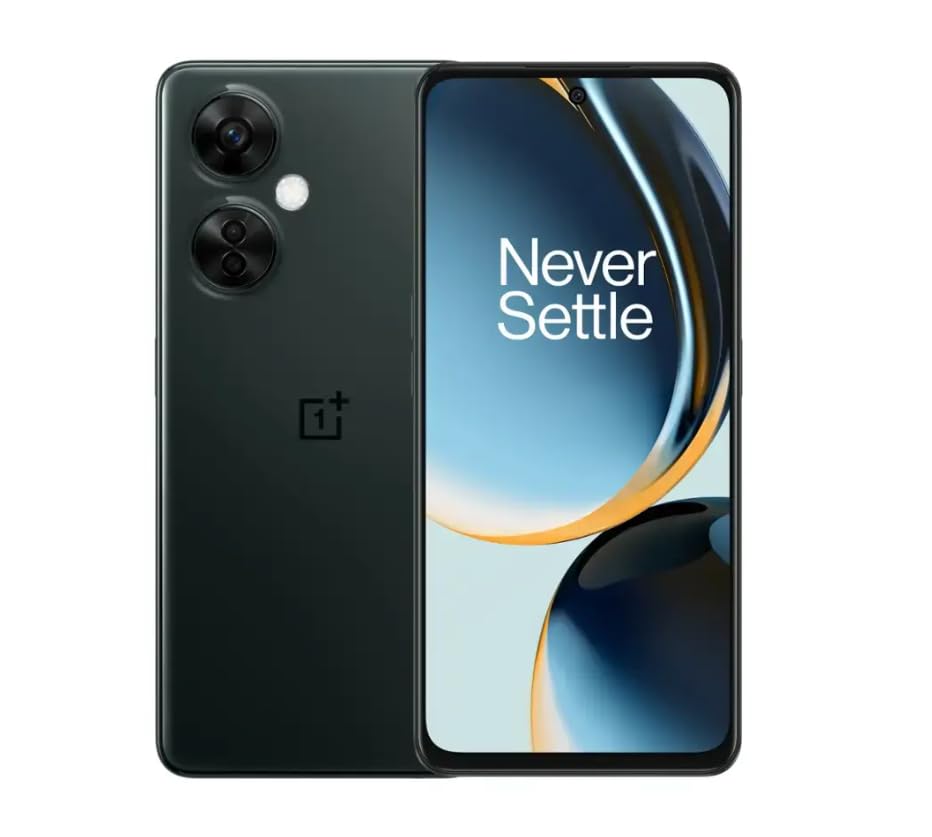
Image 1.1: OnePlus Nord N30 5G smartphone. This image displays the overall design of the device, highlighting its screen and camera module.
2. Cad atá sa Bhosca
Deimhnigh go bhfuil na míreanna uile i láthair sa phacáiste:
- OnePlus Nord N30 5G Smartphone
- Cuibheoir Cumhachta
- Cábla USB
Nóta: Féadfaidh gabhálais a bheith éagsúil de réir réigiúin.
3. Socrú
3.1. An Cárta SIM a chur isteach
- Aimsigh an tráidire cárta SIM ar thaobh na feiste.
- Insert the SIM ejector tool (not included, use a paperclip if necessary) into the small hole next to the tray to open it.
- Place your Nano-SIM card(s) into the tray with the gold contacts facing down. The device supports a single SIM card and a microSDXC card for expandable storage.
- Brúigh an tráidire ar ais isteach sa sliotán go cúramach go dtí go mbeidh sé comhréidh le corp an ghutháin.
3.2. Muirearú Tosaigh agus Cumhacht Air
Roimh an gcéad úsáid, moltar an gléas a mhuirearú go hiomlán.
- Connect the USB cable to the power adapter and then to the phone's USB-C port.
- Plug the power adapter into a wall outlet. The device supports 50W SUPERVOOC fast charging.
- Once sufficiently charged, press and hold the Power button (located on the side) until the OnePlus logo appears.
3.3. Cumraíocht Tosaigh na Gléasanna
Lean na leideanna ar an scáileán chun an socrú tosaigh a chríochnú:
- Roghnaigh do rogha teanga.
- Ceangail le líonra Wi-Fi.
- Review agus glac leis na téarmaí agus coinníollacha.
- Sínigh isteach le do chuntas Google nó cruthaigh ceann nua.
- Set up security features such as fingerprint unlock or face unlock.
4. Treoracha Oibriúcháin
4.1. Taispeántas agus Nascleanúint
The OnePlus Nord N30 5G features a 6.72-inch LCD display with a 120Hz refresh rate for smooth visuals. Navigate the OxygenOS interface using gestures or traditional navigation buttons.
- Swipe Up: Rochtain ar an tarraiceán aipeanna.
- Swipe Down: Access notifications and quick settings.
- Tapáil: Roghnaigh míreanna.
- Pinch: Súmáil isteach nó amach.
4.2. Úsáid Ceamara
The device is equipped with a triple rear camera system and a front camera.
- Príomhcheamara: 108 MP, f/1.7 (wide) for high-resolution photos.
- Macra Ceamara: 2 MP, f/2.4 for close-up shots.
- Ceamara Doimhneachta: 2 MP, f/2.4 for portrait mode effects.
- Ceamara Tosaigh: 16 MP, f/2.4 for selfies and video calls.
Open the Camera app and select your desired mode (Photo, Video, Portrait, Macro, etc.) from the interface. Tap the shutter button to capture images or start/stop video recording.
4.3. Bainistíocht Stórála
The phone comes with 128GB of internal storage. You can expand this up to 1TB using a microSDXC card inserted into the SIM tray.
- To check storage usage: Go to Socruithe > Stóráil.
- A bhogadh files to microSD: Use the File App bainisteoir.
4.4. Nascacht
The device supports 5G cellular technology, Wi-Fi, and Bluetooth 5.1.
- 5G: Ensure your SIM card and plan support 5G for faster mobile data speeds.
- Wi-Fi: Ceangail le líonraí gan sreang trí Socruithe > Wi-Fi.
- Bluetooth: Pair with wireless headphones or other devices via Socruithe > Bluetooth.
4.5. Gnéithe Slándála
Secure your device using the side-mounted fingerprint sensor or face unlock.
- To set up fingerprint unlock: Go to Socruithe > Slándáil & príobháideacht > Díghlasáil méarloirg.
- To set up face unlock: Go to Socruithe > Slándáil & príobháideacht > Díghlasáil aghaidh.
4.6. Fuaim
The device features dual stereo speakers for enhanced audio experience. It also includes a 3.5 mm audio jack for wired headphones.
5. Cothabháil
5.1. Cúram Battery
The 5000mAh battery provides extended usage. To prolong battery life:
- Seachain teochtaí foircneacha.
- Use the provided 50W SUPERVOOC charger for optimal charging speed and battery health.
- Seachain an ceallraí a dhraenáil go hiomlán go minic.
5.2. Nuashonruithe Bogearraí
Keep your OxygenOS (based on Android 13) updated to ensure optimal performance, security, and access to new features.
- Chun seiceáil le haghaidh nuashonruithe: Téigh go Socruithe > Maidir le gléas > OxygenOS version.
5.3. Glanadh an Ghléas
Bain úsáid as éadach bog, saor ó lint chun an scáileán agus corp an ghutháin a ghlanadh. Seachain ceimiceáin ghéara nó ábhair scríobacha a úsáid.
6. Fabhtcheartú
Pléann an chuid seo fadhbanna coitianta a d'fhéadfadh teacht ort.
6.1. Ní bhíonn an gléas ag dul ar siúl
- Cinntigh go bhfuil an ceallraí luchtaithe. Ceangail an gléas leis an luchtaire ar feadh 15 nóiméad ar a laghad.
- Brúigh agus coinnigh an cnaipe Cumhachta ar feadh 10-15 soicind chun atosú a fhorchur.
6.2. Fadhbanna Ceangail Líonra
- Seiceáil an bhfuil an cárta SIM curtha isteach i gceart.
- Verify that mobile data is enabled in Socruithe > Líonra soghluaiste.
- Atosaigh an gléas.
- Contact your carrier (T-Mobile) to confirm service availability in your area.
6.3. Aipeanna ag Tuairteáil nó ag Reo
- Dún agus athoscail an app.
- Glan taisce an aip: Socruithe > Feidhmchláir > [Ainm an Aipe] > Storage usage > Glan taisce.
- Ensure the app and OxygenOS are updated to the latest versions.
6.4. Draenáil Thapa na Ceallraí
- Laghdaigh gile an scáileáin.
- Disable unused features like Bluetooth, GPS, or Wi-Fi when not needed.
- Seiceáil úsáid ceallraí i Socruithe > Ceallraí chun aipeanna atá ocrasach ar chumhacht a aithint.
- Ensure background app refresh is limited for non-essential apps.
7. Sonraíochtaí
| Ainm an tSamhail | OnePlus Nord N30 5G |
| Córas Oibriúcháin | OxygenOS (based on Android 13) |
| Próiseálaí | Qualcomm Snapdragon 695 Ocht-chroí |
| RAM | 8GB |
| Stóráil Inmheánach | 128GB (Expandable up to 1TB via microSDXC) |
| Taispeáin | 6.72 inches LCD, 2400 x 1080 resolution, 120Hz Refresh Rate |
| Ceamara Cúil | 108 MP (wide), 2 MP (macro), 2 MP (depth) |
| Ceamara Tosaigh | 16 MP |
| Cumas Battery | 5000 mAh |
| Muirearú | 50W SUPERVOOC Fast Charging (approx. 47 minutes for full charge) |
| Nascacht | 5G, Wi-Fi, Bluetooth 5.1, USB-C |
| Fuaime Jack | 3.5 mm |
| Toisí | 6 x 4 x 4 orlach |
| Meáchan | 10.8 unsa |
| Gnéithe Speisialta | Dual SIM, Side-mounted Fingerprint Sensor, Face Unlock, Dual Stereo Speakers |
8. Renewed Product Information
This OnePlus Nord N30 5G is an Amazon Renewed product. Renewed products are pre-owned and professionally inspected, tested, and cleaned to work like new. They come with generic or original accessories and packaging.
8.1. Coinníollacha Athnuaite Amazon
Amazon Renewed products are categorized based on their cosmetic condition and battery life. All renewed products are fully functional and have a battery life greater than 80% of a new equivalent.

Image 8.1: Amazon Renewed conditions overview. This image illustrates the criteria for Excellent, Good, and Acceptable cosmetic conditions for renewed products.
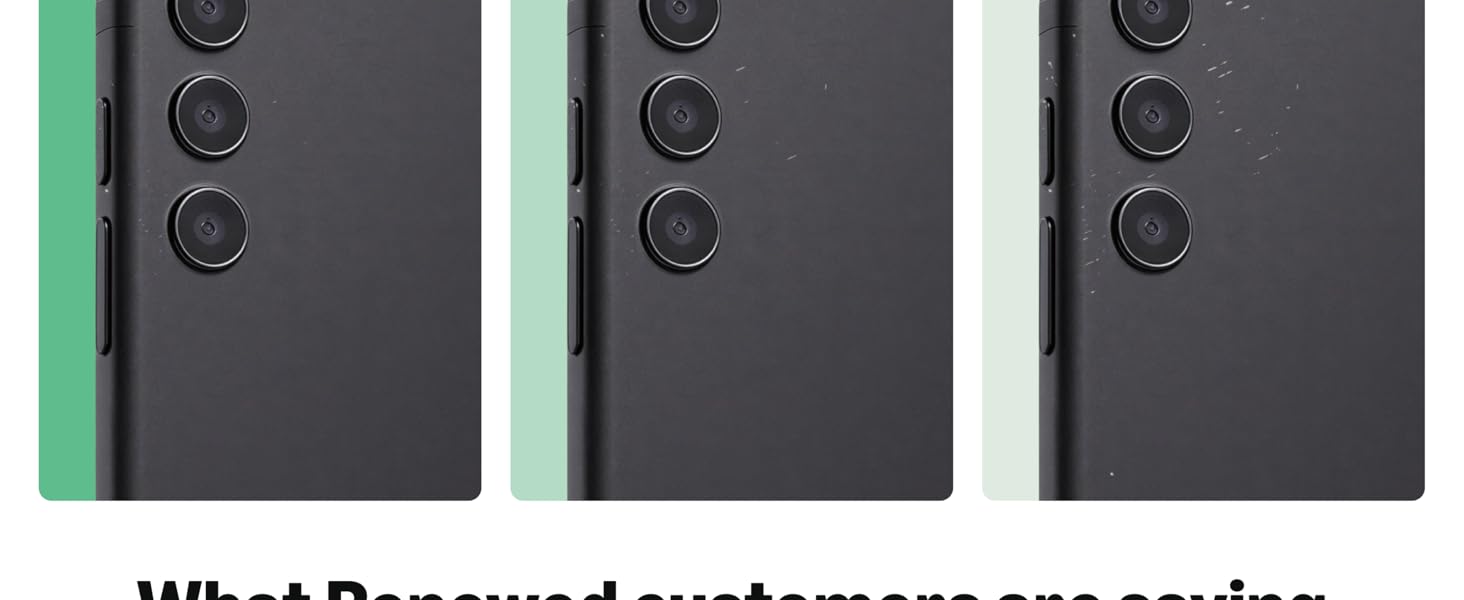
Íomhá 8.2: Eiseamláir amhaircamples of renewed product cosmetic conditions. This image provides visual examples of what 'Excellent', 'Good', and 'Acceptable' cosmetic conditions might look like on a phone's back.
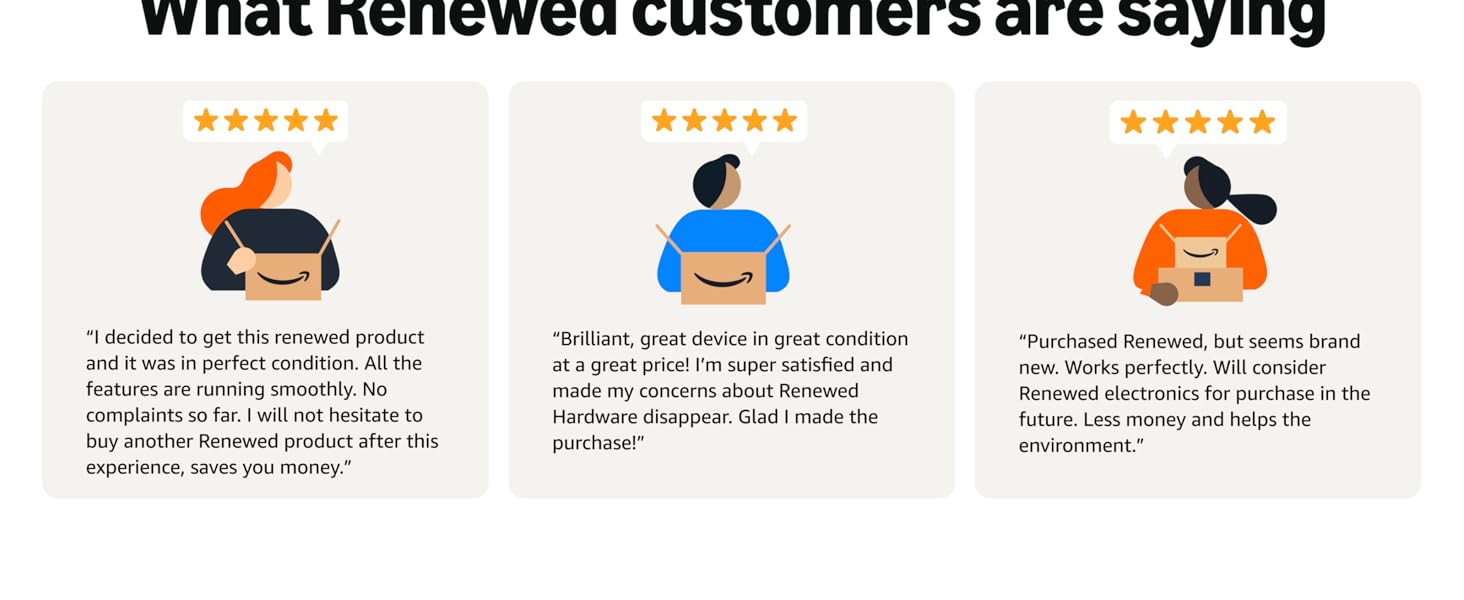
Image 8.3: Customer feedback on Amazon Renewed. This image presents testimonials from customers regarding their positive experiences with Amazon Renewed products.
9. Barántas agus Tacaíocht
9.1. Faisnéis Bharántas
As an Amazon Renewed product, this device is backed by the Amazon Renewed Guarantee. Please refer to the Amazon Renewed program terms and conditions for specific warranty details and coverage. This typically includes a limited warranty for a specified period from the date of purchase, covering defects in materials and workmanship.
9.2. Tacaíocht do Chustaiméirí
For technical assistance, troubleshooting, or warranty claims, please contact Amazon Customer Service or refer to the official OnePlus support webláithreán le haghaidh acmhainní breise agus CCanna.
- Seirbhís do Chustaiméirí Amazon: Cuairt amazon.com/contact-us
- OnePlus Support: Visit the official OnePlus support websuíomh do do réigiún.