
1. Réamhrá
This manual provides detailed instructions for the installation, operation, and maintenance of your Haozee Zigbee Smart Vibration Sensor. This device is designed to detect vibrations and tilts, providing real-time alerts for enhanced home security and automation. Please read this manual thoroughly before using the product to ensure proper functionality and safety.
2. Táirge Tharview
The Haozee Zigbee Smart Vibration Sensor is a compact and highly sensitive device equipped with a built-in G-sensor chip. It is capable of detecting both vibrations and changes in tilt, making it suitable for various monitoring applications. When connected to a Zigbee gateway, the sensor can send notifications to your mobile phone and integrate with other smart devices for automated scenes.

Image: Haozee Zigbee Smart Vibration Sensor. This image shows the compact, circular design of the sensor, highlighting its minimalist aesthetic.
Príomhghnéithe:
- Smart Vibration/Tilt Detection: Detects both vibrations and object tilts with high sensitivity.
- Zigbee Gateway Required: Operates with a Zigbee gateway for pairing and smart scene integration.
- Home Assistant Zigbee2MQTT Support: Compatible with Home Assistant via Zigbee2MQTT for advanced smart home setups.
- Real-time Remote Monitoring: Receive instant smartphone notifications upon detection of movement or tilt.
- Íogaireacht Inchoigeartaithe: Customize sensitivity levels (low, medium, high) via the mobile application to minimize false alarms.
- Taifid Staire: View a log of past detection events.
- Feidhmchláir Ilghnéitheacha: Suitable for monitoring doors, windows, drawers, garage doors, and more.
3. Ábhar Pacáiste
Deimhnigh go bhfuil na míreanna uile i láthair sa phacáiste:
- Haozee Zigbee Smart Vibration Sensor
- Lámhleabhar Úsáideora (an doiciméad seo)
- 1x CR2450 Battery (pre-installed or included separately)
4. Sonraíochtaí

Image: Diagram showing the dimensions of the sensor (40mm diameter, 13mm thickness) and a table of technical parameters.
| Paraiméadar | Luach |
|---|---|
| Uimhir Mhúnla | ZG-Vibration |
| Soláthar Cumhachta | DC 3V (ceallraí CR2450) |
| Cineál Gan Sreang | Zigbee 3.0 |
| Fad Tarchuir | 10-30 meters (no obstruction indoors) |
| Teocht Oibre | -10°C go 50°C |
| Reatha Fuireachas | ≤10uA |
| Reatha Aláraim | ≤20mA |
| Toisí | 40mm (Diameter) x 13mm (Thickness) / 1.6 x 1.6 x 0.6 inches |
| Meáchan | 0.634 unsa |
| Cineál Gléasta | Door Mount, Wall Mount, Window Mount |
| Modh Rialaithe | App |
5. Socrú
5.1. Suiteáil Battery
If the battery is not pre-installed, open the sensor casing and insert the CR2450 battery, ensuring correct polarity. If a battery protection tab is present, remove it before use.
5.2. Zigbee Gateway Requirement
This Zigbee vibration sensor requires a Zigbee gateway (hub) to function. Without a gateway, the sensor cannot pair with your smart home system or send notifications. Ensure your Zigbee gateway is powered on and connected to your network.
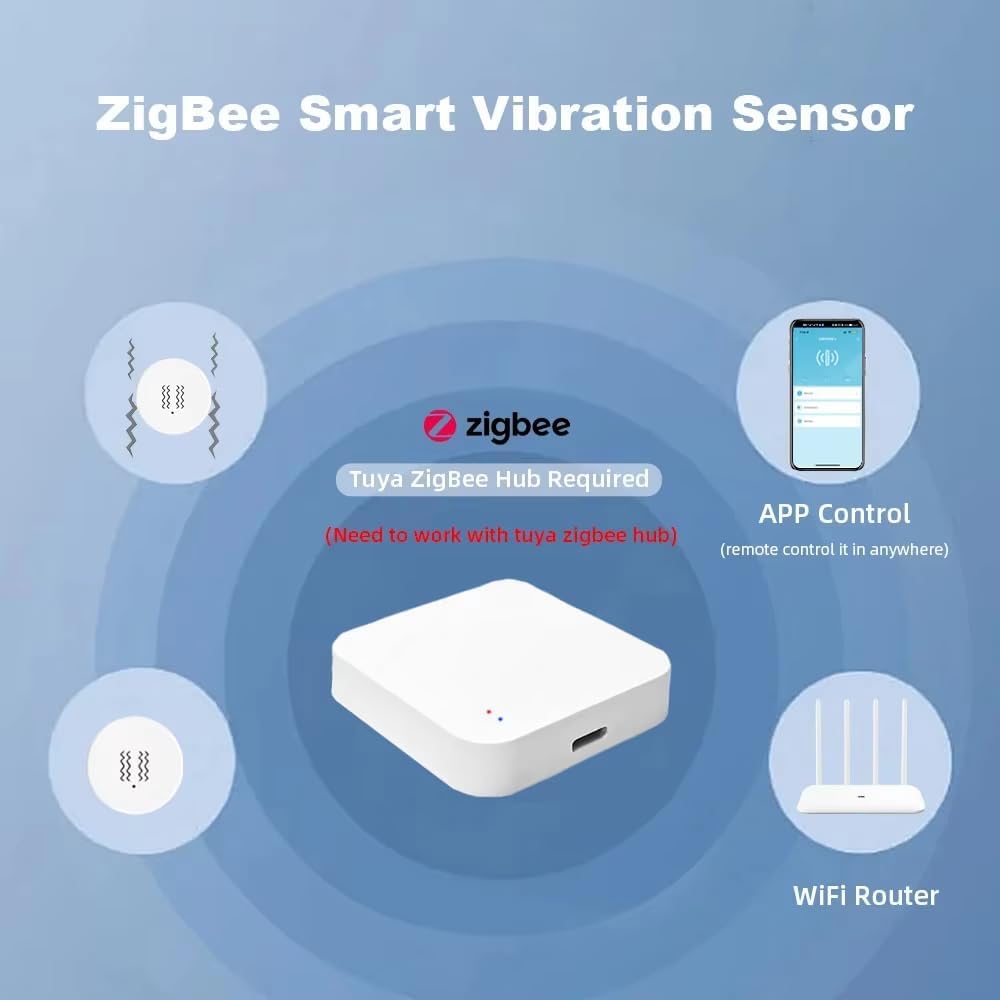
Image: The Zigbee Smart Vibration Sensor shown alongside a Zigbee hub and a smartphone displaying the control app, illustrating the necessary components for operation.
5.3. Pairing with a Zigbee Gateway
- Ensure your Zigbee gateway is in pairing mode. Refer to your gateway's manual for specific instructions on how to enable pairing.
- On the Haozee Zigbee Smart Vibration Sensor, locate the reset pinhole. Use a small pin or paperclip to press and hold the reset button for approximately 5 seconds until the indicator light flashes, indicating it is in pairing mode.
- The sensor should automatically be detected and added to your Zigbee network via the gateway's application.
- Nuair a bheidh sé péireáilte, stopfaidh an solas táscaire ag splancadh.
5.4. Gléasadh an Braiteora
The sensor can be mounted on various surfaces such as doors, windows, or walls using adhesive backing (if provided) or small screws. Choose a location where vibrations or tilts are most likely to occur and where the sensor will not be easily dislodged.
6. Treoracha Oibriúcháin
6.1. Rialú Cianrialtáin Aipe
After successful pairing, you can control and monitor the sensor through your Zigbee gateway's dedicated mobile application. The app allows you to view the sensor's status, receive notifications, and adjust settings.
6.2. Íogaireacht a Choigeartú
The sensor's sensitivity can be adjusted to suit your specific needs. Access the sensor settings within your mobile application. You can typically choose between low, medium, and high sensitivity levels. Adjusting this setting helps to reduce false alarms while maintaining effective detection.
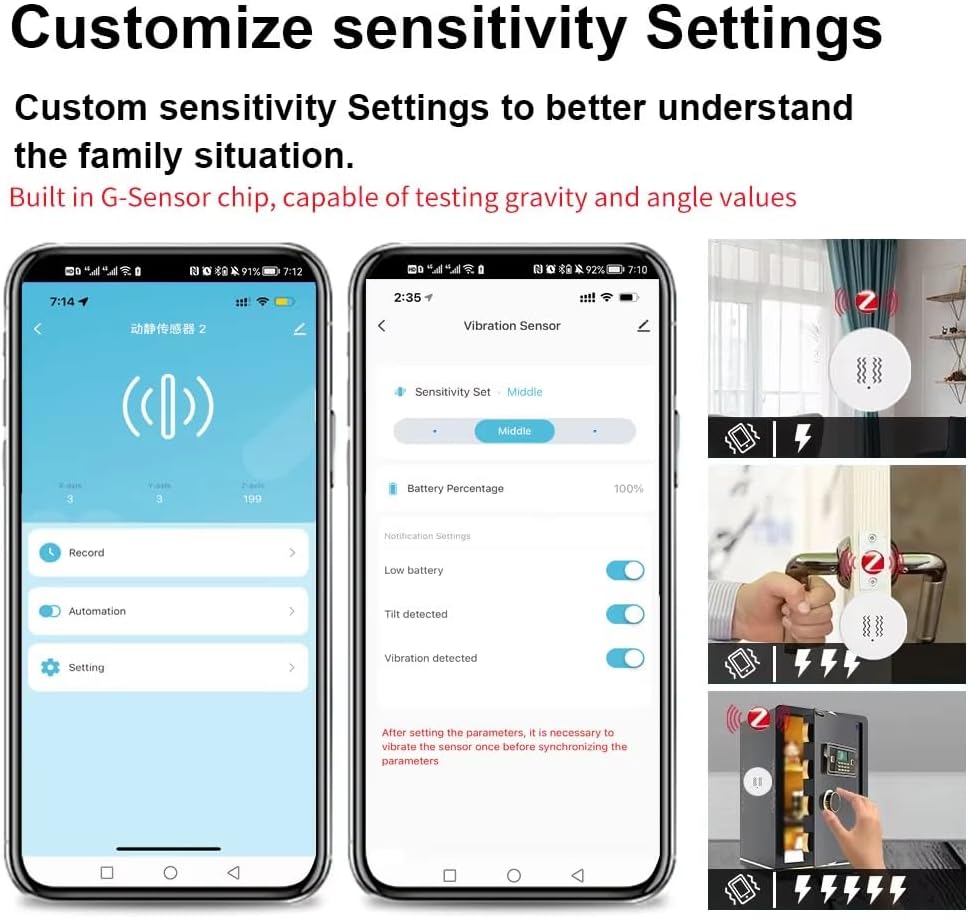
Image: A smartphone screen displaying the sensor's settings in the app, including options for sensitivity adjustment (low, middle, high) and toggles for tilt and vibration detection.
6.3. Monatóireacht agus Foláirimh Fíor-Ama
The built-in G-sensor chip continuously monitors for gravity and angle changes. When a vibration or tilt is detected, the sensor will send an immediate notification to your smartphone via the connected Zigbee gateway. This allows for real-time awareness of activity.
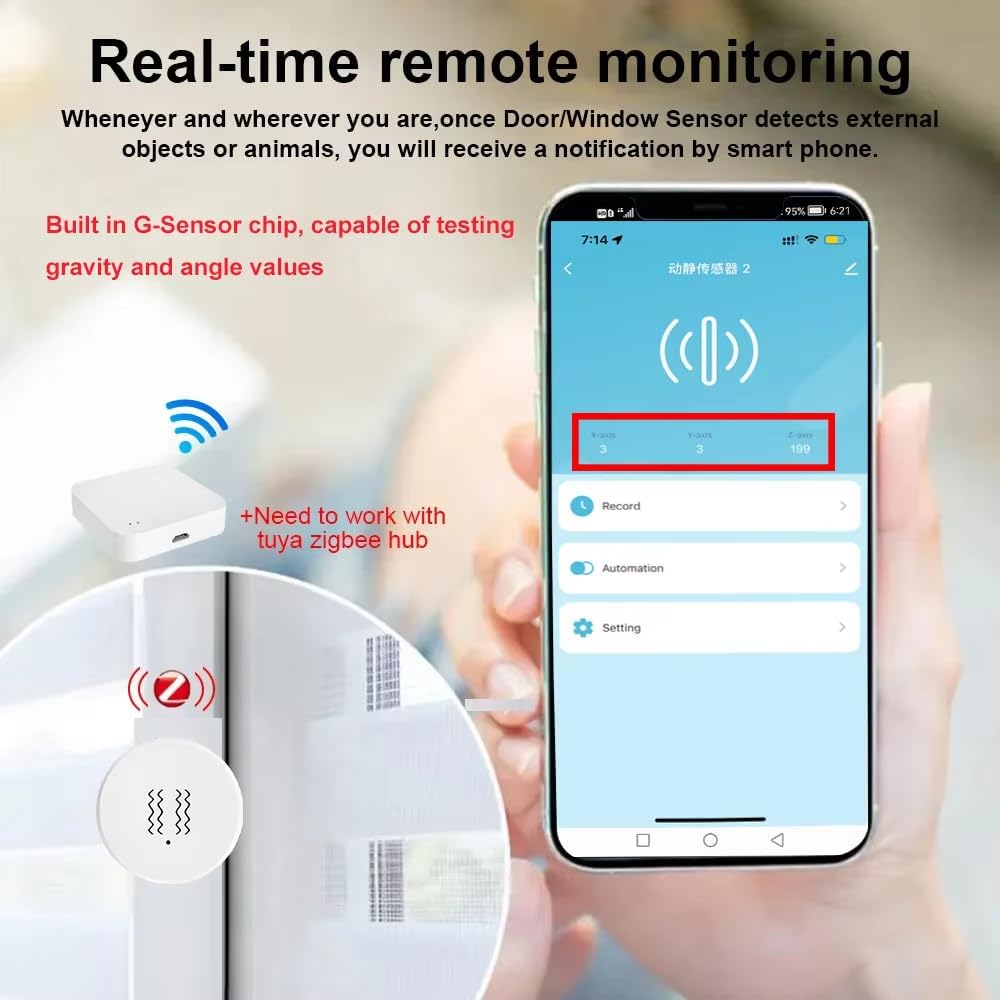
Image: A smartphone displaying a notification from the sensor, indicating real-time remote monitoring. The sensor is shown near a window, suggesting its application for detecting external objects or animals.
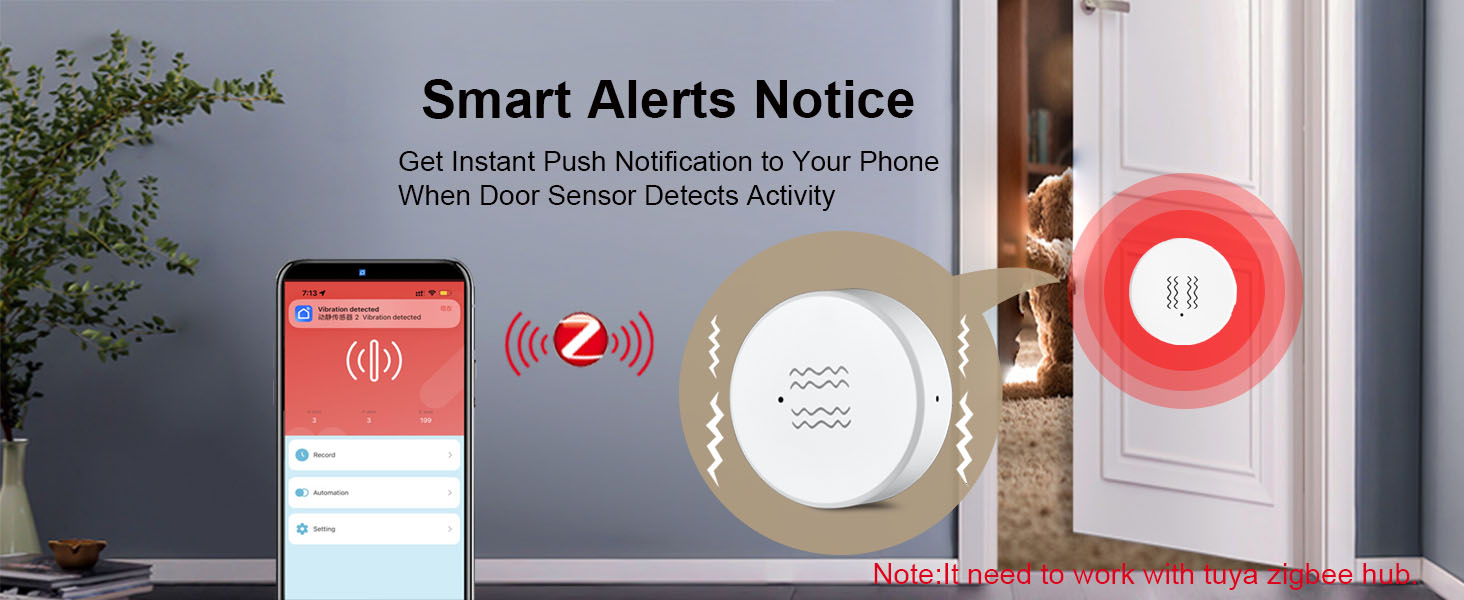
Image: A banner illustrating a 'Smart Alerts Notice' with a cat peeking through a door, and a smartphone displaying a 'Vibration detected' notification, emphasizing instant push notifications.
6.4. ViewTaifid Staire
The mobile application provides access to a history log of all detected events. This allows you to review past vibrations or tilts, including timestamps, to track activity over time.
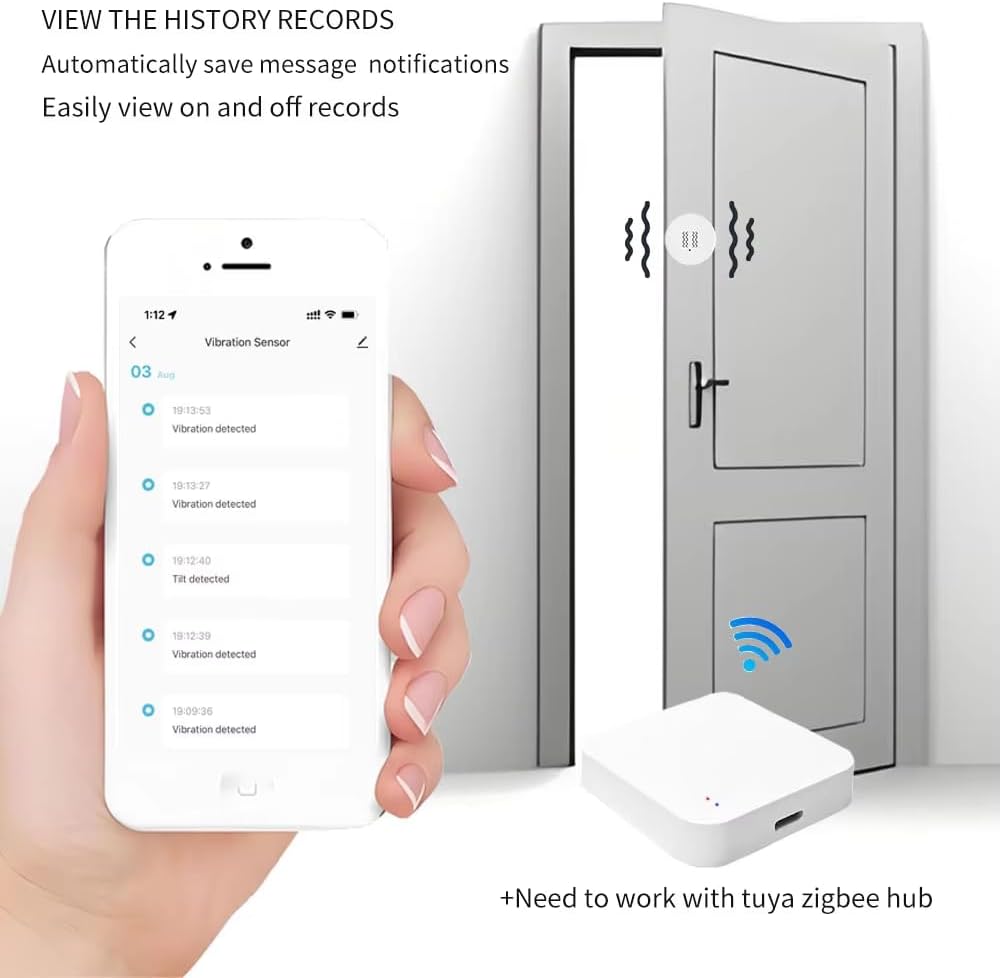
Image: A smartphone screen showing a list of historical events from the vibration sensor, such as 'Vibration detected' and 'Tilt detected', with corresponding timestamps.
6.5. Home Assistant and Zigbee2MQTT Integration
The sensor supports integration with Home Assistant via Zigbee2MQTT. This allows for advanced automation and control within your existing Home Assistant setup. Once paired with your Zigbee network, the sensor's entities (vibration, tilt, 3-axis data, sensitivity) will be available for use in automations.

Image: A banner indicating 'Home Assistant Support' for the sensor, highlighting its compatibility with advanced smart home systems.
6.6. Smart Scene Linkage
The sensor can be linked with other smart devices through your Zigbee gateway to create automated scenes. For example, a detected vibration on a door could trigger smart lighting to turn on.

Image: A diagram illustrating 'Linkage equipments', showing how a gateway, vibration sensor, and smart switch can work together to automate lighting when a door is opened.
7. Iarratais
The versatility of the Haozee Zigbee Smart Vibration Sensor allows for its use in various scenarios:
- Slándáil Baile: Monitor doors, windows, and safes for unauthorized entry or tampag aireachtáil.
- Appliance Monitoring: Detect when appliances like washing machines or dryers complete their cycles.
- Drawer/Cabinet Monitoring: Receive alerts if sensitive drawers or cabinets are opened.
- Mailbox Monitoring: Know when your mailbox has been accessed.
- Monatóireacht Peataí: Detect activity from pets in restricted areas.

Image: A collage demonstrating wide applications of the sensor, including use in a bedroom, greenhouse, and industrial settings, highlighting its adaptability.
8. Cothabháil
8.1. Athsholáthar Ceallraí
The sensor is powered by a CR2450 lithium battery. When the battery level is low, you may receive a notification via the mobile application. To replace the battery:
- Gently twist or pry open the sensor casing chun rochtain a fháil ar urrann na ceallraí.
- Bain an ceallraí CR2450 d'aois.
- Cuir ceallraí CR2450 nua isteach, ag cinntiú go bhfuil an taobh dearfach (+) os comhair suas.
- Dún an braiteoir casing go daingean.
Note: Dispose of used batteries responsibly according to local regulations.
8.2. Glanadh
Cuimil an braiteoir le héadach bog tirim. Ná húsáid glantóirí leachtacha ná ábhair scríobacha, mar is féidir leo damáiste a dhéanamh don fheiste.
9. Fabhtcheartú
- Braiteoir nach bhfuil péireáilte:
- Ensure the Zigbee gateway is in pairing mode.
- Verify the sensor's battery is installed correctly and has sufficient charge.
- Press and hold the reset button on the sensor until the indicator light flashes.
- Ensure the sensor is within range of the Zigbee gateway.
- Níor fuarthas aon fhógraí:
- Check if the sensor is successfully paired with the gateway.
- Verify notification settings in your mobile application.
- Ensure your smartphone has an active internet connection and notifications are enabled for the app.
- Check the sensor's battery level.
- False alarms or missed detections:
- Adjust the sensor's sensitivity level in the mobile application (low, medium, high).
- Ensure the sensor is securely mounted and not subject to unintended movements.
- For vibration detection, ensure the sensor is placed on a surface that transmits vibrations effectively.
- Slow or inconsistent reporting:
- Ensure the Zigbee network has good coverage and minimal interference.
- Consider adding Zigbee repeater devices if the sensor is far from the gateway.
- Check for any firmware updates for your Zigbee gateway or the sensor itself.
10. Barántas agus Tacaíocht
Le haghaidh eolais faoin mbarántas agus tacaíocht theicniúil, féach ar shuíomh oifigiúil an mhonaróra. websuíomh gréasáin nó déan teagmháil dhíreach lena seirbhís do chustaiméirí. Coinnigh d’admháil ceannaigh mar chruthúnas ceannaigh.