
1. Réamhrá
This manual provides detailed instructions for the XBG B15pro Wireless Bluetooth Mouse. This device offers versatile connectivity options, an ergonomic design, and an intuitive LED display for enhanced user experience.
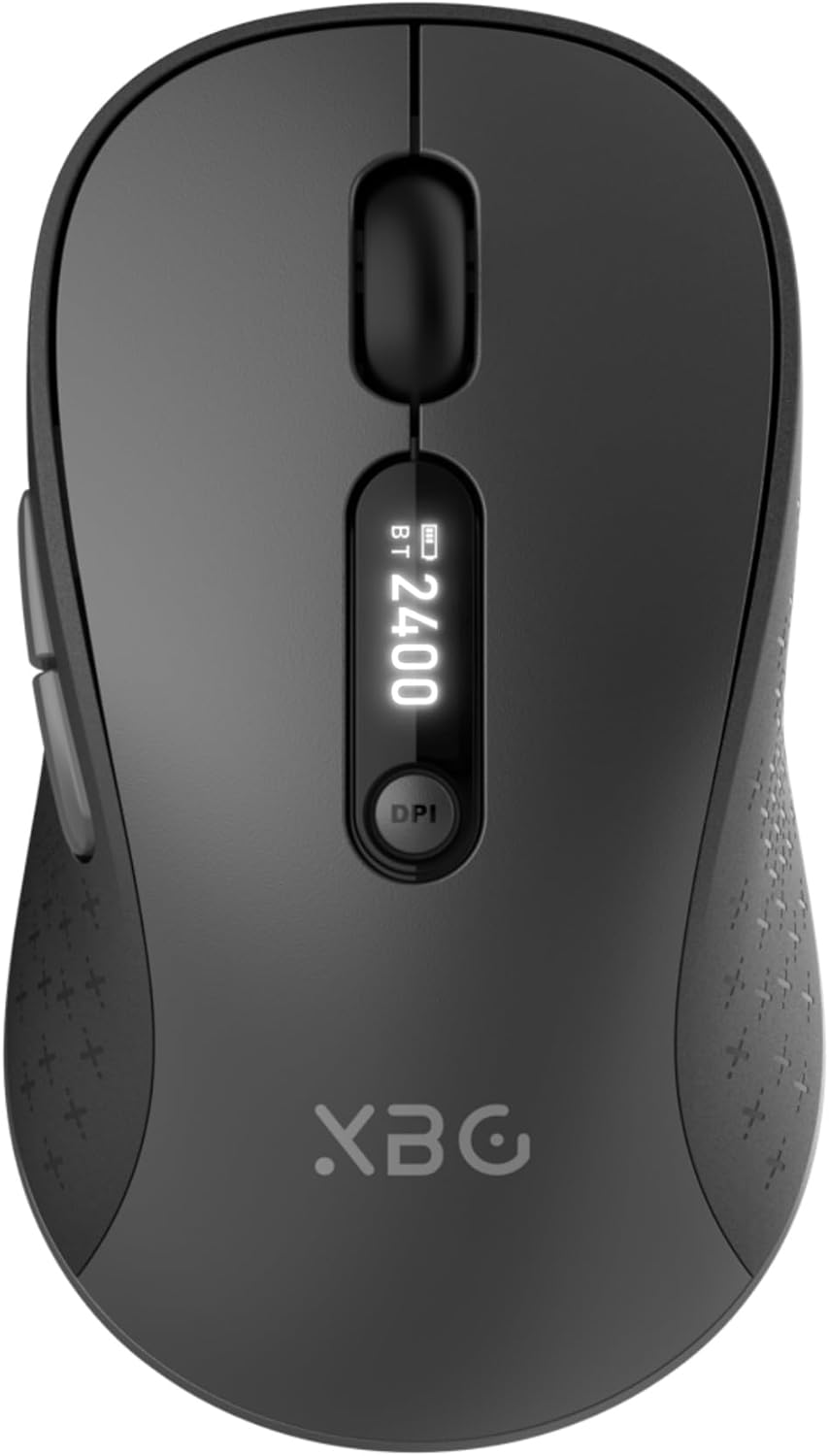
Image 1.1: The XBG B15pro Wireless Bluetooth Mouse, showcasina dhearadh galánta agus a thaispeántas LED.
Ábhar an Phacáiste:
- 1 x XBG B15pro Wireless Bluetooth Mouse
- 1 x Cábla Luchtaithe USB (Cineál-C)
- 1 x USB Receiver (2.4G)
- 1 x lámhleabhar úsáideora
2. Gnéithe Táirgí
- Nascacht Trí-Mhód: Supports Bluetooth 5.0, Bluetooth 4.0, and 2.4GHz wireless connections, allowing seamless switching between up to three devices.
- LED Screen Display: Soláthraíonn sé faisnéis fíor-ama ar chéatadán na ceallraítage, DPI level, and current connection mode.
- DPI inchoigeartaithe: Five adjustable DPI levels (800/1000/1200/1600/2400) for precise cursor control.
- Ceallraí In-athluchtaithe: Built-in 500 mAh lithium polymer battery, rechargeable via Type-C port.
- Silent Click Buttons: Main left and right buttons feature silent click technology, reducing noise in quiet environments.
- Dearadh eirgeanamaíochta: Contoured shape with a thumb rest and arched palm support for comfortable use during extended periods.
- Comhoiriúnacht Il-Dromchla: Operates effectively on various surfaces including resin, wood, fabric, paper, and metal.

Image 2.1: The XBG B15pro mouse designed for multi-device use, highlighting its wireless capabilities.

Image 2.2: The ergonomic contour of the XBG B15pro mouse, designed for comfortable hand fit.
3. Socrú
3.1 Muirearú na Luiche
Before first use, or when the battery indicator on the LED screen shows low power, charge the mouse using the provided Type-C USB cable. Connect the cable to the mouse's Type-C port and a USB power source (e.g., computer USB port, USB wall adapter).

Image 3.1: The XBG B15pro mouse connected for charging via its Type-C port.
3.2 An Luch a Cheangal
The XBG B15pro mouse supports three connection modes: 2.4GHz wireless (via USB receiver) and two Bluetooth channels (BT1, BT2). The mode switch is located on the bottom of the mouse.

Image 3.2: The underside of the XBG B15pro mouse, showing the ON/OFF switch, mode switch button, and USB receiver storage.
Ceangal gan sreang 2.4GHz:
- Locate the USB receiver stored in the bottom compartment of the mouse.
- Plug an glacadóir USB isteach i bport USB atá ar fáil ar do ríomhaire.
- Turn on the mouse using the ON/OFF switch on the bottom.
- Press the Mode Switch button on the bottom until the LED indicator shows a Solas Dearg, indicating 2.4G mode. The mouse should connect automatically.
Nasc Bluetooth (BT1 / BT2):
- Turn on the mouse using the ON/OFF switch on the bottom.
- Press the Mode Switch button on the bottom to select either BT1 (Solas Gorm) or BT2 (Solas Glas).
- Press and hold the Mode Switch button for 3-5 seconds until the corresponding Bluetooth indicator light (blue or green) starts flashing rapidly. This indicates pairing mode.
- On your device (laptop, tablet, PC), go to Bluetooth settings and search for new devices.
- Select "XBG B15pro" from the list of available devices to pair.
- Nuair a bheidh sé péireáilte, stopfaidh an solas táscaire ag splancadh agus fanfaidh sé soladach.

Image 3.3: Illustration of the XBG B15pro mouse connecting to multiple devices via 2.4G and Bluetooth modes.
4. Treoracha Oibriúcháin
4.1 Taispeáint Scáileáin LED
The integrated LED screen provides essential information at a glance:
- Percen Ceallraítage: Léiríonn an leibhéal ceallraí reatha.
- Leibhéal DPI: Displays the active DPI setting (800/1000/1200/1600/2400).
- Mód Ceangail: Indicates the active connection (2.4G, BT1, or BT2).
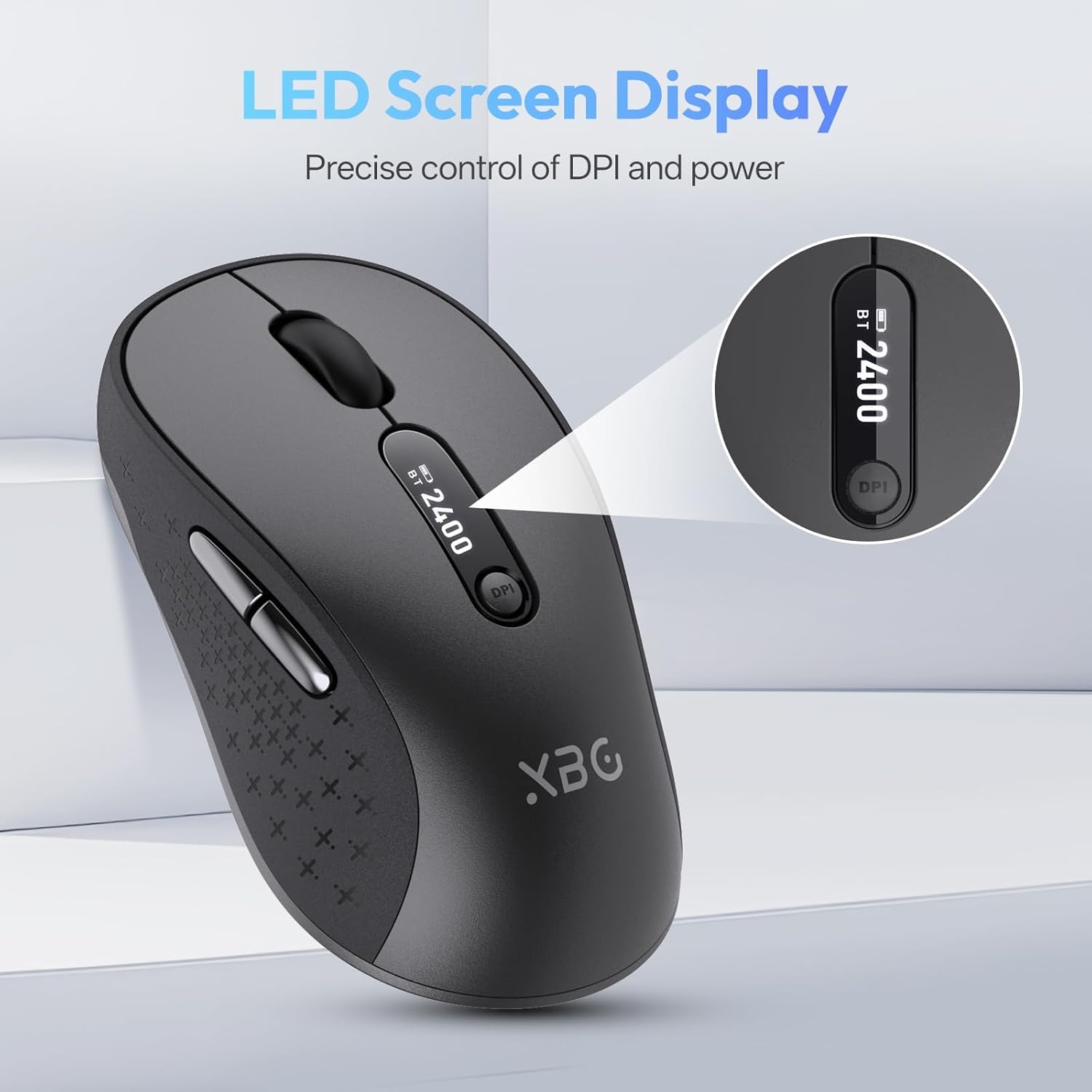
Íomhá 4.1: Mionsonraithe view of the mouse's LED screen, showing battery, DPI, and connection status.
4.2 Coigeartú PSO
Press the DPI button located below the scroll wheel to cycle through the five available DPI settings (800, 1000, 1200, 1600, 2400). The current DPI level will be displayed on the LED screen.
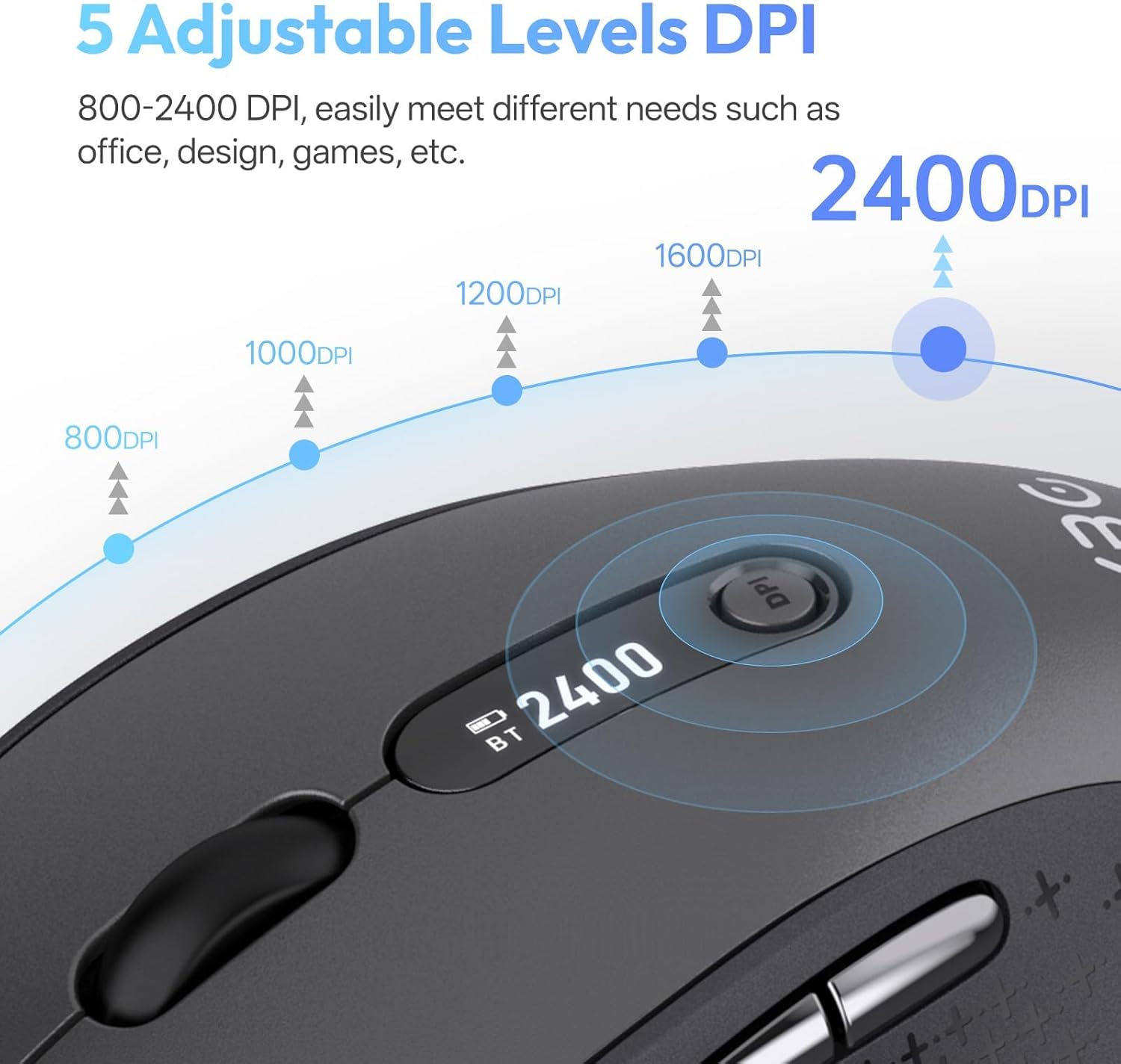
Image 4.2: Visual representation of the five adjustable DPI levels and how to change them.
4.3 Silent Click Functionality
The main left and right click buttons are designed for silent operation, providing a tactile click feel without audible noise. This feature is ideal for environments requiring minimal disturbance.

Image 4.3: A user operating the XBG B15pro mouse, illustrating its silent click feature in a quiet setting.
4.4 Mód Codlata Uathoibríoch
To conserve battery, the mouse will automatically enter sleep mode after 5 minutes of inactivity. To wake the mouse, simply move it or click any button.
5. Cothabháil
5.1 Cúram Ceallraí
- Charge the mouse fully before first use.
- Seachain an ceallraí a dhraenáil go hiomlán go minic chun a saolré a fhadú.
- Bain úsáid as an cábla Cineál-C a chuirtear ar fáil le haghaidh muirearú.
- When not in use for extended periods, turn off the mouse using the ON/OFF switch on the bottom to prevent battery discharge.

Image 5.1: The XBG B15pro mouse being charged, illustrating its fast charging capability and long-lasting battery.
5.2 Glanadh
Wipe the mouse with a soft, damp éadach. Seachain ceimiceáin gharbh nó ábhair scríobacha a úsáid a d’fhéadfadh damáiste a dhéanamh don dromchla.
6. Fabhtcheartú
- Níl an luch ag freagairt:
- Cinntigh go bhfuil an luch casta AR SIÚL.
- Check the battery level on the LED screen and charge if necessary.
- Verify the correct connection mode (2.4G, BT1, BT2) is selected and properly paired.
- For 2.4G mode, ensure the USB receiver is securely plugged into the computer.
- For Bluetooth mode, ensure Bluetooth is enabled on your device and re-pair if connection is lost.
- Tá gluaiseacht an chúrsóra neamhrialta nó mall:
- Coigeartaigh an socrú DPI ag baint úsáide as an gcnaipe DPI.
- Ensure the mouse is used on a clean, suitable surface.
- Dícheanglaíonn an luch go minic:
- Ensure the mouse is within the effective range of your device (typically 10 meters for Bluetooth/2.4G).
- Íoslaghdaigh cur isteach ó ghléasanna gan sreang eile.
- Seiceáil leibhéal na ceallraí.
- Mouse does not automatically enter sleep mode:
- While the mouse has an automatic sleep feature, it is recommended to manually turn off the mouse via the ON/OFF switch when not in use for extended periods to ensure maximum battery conservation.
7. Sonraíochtaí
| Gné | Sonraíocht |
|---|---|
| Uimhir Mhúnla | B15 le haghaidh |
| Teicneolaíocht Nascachta | Bluetooth 5.0/4.0, 2.4GHz Wireless |
| Brath Gluaiseachta | Optúil |
| Leibhéil DPI | 800, 1000, 1200, 1600, 2400 |
| Cineál Battery | 1 Lithium Polymer (500 mAh, included) |
| Port Muirearú | Cineál-C |
| Toisí Táirge | 4.55 x 2.83 x 0.04 orlach (11.56 x 7.19 x 0.1 cm) |
| Meáchan Mír | 2.65 unsa (75 ghram) |
| Gnéithe Speisialta | Ergonomic Design, Portable, Silent Click, LED Screen Display |

Image 7.1: A guide for recommended mouse size based on palm length and width.
8. Barántas agus Tacaíocht
XBG offers a satisfaction guarantee for the B15pro Wireless Bluetooth Mouse.
- Beartas Tuairisceáin 30 Lá: If you are not satisfied with the product, you may return it within 30 days of purchase.
- Barántas Athsholáthair 1 Bhliain: The product is covered by a 1-year replacement warranty for manufacturing defects.
For further assistance or support, please refer to the contact information provided with your purchase or visit the official XBG websuíomh.