
1. Réamhrá
This manual provides essential instructions for the proper use and maintenance of your Amazfit Charging Base. This charging base is designed to provide stable and efficient charging for compatible Amazfit smartwatches.
Gléasanna Comhoiriúnacha:
- Amazfit T-Rex 3
- Amazfit T-Rex 3 Pro
- Amazfit Balance 2
- Strap Amazfit Helio
- Amazfit Active Max
2. Ábhar Pacáiste
Deimhnigh le do thoil go bhfuil na hearraí uile i láthair i do phacáiste:
- 1 x Amazfit Charging Base (Replacement Charger Dock)
Note: A USB Type-C charging cable and power adapter are NOT included and must be supplied separately.
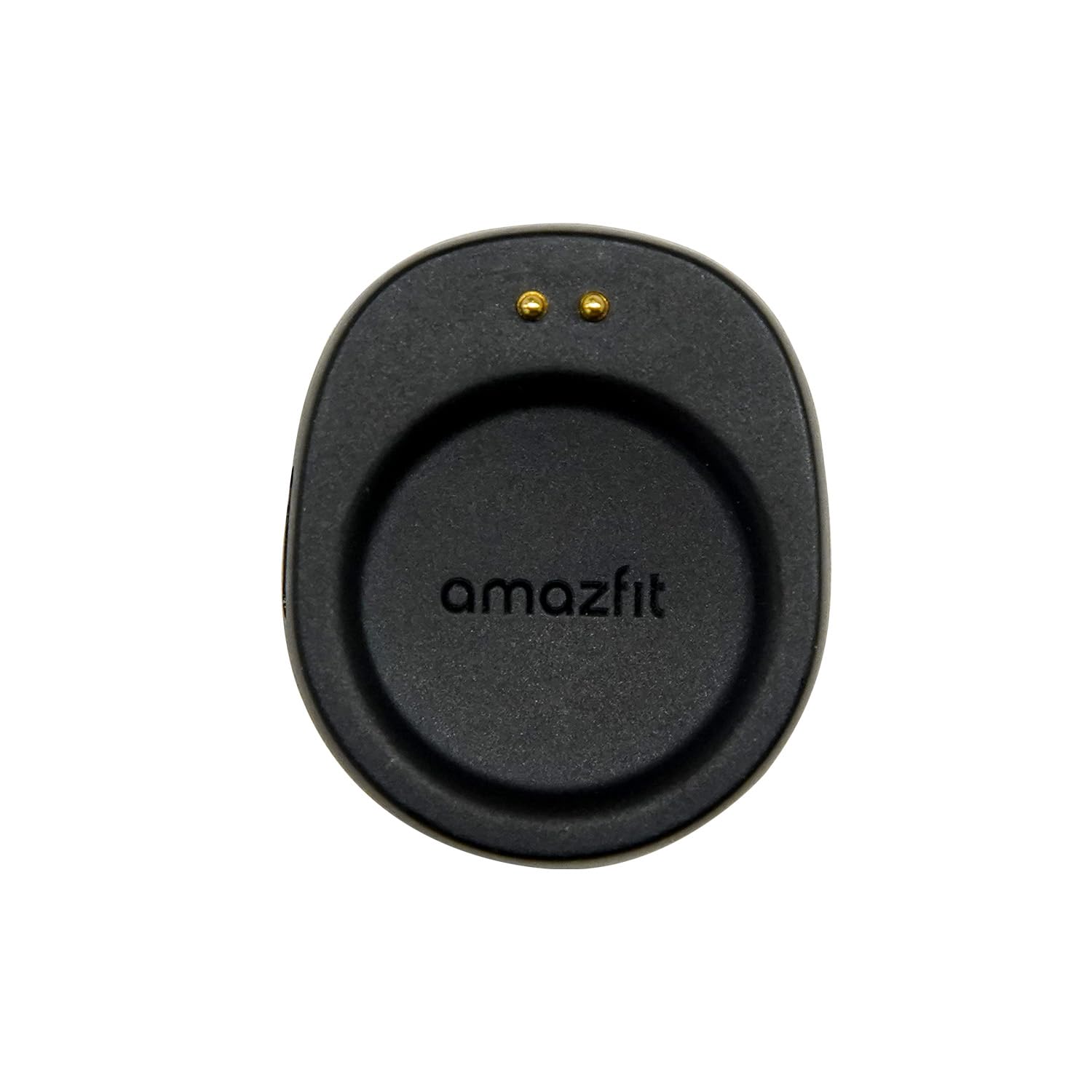
Image: Amazfit Charging Base in its retail packaging.

Íomhá: Tosaigh view of the Amazfit Charging Base.
3. Treoracha Socraithe
- Ceangail an Bonn Muirir: Insert a standard USB Type-C cable (not included) into the port on the back of the charging base. Connect the other end of the USB Type-C cable to a compatible USB power adapter (e.g., 5V/1A) or a USB port on a computer.
- Prepare Your Smartwatch: Ensure your Amazfit smartwatch is clean and dry before placing it on the charging base.
- Place Smartwatch on Base: Gently place your compatible Amazfit smartwatch onto the charging base. The base features a magnetic design that will automatically align the smartwatch for proper contact. Ensure the charging pins on the smartwatch align with the contacts on the charging base.
4. Treoracha Oibriúcháin
Once the smartwatch is correctly placed on the charging base and the base is connected to a power source, charging will begin automatically. The smartwatch display will typically indicate that it is charging.
Ailíniú Maighnéadach: The strong magnetic alignment ensures your smartwatch snaps into place easily and maintains a secure connection throughout the charging process.
Compatible Smartwatches:

Amazfit T-Rex 3 Pro

Strap Amazfit Helio

Amazfit Active Max

Amazfit Balance 2
5. Cothabháil
- Glanadh: Use a soft, dry cloth to clean the charging base. Avoid using abrasive cleaners, solvents, or harsh chemicals, as these can damage the product.
- Stóráil: Store the charging base in a cool, dry place away from direct sunlight and extreme temperatures when not in use.
- Sábháilteacht: Do not expose the charging base to water or excessive moisture. Do not attempt to disassemble or modify the charging base. Keep out of reach of children.
6. Fabhtcheartú
- Smartwatch not charging:
- Ensure the USB Type-C cable is securely connected to both the charging base and the power source.
- Verify that the power adapter or USB port is functional and providing adequate power (e.g., 5V/1A).
- Check that the smartwatch is correctly aligned on the charging base and the charging pins are making proper contact.
- Ensure there is no debris or obstruction between the smartwatch and the charging base contacts.
- Muirearú mall:
- Ensure you are using a power adapter that provides sufficient output (e.g., 5V/1A). Lower power sources may result in slower charging.
- Seachain muirearú in timpeallachtaí thar a bheith te nó fuar, mar d’fhéadfadh sé seo difear a dhéanamh d’éifeachtúlacht an mhuirearaithe.
7. Sonraíochtaí
| Gné | Sonraíocht |
|---|---|
| Branda | Amazfit |
| Múnla | Bonn Muirir |
| Cineál nascóirí | USB Type-C (cable not included) |
| Gléasanna Comhoiriúnacha | Amazfit T-Rex 3, T-Rex 3 Pro, Balance 2, Helio Strap, Active Max |
| Ionchur Voltage | 5 Volta |
| Aschur Reatha | 1 Amps |
| Wattage | 5 Watts |
| Gné Speisialta | Ailíniú Maighnéadach |
| Dath | Dubh |
| Ábhar | Plaisteach |
| Meáchan Mír | 0.03 cileagram |
8. Barántas agus Tacaíocht
Barántas: This Amazfit Charging Base comes with a 1-year manufacturer's warranty from the date of purchase. Please retain your proof of purchase for warranty claims.
tacaíocht: For technical assistance, warranty inquiries, or further information, please visit the official Amazfit support website or contact their customer service. Refer to the Amazfit official websuíomh gréasáin le haghaidh an fhaisnéis teagmhála agus na n-acmhainní tacaíochta is déanaí.