
1. Táirge Tharview
The ORIA Bluetooth 5.3 Adapter (Model CP326) is a versatile 2-in-1 device functioning as both a Bluetooth transmitter and receiver. It enables wireless audio streaming for a wide range of devices, from traditional wired systems to modern Bluetooth headphones and speakers. Featuring Bluetooth 5.3 technology and aptX Low Latency support, it ensures stable, high-quality audio with minimal delay.
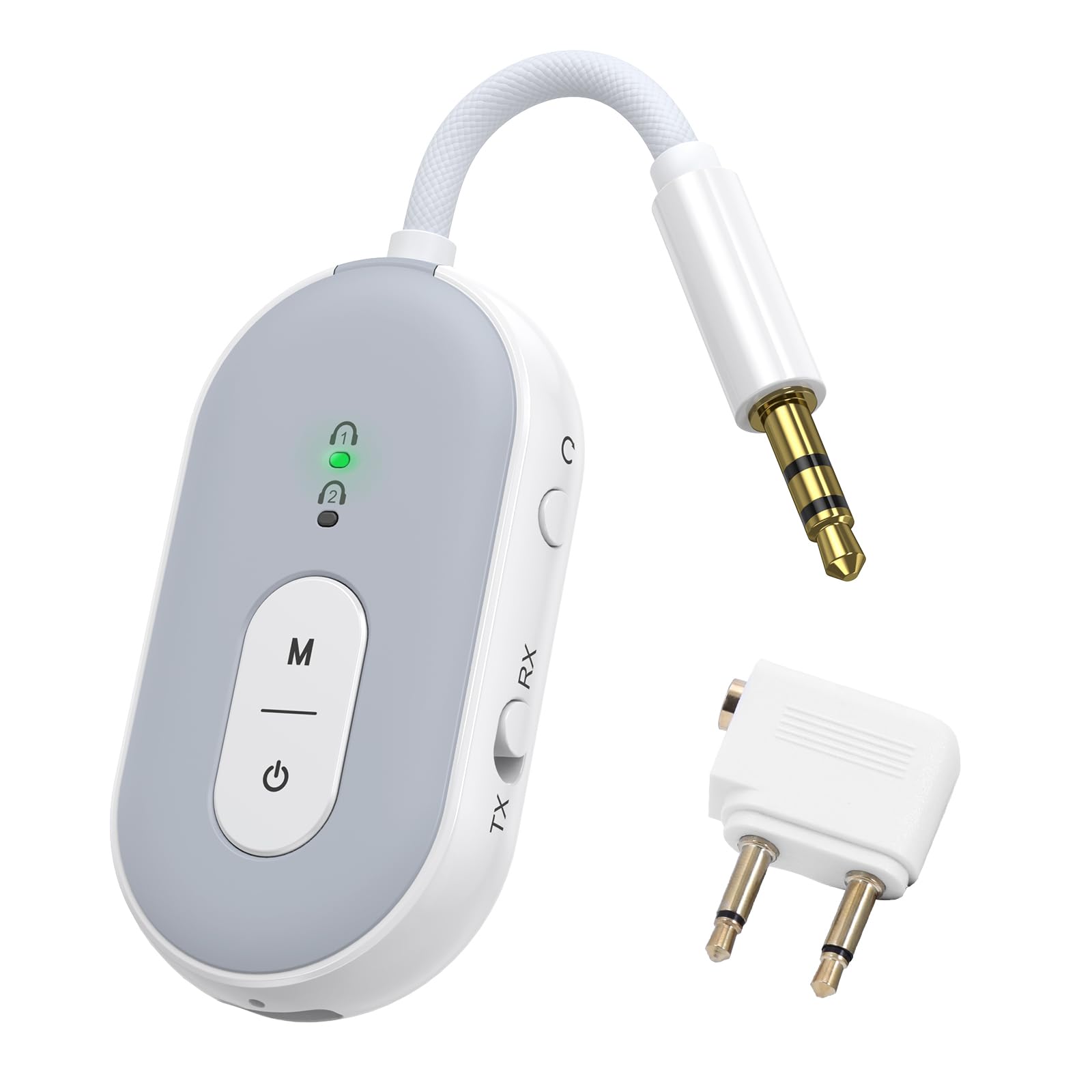
Image: The ORIA Bluetooth 5.3 Adapter, a compact and versatile audio device.
Ábhar an Phacáiste
Tar éis duit an bosca a dhíphacáil, déan cinnte go bhfuil na hearraí go léir i láthair:
- ORIA Bluetooth Adapter (Model CP326)
- Lámhleabhar Treoracha (an doiciméad seo)
- Cábla Muirir Cineál-C
- Airplane Headphone Adapter (dual-pin)
- 3.5mm Female Coupler
- RCA Cable (Red/White to 3.5mm)

Image: The ORIA Bluetooth 5.3 Adapter and its included accessories, such as the Type-C charging cable, airplane adapter, 3.5mm female coupler, and RCA cable.
Físeán: Thar barrview of the ORIA Bluetooth 5.3 Adapter and its accessories, demonstrating its compact design and included cables for various connections.
2. Leagan Amach agus Rialuithe Gléasanna
Familiarize yourself with the adapter's components and controls:

Image: Labeled diagram showing the TX/RX mode select button, reset button, audio cable, charging indicator, Type-C charging interface, connection lights (1 and 2), function button (M), and power button.
- TX/RX Mode Select Button: Slide to switch between Transmitter (TX) and Receiver (RX) modes.
- Cnaipe Cumhachta: Brúigh agus coinnigh ar feadh 4 shoicind chun cumhacht a chur air/as.
- Function Button (M): Used for dual pairing in TX mode.
- Connection Lights (1 & 2): Indicate pairing status and connected devices.
- Táscaire Muirir: Taispeánann sé stádas muirir.
- Comhéadan Muirir Cineál-C: For connecting the Type-C charging cable.
- Cábla Fuaime: Integrated 3.5mm audio jack for connecting to audio sources/receivers.
- Cnaipe Athshocraigh: Cnaipe beag bioráin chun an gléas a athshocrú.
3. An Gléas a mhuirearú
Before initial use, fully charge the ORIA Bluetooth Adapter.
- Connect the provided Type-C charging cable to the adapter's Type-C charging interface.
- Ceangail an ceann eile den chábla le foinse cumhachta USB (m.sh., port USB ríomhaire, oiriúntóir balla USB).
- The charging indicator light will illuminate during charging. It will turn off or change color (depending on model) once fully charged.
A full charge takes approximately 2 hours and provides up to 16 hours of use in TX mode or 18 hours in RX mode.

Image: Diagram illustrating the battery life (16 hours TX, 18 hours RX) and charging time (2 hours for 300mAh battery).
4. Operating Modes and Connection
4.1 Mód Tarchuradóra (TX)
In TX mode, the adapter transmits audio from a non-Bluetooth device (e.g., TV, computer, airplane entertainment system) to Bluetooth headphones or speakers.
- Athraigh go Mód TX: Slide the TX/RX switch to the "TX" position.
- Cumhacht ar: Press and hold the power button for 4 seconds to turn on the adapter. The indicator light will flash green, indicating pairing mode.
- Ceangail le Foinse Fuaime: Plug the adapter's 3.5mm audio jack into the audio output port of your non-Bluetooth device. For airplane entertainment systems, use the provided airplane headphone adapter if necessary.
- Pair with Bluetooth Headphones/Speakers: Cuir do chluasáin nó do chainteoirí Bluetooth i mód péireála.
- Ceangail: The adapter will automatically search for and connect to nearby Bluetooth audio devices. Once connected, the indicator light 1 will stay green.
- Dual Pairing (Optional): To connect a second pair of Bluetooth headphones/speakers, press the "M" (Function) button after the first device is connected. Put the second device into pairing mode. Both indicator lights will stay green when two devices are paired.

Image: Visual guide demonstrating the steps to connect the ORIA adapter in Transmitter (TX) mode, including switching the mode, powering on, and pairing with Bluetooth headphones for in-flight entertainment.
Note: Turn off other Bluetooth devices nearby to avoid interference during pairing.

Image: Illustration of the dual pairing capability, allowing two sets of Bluetooth headphones to connect simultaneously to a single audio source via the adapter.

Image: The ORIA Bluetooth 5.3 Adapter connected to an airplane's in-flight entertainment system, enabling wireless audio streaming to personal Bluetooth earbuds.
4.2 Mód Glacadóra (RX)
In RX mode, the adapter receives audio from a Bluetooth-enabled device (e.g., smartphone, tablet) and outputs it to a non-Bluetooth audio system (e.g., wired speakers, car stereo, HiFi system).
- Athraigh go Mód RX: Slide the TX/RX switch to the "RX" position.
- Cumhacht ar: Press and hold the power button for 4 seconds to turn on the adapter. The indicator light will flash green, indicating pairing mode.
- Connect to Audio Receiver: Plug the adapter's 3.5mm audio jack into the AUX input of your wired speakers, car stereo, or HiFi system. Use the provided RCA cable if your audio system requires RCA inputs.
- Péireáil le Gléas Bluetooth: On your smartphone, tablet, or other Bluetooth-enabled device, go to Bluetooth settings and search for "BT-20" (or similar device name). Select it to connect.
- Ceangailte: Once connected, the indicator light 1 will stay green.

Image: Visual guide demonstrating the steps to connect the ORIA adapter in Receiver (RX) mode, including switching the mode, powering on, and pairing with a smartphone to stream audio to a wired speaker or car stereo.

Image: The ORIA Bluetooth 5.3 Adapter connected to a wired speaker, receiving audio wirelessly from a smartphone, demonstrating its use in RX mode for home audio or car stereos.

Image: The ORIA Bluetooth 5.3 Adapter connected to wired headphones via a 3.5mm female coupler, allowing a smartphone to stream audio wirelessly to the wired headphones.
5. Gnéithe Casta
5.1 aptX Low Latency Technology
The ORIA Bluetooth 5.3 Adapter supports aptX-Adaptive and aptX Low Latency codecs. When paired with aptX-enabled Bluetooth headphones or speakers, it significantly reduces audio delay, providing synchronized sound for video and gaming. This ensures a smooth and immersive experience.

Image: Diagram illustrating the supported audio codecs (SBC, aptX, aptX-LL, aptX-HD, aptX Adaptive) for both TX and RX modes, highlighting low latency and high-fidelity audio transmission.
Note: Both the adapter and your Bluetooth audio device must support aptX for optimal low latency performance. Not compatible with S-O-N-Y series devices (LDAC).
5.2 Nasc Cobhsaí
Equipped with a Bluetooth 5.3 chip, the adapter offers faster pairing and stronger interference resistance. It maintains a stable Bluetooth connection up to 100 meters (328 feet) in open environments, ensuring consistent audio whether you are across a room or on the go.

Image: Visual representation of Bluetooth 5.3 technology, emphasizing faster connection and more stable transmission compared to older Bluetooth versions.
6. Cothabháil agus Cúram
- Coinnigh an gléas tirim. Seachain nochtadh do thaise nó do leachtanna.
- Glan an gléas le héadach bog, tirim. Ná húsáid ceimiceáin ghéara ná glantóirí scríobacha.
- Stóráil an gléas in áit fhionnuar, tirim nuair nach bhfuil sé in úsáid.
- Seachain teochtaí foircneacha.
- Ná déan iarracht an gléas a dhíchóimeáil ná a dheisiú leat féin. Cuirfidh sé seo an bharántas ar neamhní.
- Always follow battery handling and disposal guidelines for lithium-ion batteries.
7. Fabhtcheartú
| Fadhb | Cúis Féideartha | Réiteach |
|---|---|---|
| Ní chuireann an gléas cumhacht ar. | Ceallraí íseal. | Charge the device for at least 2 hours using the provided Type-C cable. |
| Ní féidir péireáil le gléas Bluetooth. |
|
|
| Audio quality is poor or delayed. |
|
|
| Gan fuaim. |
|
|
| Not compatible with S-O-N-Y devices (LDAC). | Inherent compatibility limitation. | The adapter does not support LDAC codec used by some S-O-N-Y devices. No workaround available. |
8. Sonraíochtaí
| Gné | Sonraigh |
|---|---|
| Ainm an tSamhail | CP326 |
| Leagan Bluetooth | Bluetooth 5.3 |
| Caighdeáin Tacaithe | aptX-Adaptive, aptX-Low Latency |
| Teicneolaíocht Nascachta | AUX |
| Modhanna Oibriúcháin | Tarchuradóir (TX), Glacadóir (RX) |
| Ceangal Dé | Yes (2 Bluetooth headphones/speakers simultaneously) |
| Saol na Ceallraí (Mód TX) | Suas le 16 uair an chloig |
| Saol na Ceallraí (Mód RX) | Suas le 18 uair an chloig |
| Am Muirir | Thart ar 2 uair an chloig (Cineál-C) |
| Sreang Range | Suas le 100 méadar (timpeallacht oscailte) |
| Meáchan Mír | 0.08 cileagram |
| Gléasanna Comhoiriúnacha | Car Radios, Cell Phones, Headphones, Home Stereo Systems, Television, Bluetooth-enabled devices |
| Ionchur Fuaime | 3.5mm AUX |
| Modh Aschuir Fuaime | Steirió |
| Modh Rialaithe | Brúigh Cnaipe |
9. Barántas agus Tacaíocht
The ORIA Bluetooth 5.3 Adapter (Model CP326) comes with a Barántas 1 Bliana ó dháta an cheannaigh.
For technical support, warranty claims, or further assistance, please contact ORIA customer service through the retailer where the product was purchased or visit the official ORIA websuíomh.
Coinnigh do chruthúnas ceannaigh le haghaidh bailíochtú an bharántais.