
1. Táirge Tharview
The Cloudray 30W Fiber Laser Engraver & Cutter is a portable, all-in-one laser marking machine designed for metal fabrication. It offers high precision and speed for engraving and etching various metal materials. This device is suitable for both small businesses and individual users.

Image 1.1: The Cloudray 30W Fiber Laser Engraver and Cutter.
Key features include a maximum marking speed of 10,000 mm/s, an engraving depth of up to 0.5 mm, and an accuracy of 0.01 mm. It is compatible with EZCAD2 and Lightburn software, supporting various image formats like BMP, GIF, JPG, JPEG, DXF, DST, and AI.
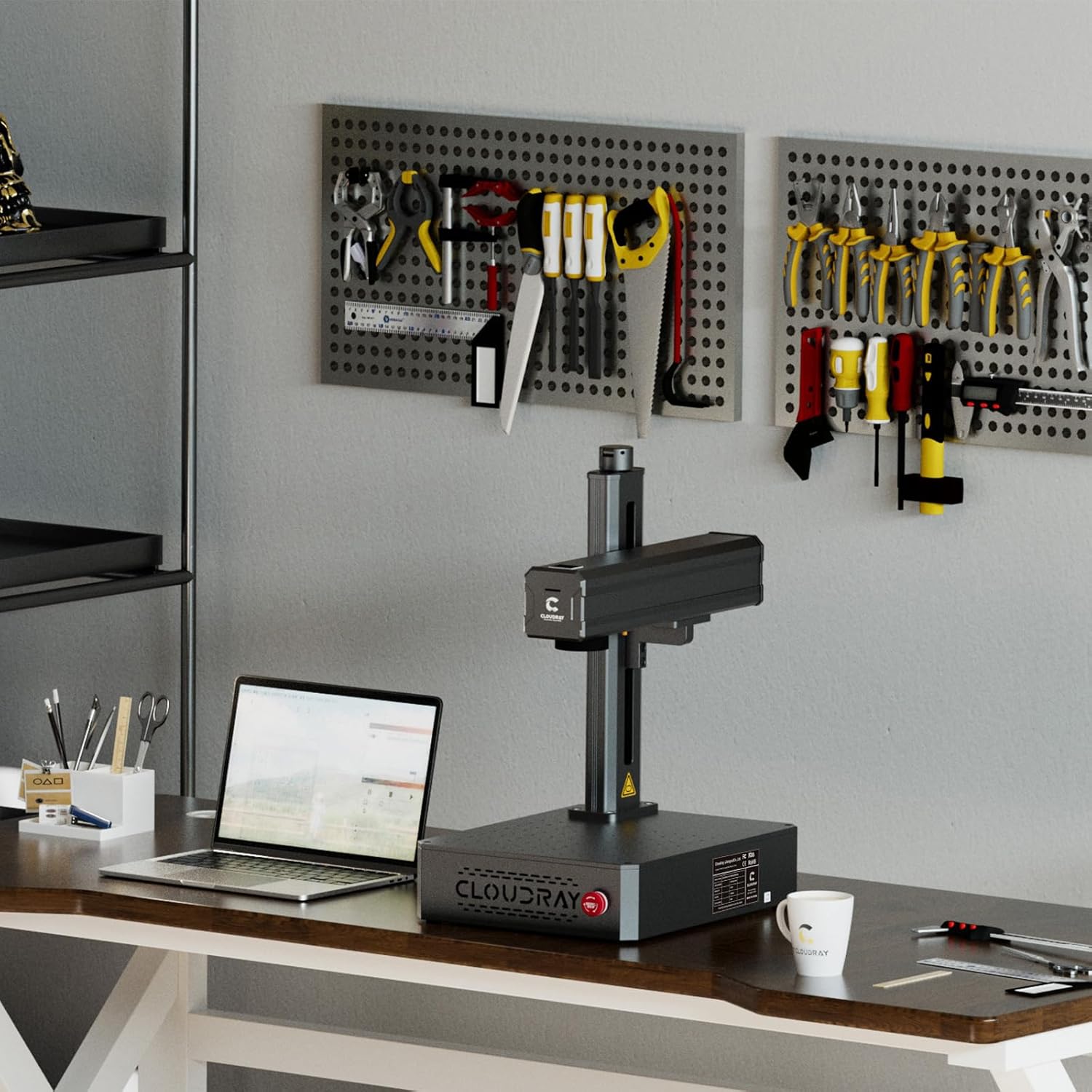
Image 1.2: Key specifications and software compatibility.
2. Faisnéis Sábháilteachta
This laser engraver is classified as a Class 1 Laser device when used with the appropriate laser protective cover. Always ensure the protective cover is in place during operation to maintain Class 1 safety standards. Failure to do so may expose users to Class 4 laser radiation, which can cause severe eye and skin damage.
- Always wear certified laser safety goggles when operating the machine, especially if the protective cover is not used or is compromised.
- Ensure the work area is well-ventilated to dissipate any fumes or particles generated during engraving.
- Do not look directly into the laser beam or at reflections from shiny surfaces.
- Keep flammable materials away from the laser's path.
- Familiarize yourself with the emergency stop button location and function before operation.
3. Ábhar Pacáiste
3.1 Gabhálais Caighdeánacha

Image 3.1: Standard accessories included with the engraver.
- Safety Goggles (1x)
- U Disk (1x, containing manuals and software)
- Foot Switch (1x)
- Craft Kit (1x set, with screws)
- Power Supply (1x)
- USB Cable (1x)
3.2 Optional Accessories (Purchased Separately)
- Protective Cover: Enhances safety by enclosing the laser working area.
- Rotation Axis: Allows for engraving on cylindrical objects.

Image 3.2: Optional Protective Cover.

Image 3.3: Optional Rotation Axis.
4. Treoracha Socraithe
- Díphacáil: Bain na comhpháirteanna go léir as an bpacáistiú go cúramach. Seiceáil le haghaidh aon damáiste le linn iompair.
- Socrúchán: Place the laser engraver on a stable, level surface in a well-ventilated area. Ensure sufficient space around the machine for operation and heat dissipation.
- Ceangal Cumhachta: Connect the power supply to the machine and then to a suitable power outlet.
- Ceangal USB: Connect the laser engraver to your computer using the provided USB cable.
- Suiteáil Bogearraí: Insert the U disk into your computer and install the EZCAD2 software. Alternatively, install Lightburn software if preferred. Follow the on-screen instructions for installation.
- Tástáil Tosaigh: Perform a small test engraving on a scrap piece of material to ensure proper functionality and calibration.

Image 4.1: Engraver set up in a workspace.
5. Treoracha Oibriúcháin
5.1 Úsáid Bogearraí
- Launch EZCAD2 or Lightburn software on your computer.
- Import your desired design. The software supports various image formats including BMP, GIF, JPG, JPEG, DXF, DST, and AI.
- Adjust laser parameters such as power, speed, and frequency according to the material being engraved. Refer to the software's documentation for detailed parameter settings.
- Position the material on the workbed. The default working area is 4.3"x4.3" (110x110mm). Larger working areas (5.9"x5.9" or 7.9"x7.9") are available with customizable field lenses.
- Use the red light preview function to verify the engraving area and position before starting the laser.
- Initiate the engraving process. Monitor the process closely.
5.2 Compatible Materials and Applications
The Cloudray 30W Fiber Laser Engraver is designed for marking and engraving a wide range of metals, including:
- Óir
- Alúmanam
- Airgid
- Steel (including Stainless Steel)
- Prás
- Tíotáiniam
- Copar
Common applications include creating custom metal business cards, personalized pens, nameplates, pet tags, and various items for print shops or decorative purposes.
Video 5.1: Demonstration of the Cloudray 30W Fiber Laser Engraver with Rotary Axis in action, showcasing its capabilities on various materials.
6. Cothabháil
Regular maintenance ensures optimal performance and longevity of your laser engraver.
- Glanadh: Periodically clean the lens and mirrors with a soft, lint-free cloth and appropriate lens cleaning solution. Ensure the workbed is free of debris.
- Naisc: Check all electrical and USB connections regularly to ensure they are secure.
- Nuashonruithe Bogearraí: Keep your engraving software updated to the latest version for improved features and stability.
- Coinníollacha Comhshaoil: Operate the machine within the recommended temperature and humidity ranges to prevent damage.
7. Fabhtcheartú
If you encounter issues with your Cloudray 30W Fiber Laser Engraver, refer to the following common troubleshooting steps:
- Gan Aschur Léasair: Check power connections, emergency stop button, and software settings. Ensure the laser is enabled in the software.
- Poor Engraving Quality: Verify laser parameters (power, speed, frequency) are appropriate for the material. Clean the lens and check focus.
- Software Not Connecting: Ensure the USB cable is securely connected and the correct drivers are installed. Restart both the machine and the computer.
- Meaisín Gan Fhreagracht: Press the emergency stop button, then release it. Restart the machine. If the issue persists, contact customer support.
8. Sonraíochtaí

Image 8.1: Product specifications table.
| Gné | Sonraíocht |
|---|---|
| Múnla Táirge | 30W |
| Max Marking Speed | 10,000 mm/s |
| Cruinneas Mharcála | 0.01 mm |
| Doimhneacht Mharcála | 0.5 mm |
| Working Area (Default) | 110x110 mm (4.3"x4.3") |
| Working Area (Customized) | 150x150 mm (5.9"x5.9"), 175x175 mm (6.9"x6.9") |
| Cineál Léasair | Snáithín |
| Cumhacht Rátáil | 30W |
| Tonnfhad | 1064 nm |
| Minicíocht Modhnóireachta | 27-60kHz |
| Leithead Pulse | 90±10 ns |
| Aicmiú Sábháilteachta Léasair | Class 4 Laser system, possibility to switch to Class 1 with laser protective cover |
| Bogearraí Oibriúcháin | EZCAD2 (Included) / Lightburn |
| Córas Ríomhaireachta Infheidhme | Windows 7, 8, 10, 11 |
| Formáidí Íomhá Infheidhme | BMP, GIF, JPG, JPEG, DXF, DST, AI, etc. |
| Ionchur Voltage | AC 110V 50/60 Hz, AC 220V 50/60 Hz |
| Fuarú | Aer |
| Teocht Oibriúcháin | 0-40 °C (32-104 °F) |
| Taise Oibriúcháin | 10% - 95% |
| Toisí Táirge | 22 x 15.7 x 11.2 orlach |
| Meáchan Mír | 35 punt |
9. Barántas agus Tacaíocht
Cloudray provides comprehensive support for its products:
- Barántas: The Cloudray 30W Fiber Laser Engraver & Cutter comes with 2 years of comprehensive coverage.
- Tacaíocht Theicniúil: Lifetime technical support is available to assist with any operational or technical queries.
For further assistance, please refer to the contact information provided on the U disk or visit the official Cloudray websuíomh.