
Réamhrá
Thank you for choosing the AWEI T28 Wireless Earbuds. This manual provides detailed instructions for setting up, operating, and maintaining your earbuds to ensure optimal performance and longevity. Please read this manual thoroughly before using the product.
Ábhar an Phacáiste
Deimhnigh go bhfuil na hearraí go léir i do phacáiste:
- Wireless Bluetooth Headset (Left and Right Earbuds)
- Wireless Bluetooth Headset Charging Case
- Cábla Muirearú USB-C
- User Instructions (This Manual)
Táirge Tharview
The AWEI T28 Wireless Earbuds are designed for a comfortable in-ear fit, offering high-fidelity audio and clear call performance. They feature Bluetooth 5.3 technology for stable connectivity and touch controls for easy operation.

Fíor 1: AWEI T28 Wireless Earbuds and Charging Case. This image displays the white earbuds resting inside their open charging case, highlighting their compact and sleek design.

Fíor 2: Earbuds and Charging Case. The image shows the earbuds removed from the charging case, which is open, illustrating the product's design and indicating its readiness for use or charging.
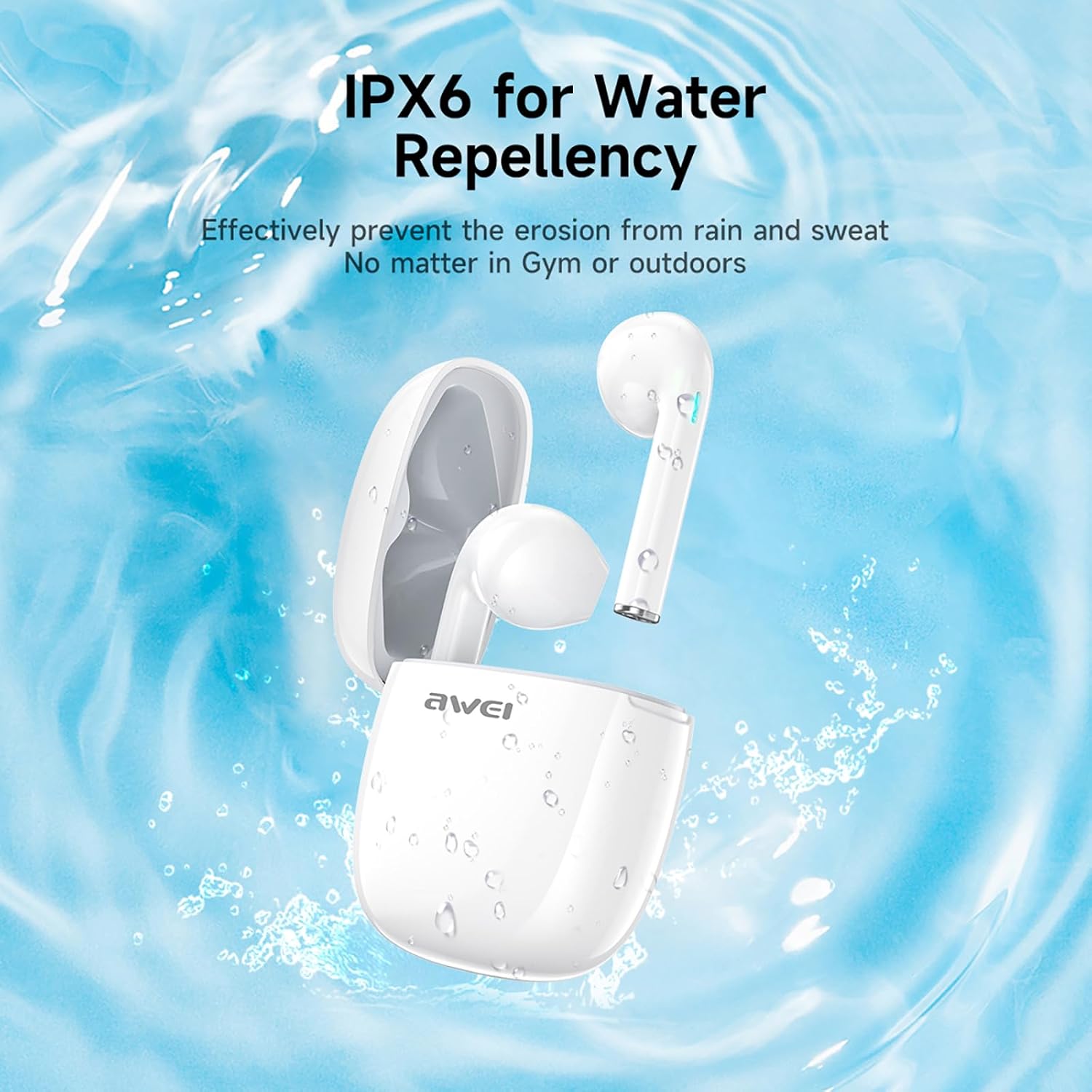
Fíor 3: IPX6 Water Repellency. This image depicts the earbuds and charging case with water splashes, visually representing their IPX6 waterproof rating, suitable for use during exercise or in light rain.
Socrú
1. Muirearú na gCluasán agus an Chás
- Muirear Tosaigh: Sula n-úsáidtear iad den chéad uair, luchtaigh na cluasáin agus an cás luchtaithe go hiomlán.
- An Cás á Muirearú: Connect the provided USB-C charging cable to the charging port on the case and to a USB power source. The charging time for the case is approximately 1.5 hours.
- Na Earbuds a mhuirearú: Place the earbuds into the charging case. They will automatically begin charging. The earbuds provide approximately 7 hours of continuous use per charge. The charging case extends total playback time to 35 hours in dual-ear mode, or up to 70 hours in single-ear mode by alternating earbuds.
- Táscairí Ceallraí: Refer to the LED indicators on the case and earbuds for charging status.
2. Péireáil le Gléas
- Cumhacht ar: Oscail an cás luchtaithe. Cuirfidh na cluasáin tús leo go huathoibríoch agus rachaidh siad isteach sa mhodh péireála.
- Bluetooth a ghníomhachtú: Ar do ghuthán cliste, taibléad, nó gléas eile atá cumasaithe le Bluetooth, téigh go dtí na socruithe Bluetooth agus cas air Bluetooth.
- Roghnaigh Gléas: Look for "AWEI T28" in the list of available devices and select it to connect.
- Deimhniú: Once connected, you will hear an audio prompt from the earbuds, and the device's Bluetooth settings will show "AWEI T28" as connected.
- Athcheangal Uathoibríoch: Tar éis an phéireála tosaigh, ceanglóidh na cluasáin go huathoibríoch leis an bhfeiste phéireáilte dheireanach nuair a bhaintear as an gcás luchtaithe iad, ar choinníoll go bhfuil Bluetooth cumasaithe ar an bhfeiste.
Treoracha Oibriúcháin
Rialuithe Tadhaill
The AWEI T28 earbuds feature smart touch controls on each earbud for convenient management of audio playback and calls.
- Seinn/Sos: Tapáil amháin ar cheachtar cluasán.
- Amhrán Eile: Tapáil faoi dhó ar an earbud ceart.
- Amhrán Roimhe Seo: Tapáil faoi dhó ar an earbud clé.
- Imleabhar Suas: Tapáil triple ar an earbud ceart.
- Imleabhar an Dúin: Tapáil triple ar an earbud clé.
- Freagra/Deireadh Glao: Tapáil amháin ar cheachtar cluasán le linn glao isteach.
- Diúltaigh Glao: Brúigh agus coinnigh ceachtar cluasán ar feadh 2 shoicind le linn glao isteach.
- Gníomhaigh Cúntóir Gutha: Press and hold either earbud for 3 seconds (functionality may vary by device).
Monaural and Binaural Mode
The earbuds support both monaural (single earbud) and binaural (both earbuds) modes. You can seamlessly switch between modes:
- Mód Dénártha: Remove both earbuds from the charging case. They will automatically connect to each other and then to your device.
- Mód Monarthanachta: Remove only one earbud from the charging case. It will connect to your device independently. You can place the other earbud back in the case or keep it off.
- Athrú: If using one earbud, simply remove the other from the case to automatically switch to binaural mode. If using both, place one back in the case to switch to monaural mode.
Cothabháil
Proper maintenance ensures the longevity and performance of your AWEI T28 Wireless Earbuds.
- Glanadh: Glan na cluasáin agus an cás luchtaithe go rialta le héadach bog, tirim, saor ó lint. Ná húsáid glantóirí scríobacha ná tuaslagóirí.
- Leideanna Cluas: If applicable, gently remove ear tips and clean them with mild soap and water, then dry thoroughly before reattaching.
- Teagmhálaithe á Muirearú: Cinntigh go bhfuil na teagmhálacha luchtaithe ar na cluasáin agus taobh istigh den chás glan agus saor ó smionagar chun muirearú ceart a choinneáil.
- Friotaíocht Uisce: The earbuds are IPX6 waterproof, meaning they are resistant to strong jets of water. However, they are not designed for swimming or submersion. Ensure they are dry before placing them back in the charging case.
- Stóráil: Nuair nach bhfuil siad in úsáid, stóráil na cluasáin ina gcás luchtaithe chun iad a chosaint ar dheannach agus damáiste. Stóráil in áit fhionnuar tirim amach ó theocht mhór.
Fabhtcheartú
If you encounter issues with your AWEI T28 Wireless Earbuds, refer to the following common solutions:
- Níl na cluasáin ag péireáil leis an ngléas:
- Cinntigh go bhfuil an dá earbuds luchtaithe go hiomlán.
- Múch Bluetooth ar do ghléas, agus ansin cas air arís é.
- Forget "AWEI T28" from your device's Bluetooth list and attempt to pair again.
- Ensure the earbuds are in pairing mode (usually indicated by flashing LED lights).
- Bain triail as péireáil le gléas difriúil chun fadhbanna gléas-shonracha a chur as an áireamh.
- Cluasán amháin ag obair:
- Place both earbuds back into the charging case, close the lid, wait a few seconds, then open the lid and remove both earbuds simultaneously.
- Cinntigh go ngearrtar an dá earbuds.
- Check if the earbuds are connected in monaural mode. If so, try re-pairing both earbuds.
- Níl na cluasáin ag muirearú:
- A chinntiú go ngearrtar an cás muirir.
- Check that the charging contacts on the earbuds and inside the case are clean and free of obstructions.
- Cinntigh go bhfuil na cluasáin suite i gceart sa chás luchtaithe.
- Bain triail as cábla USB-C difriúil nó adapter cumhachta a úsáid.
- Toirt íseal nó droch-chaighdeán fuaime:
- Coigeartaigh an toirt ar do ghléas agus ar na cluasáin araon.
- Cinntigh go bhfuil na cluasáin suite i gceart i do chluasa le go mbeidh siad séalaithe go maith.
- Glan aon chéir chluas nó smionagar ó shoic na gcluasán.
- Try playing different audio sources to determine if the issue is with the earbuds or the audio file.
- Briseann an nasc go minic:
- Ensure there are no significant obstacles (walls, large electronic devices) between the earbuds and your connected device.
- Keep the earbuds within the 10-meter Bluetooth range of your device.
- Avoid environments with high Wi-Fi or other wireless interference.
Sonraíochtaí
| Múnla | T28 |
| Branda | Awei |
| Teicneolaíocht Nascachta | Gan Sreang (Bluetooth 5.3) |
| Socrúchán Cluas | I gCluas |
| Cineál Rialaithe | Rialú Dteagmhála |
| Leibhéal Friotaíocht Uisce | IPX6 uiscedhíonach |
| Meánré na Ceallraí (Cluasáin) | 7 Uair |
| Am Súgartha Iomlán leis an gCás Muirir | Up to 35 Hours (Dual-ear), 70 Hours (Single-ear) |
| Am Muirir (Cás) | 1.5 Uair |
| Ábhar | sileacain |
| Meáchan Mír | 150 g |
| Gléasanna Comhoiriúnacha | Fóin chliste, ríomhairí, teilifíseáin |
Barántas agus Tacaíocht
For warranty information and customer support, please refer to the documentation provided with your purchase or contact the retailer where you purchased the AWEI T28 Wireless Earbuds. Keep your proof of purchase for any warranty claims.
For further assistance, you may also visit the official Awei websuíomh nó déan teagmháil dhíreach lena seirbhís do chustaiméirí.