
1. Réamhrá
Thank you for choosing the FOFUN T-Fun NC95 Hybrid Active Noise Cancelling Headphones. This manual provides essential information for the safe and efficient use of your headphones. Please read it thoroughly before use and retain it for future reference.

Image 1.1: T-Fun NC95 Hybrid Active Noise Cancelling Headphones.
2. Ábhar Pacáiste
Deimhnigh go bhfuil na míreanna uile i láthair sa phacáiste:
- NC95 ANC Headphones
- Cábla Fuaime 3.5mm
- Type A-C Charging Cable
- PU Bag (Carrying Case)
- Treoir Tosaigh Tapa
- Digital Manual (Downloadable)

Image 2.1: Included accessories and headphones.
3. Táirge Tharview
3.1 Comhpháirteanna Cluasán

Íomhá 3.1: Tharview of headphone ports and buttons.
3.2 Fit and Adjustability
- Banda Ceann Inchoigeartaithe: The headband can be extended or retracted to fit various head sizes, ensuring a personalized and comfortable fit.
- 90° Rotatable Earcups: The earcups rotate more than 90 degrees, allowing for a comfortable fit and easy storage when not in use.
- Cúisíní Cluas Bog: Made with quality protein memory foam for extended comfort.
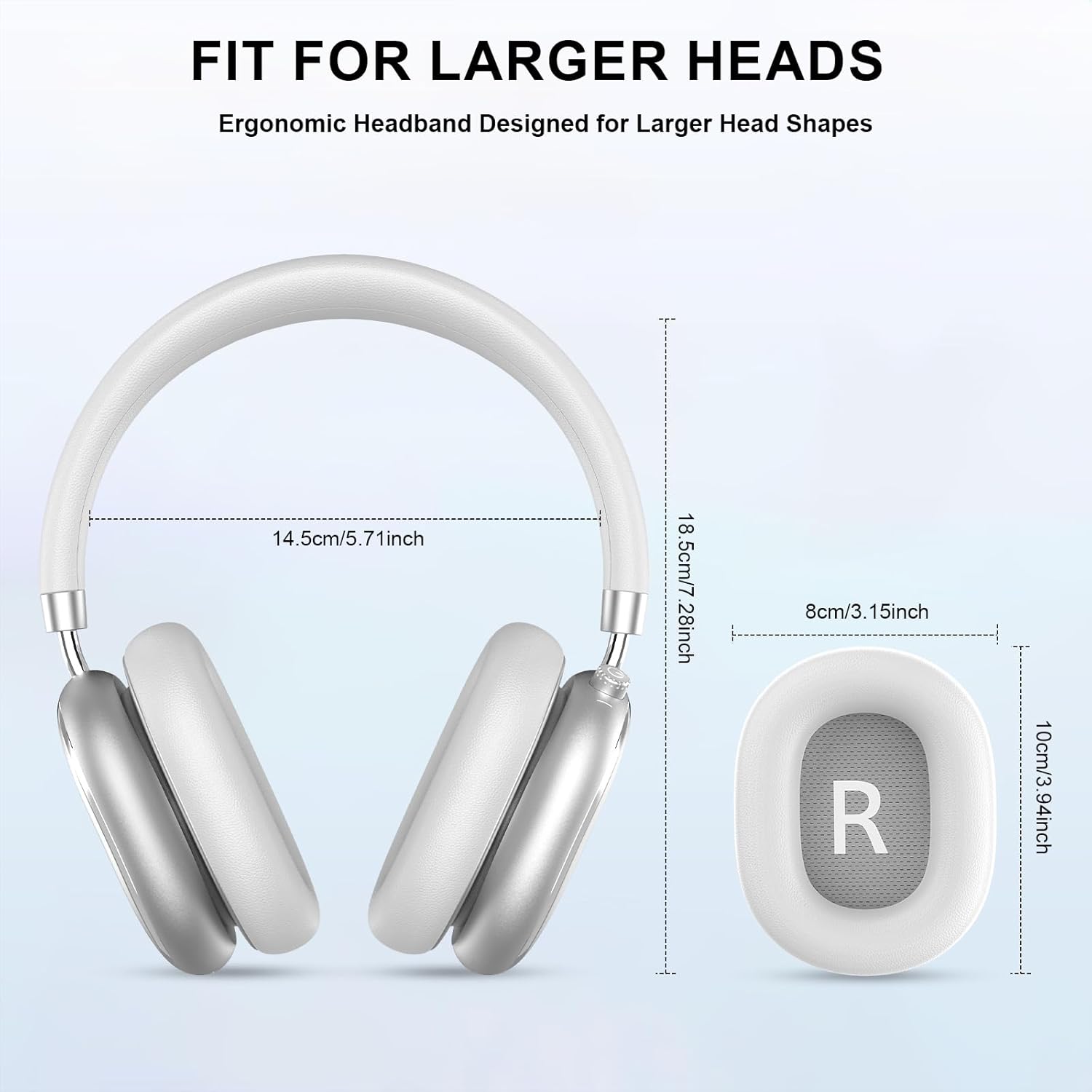
Image 3.2: Headphone dimensions for fit reference.
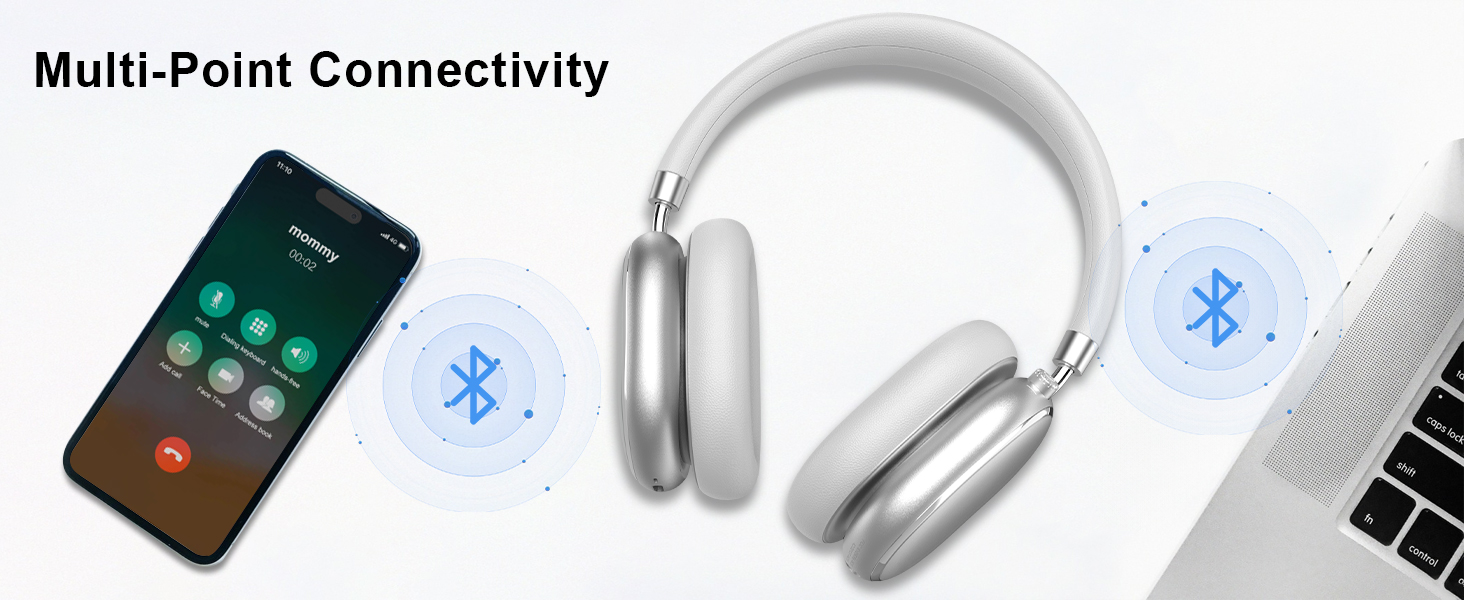
Image 3.3: Adjustable headband for personalized comfort.
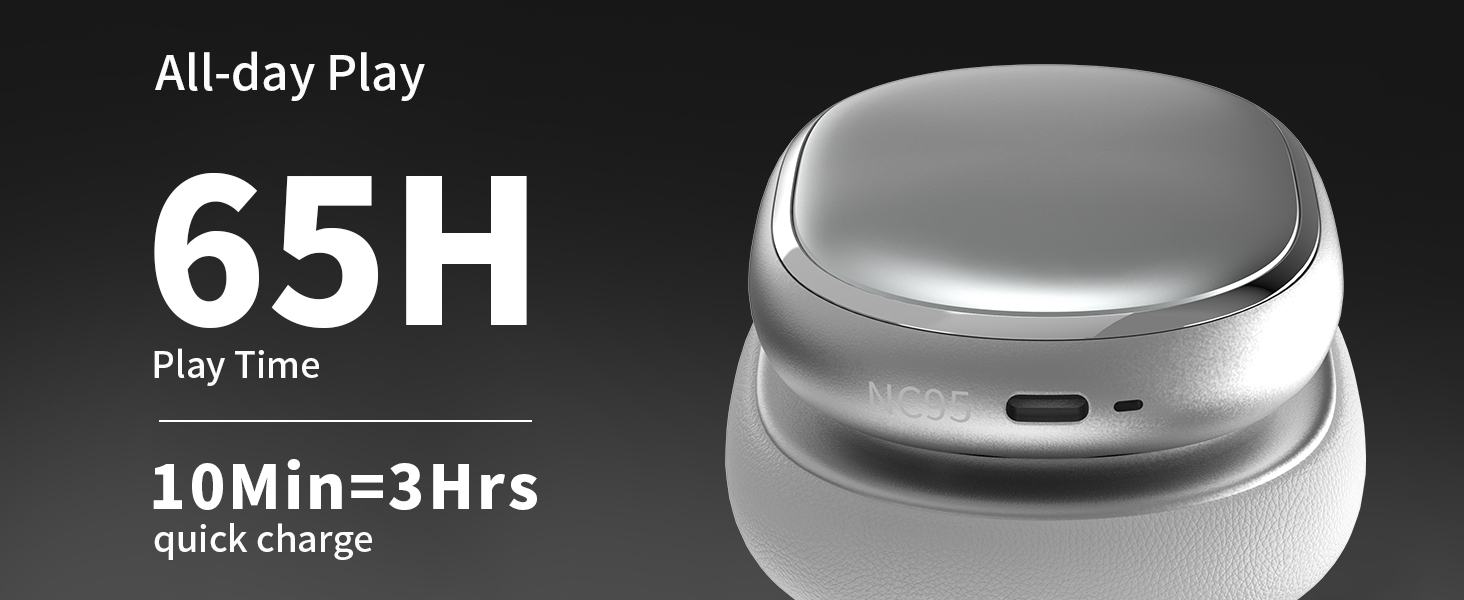
Image 3.4: Earcups rotate for comfort and storage.

Image 3.5: Ultra-soft protein leather ear cushions for comfort.
4. Socrú
4.1 Ullmhúchán Tosaigh
- Remove Protective Sticker: Before first use, gently remove the protective sticker from the sides of the headphones. You may warm the area with a hairdryer (low heat) for easier removal. Peel slowly and remove any sticky residue with warm water or rubbing alcohol.

Image 4.1: Steps for removing the protective sticker.
4.2 Muirearú na gCluasán
Before initial use, fully charge the headphones. Use the provided Type A-C charging cable.
- Connect the USB-C end of the cable to the charging port on the headphones.
- Connect the USB-A end to a compatible USB power source (e.g., wall adapter, computer USB port).
- Taispeánfaidh an táscaire LED stádas an mhuirearaithe. Tógann sé thart ar 2.5 uair an chloig chun an muirear iomlán a mhuirearú.
- A 10-minute quick charge provides approximately 3 hours of playback.

Image 4.2: Battery life and charging information.
4.3 Péireáil Bluetooth
- Cinntigh go bhfuil na cluasáin luchtaithe agus múchta.
- Press and hold the power button (located on the knob control) for 3-5 seconds until the LED indicator flashes, indicating pairing mode.
- Ar do ghléas (fón cliste, táibléad, ríomhaire glúine), cumasaigh Bluetooth agus déan cuardach ar ghléasanna atá ar fáil.
- Select "T-Fun NC95" from the list of devices.
- Once connected, the LED indicator will change to a steady light or flash slowly.
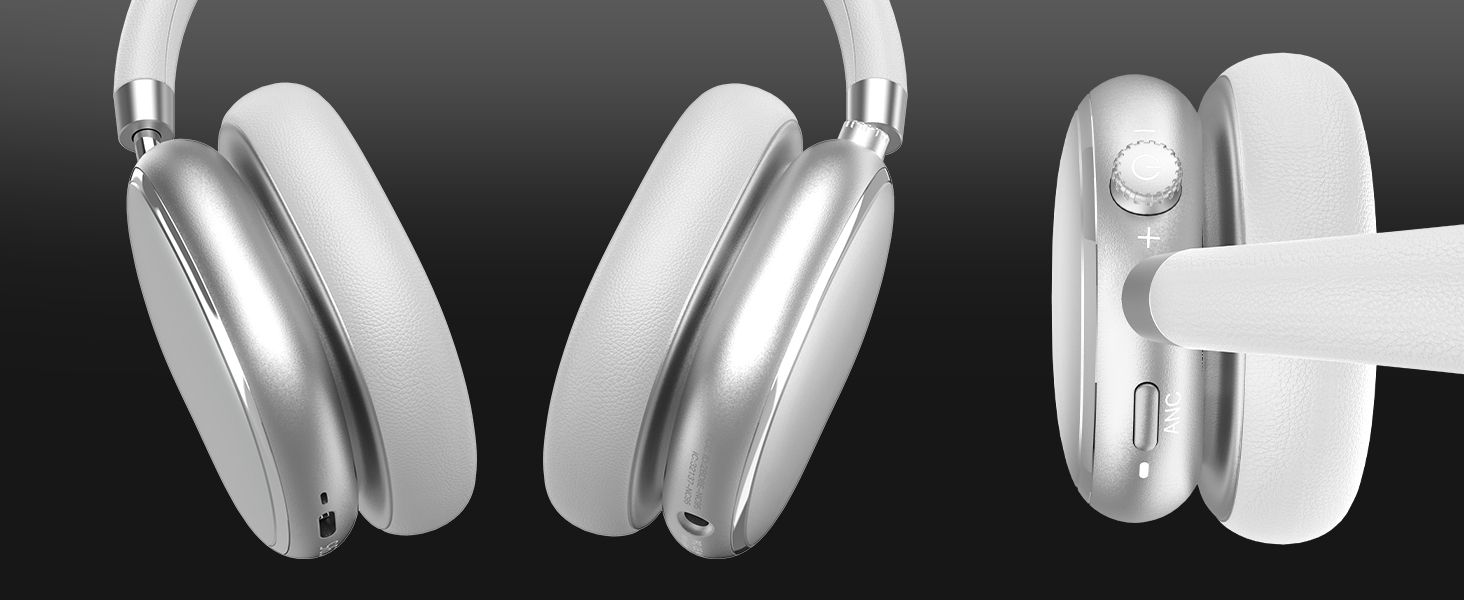
Image 4.3: Multipoint Bluetooth connectivity.
4.4 T-Fun App Installation
For enhanced control and customization, download the official "T-fun" app.
- Cuardaigh le haghaidh "T-fun" on the Apple App Store or Google Play Store.
- Íoslódáil agus a shuiteáil an app.
- Open the app and follow the on-screen instructions to connect your NC95 headphones.

Image 4.4: T-Fun app customization features.

Image 4.5: App download and connection process.
5. Treoracha Oibriúcháin
5.1 Cumhacht ar siúl / as
- Cumhacht ar: Press and hold the power button (on the knob) for 3-5 seconds.
- Múch: Press and hold the power button (on the knob) for 3-5 seconds.
5.2 Knob Control Functions
The multi-functional knob control allows for intuitive operation:
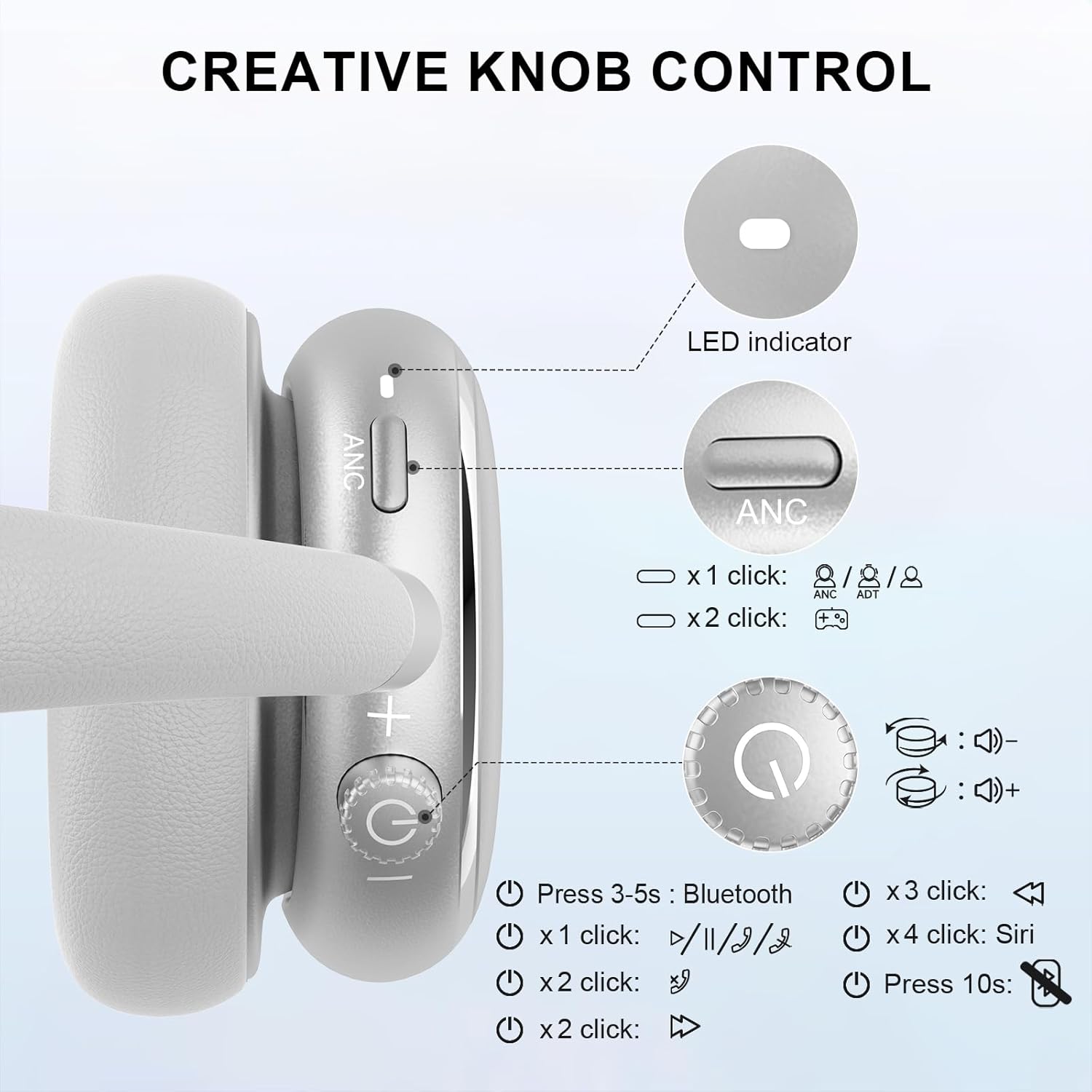
Image 5.1: Creative Knob Control functions.
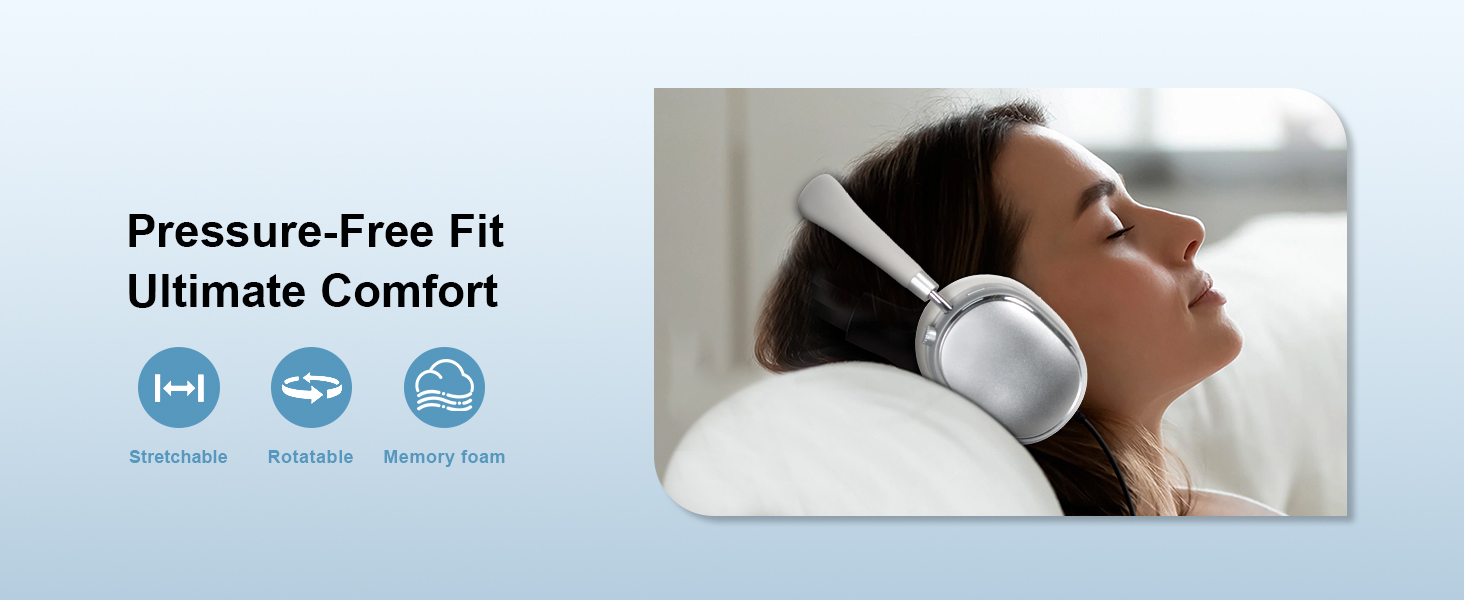
Image 5.2: Multi-functional Knob Control for volume adjustment.
- Coigeartú Toirt: Rotate the knob clockwise to increase volume, counter-clockwise to decrease volume.
- Seinn/Sos: Press the knob once.
- Freagra/Deireadh Glao: Press the knob once.
- An Chéad Amhrán Eile: Brúigh an cnaipe faoi dhó.
- Rian Roimhe Seo: Press the knob three times.
- Gníomhachtaigh Cúntóir Gutha (Siri): Press the knob four times.
- Athshocraigh: Brúigh agus coinnigh an cnag ar feadh 10 soicind.
Note: Knob functions are only available in wireless connection mode.
5.3 Cealú Torainn Ghníomhaigh (ANC) agus Mód Trédhearcachta
The NC95 headphones feature Hybrid Active Noise Cancellation and Transparency Mode, controlled by a dedicated button.
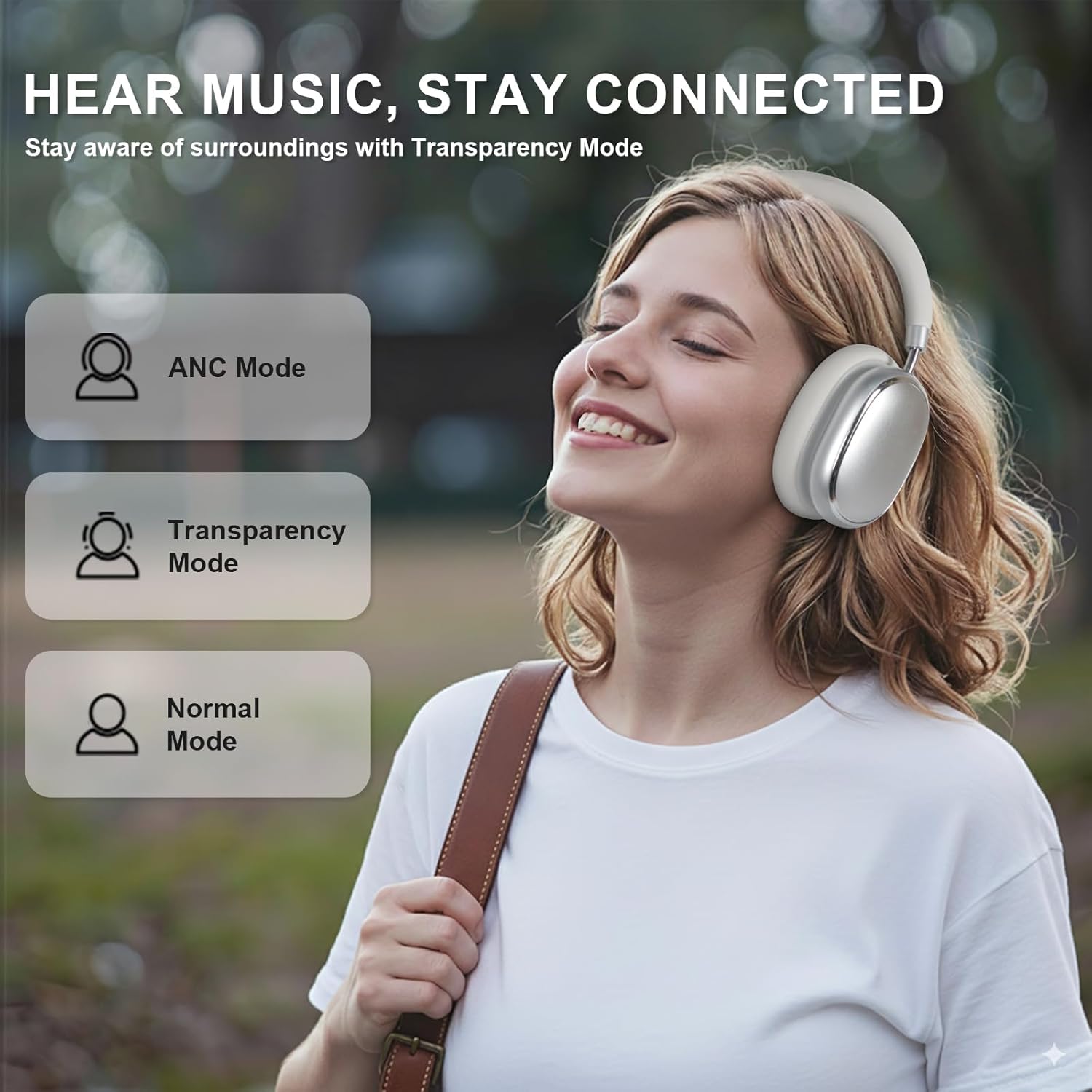
Image 5.3: ANC, Transparency, and Normal modes.

Image 5.4: Noise reduction effectiveness.
- Mód ANC: Press the ANC button once to activate Hybrid Active Noise Cancellation, reducing ambient noise by up to 35dB.
- Mód Trédhearcachta: Press the ANC button again to switch to Transparency Mode, allowing you to hear your surroundings without removing the headphones.
- Mód Gnáth: Press the ANC button a third time to return to Normal Mode, with ANC and Transparency off.
Note: ANC mode is only available in wireless connection mode.
5.4 Ceangal Sreangaithe
For a wired audio experience or when battery is low, use the 3.5mm audio cable.
- Ceangail ceann amháin den chábla fuaime 3.5mm leis an seac fuaime ar na cluasáin.
- Ceangail an ceann eile le haschur fuaime 3.5mm do ghléis.
- In wired mode, the knob control functions for volume, playback, and calls are not available.
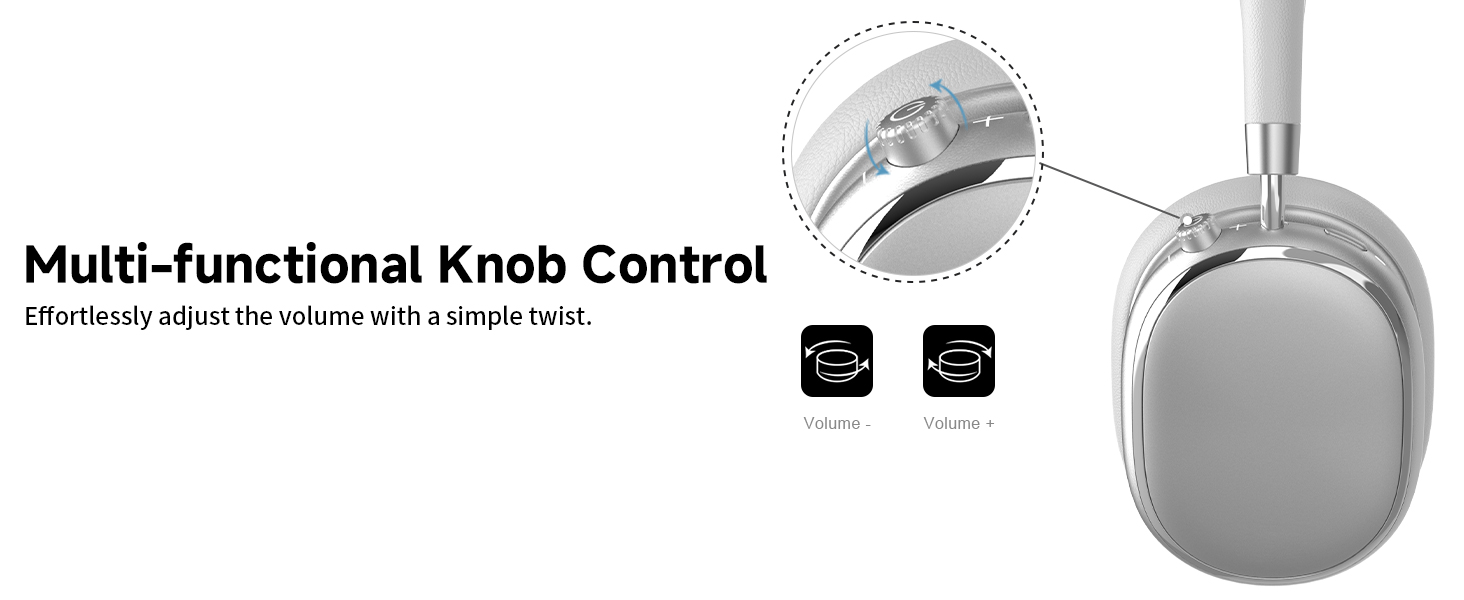
Image 5.5: Wired connection with 3.5mm audio cable.
5.5 Bainistiú Glaonna
When connected via Bluetooth, you can manage calls using the knob control.
- Freagra/Deireadh Glao: Press the knob once.
- Diúltaigh Glao: Brúigh agus coinnigh an cnag ar feadh 2 soicind.

Image 5.6: Clear hands-free calls with built-in microphones.
6. Cothabháil
6.1 Glanadh
- Glan na cluasáin le héadach bog, tirim.
- Ná húsáid ceimiceáin gharbh ná ábhair scríobacha.
- Seachain taise a chur isteach in aon oscailtí.
6.2 Stóráil
- Store the headphones in the provided PU bag when not in use to protect them from dust and scratches.
- Seachain a stóráil i teochtaí foircneacha nó taise ard.
6.3 Detachable Ear Cushions
The ear cushions are detachable for easy cleaning and replacement, ensuring long-term use.

Image 6.1: Detachable ear cushions for easy care.
7. Fabhtcheartú
If you encounter issues with your NC95 headphones, refer to the following common solutions:
| Fadhb | Cúis Féideartha | Réiteach |
|---|---|---|
| Ní lasann cluasáin | Ceallraí íseal | Luchtaigh na cluasáin go hiomlán. |
| Ní féidir péireáil trí Bluetooth | Cluasáin gan a bheith i mód péireála; Bluetooth na gléas múchta; Cur isteach | Ensure headphones are in pairing mode (flashing LED). Turn device Bluetooth off and on. Move closer to the device. |
| Gan fuaim | An toirt ró-íseal; Foinse fuaime mícheart; Nasc sreangaithe scaoilte | Increase volume on headphones and device. Check audio output settings on your device. Re-insert 3.5mm cable firmly. |
| ANC nach bhfuil ag obair go héifeachtach | ANC not activated; Environmental noise too high | Press the ANC button to cycle through modes. ANC is most effective against low-frequency noise. |
| Saincheisteanna maidir le nasc aip | Bluetooth not connected; App glitch | Ensure headphones are connected via Bluetooth. Restart the app or your phone. |
Má leanann an fhadhb, déan teagmháil le tacaíocht do chustaiméirí.
8. Sonraíochtaí
| Gné | Sonraigh |
|---|---|
| Ainm an tSamhail | NC95 |
| Rialú Torainn | Cealú Torainn Hibrideach |
| Freagra Minicíochta | 20 Hz - 20 KHz |
| Íogaireacht | 105 dB |
| Impedance | 32 Óm |
| Cluasáin Jack | 3.5 mm Jack |
| Teicneolaíocht Nascachta | Wireless (Bluetooth), Wired |
| Teicneolaíocht Cumarsáide Gan Sreang | Bluetooth 5.3 |
| Raon Bluetooth | 15 Mhéadar |
| Latency Fuaime | 50 Milleasoicind |
| Méid fuaime tiománaí | 40 milliméadar |
| Cineál Rialaithe | App Control, Push Button, Knob |
| Saol Battery | Up to 65 Hours (ANC playback) |
| Am Muirir | 2.5 Uair |
| Leibhéal Friotaíocht Uisce | Gan Frithsheasmhach in Uisce |
| Meáchan Mír | 1.28 punt |
| Monaróir | FOFUN |
9. Barántas agus Tacaíocht
9.1 Faisnéis Bharántas
For detailed warranty information, please refer to the documentation included with your purchase or contact FOFUN customer service directly. Warranty terms may vary by region and retailer.
9.2 Tacaíocht do Chustaiméirí
If you require further assistance or have questions not covered in this manual, please contact FOFUN customer support through their official channels. You can also visit the T-Fun Store on Amazon le haghaidh acmhainní breise.