
1. Réamhrá
The Hello Kitty Sunrise Alarm Clock is designed to provide a gentle and natural waking experience with its sunrise simulation feature. This digital alarm clock includes multicolor lights, an LED display showing time, date, and temperature, a USB charging port, and a convenient snooze function. Its charming Cinnamoroll design adds a whimsical touch to any room.

Image 1: Hello Kitty Cinnamoroll Sunrise Alarm Clock with multicolor lighting.
2. Faisnéis Sábháilteachta
- Ná nochtaigh an gléas do theocht mhór, do sholas díreach na gréine, ná do thaise ard.
- Use only the provided USB power cable or a certified equivalent.
- Coinnigh an gléas ar shiúl ó uisce nó leachtanna eile.
- Ná déan iarracht an gléas a dhíchóimeáil ná a dheisiú leat féin. Téigh i dteagmháil le pearsanra seirbhíse cáilithe.
- Cinntigh go gcuirtear an gléas ar dhromchla cobhsaí, cothrom.
3. Ábhar Pacáiste
Seiceáil an pacáiste le do thoil le haghaidh na míreanna seo a leanas:
- Hello Kitty Sunrise Alarm Clock (Cinnamoroll design)
- Cábla Cumhachta USB
- Lámhleabhar Úsáideora (an doiciméad seo)
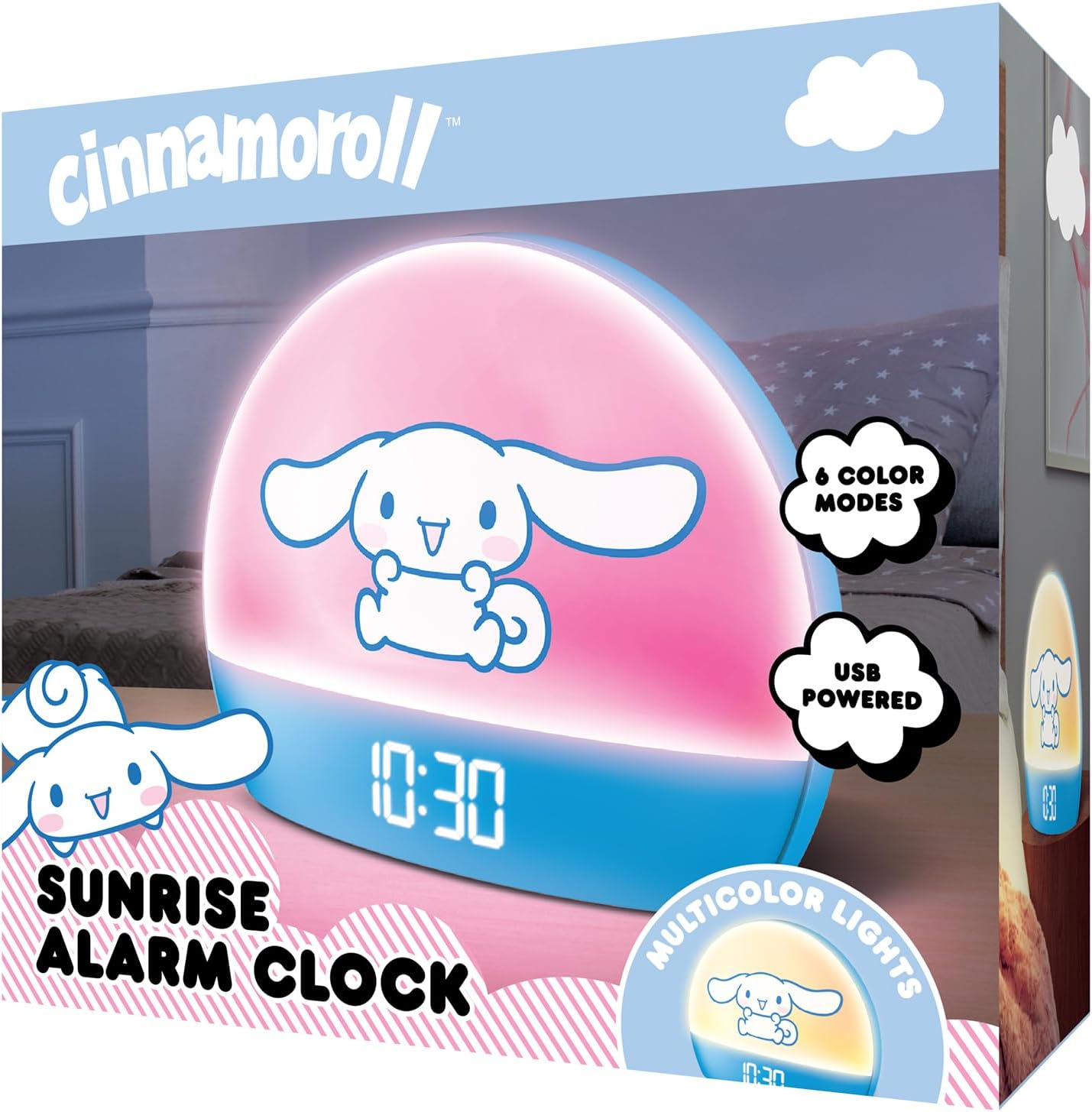
Image 2: Front packaging of the Hello Kitty Cinnamoroll Sunrise Alarm Clock.
4. Táirge Tharview
Familiarize yourself with the main components of your alarm clock.
- Taispeántas LED: Shows time, date, and temperature.
- Painéal Solais: Emits multicolor and sunrise simulation lights.
- Cnaipí Rialaithe: Located on the back or bottom for setting time, alarm, and light functions.
- Port luchtaithe USB: For powering the device and charging external devices.
- Cnaipe Snooze: Typically a prominent button on the top or front.

Image 3: Hello Kitty Cinnamoroll Sunrise Alarm Clock in a bedroom setting.
5. Socrú
5.1 Ceangal Cumhachta
- Connect the provided USB power cable to the USB port on the back of the alarm clock.
- Plug the other end of the USB cable into a compatible USB power adapter (not included) or a powered USB port.
- The LED display will light up, indicating the device is powered on.
5.2 Am agus Dáta a Shocrú
Specific button names are not provided, so general instructions are given. Refer to the physical device for exact button labels.
- Press the "SET" or "TIME" button to enter time setting mode.
- Use the "UP" and "DOWN" buttons to adjust the hour. Press "SET" again to confirm.
- Adjust the minute using "UP" and "DOWN" buttons. Press "SET" to confirm.
- Lean ar aghaidh leis an bpróiseas seo chun an bhliain, an mhí agus an lá a shocrú.
- The clock may offer 12-hour or 24-hour format selection. Follow on-screen prompts or consult the device's specific button functions.
6. Treoracha Oibriúcháin
6.1 An Aláram a Shocrú
- Press the "ALARM" button to enter alarm setting mode.
- Use "UP" and "DOWN" buttons to set the desired alarm hour. Press "ALARM" to confirm.
- Adjust the alarm minute. Press "ALARM" to confirm.
- Some models may allow setting alarm volume or sound. Follow prompts if available.
- To activate/deactivate the alarm, look for an "ALARM ON/OFF" button or a toggle within the alarm setting menu.
6.2 Insamhladh Éirí Gréine
The sunrise simulation feature gradually increases light intensity before your set alarm time, mimicking a natural sunrise.
- This feature is typically linked to the alarm function. When the alarm is active, the light will begin to brighten a set period (e.g., 30 minutes) before the alarm sounds.
- Consult the device's specific controls for adjusting the duration or intensity of the sunrise simulation, if applicable.
6.3 Soilse Ildathanna
The clock offers various color modes for ambient lighting.
- Press the "LIGHT" or "COLOR" button to cycle through different color options or activate a color-changing mode.
- Press and hold the "LIGHT" button to turn off the ambient light.
- Brightness of the display and ambient light can often be adjusted using dedicated buttons or by holding the "LIGHT" button.
6.4 Feidhm Snooze
When the alarm sounds, press the large "SNOOZE" button (usually on top) to temporarily pause the alarm. The alarm will sound again after a short interval (e.g., 5-10 minutes).
6.5 Port Muirearú USB
The integrated USB port can be used to charge small electronic devices like smartphones or tablets. Simply connect your device's charging cable to the USB port on the alarm clock.
6.6 Taispeáint Teochta
The LED display shows the current room temperature. No specific action is usually required to view this, as it cycles with time and date or is displayed continuously.
7. Cothabháil
- Glan an clog le héadach bog, tirim. Ná húsáid glantóirí scríobacha ná tuaslagóirí.
- Ensure the USB port is free from dust and debris.
- Store the clock in a cool, dry place when not in use for extended periods.
8. Fabhtcheartú
| Fadhb | Cúis Féideartha | Réiteach |
|---|---|---|
| Ní lasann an clog. | USB cable not connected properly or power source issue. | Check USB cable connection. Try a different USB power adapter or port. Ensure the cable is securely inserted. |
| Time is incorrect or drifts. | Time not set correctly or internal clock issue. | Re-set the time following Section 5.2. If the issue persists, try disconnecting and reconnecting power. |
| Ní chloiseann an t-aláram. | Níl an t-aláram gníomhachtaithe nó socraithe go mícheart. | Verify the alarm is set and activated (check for an alarm icon on the display). Ensure the volume is not set to zero if adjustable. |
| Tá cnaipí neamhfhreagrach. | Temporary software glitch or physical button issue. | Disconnect power for a few seconds and reconnect to reset the device. If buttons remain unresponsive, contact support. |
| USB charging port not working. | Cable issue, device not fully powered, or port malfunction. | Ensure the clock is properly powered. Try a different USB charging cable. Check if the port is clean and free of debris. |
9. Sonraíochtaí
| Branda | Dia duit Kitty |
| Uimhir Mhúnla | HKCLK01CR-MFN |
| Dath | Cinnamoroll |
| Cineál Taispeána | Digiteach |
| Gnéithe Speisialta | Adjustable Brightness, Alarm, Charging Port, LED Display, Temperature Display, Sunrise Simulation, Multicolor Lights |
| Toisí Táirge | 7"L x 6"A |
| Foinse Cumhachta | Leictreach Corded (USB) |
| Ábhar | Plaisteach |
| Meáchan Mír | 0.4 cileagram (14 unsa) |
| Teicneolaíocht Nascachta | USB |
| Monaróir | Telecom an Deiscirt |
10. Barántas agus Tacaíocht
For warranty information or technical support, please refer to the contact details provided on the product packaging or visit the official Hello Kitty product support websuíomh. Coinnigh d’admháil cheannaigh le haghaidh éilimh bharánta.