
1. Réamhrá
The Awei H15 Smartwatch is designed to integrate seamlessly into your daily life, offering health monitoring, communication features, and smart notifications. This manual provides essential information for setting up, operating, and maintaining your device.
2. Cad atá sa Bhosca
- 1 x Awei H15 Smartwatch
- 1 x Cábla Muirir
- 1 x Lámhleabhar Úsáideora (an doiciméad seo)
3. Táirge Tharview
Familiarize yourself with the key components of your Awei H15 Smartwatch.
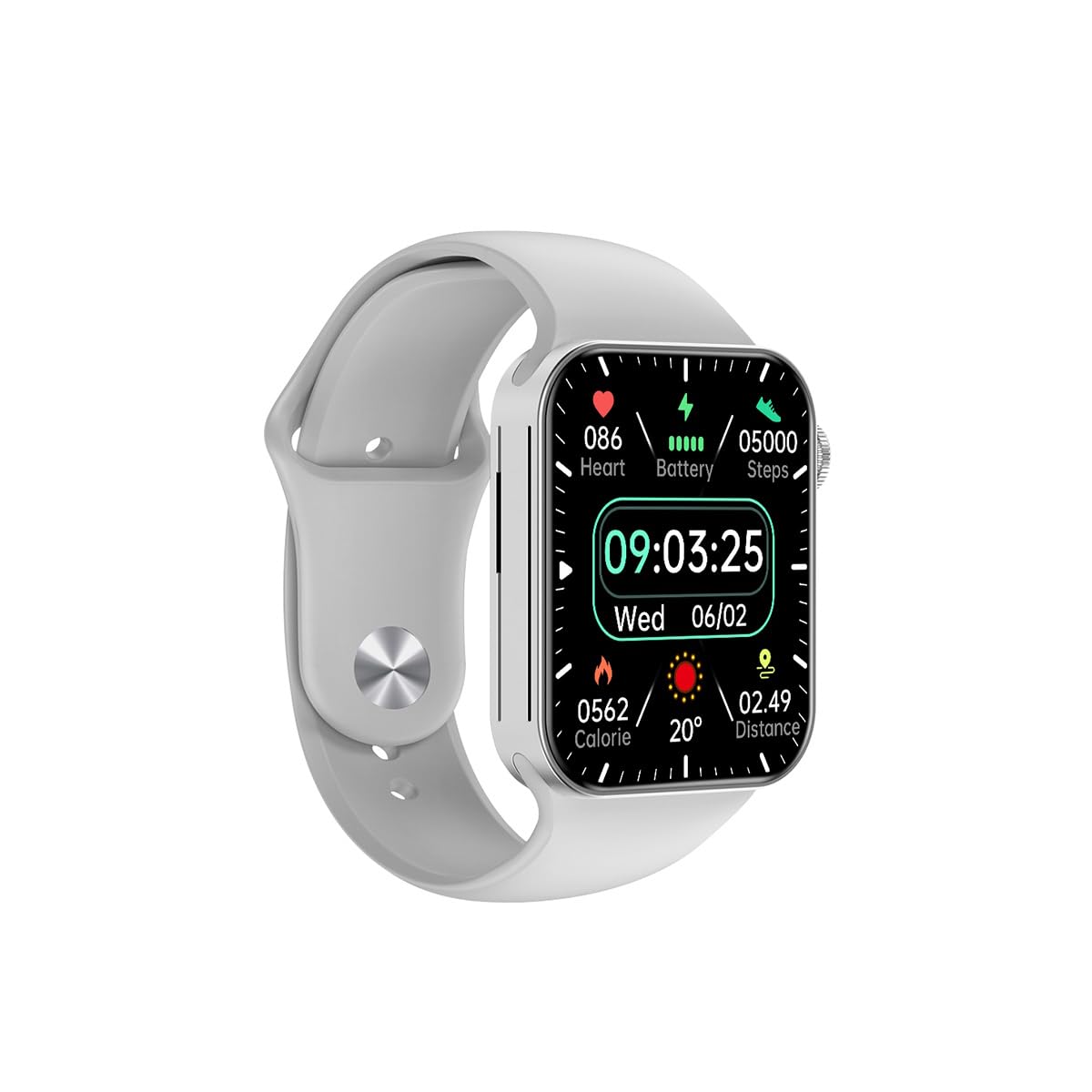
Fíor 3.1: Tosaigh view of the Awei H15 Smartwatch display, illustrating various health metrics and time.

Fíor 3.2: Taobh view of the smartwatch, highlighting the rotary crown for navigation and an additional button.
4. Socrú
4.1 Muirearú an Uaireadóra Chliste
Before first use, fully charge your Awei H15 Smartwatch. Connect the provided charging cable to the charging port on the back of the watch and to a standard USB power adapter (not included).
- Am Muirir: Thart ar 2-3 uair an chloig le haghaidh muirear iomlán.
- Battery Life: Up to 7 days with calls, up to 15 days without calls.
4.2 Cumhacht ar siúl / as
- Chun Cumhacht a Chur ar: Press and hold the side button until the Awei logo appears.
- Chun Cumhacht as: Brúigh agus coinnigh an cnaipe taobh, ansin roghnaigh 'Múch' ar an scáileán.
4.3 Péireáil le do ghuthán cliste
The Awei H15 Smartwatch uses Dual Bluetooth 3.0/5.0 for stable connectivity. To unlock full features, download the companion app (refer to the packaging or quick start guide for app name) from your smartphone's app store.
- Cinntigh go bhfuil do uaireadóir cliste ar siúl agus luchtaithe go hiomlán.
- Cumasaigh Bluetooth ar do ghuthán cliste.
- Open the companion app and follow the on-screen instructions to search for and connect to your Awei H15 Smartwatch.
- Deimhnigh an t-iarratas péireála ar do ghuthán cliste agus ar d'uaireadóir cliste araon.
5. Treoracha Oibriúcháin
5.1 Nascleanúint Bhunúsach
- Scáileán Tadhaill: Svaidhpeáil ar chlé, ar dheis, suas nó síos chun nascleanúint a dhéanamh trí bhiachláir agus scáileáin. Tapáil chun míreanna a roghnú.
- Coróin Rothlach: Rotate the crown to scroll through lists or zoom in/out (where applicable). Press the crown to return to the home screen or confirm selections.
5.2 Multi-Dial Switching
Customize your smartwatch's appearance by switching between various watch faces.

Fíor 5.1: Examples of different watch faces available on the Awei H15 Smartwatch.
Chun aghaidh an uaireadóra a athrú:
- From the home screen, press and hold the display.
- Swipe left or right to browse available watch faces.
- Tap on a watch face to select it.
5.3 Monatóireacht Sláinte
The Awei H15 Smartwatch tracks various health metrics to support your active lifestyle.
- Ráta Croí: Déan monatóireacht ar do ráta croí i rith an lae.
- Rianú Gníomhaíochta: The built-in G-Sensor (MSA311) accurately tracks steps, distance, and calories burned.
- Monatóireacht Codlata: Track your sleep patterns (light sleep, deep sleep, wake-up times).
Access detailed health data through the companion app on your smartphone.
5.4 Gnéithe Cliste
- Glaonna: Déan agus faigh glaonna go díreach ó do fhaire cliste nuair atá sé ceangailte le do ghuthán trí Bluetooth.
- Fógraí: Receive alerts for messages, emails, and app notifications.
- Nuashonruithe Aimsire: Faigh faisnéis aimsire fíor-ama.
- Rialú Ceoil: Rialú athsheinm ceoil ar do smartphone.
6. Cothabháil
6.1 Glanadh
Glan do uaireadóir cliste go rialta chun feidhmíocht agus sláinteachas is fearr a chinntiú.
- Cuimil an scáileán agus an corp le héadach bog, saor ó lint.
- Le haghaidh salachar righin, beagán dampNigh an t-éadach le huisce. Seachain ceimiceáin ghéara.
- Glan na teagmhálacha luchtaithe go tréimhsiúil chun nasc maith a chinntiú.
6.2 Friotaíocht Uisce (IP67)
The Awei H15 Smartwatch is IP67 water-resistant, meaning it is protected against dust and can withstand immersion in water up to 1 meter for 30 minutes.
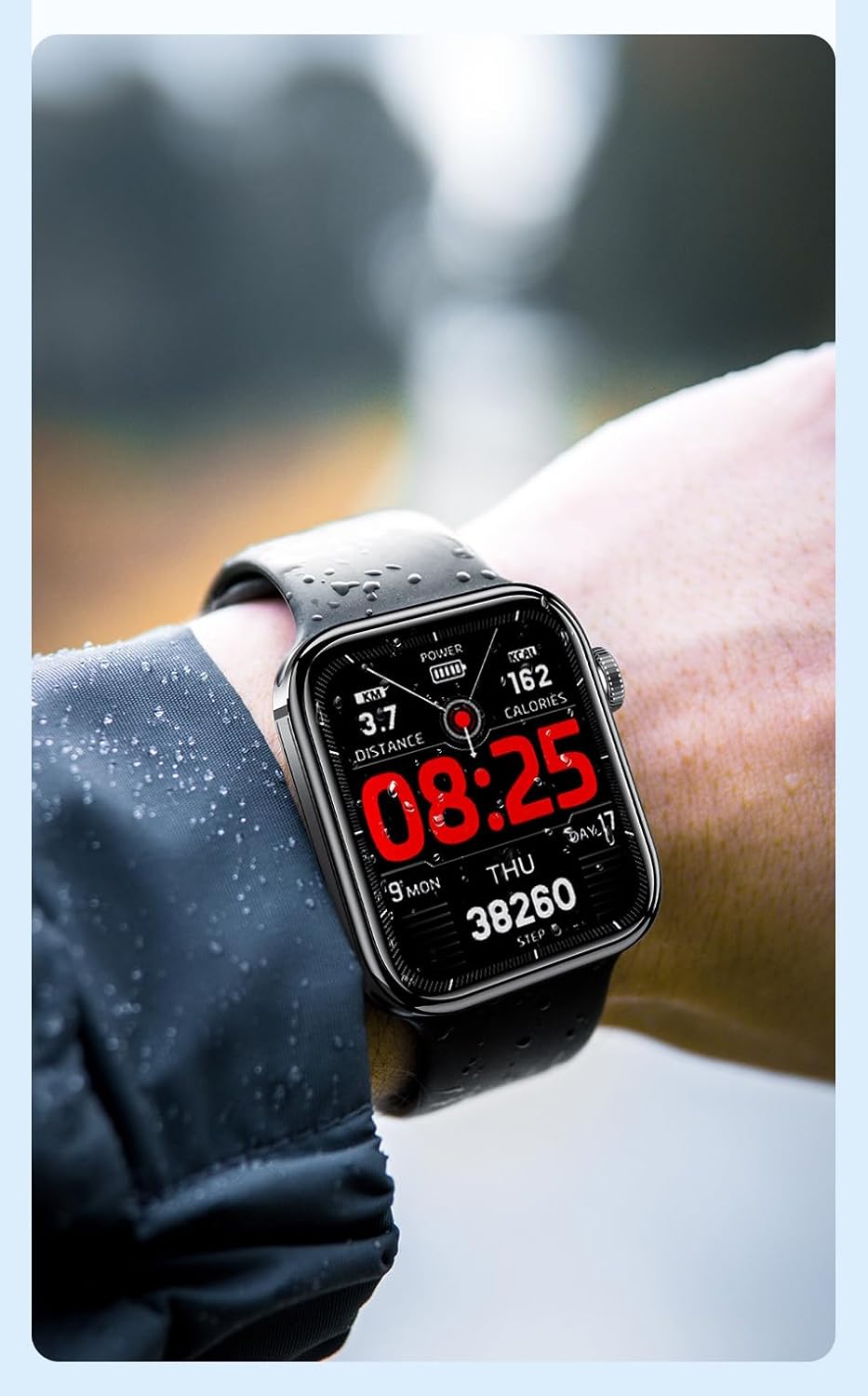
Fíor 6.1: The Awei H15 Smartwatch is designed to withstand splashes and dust.
Important: IP67 rating does not mean the watch is suitable for swimming, showering, or diving. Avoid exposing the watch to hot water, steam, or high-velocity water.
7. Fabhtcheartú
- Ní chasann an faire air: Cinntigh go bhfuil an faire luchtaithe go hiomlán. Ceangail leis an luchtaire é ar feadh 30 nóiméad ar a laghad.
- Ní féidir péireáil le fón cliste:
- Cinntigh go bhfuil Bluetooth cumasaithe ar do ghuthán agus ar an uaireadóir.
- Cinntigh go bhfuil an faire laistigh de raon do ghutháin.
- Atosaigh an faire agus do ghuthán araon.
- Seiceáil an bhfuil an aip tionlacain nuashonraithe go dtí an leagan is déanaí.
- Sonraí sláinte míchruinne: Cinntigh go bhfuil an faire caite go docht ar do chaol na láimhe, gan a bheith ró-theann ná ró-scaoilte. Glan an braiteoir ar chúl an uaireadóra.
- Saol gairid ceallraí: Reduce screen brightness, disable unnecessary notifications, and limit continuous heart rate monitoring.
8. Sonraíochtaí
| Gné | Sonraíocht |
|---|---|
| Múnla | H15 |
| Teicneolaíocht Nascachta | Bluetooth 3.0/5.0 |
| Friotaíocht Uisce | IP67 |
| Cumas Battery | 260mAh |
| Am Muirir | 2-3 uair an chloig |
| Am Úsáide | Up to 7 days (with calls), 15 days (without calls) |
| G-Braiteoir | MSA311 |
| Toisí | 36.8 × 42.5 × 13.2mm |
| Fad an Bhanda láimhe | 270mm |
| Monaróir | Awei |
9. Barántas agus Tacaíocht
Your Awei H15 Smartwatch comes with a Barántas 6 mhí ón dáta ceannaigh. Clúdaíonn an bharántas seo lochtanna déantúsaíochta faoi ghnáthúsáid.
For warranty claims or technical support, please contact your retailer or the official Awei customer service. Keep your proof of purchase for warranty validation.