
Edifier W800BT SE
Lámhleabhar Úsáideora Cluasáin Gan Sreang Thar-Chluas Edifier W800BT SE
Model: W800BT SE
Réamhrá
Thank you for choosing the Edifier W800BT SE Wireless Over-Ear Headphones. This manual provides detailed instructions for setting up, operating, and maintaining your headphones to ensure optimal performance and longevity. Please read this manual thoroughly before use.
Ábhar an Phacáiste
Deimhnigh go bhfuil na hearraí go léir i do phacáiste:
- Edifier W800BT SE Headphones x 1
- Cábla Muirir USB Cineál-C x 1
- Lámhleabhar úsáideora x1 saor in aisce,
Táirge Tharview
Gnéithe Cluasáin
- Tiománaithe Dinimiciúla 40mm: Equipped with titanium-coated diaphragm driver units for clear and detailed audio.
- Bluetooth 5.4: Soláthraíonn sé nascacht gan sreang chobhsaí agus éifeachtach.
- Laghdú Torainn Glaonna AI: Enhances voice clarity during calls by filtering background noise.
- Ceangal Ilphointe: Allows simultaneous connection to two Bluetooth devices.
- Saol Fada Battery: Suas le 45 uair an chloig d’athsheinm.
- Muirearú Tapa: 15 minutes of charge provides 8 hours of playback.
- Mód Cluiche Latency Íseal: Reduces audio delay for gaming.
- Dearadh Compordach: Lightweight (approx. 242g), adaptive fit, pressure-relief headband, and soft earpads.
- Dearadh Fillte: Le haghaidh stórála agus iniomparthachta éasca.
Rialuithe agus Calafoirt
The Edifier W800BT SE headphones feature intuitive button controls on the earcup and a USB-C port for charging.
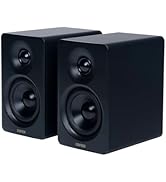
Íomhá: Tharview of headphone controls and USB-C charging port.
- Cnaipe Imleabhar Suas: Single press for volume up, press and hold for next track.
- Cnaipe Ilfheidhme: Single press for play/pause or answer/end call, double press to reject call, triple press for voice assistant.
- Cnaipe Imleabhar Síos: Single press for volume down, press and hold for previous track.
- Cnaipe Athraigh Mód: Single press to cycle through Music mode, Game mode, and Theatre mode.
- Port USB-C: Chun na cluasáin a mhuirearú.
Socrú
1. Muirearú na gCluasán
Before first use, fully charge the headphones. A full charge takes approximately 1.5 hours. A 15-minute quick charge provides up to 8 hours of playback.
- Connect the supplied USB Type-C cable to the charging port on the headphones.
- Ceangail an ceann eile den chábla le hoiriúntóir cumhachta USB (nach bhfuil san áireamh) nó le port USB ríomhaire.
- The indicator light will show charging status (e.g., red for charging, off when fully charged).
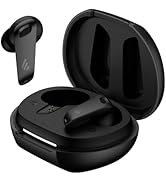
Image: USB-C charging port.

Íomhá: Sonraí faoi shaolré na ceallraí agus faoi mhuirearú tapa.
2. Cumhacht Ar / As
- Cumhacht ar: Press and hold the Multi-function button for approximately 3 seconds until the indicator light flashes.
- Múch: Press and hold the Multi-function button for approximately 5 seconds until the indicator light turns off.
3. Péireáil Bluetooth
Chun do chluasáin a nascadh le gléas:
- Cinntigh go bhfuil na cluasáin múchta.
- Press and hold the Multi-function button for approximately 5 seconds until the indicator light flashes red and blue alternately, indicating pairing mode.
- Ar do ghléas (fón cliste, táibléad, ríomhaire), cumasaigh Bluetooth agus déan cuardach ar ghléasanna atá ar fáil.
- Select "EDIFIER W800BT SE" from the list of found devices.
- Nuair a bheidh sé ceangailte, beidh an solas táscaire ag splancadh gorm go mall.
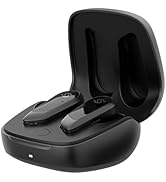
Íomhá: Teicneolaíocht Bluetooth 5.4 le haghaidh nasc cobhsaí.
4. Ceangal Ilphointe
The W800BT SE headphones support connecting to two Bluetooth devices simultaneously.
- Pair the headphones with the first device (e.g., your smartphone) as described above.
- Díchumasaigh Bluetooth ar an gcéad fheiste. Athróidh na cluasáin an modh péireála.
- Pair the headphones with the second device (e.g., your laptop).
- Athchumasaigh Bluetooth ar an gcéad ghléas. Ceanglóidh na cluasáin leis an dá ghléas go huathoibríoch.
- To switch between devices, pause playback on the currently active device and start playback on the other. For calls, the headphones will automatically switch to the device receiving the call.

Image: Multipoint connection with phone and laptop.
Treoracha Oibriúcháin
Rialuithe Bunúsacha
| Gníomh | Brúigh Cnaipe |
|---|---|
| Cumhacht ar / As | Press and hold Multi-function button (3s for On, 5s for Off) |
| Seinn/Cuir Ceol ar sos | Cnaipe ilfheidhmeach brúigh amháin |
| Freagra/Deireadh Glao | Cnaipe ilfheidhmeach brúigh amháin |
| Diúltaigh Glao | Double press Multi-function button |
| Imleabhar Suas | Single press Volume Up button |
| Imleabhar Síos | Single press Volume Down button |
| An Chéad Rian Eile | Press and hold Volume Up button |
| Rian Roimhe Seo | Press and hold Volume Down button |
| Gníomhachtaigh Cúntóir Gutha | Triple press Multi-function button |
| Switch Mode (Music/Game/Theatre) | Single press Mode Switch button |
Laghdú Torainn Glaonna AI
The integrated AI call noise reduction algorithm and high-sensitivity microphones work to filter out ambient noise, ensuring your voice is clear during phone calls.

Image: AI Call Noise Reduction in action.
Mód Cluiche
Activate Game Mode for an ultra-low latency experience (0.06s), providing enhanced sound effects and perfect audio-visual synchronization for gaming.
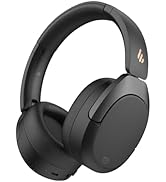
Image: Low latency gaming experience.
Edifier ConneX App
Enhance your headphone experience by downloading the EDIFIER ConneX app. The app provides additional functions:
- Personalized control settings
- Preset EQ options
- Socruithe eq customizable
- Schedule power off
- "Find Your Product" feature

Image: Edifier ConneX App interface.
Cothabháil
- Keep the headphones dry. Do not expose them to extreme temperatures.
- Glan na cluasáin le héadach bog, tirim. Seachain ceimiceáin ghéara nó ábhair scríobacha a úsáid.
- Stóráil na cluasáin in áit fhionnuar tirim nuair nach bhfuil siad in úsáid. Ceadaíonn an dearadh fillte stóráil dhlúth.
- Seachain na cluasáin a ligean titim nó a chur faoi thionchair láidre.
- Do not attempt to disassemble the headphones. This will void the warranty.
Fabhtcheartú
| Fadhb | Réiteach |
|---|---|
| Cannot power on headphones. | Cinntigh go bhfuil na cluasáin luchtaithe. Ceangail le foinse cumhachta ag baint úsáide as an gcábla USB-C. |
| Ní féidir péireáil le gléas Bluetooth. |
|
| Gan fuaim ná toirt íseal. |
|
| Tá caighdeán fuaime bocht. |
|
| Tá na glaonna doiléir. | Ensure the microphone is not obstructed. The AI Call Noise Reduction feature is active during calls. |
Sonraíochtaí
- Múnla: W800BT SE
- Leagan Bluetooth: 5.4
- Bluetooth profiles: A2DP, AVRCP, HFP
- Fad Éifeachtach: 10 méadar
- Aonad Tiománaí: 40mm Dynamic Driver with Titanium-coated Diaphragm
- Freagra Minicíochta: Up to 20 kHz (Typical range is 20Hz-20kHz)
- Impedance: 32 Óm
- Saol Battery: Suas le 45 uair an chloig (athsheinm)
- Port Luchtaithe: USB Cineál-C
- Am Muirir: Approximately 1.5 hours (full charge), 15 minutes for 8 hours playback
- Meáchan: Thart ar 242g
- Toisí: 3.35 x 3.15 x 3.35 orlach (Toisí an táirge)
- Cineál Rialaithe: Button Control, App Control (Edifier ConneX)
- Gnéithe Speisialta: AI Call Noise Reduction, Multipoint Connection, Low Latency Game Mode (0.06s), Lightweight, Foldable Design
Barántas agus Tacaíocht
Edifier products are designed for reliability and performance. For warranty information and technical support, please refer to the warranty card included in your package or visit the official Edifier websuíomh. Coinnigh d’admháil ceannaigh mar chruthúnas ceannaigh.
Eagarthóir Oifigiúil Websuíomh: www.edifier.com
Físeán Táirge Oifigiúil
Físeán: Táirge oifigiúil thartview of the Edifier W800BT SE Wireless Over-Ear Bluetooth 5.4 Headphones, demonstrating key features and design.
Ask a question about this manual
Ask about setup, troubleshooting, compatibility, parts, safety, or missing instructions. Manuals+ will review the question and use this page’s manual context to help answer it.