
Réamhrá
This manual provides detailed instructions for the AULCMEET RC80B replacement remote control, designed for use with Edifier R1280DBs active speakers. Please read this manual carefully to ensure proper operation and to maximize your experience with the product.
Táirge Tharview
The AULCMEET RC80B remote control offers a comprehensive set of functions for your Edifier R1280DBs speakers. Its ergonomic design ensures comfortable handling and intuitive button placement.
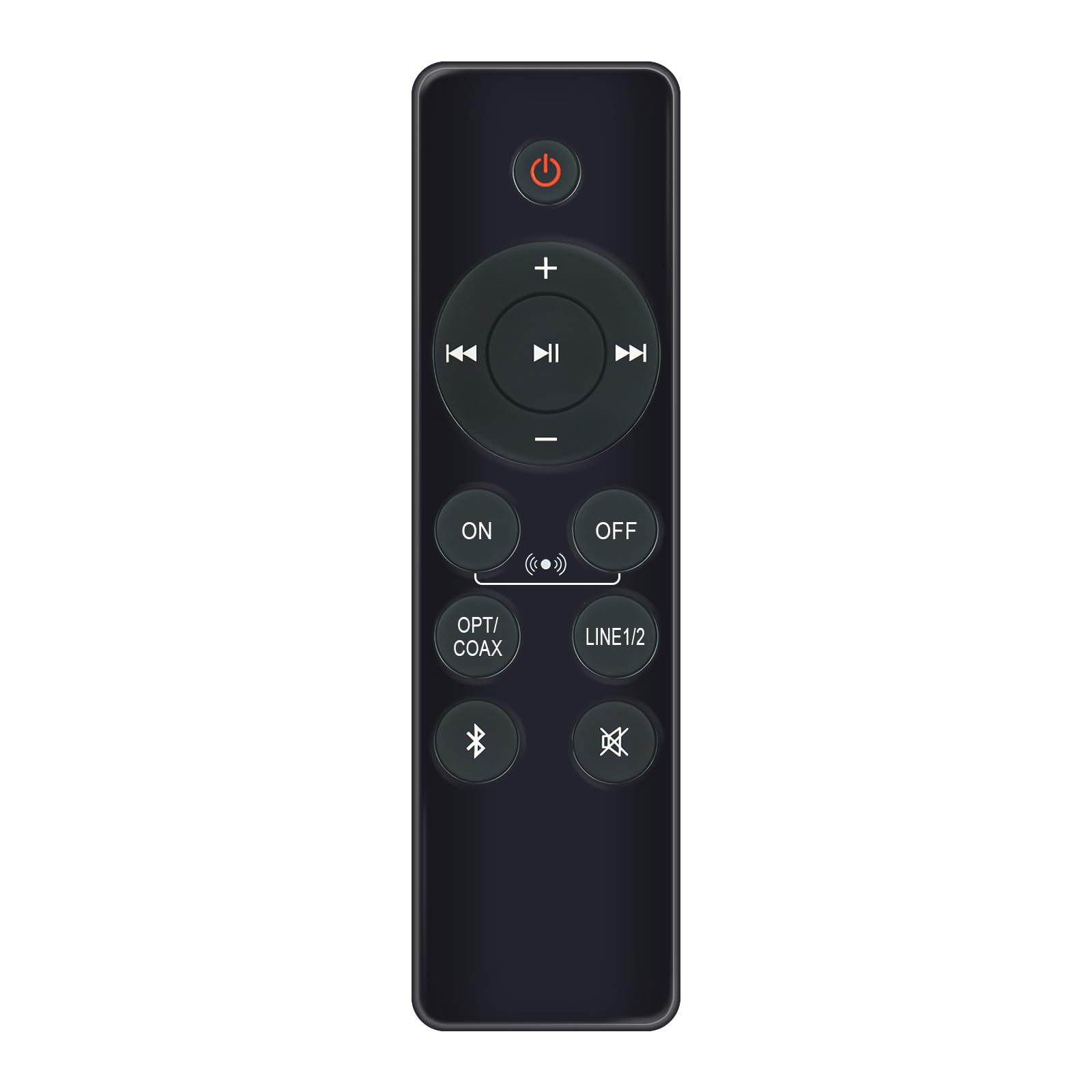
Image: AULCMEET RC80B Replacement Remote Control. The remote measures approximately 13.8 cm (5.43 inches) in length and 3.8 cm (1.5 inches) in width.
Feidhmeanna Cnaipe:
- Cnaipe Cumhachta (⏻): Turns the speakers ON or OFF.
- Imleabhar Suas (+) / Imleabhar Síos (-): Adjusts the speaker volume.
- Amhrán Roimhe Seo (⏮) / Next Track (⏭): Skips to the previous or next audio track.
- Seinn/Sos (⏯): Plays or pauses audio playback.
- ON / OFF (Input Selection): Toggles between different input modes.
- OPT / COAX: Selects Optical or Coaxial input.
- LÍNE1/2: Selects Line In 1 or Line In 2 input.
- Bluetooth (☋): Activates or selects Bluetooth input.
- balbhaigh (🛇): Mutes or unmutes the speaker audio.
Socrú
The AULCMEET RC80B remote control is designed for immediate use without complex setup procedures. Simply install the batteries, and it is ready to operate your compatible Edifier R1280DBs speakers.
Suiteáil Battery:
- Aimsigh an urrann ceallraí ar chúl an chianrialtáin.
- Oscail an clúdach urrann ceallraí.
- Cuir isteach dhá chadhnraí alcaileacha AAA, ag cinntiú go bhfuil an polaraíocht cheart (+ agus -) mar a léirítear taobh istigh den urrann.
- Dún an clúdach urrann ceallraí go daingean.
Nóta: No programming or pairing is required for this replacement remote control. It functions directly with the specified Edifier R1280DBs active speakers.
Treoracha Oibriúcháin
To operate your Edifier R1280DBs speakers using the AULCMEET RC80B remote control, point the remote directly towards the speakers' infrared receiver. Ensure there are no obstructions between the remote and the speakers.
- Cumhacht ar / As: Brúigh an ⏻ button to turn the speakers on or off.
- Coigeartú Toirte: Bain úsáid as an + agus - cnaipí chun an toirt a mhéadú nó a laghdú.
- Roghnú Ionchur: Brúigh an AR / AS, OPT / COAX, LÍNE1/2, nó Bluetooth buttons to switch between the available audio input sources.
- Rialú Athsheinm: When using Bluetooth or other compatible sources, use the ⏮ (Previous), ⏭ (Next), and ⏯ (Play/Pause) buttons to control media playback.
- Feidhm bhalbhaithe: Brúigh an 🛇 cnaipe chun an fhuaim a thosú go sealadach. Brúigh arís é chun an fhuaim a athbhunú.
Sonraíochtaí
| Branda | AULCMEET |
| Múnla | RC80B |
| Gléasanna Comhoiriúnacha | Edifier R1280DBs Active Speakers |
| Dath | Dubh |
| Gnéithe | Dearadh eirgeanamaíochta |
| Comhéadan Cumarsáide | Infridhearg (IR) |
| Líon na gCnaipí | 30 |
| Raon uasta | Timpeall 33 dtroigh (10 mhéadar) |
| Cineál Battery | 2 x Ceallraí Alcaileacha AAA (nach bhfuil san áireamh) |
| Toisí (L x W) | 13.8 cm x 3.8 cm (5.43 in x 1.5 in) |
Fabhtcheartú
If you encounter issues with your AULCMEET RC80B remote control, please refer to the following common solutions:
- Cianda gan freagairt: Ensure the batteries are correctly installed and are not depleted. Replace batteries if necessary.
- Raon oibriúcháin gearr: Check for any obstructions between the remote and the speaker's IR receiver. Ensure the remote is pointed directly at the speakers. Low battery power can also reduce range.
- Specific button not working: Clean the remote control surface and buttons. If the issue persists, the button may be faulty, or the remote may require battery replacement.
- Speakers not responding to any remote: Ensure the speakers are powered on and functioning correctly. Try using the manual controls on the speaker unit if available.
Cothabháil
Proper care and maintenance will extend the lifespan of your remote control:
- GlanadhCuimil an cianrialtán le héadach bog tirim. Ná húsáid glantóirí scríobacha ná tuaslagóirí.
- Cúram Battery: Remove batteries if the remote control will not be used for an extended period to prevent leakage.
- Stóráil: Store the remote control in a cool, dry place, away from direct sunlight and extreme temperatures.
- Seachain Drops: Protect the remote from physical impact, as drops can damage internal components.
Barántas agus Tacaíocht
Specific warranty information for this AULCMEET RC80B replacement remote control is not provided in the product details. For warranty claims, technical support, or further assistance, please contact the seller or manufacturer directly through your purchase platform. Keep your purchase receipt or order number handy for faster service.