
JENABOM B0D49FP524
JENABOM 3.7V Electric Precision Screwdriver Set User Manual
Model: B0D49FP524
1. Réamhrá
Thank you for choosing the JENABOM 3.7V Electric Precision Screwdriver Set. This manual provides detailed instructions for the safe and efficient operation, maintenance, and troubleshooting of your new tool. Please read this manual thoroughly before first use and retain it for future reference.
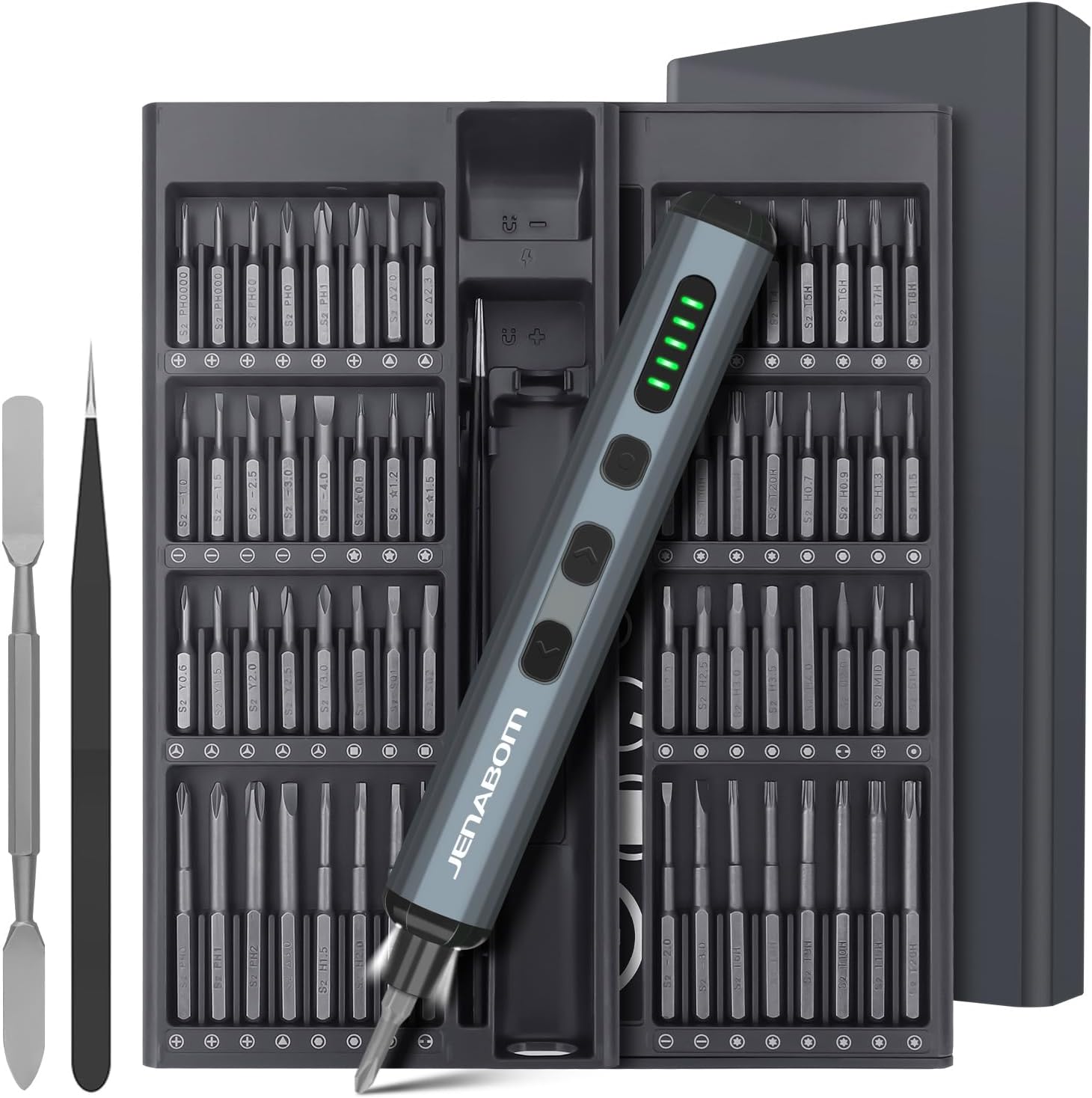
Image 1.1: The JENABOM 3.7V Electric Precision Screwdriver Set, including the screwdriver, magnetic bit case, spudger, and tweezers.
2. Ábhar Pacáiste
Deimhnigh go bhfuil na míreanna go léir atá liostaithe thíos i láthair i do phacáiste:
- 1 x JENABOM 3.7V Electric Precision Screwdriver
- 64 x S2 Steel Magnetic Bits
- 1 x Magnetic Storage Case for screwdriver and bits
- 1 x Magnetizer/Demagnetizer
- 1 x Miotal Spudger
- 1 x Tweezers
- 1 x Cábla Muirearú Cineál-C USB

Image 2.1: A visual representation of the 64 included S2 steel screwdriver bits.
3. Táirge Tharview
Familiarize yourself with the components of your electric screwdriver:

Image 3.1: Detailed diagram illustrating the main features and buttons of the electric screwdriver.
- Port Muirir Cineál-C: Chun an ceallraí inmheánach a athmhuirearú.
- Taispeántas Leibhéal Ceallraí: LED indicators showing remaining battery charge.
- Lasc Solais LED: Activates the integrated LED work light.
- Left Rotation Button: Engages counter-clockwise rotation for unscrewing.
- Right Rotation Button: Engages clockwise rotation for screwing.
- Solas faoi stiúir: Soilsíonn sé an limistéar oibre.
- Sealbhóir Giotán Maighnéadach: Securely holds screwdriver bits.

Image 3.2: The magnetic storage case featuring a pop-up mechanism for easy access to bits and the screwdriver.
4. Socrú
4.1 Muirearú Tosaigh
Before first use, fully charge the electric screwdriver. Connect the provided USB Type-C charging cable to the screwdriver's charging port and a compatible USB power source (e.g., computer, wall adapter). The battery level display LEDs will indicate charging status and full charge.
- A full charge typically allows for approximately 300 screws.
- The screwdriver can be charged while stored in its case via an external USB port on the case.
4.2 Giotaí Scriúire a Shuiteáil
The screwdriver features a magnetic bit holder for quick and secure bit changes.
- Select the appropriate S2 steel bit from the magnetic storage case.
- Insert the bit firmly into the magnetic bit holder at the tip of the screwdriver. The magnetic connection will secure the bit in place.
- To remove, simply pull the bit straight out.
5. Treoracha Oibriúcháin
5.1 Powering On/Off and Rotation
The screwdriver operates by pressing the rotation buttons:
- Brúigh an Right Rotation Button (clockwise) to drive screws in.
- Brúigh an Left Rotation Button (counter-clockwise) to remove screws.
- Scaoil an cnaipe chun an rothlú a stopadh.
5.2 Coigeartú Chasmhóiminte
The electric screwdriver offers a precision torque range for delicate tasks and a manual mode for higher torque requirements.
- Chasmhóiminte Leictreach: Provides 0.1 Nm to 0.35 Nm of torque, suitable for electronics, watches, cameras, and other precision instruments. The screwdriver automatically adjusts within this range based on resistance.
- Chasmhóiminte Lámhleabhar: For screws requiring more force, the screwdriver can be used manually, providing up to 3 Nm of torque. Simply continue turning the screwdriver by hand after the electric motor stops or for initial loosening/final tightening.

Íomhá 5.1: Examples of the screwdriver in use, demonstrating its adjustable torque for different applications.
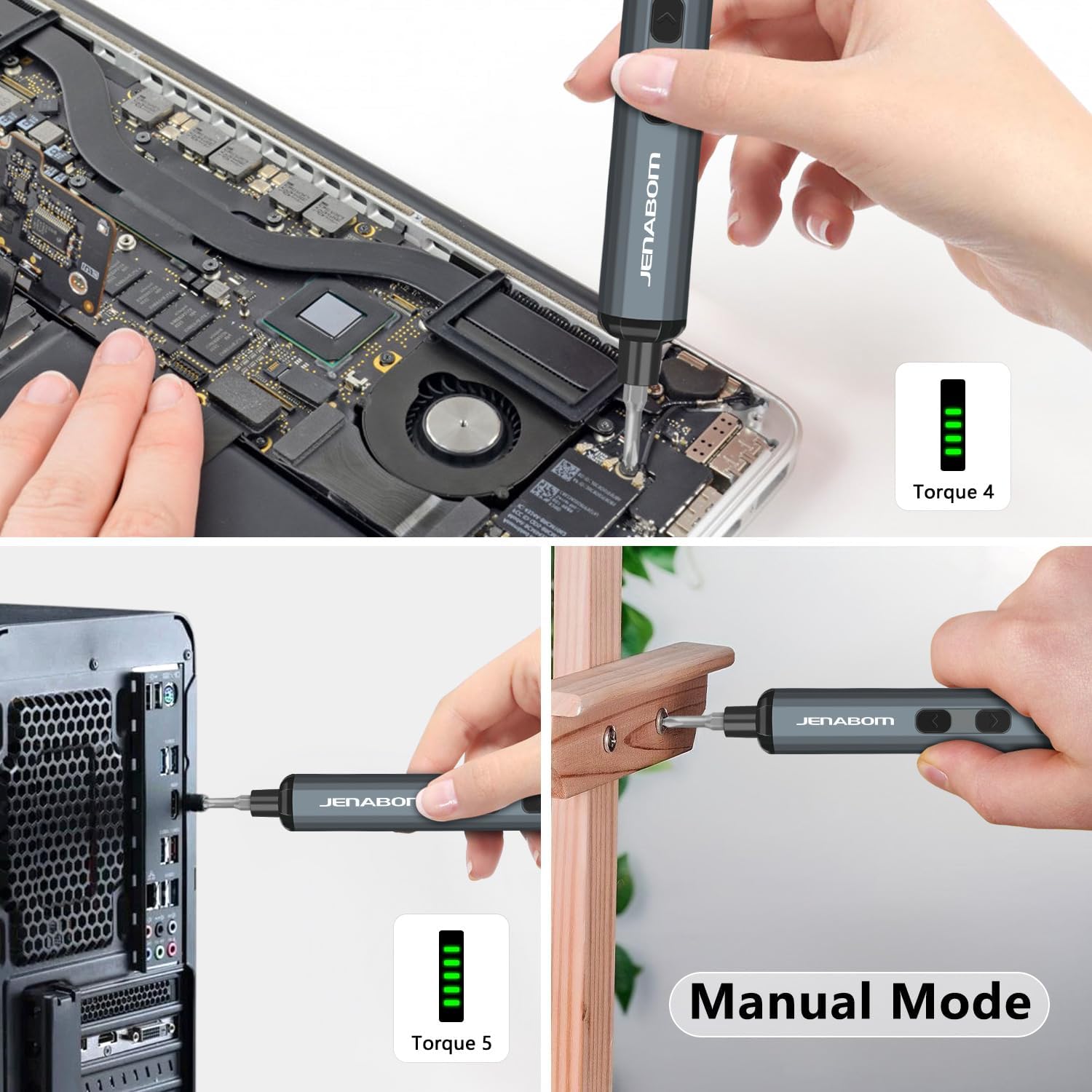
Image 5.2: The screwdriver being used for computer assembly and demonstrating its manual mode capability.
5.3 Soilsiú LED
The integrated LED light illuminates the work area, making it easier to see screw holes and small components, especially in low-light conditions.
- Brúigh an Athraigh Solas Faoi stiúir chun an solas a chasadh air nó as.
6. Cothabháil
6.1 Glanadh
- Wipe the screwdriver and bits with a clean, dry cloth after each use to remove dust and debris.
- Ná húsáid ceimiceáin ghránna nó glantóirí scríobacha.
- Ensure the charging port is free of dust and moisture.
6.2 Stóráil
- Store the screwdriver and all accessories in the provided magnetic storage case when not in use. This protects the components and keeps them organized.
- Stóráil in áit fhionnuar, tirim, ar shiúl ó sholas díreach na gréine agus teochtaí foircneacha.
- Coinnigh as teacht leanaí.
6.3 Cúram Ceallraí
- Chun saolré na ceallraí a fhadú, seachain an ceallraí a dhraenáil go hiomlán sula ndéantar í a athmhuirearú.
- If storing for extended periods, charge the battery to approximately 50% every 3-6 months.
7. Fabhtcheartú
| Fadhb | Cúis Féideartha | Réiteach |
|---|---|---|
| Screwdriver does not turn on/rotate. | Ceallraí íseal. | Charge the screwdriver fully using the provided Type-C cable. |
| Screwdriver lacks power or stops during use. | Ceallraí íseal. | Athluchtaigh an ceallraí. |
| Bit slips or does not engage screw. | Incorrect bit size/type. Worn bit. | Ensure the correct bit is selected for the screw head. Replace worn bits. |
| Screwdriver cannot loosen/tighten a screw. | Screw is too tight for electric torque. | Use the manual mode for additional torque (up to 3 Nm). Apply steady pressure. |
| Ní lasann an solas LED. | LED light switch off. Low battery. | Press the LED light switch. Charge the screwdriver. |
8. Sonraíochtaí
- Branda: JENABOM
- Múnla: B0D49FP524
- Foinse Cumhachta: Leictreach le Sreang (le haghaidh muirir)
- Battery: 350mAh Litiam Ion (san áireamh)
- Chasmhóiminte Leictreach: 0.1 Nm - 0.35 Nm
- Chasmhóiminte Lámhleabhar: Suas le 3 Nm
- Bits Included: 64 S2 Steel Bits
- Port Luchtaithe: USB Cineál-C
- Gnéithe: LED Lighting, Magnetic Bit Holder, Magnetic Storage Case, Battery Level Display
- Meáchan Mír: Thart ar 1.19 punt (pacáiste iomlán)
- Toisí Pacáiste: Thart ar 9.21 x 3.9 x 1.1 orlach
9. Faisnéis Sábháilteachta
- Always wear appropriate eye protection when using power tools.
- Coinnigh do limistéar oibre glan agus soilsithe go maith. Tugann ceantair chlutter nó dorcha cuireadh do thimpistí.
- Ná hoibrigh uirlisí cumhachta in atmaisféir phléascacha, mar shampla leachtanna inadhainte, gáis nó deannaigh.
- Coinnigh leanaí agus lucht féachana ar shiúl agus uirlis chumhachta á oibriú. Is féidir le seachráin tú smacht a chailleadh.
- Seachain tosú trí thimpiste. Cinntigh go bhfuil an lasc as sula gceanglaítear leis an bpacáiste ceallraí, sula dtógtar suas nó sula n-iompraítear an uirlis.
- Ná overreach. Coinnigh an bonn ceart agus cothromaíocht i gcónaí.
- Use the correct tool for your application. Do not force small tools or attachments to do the job of a heavy-duty power tool.
- Déan an pacáiste ceallraí a dhícheangal ón uirlis chumhachta sula ndéantar aon choigeartú, ag athrú gabhálais, nó sula stóráiltear uirlisí cumhachta.
- Stóráil uirlisí cumhachta díomhaoin as teacht leanaí agus ná lig do dhaoine nach bhfuil cur amach acu ar an uirlis chumhachta nó ar na treoracha seo an uirlis chumhachta a oibriú.
- Uirlisí cumhachta a chothabháil. Seiceáil an bhfuil mí-ailíniú nó ceangailteach páirteanna gluaisteacha, bristeadh páirteanna agus aon choinníoll eile a d'fhéadfadh cur isteach ar oibriú na huirlise cumhachta. Má dhéantar damáiste, déan an uirlis chumhachta a dheisiú roimh úsáid.
- Bain úsáid as an uirlis chumhachta, gabhálais agus giotán uirlisí etc. de réir na dtreoracha seo, ag cur san áireamh na coinníollacha oibre agus an obair atá le déanamh.
10. Barántas agus Tacaíocht
For warranty information or technical support, please refer to the product packaging or contact JENABOM customer service directly through the retailer where the product was purchased. Please have your model number (B0D49FP524) and purchase date available when contacting support.
You can also visit the official JENABOM store on Amazon for more information: JENABOM Store
Ask a question about this manual
Ask about setup, troubleshooting, compatibility, parts, safety, or missing instructions. Manuals+ will review the question and use this page’s manual context to help answer it.