
1. Táirge Tharview
The Fanvil KT20 is a self-powered, rebound-type kinetic energy wireless button designed for seamless integration with Fanvil Y501, Y501-Y series, and X305 Big Button IP Phones. Utilizing patented micro-energy harvesting technology, the KT20 operates without the need for batteries, offering a compact and efficient solution for equipment control.
Príomhghnéithe:
- Self-powered: No batteries required.
- Ebelong1.1 Protocol: Ensures reliable wireless communication.
- 433MHz Frequency: Standard wireless operating frequency.
- Compact Design: Small and unobtrusive for various applications.
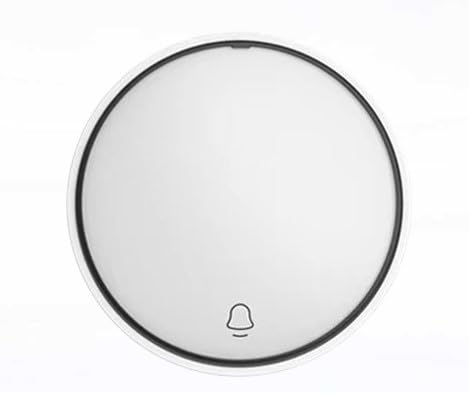
Fíor 1: Tosaigh view of the Fanvil KT20 Wireless Key, showing its circular design and bell icon.
2. Socrú agus Péireáil
The Fanvil KT20 Wireless Key requires pairing with a compatible Fanvil IP Phone (Y501, Y501-Y, or X305 series) to function. Follow the instructions provided with your specific IP Phone model for pairing new wireless devices.
2.1 Pairing Procedure (General Steps):
- Gníomhaigh Mód Péireála: On your Fanvil IP Phone, navigate to the wireless device settings or pairing menu. Activate the pairing mode as instructed in your IP Phone's user manual.
- Initiate Pairing on KT20: While the IP Phone is in pairing mode, press the Fanvil KT20 Wireless Key once. The kinetic energy generated by the press will transmit a pairing signal to the IP Phone.
- Deimhnigh Péireáil: Your IP Phone should indicate successful pairing. If prompted, confirm the connection on the IP Phone's interface.
Tábhachtach: Ensure the KT20 is within the operational range of your IP Phone for successful pairing and reliable operation. Refer to your IP Phone's manual for specific range limitations.
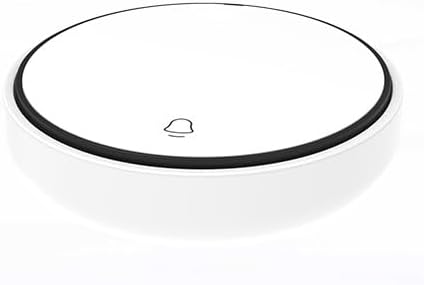
Fíor 2: Barr-síos view of the Fanvil KT20 Wireless Key, highlighting its compact, circular form factor and the central button area.
3. Treoracha Oibriúcháin
Once successfully paired, the Fanvil KT20 Wireless Key operates by a simple press. The specific function performed by the button is configured on the paired Fanvil IP Phone. This can include actions such as opening a door, activating an intercom, or other programmable controls.
- Preas Aonair: A single, firm press of the KT20 button will activate its assigned function.
- Cumraíocht Feidhme: Refer to your Fanvil IP Phone's user manual for detailed instructions on how to assign and customize functions for wireless keys.
The kinetic energy technology ensures that each press generates sufficient power for signal transmission, eliminating the need for external power or battery replacement.
4. Cothabháil
The Fanvil KT20 Wireless Key is designed for low maintenance. Proper care will ensure its longevity and reliable performance.
- Glanadh: To clean the device, gently wipe the surface with a soft, dry cloth. Avoid using abrasive cleaners, solvents, or excessive moisture, as these can damage the device.
- Díchóimeáil: Do not attempt to disassemble the device. Unauthorized disassembly will void the warranty and may cause irreparable damage.
- Coinníollacha Comhshaoil: Store and operate the device within recommended temperature and humidity ranges to prevent malfunction.
5. Fabhtcheartú
If you encounter issues with your Fanvil KT20 Wireless Key, refer to the following troubleshooting steps:
- Gléas Neamhfhreagartha:
- Ensure the KT20 is properly paired with your Fanvil IP Phone. Refer to the 'Setup and Pairing' section and your IP Phone's manual for pairing instructions.
- Verify the KT20 is within the operational range of the IP Phone. Obstacles like thick walls or other electronic devices may interfere with the wireless signal.
- Confirm that the IP Phone is powered on and functioning correctly.
- Oibríocht Eadrannach:
- Check for potential sources of wireless interference in the vicinity, such as other 433MHz devices.
- Relocate the KT20 or the IP Phone to improve signal strength and reduce interference.
6. Sonraíochtaí
| Múnla | KT20 |
| Teicneolaíocht | Rebound-type kinetic energy wireless button |
| Prótacal Gan Sreang | Ébelong1.1 |
| Minicíocht | 433MHz |
| Foinse Cumhachta | Self-powered (no battery required) |
| Comhoiriúnacht | Fanvil Y501, Y501-Y series, X305 Big Button IP Phone |
| Meáchan Mír | 8 unsa |
| Toisí Pacáiste | 4 x 3 x 2 orlach |
| Monaróir | Fanvil |
7. Faisnéis Bharántas
Fanvil products typically come with a limited manufacturer's warranty. For specific warranty terms and conditions, including coverage duration and claim procedures, please refer to the warranty card included with your product or visit the official Fanvil websuíomh. Moltar duit do chruthúnas ceannaigh a choinneáil le haghaidh aon éilimh bharántais.
8. Tacaíocht
For technical assistance, product inquiries, or support regarding your Fanvil KT20 Wireless Key, please contact Fanvil customer service through their official channels or visit the official Fanvil support website. You may also consult the user manual for your compatible Fanvil IP Phone for additional information regarding wireless key configuration and troubleshooting.