
Réamhrá
Go raibh maith agat as an gceannachasing the Edifier MG300 Computer Speakers PC SoundBar. This manual provides essential information for setting up, operating, and maintaining your new soundbar. Please read this manual thoroughly before use to ensure proper functionality and to maximize your listening experience.
Eolas Sábháilteachta
To reduce the risk of electric shock, fire, or damage to your device, please observe the following safety precautions:
- Ná nocht an gléas do bháisteach nó do thaise.
- Ná cuir rudaí atá líonta le leachtanna, mar vásaí, ar an ngléas.
- Ná suiteáil in aice le haon fhoinsí teasa cosúil le radaitheoirí, cláir teasa, soirn, nó gaireas eile (lena n-áirítear ampleachtaitheoirí) a tháirgeann teas.
- Ná húsáid ach ceangaltáin/gabhálais atá sonraithe ag an monaróir.
- Déan gach seirbhísiú a tharchur chuig pearsanra seirbhíse cáilithe.
Ábhar an Phacáiste
Seiceáil an bosca le do thoil do na míreanna seo a leanas:
- Edifier MG300 Soundbar
- Cábla USB-A go USB-C
- Lámhleabhar Úsáideora
Táirge Tharview
The Edifier MG300 Soundbar features dual 52mm full-range speakers and dual inverter tubes for balanced audio. It includes dynamic RGB lighting effects and a hidden microphone for clear voice communication. Control buttons are located on the top panel for easy access.
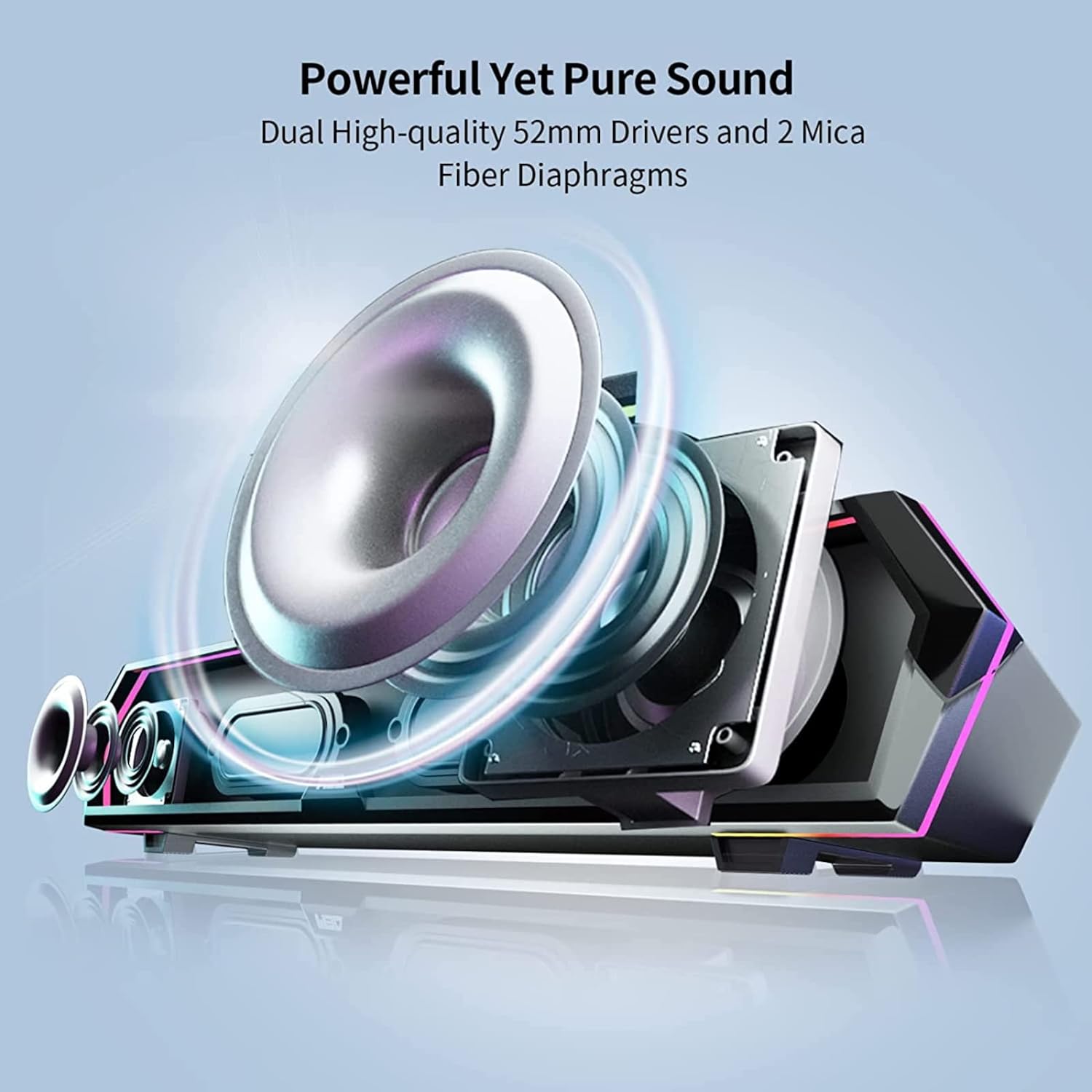
Image: Internal Speaker Components
This image illustrates the internal structure of the soundbar, showcasing the dual 52mm drivers and mica fiber diaphragms designed for powerful and pure sound reproduction.
Socrú
1. Socrúchán
Position the Edifier MG300 soundbar on a stable, flat surface, ideally directly under your computer monitor. Its compact design (485mm x 70mm x 80mm) is optimized to save desktop space.

Image: Soundbar Placement
The soundbar is shown positioned beneath a computer monitor, demonstrating its space-saving design and ideal placement for desktop use.
2. Power and Connection Options
The MG300 offers two primary connection methods: USB-A and Bluetooth 5.3.
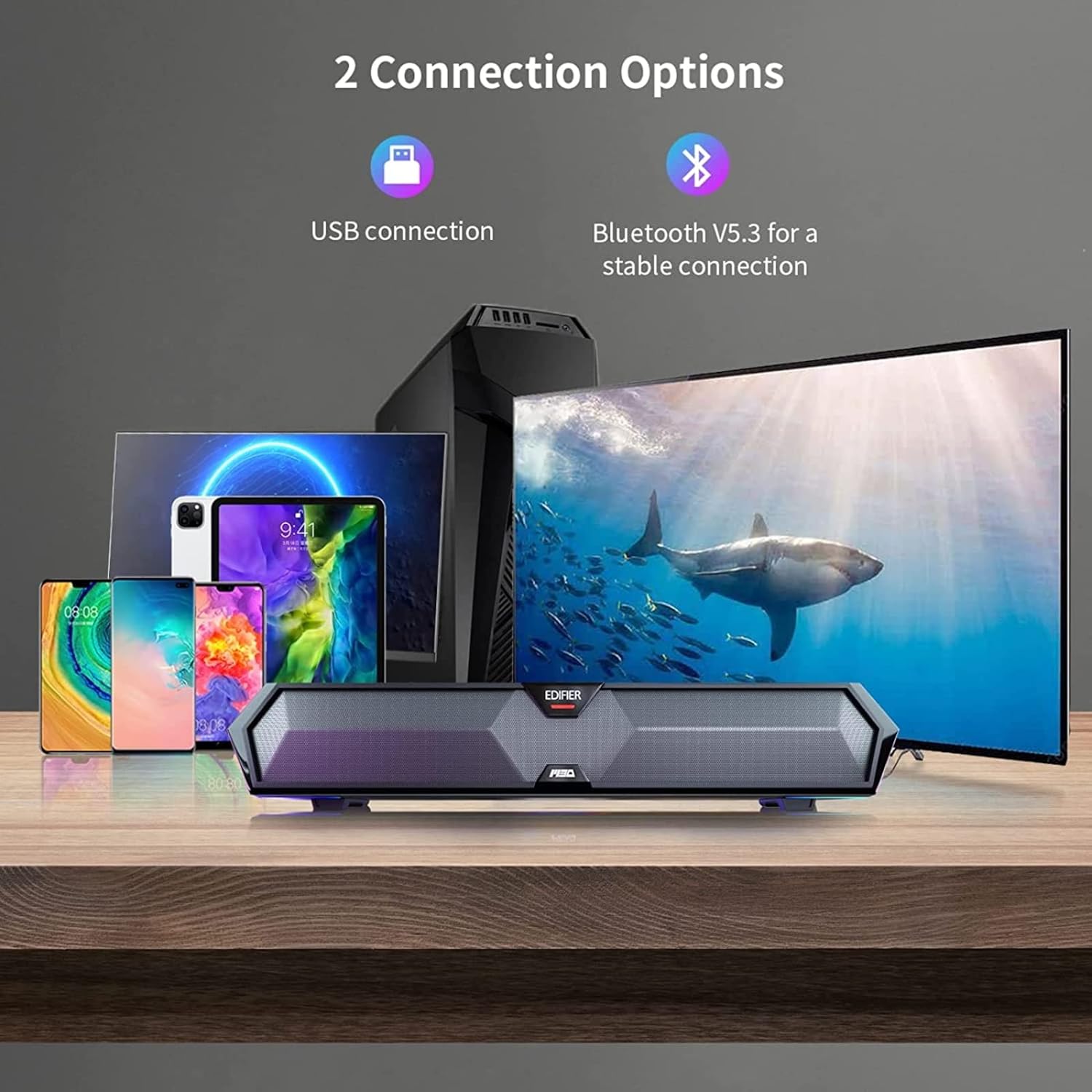
Image: Connection Options
This image illustrates the two main ways to connect the soundbar: via USB to a computer or wirelessly via Bluetooth to mobile devices.
USB Connection (for PC)
- Connect the provided USB-A to USB-C cable to the USB-C port on the back of the soundbar.
- Breiseán an ceann USB-A isteach i gcalafort USB atá ar fáil ar do ríomhaire.
- The soundbar will power on automatically and be recognized as an audio output device by your computer.
Bluetooth Connection (for Mobile Devices)
- Press the Bluetooth button on the top panel of the soundbar to enter Bluetooth pairing mode. The RGB lights will flash to indicate pairing mode.
- Ar do ghléas soghluaiste (fón cliste, taibléad), cumasaigh Bluetooth agus déan cuardach ar ghléasanna atá ar fáil.
- Select "Edifier MG300" from the list of devices to pair.
- Once connected, the RGB lights will stop flashing and remain solid.
Treoracha Oibriúcháin
1. Cumhacht Ar / As
Brúigh agus coinnigh an cnaipe cumhachta (U) on the top panel to turn the soundbar on or off.
2. Rialú Imleabhar
Úsáid an toirt suas (+) agus an toirt síos (-) buttons on the top panel to adjust the audio level.
3. Rialú Soilsithe RGB
The soundbar features dynamic RGB lighting effects. Press the light control button (O:) on the top panel to cycle through different lighting modes or to turn the lights off.
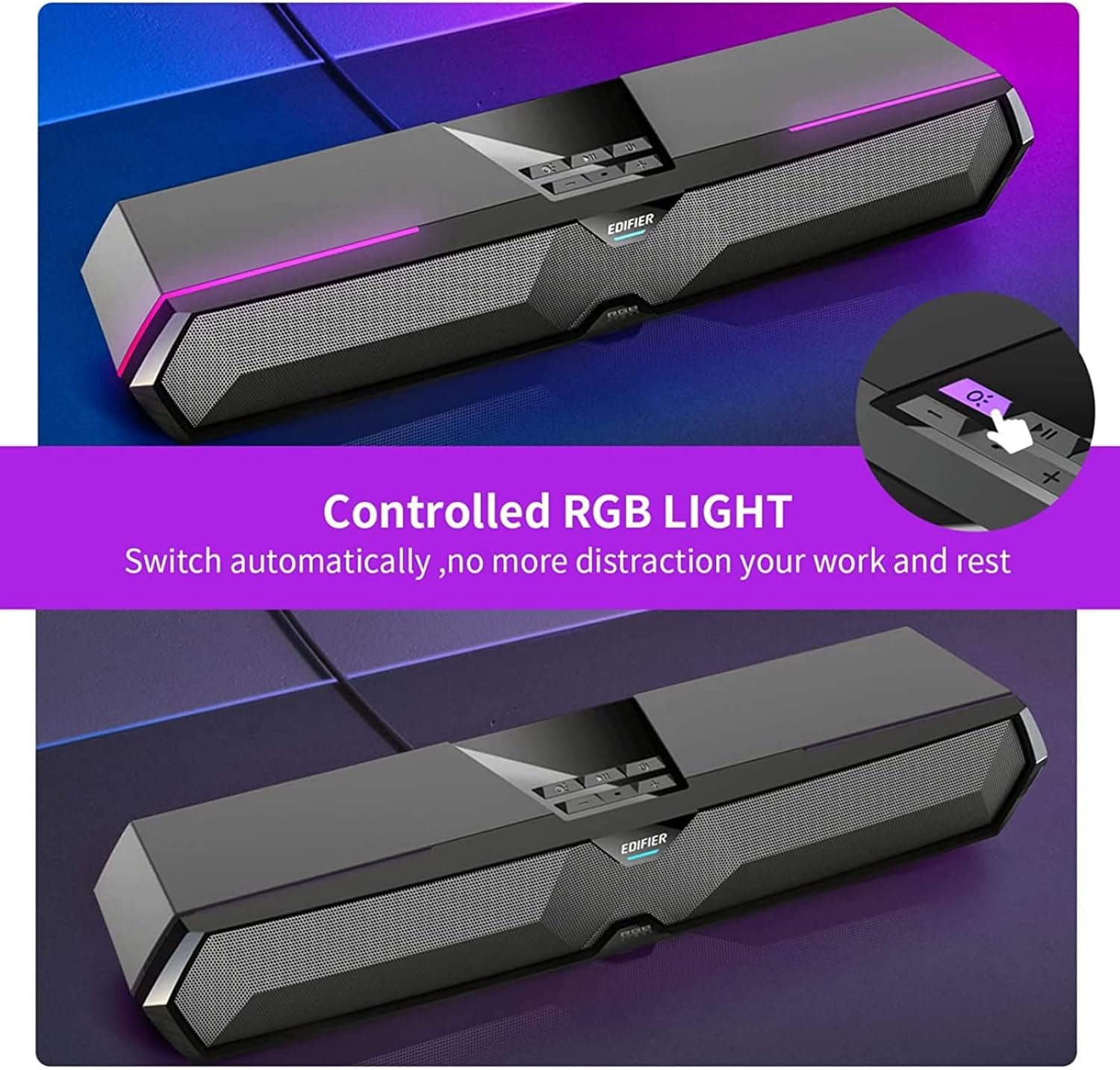
Image: RGB Light Control
This image shows the control panel on the soundbar, indicating the button used to manage the RGB lighting effects.
4. Music and Game Sound Modes
The MG300 offers optimized sound effects for both music and gaming. Press the mode button (often integrated with play/pause or a dedicated button) to switch between these modes. In music mode, vocals are amplified for a richer listening experience. In game mode, environmental details are enhanced for immersive realism.

Image: Game and Music Modes
This image demonstrates the soundbar's adaptability, showing it in use for both gaming and music listening, each with optimized sound profiles.
5. Using the Hidden Microphone
The soundbar features a hidden microphone, cleverly integrated under a silicone protective sleeve on the top panel. This design helps isolate external vibrations, ensuring crystal clear voice calls and communication during gaming or online meetings.

Image: Hidden Microphone in Use
This image depicts the soundbar's hidden microphone being utilized during a gaming session, emphasizing its clarity for in-game communication.
Cothabháil
To ensure the longevity and optimal performance of your Edifier MG300 soundbar, follow these maintenance guidelines:
- Glanadh: Bain úsáid as éadach bog, tirim chun dromchla an bharra fuaime a ghlanadh. Ná húsáid glantóirí leachtacha ná spraeanna aerasóil, mar d’fhéadfadh siad damáiste a dhéanamh don chríoch nó do na comhpháirteanna inmheánacha.
- Stóráil: Nuair nach bhfuil sé in úsáid ar feadh tréimhsí fada, stóráil an barra fuaime in áit fhionnuar tirim amach ó sholas díreach na gréine agus ó theocht mhór.
- Seachain Baic: Ensure that the speaker grilles are not obstructed to maintain proper sound dispersion and prevent overheating.
Fabhtcheartú
If you encounter any issues with your Edifier MG300 soundbar, please refer to the following common problems and solutions:
- Gan Fuaim:
- Ensure the soundbar is powered on and connected correctly (USB or Bluetooth).
- Check the volume levels on both the soundbar and your connected device.
- If using USB, verify that the soundbar is selected as the default audio output device in your computer's sound settings.
- If using Bluetooth, ensure the device is paired and within range. - Drochchaighdeán Fuaime:
- Ensure the soundbar is placed on a stable surface and not obstructed.
- Try adjusting the volume and switching between music/game modes.
- If connected via Bluetooth, try moving closer to the soundbar to improve signal strength. - Soilse RGB nach bhfuil ag obair:
- Press the light control button (O:) chun dul trí mhodhanna nó iad a chasadh air.
- Ensure the soundbar is powered on. - Micreafón nach bhfuil ag obair:
- Ensure the soundbar is connected via USB to your PC.
- Check your computer's sound settings to ensure the soundbar's microphone is selected as the input device.
Sonraíochtaí
| Ainm an tSamhail | mg300 |
| Cineál Cainteoir | Seomra Il |
| Gné Speisialta | Inaistrithe |
| Úsáidí Molta | Le haghaidh Ríomhairí |
| Gléasanna Comhoiriúnacha | Ríomhaire, ríomhaire glúine, fón cliste, táibléad |
| Cumraíocht Cainéal Fuaime Timpeallachta | 2.0 |
| Cumhacht Aschuir Iomlán (RMS) | 2.5W + 2.5W (5 Watts total) |
| Leagan Bluetooth | v5.3 |
| Freagra Minicíochta | 80Hz - 20kHz |
| Toisí (W x H x D) | 485mm x 70mm x 80mm (15.67"D x 3.33"W x 2.89"H) |
| Meáchan Glan | 0.9kg (2.6 punt) |
| Ionchuir Fuaime | Bluetooth, USB-A Soundcard |
| Modh Rialaithe | Dteagmháil |
| Méid fuaime tiománaí | 52 milliméadar |
Físeán Táirge Oifigiúil
Video: Edifier MG300 Overview
Soláthraíonn an físeán seo níos móview of the Edifier MG300 soundbar, showcasing its features and design. It highlights the multi-driver PC soundbar and subwoofer, Bluetooth 5.3 connectivity, seamless PC and mobile connection, game sound effects, dynamic RGB lighting, USB connection, hidden mic, and immersive sound capabilities.
Barántas agus Tacaíocht
The Edifier MG300 SoundBar comes with a Limited Warranty. For detailed warranty information or technical support, please refer to the official Edifier website or contact their customer service. Protection plans are also available for extended coverage.