
TIME TIMER B0CW36RLRP
TIME TIMER Visual Timers Instruction Manual
Models: 8-inch 60-Minute Visual Timer & PLUS 20-Minute Visual Timer
Réamhrá
This manual provides instructions for the TIME TIMER 8-inch 60-Minute Visual Timer and the TIME TIMER PLUS 20-Minute Visual Timer. These devices are designed to visually represent the passage of time, aiding in time management, task completion, and focus for various activities in educational, professional, and home environments.
Táirge Tharview
This package includes two distinct visual timers:
- TIME TIMER Original 8-inch 60-Minute Visual Timer: Features a large display with a red disk that disappears as time elapses. It includes a dry-erase activity card slot and magnetic backing.
- TIME TIMER PLUS 20-Minute Visual Timer: A portable timer with a handle, featuring a blue disk for a 20-minute countdown.
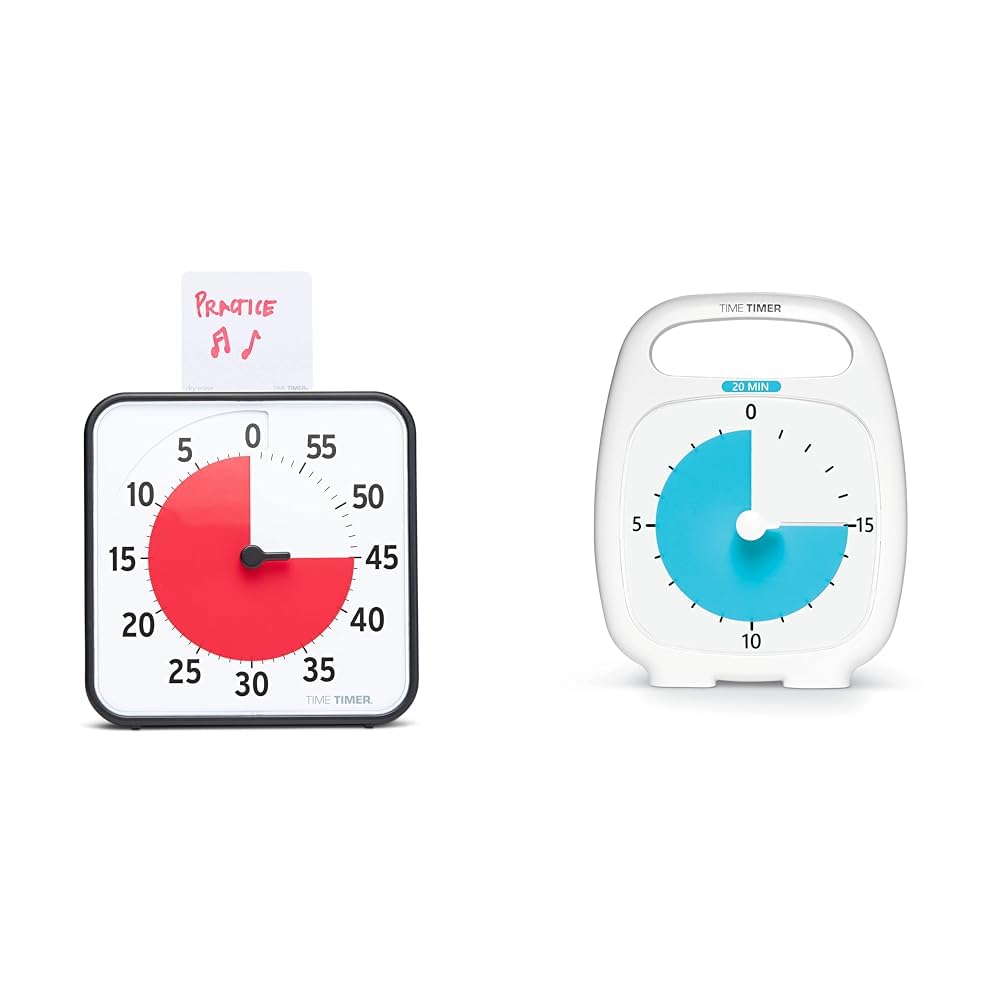
Image: The 8-inch 60-minute visual timer (left) and the 20-minute visual timer (right).
Socrú
TIME TIMER Original 8-inch 60-Minute Visual Timer
- Suiteáil Battery: Locate the battery compartment on the back of the timer. Insert 2 AA batteries (not included), ensuring correct polarity.
- Socrúchán:
- Úsáid Deasc: Extend the two foldable feet on the back to stand the timer on a flat surface.
- Gléasta Maighnéadach: The timer features a magnetic back, allowing it to be attached to magnetic whiteboards or other metallic surfaces.
- Suiteáil Balla: The timer can also be hung on a wall using a suitable hook (not included).
- Activity Card: If desired, write or draw the task on the included dry-erase activity card and place it in the top slot of the timer.

Image: The 8-inch 60-minute visual timer with an activity card in its slot.
TIME TIMER PLUS 20-Minute Visual Timer
- Suiteáil Battery: Locate the battery compartment on the back. Insert 1 AA battery (not included), observing polarity.
- Socrúchán: This portable timer can be placed on any flat surface. Its integrated handle allows for easy transport.

Image: The TIME TIMER PLUS 20-Minute Visual Timer, white with a blue disk.
Treoracha Oibriúcháin
Setting the TIME TIMER Original 8-inch 60-Minute Visual Timer
- Am Socraithe: Turn the center knob counter-clockwise to move the red disk to your desired duration, up to 60 minutes.
- Comhaireamh síos: The red disk will begin to disappear clockwise as time elapses. The timer operates silently, without a ticking sound.
- Foláireamh Roghnach: An on/off switch on the back of the timer controls an audible alert that sounds when the timing cycle is complete. Adjust this setting based on your environment and preference.

Image: The 8-inch 60-minute visual timer in use on a whiteboard, demonstrating its magnetic capability.
Setting the TIME TIMER PLUS 20-Minute Visual Timer
- Am Socraithe: Use the center set knob to move the colored disk to the desired time, up to 20 minutes.
- Comhaireamh síos: The colored disk will recede as time passes. This timer also features silent operation.
- Foláireamh Roghnach: An optional alarm feature is available for this timer, providing an audible signal upon completion of the countdown.

Image: A child interacting with the 20-minute visual timer, demonstrating its ease of use.
Gnéithe agus Buntáistí
- Visual Time Management: The disappearing colored disk provides a clear, intuitive representation of remaining time, reducing anxiety and improving focus.
- Oibríocht Chiúin: Both timers operate without a ticking sound, making them suitable for sound-sensitive environments such as classrooms, libraries, or quiet study areas.
- Versatile Placement (8-inch model): Can be used on a desk with foldable feet, magnetically attached to surfaces, or hung on a wall.
- Dry-Erase Activity Card (8-inch model): Allows users to write or draw tasks directly on the card, providing a visual reminder of the activity associated with the timed period.
- Portability (20-minute model): Features an integrated handle and protective lens for easy transport and durability.
- Support for Special Needs: The visual nature of the timers aids individuals with autism, ADHD, or other learning disabilities in understanding time transitions and managing tasks.
Cothabháil
- Glanadh: Wipe the timers with a soft, dry cloth. Avoid using abrasive cleaners or solvents.
- Athsholáthar Ceallra: Replace batteries when the timer's functionality diminishes or ceases. Dispose of used batteries responsibly.
- Stóráil: Store timers in a cool, dry place when not in use.
Fabhtcheartú
- Timer Not Moving:
- Cinntigh go bhfuil na cadhnraí suiteáilte i gceart agus nach bhfuil siad ídithe.
- Check that the center knob is turned sufficiently to set the red/blue disk.
- Audible Alert Not Sounding (8-inch model):
- Verify that the alert switch on the back of the timer is in the "on" position.
- Seiceáil leibhéil na ceallraí.
- Dry-Erase Card Issues:
- Use only dry-erase markers on the activity card.
- Clean with a dry-erase board eraser or a soft cloth.
Sonraíochtaí
| Branda | AMA AMA |
| Múnla | Original 8-inch 60-Minute Visual Timer |
| Toisí (thart.) | 7.5"L x 7.5"A x 1.25"D |
| Foinse Cumhachta | 2 cadhnraí AA (gan áireamh) |
| Max Time Setting | 60 nóiméad |
| Gnéithe | Magnetic back, foldable feet, dry-erase activity card slot, optional audible alert |
| Branda | AMA AMA |
| Múnla | PLUS 20-Minute Visual Timer |
| Foinse Cumhachta | 1 ceallraí AA (gan a bheith san áireamh) |
| Max Time Setting | 20 nóiméad |
| Gnéithe | Portable handle, protective lens, silent operation, optional audible alert |
Eolas Sábháilteachta
- Coinnigh cadhnraí as teacht leanaí beaga.
- Ná measc cadhnraí sean agus nua, nó cineálacha éagsúla cadhnraí.
- Do not expose the timers to extreme temperatures or moisture.
- Ní bréagán é an táirge seo. Moltar maoirseacht aosach ar leanaí óga.
Barántas agus Tacaíocht
Le haghaidh eolais faoin mbarántas nó tacaíocht theicniúil, féach ar shuíomh oifigiúil an mhonaróra. websuíomh gréasáin nó déan teagmháil lena roinn seirbhíse do chustaiméirí. Coinnigh d’admháil ceannaigh le haghaidh éilimh bharántais.
Doiciméid Ghaolmhara - B0CW36RLRP
 |
Getting Started with Time Timer Original A guide to setting up and using your Time Timer Original (2021 & Beyond Editions), including battery installation, sound preference, time setting, and product care for 12", 8", and 3" models. |
 |
Getting Started with Your Time Timer MOD: User Guide Learn how to set up and use your Time Timer MOD. This guide covers battery installation, sound preferences, timer settings, and product care for your visual timer. |
 |
How to Use the Time Timer MAX: A Comprehensive Guide Learn how to use the Time Timer MAX, a large visual timer designed for flexible time management. This guide covers setting the timer, changing faces, choosing durations, and display options. |
 |
Time Timer Twist - Tyst och Mångsidig Digital Timer för Vardagliga Uppgifter Lär dig mer om Time Timer Twist, en tyst och mångsidig 90-minuters digital timer från ICAP. Perfekt för att visualisera tid, hantera uppgifter och öka produktiviteten. Inkluderar instruktioner för batterimontering och användning. |
 |
Time Timer Watch Sizing Instructions Guide to sizing the Time Timer Watch, including instructions on printing and cutting out actual-size watch illustrations to determine fit for Small/Youth and Large/Adult wrists. |
 |
Getting Started with Your Time Timer Watch Get started with your Time Timer Watch. This guide covers battery insertion, choosing modes (Clock, Time Timer, Alarm), and quick start instructions for setting time and alarms. Learn to use the visual red disk timer for effective time management. |
Ask a question about this manual
Ask about setup, troubleshooting, compatibility, parts, safety, or missing instructions. Manuals+ will review the question and use this page’s manual context to help answer it.