
MECOOL KM9 PRO
MECOOL KM9 Pro Classic Android TV Box User Manual
Model: KM9 PRO
1. Réamhrá
Welcome to the user manual for your MECOOL KM9 Pro Classic Android TV Box. This guide provides essential information on setting up, operating, maintaining, and troubleshooting your device. Please read this manual thoroughly before using the product to ensure optimal performance and safety.
2. Ábhar Pacáiste
Deimhnigh go bhfuil na hearraí uile atá liostaithe thíos san áireamh i do phacáiste. Má tá aon earraí ar iarraidh nó má tá damáiste déanta dóibh, déan teagmháil le do mhiondíoltóir.
- 1 x MECOOL KM9 Pro Classic ATV TV Box
- 1 x Power Adapter (EU version, 110V-240V universal)
- 1 x Voice Remote Control (2 AAA batteries not included)
- 1 x Cábla HDMI
- 1 x lámhleabhar úsáideora

Image: Contents of the MECOOL KM9 Pro Classic package, showing the TV box, voice remote, power adapter, HDMI cable, and user manual.
3. Táirge Tharview
3.1 Calafoirt Gléas
Familiarize yourself with the various ports on your KM9 Pro Classic TV Box for proper connection.

Íomhá: Cúl agus taobh view of the MECOOL KM9 Pro Classic TV Box, highlighting its ports including TF Card slot, USB 3.0, USB 2.0, DC 5V power input, HDTV (HDMI), LAN (RJ45), and AV output.
- Sliotán Cárta TF: Chun cárta MicroSD a chur isteach chun stóráil a leathnú.
- Port USB 3.0: Le haghaidh aistriú sonraí ardluais le gléasanna USB comhoiriúnacha.
- Port USB 2.0: For connecting USB peripherals like keyboards, mice, or flash drives.
- Port DC 5V: Ionchur cumhachta don fheiste.
- HDTV (HDMI) Port: Connects to your television for video and audio output.
- Port LAN (RJ45): Le haghaidh nasc líonra Ethernet sreangaithe.
- Port AV: For connecting to older televisions using an AV cable.
3.2 Príomhghnéithe
- Córas Oibriúcháin: Certified Android 10.0 TV OS.
- Próiseálaí: Amlogic S905X2 64-bit Quad-core ARM Cortex-A53 CPU and Mali-G31 MP2 GPU for high performance.
- Cuimhne: 2GB RAM agus 16GB ROM le haghaidh oibriú réidh agus ample stóráil.
- Nascacht: Built-in Dual-band 2.4G/5G WiFi (802.11ac) and Bluetooth 4.0+HS.
- Aschur Físeáin: Supports 4K Ultra HD (4K*2K@30fps, 4K*2K@60fps) with HDR 10, HDR+/HLG, and HDCP 2.2.
- Rialú Gutha: Integrated Google Assistant and voice-activated Bluetooth remote control.
- Chromecast Insuite: Easily cast content from your mobile devices to your TV.
- Nuashonruithe OTA: Tacaíonn sé le nuashonruithe bogearraí Thar an Aer chun feabhsú leanúnach a dhéanamh.

Íomhá: Léaráid a thaispeánannasing the high-performance Amlogic S905X2 Quad-core CPU and Mali-G31 MP2 GPU, which power the device for smooth operation and gaming.

Image: A television screen demonstrating the visual difference between Standard Dynamic Range (SDR) and 4K HDR (High Dynamic Range) content, highlighting enhanced color and contrast.

Image: A graph illustrating the speed advantage of USB 3.0 over USB 2.0, showing USB 3.0 offers up to 10 times faster transfer rates. Below the graph are illustrations of a USB flash drive and an external HDD, indicating their compatibility.
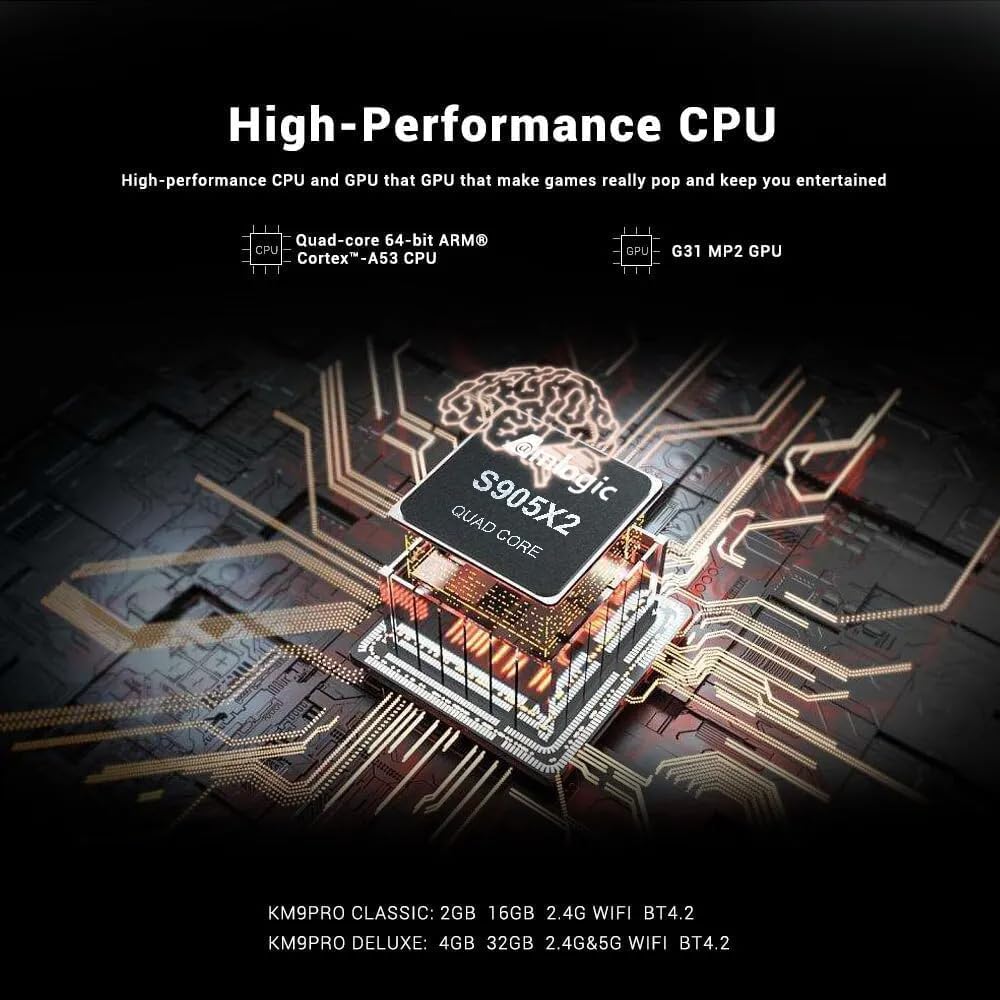
Image: A visual representation of Chromecast functionality, where a smartphone is wirelessly casting content to a television screen through the MECOOL TV box, displaying the Google Play Store interface.
4. Treoir Socraithe
Follow these steps to set up your MECOOL KM9 Pro Classic Android TV Box.
- Ceangail leis an teilifís: Connect one end of the HDMI cable to the HDTV port on the TV Box and the other end to an HDMI input port on your television. Note the HDMI input number (e.g., HDMI 1, HDMI 2).
- Cumhacht Ceangail: Plug the power adapter into the DC 5V port on the TV Box, then plug the adapter into a wall outlet. The device should power on automatically or show a power indicator light.
- Roghnaigh Ionchur: Turn on your television and use its remote control to select the corresponding HDMI input source you connected in step 1.
- Socrú Cianrialaithe: Insert 2 AAA batteries (not included) into the voice remote control. Follow the on-screen instructions to pair the Bluetooth remote with your TV Box. This usually involves holding down specific buttons on the remote near the device.
- Ceangal Líonra: Once the initial setup screen appears, follow the prompts to connect to your network. You can choose between Wi-Fi (select your network and enter the password) or Ethernet (connect an Ethernet cable from your router to the LAN port on the TV Box).
- Google Account Login: Sign in with your Google account to access the Google Play Store, Google Assistant, and other Google services.
- Socrú Críochnaithe: Follow any remaining on-screen instructions to complete the initial setup process.
5. Treoracha Oibriúcháin
5.1 Nascleanúint Bhunúsach
Use the directional pad (up, down, left, right) and the 'OK' button on your remote control to navigate through the Android TV interface. The 'Back' button returns to the previous screen, and the 'Home' button takes you to the main home screen.
5.2 Ag Úsáid an Chianrialtáin Gutha
The MECOOL KM9 Pro Classic features a voice-activated Bluetooth remote. Press the dedicated Google Assistant button on your remote and speak clearly into the microphone to:
- Cuardaigh le haghaidh movies, TV shows, or apps.
- Control smart home devices (e.g., "Turn off the lights").
- Ask questions or get information.
- Feidhmchláir oscailte.
5.3 Feidhmchláir a Shuiteáil
Access the Google Play Store from the home screen to browse and install a wide variety of apps, games, and streaming services compatible with Android TV.
5.4 Feidhmiúlacht Chromecast
With Chromecast built-in, you can cast content (videos, photos, music) from compatible apps on your smartphone, tablet, or computer directly to your TV via the TV Box. Ensure your mobile device and the TV Box are connected to the same Wi-Fi network.
5.5 External Storage
Connect USB flash drives or external hard drives to the USB 2.0 or USB 3.0 ports, or insert a TF card into the TF card slot, to access media files or expand storage for apps and games.
6. Cothabháil
- Glanadh: Use a soft, dry cloth to clean the device. Do not use liquid cleaners or abrasive materials.
- Aeráil: Cinntigh go bhfuil an Bosca Teilifíse curtha in áit aeráilte go maith chun róthéamh a chosc. Ná clúdaigh na hoscailtí aerála.
- Nuashonruithe Bogearraí: The device supports OTA (Over-The-Air) updates. Regularly check for and install available system updates to ensure optimal performance, security, and access to new features. You can usually find this option in the device settings under "About" or "System Update."
- Timthriall Cumhachta: Mura bhfreagraíonn an gléas, dícheangail an t-oiriúntóir cumhachta, fan 10 soicind, agus ansin athcheangail é chun timthriall cumhachta a dhéanamh.
7. Fabhtcheartú
If you encounter issues with your MECOOL KM9 Pro Classic, refer to the following common problems and solutions:
| Fadhb | Cúis Féideartha | Réiteach |
|---|---|---|
| Gan chumhacht | Níl an t-oiriúntóir cumhachta ceangailte nó lochtach. | Cinntigh go bhfuil an t-oiriúntóir cumhachta ceangailte go daingean leis an bhfeiste agus le hasraon cumhachta atá ag obair. Bain triail as asraon eile. |
| Gan comhartha ar an teilifís | Ionchur HDMI mícheart roghnaithe nó cábla HDMI scaoilte. | Verify your TV is on the correct HDMI input. Check that the HDMI cable is securely connected to both the TV Box and the TV. Try a different HDMI cable or port. |
| Cianrialtán nach bhfuil ag obair | Batteries are dead or remote is not paired. | Replace batteries. Re-pair the Bluetooth remote control by following the on-screen instructions during initial setup or in the device settings. |
| Saincheisteanna maidir le ceangal Wi-Fi | Pasfhocal mícheart, comhartha lag, nó fadhb leis an ródaire. | Double-check your Wi-Fi password. Move the TV Box closer to your router or try connecting via Ethernet. Restart your router. |
| Tá aipeanna mall nó ag tuairteáil | Too many apps running, low storage, or outdated software. | Close background apps. Clear cache for problematic apps (Settings > Apps). Check for and install system updates. Free up storage space. |
8. Sonraíochtaí
Detailed technical specifications for the MECOOL KM9 Pro Classic Android TV Box:
| Gné | Sonraigh |
|---|---|
| Branda | MECOOL |
| Ainm an tSamhail | KM9 Pro |
| Uimhir Mhúnla | KM9 PRO |
| Córas Oibriúcháin | Android 10.0 (Certified Android TV OS) |
| LAP | Amlogic S905X2 64-bit Quad-core ARM Cortex-A53 up to 2.0 GHz |
| GPU | Mali-G31 MP2 (Penta-core up to 750MHz + DVFS) |
| RAM | 2GB DDR3 |
| ROM | 16GB eMMC |
| Wi-Fi | Built-in 2.4G/5G Wi-Fi, supports IEEE 802.11 a/b/g/n/ac 2T2R |
| Bluetooth | Bluetooth 4.0+HS |
| LAN | Ethernet 10/100M |
| Aschur Físeáin | 4K*2K@30fps, 4K*2K@60fps, HDR 10, HDR+/HLG, HDCP 2.2 |
| Calafoirt | 1x USB 3.0, 1x USB 2.0, 1x TF Card Slot, 1x HDMI, 1x DC 5V, 1x LAN (RJ45), 1x AV |
| Soláthar Cumhachta | DC 5V/2A |
| Seirbhísí Idirlín Tacaithe | YouTube, Amazon Prime Video, Disney+, HBO Max, Sling, Peacock, Stars, ESPN, Tubi, Google Play Store, etc. |
| Gléasanna Comhoiriúnacha | Teilifís |
| Gnéithe Speisialta | Chromecast Built-in, Voice Control, OTA Update Support |
9. Barántas agus Tacaíocht
9.1 Faisnéis Bharántas
The MECOOL KM9 Pro Classic Android TV Box comes with a bharántas bliana from the date of purchase. This warranty covers manufacturing defects under normal use. It does not cover damage caused by misuse, accidents, unauthorized modifications, or natural disasters.
9.2 Tacaíocht do Chustaiméirí
For technical assistance, troubleshooting beyond this manual, or warranty claims, please contact your original retailer or the MECOOL customer support team. Please have your purchase receipt and product model number (KM9 PRO) ready when contacting support.
Ask a question about this manual
Ask about setup, troubleshooting, compatibility, parts, safety, or missing instructions. Manuals+ will review the question and use this page’s manual context to help answer it.