
1. Réamhrá
Thank you for choosing the Zeblaze Crystal 3 Smartwatch. This manual provides essential information for setting up, operating, maintaining, and troubleshooting your device. Please read it carefully to ensure proper use and optimal performance.
2. Táirge Tharview
The Zeblaze Crystal 3 is a versatile smartwatch designed for fitness tracking and daily use. It features a vibrant HD color display and high-precision sensors to monitor various health metrics.
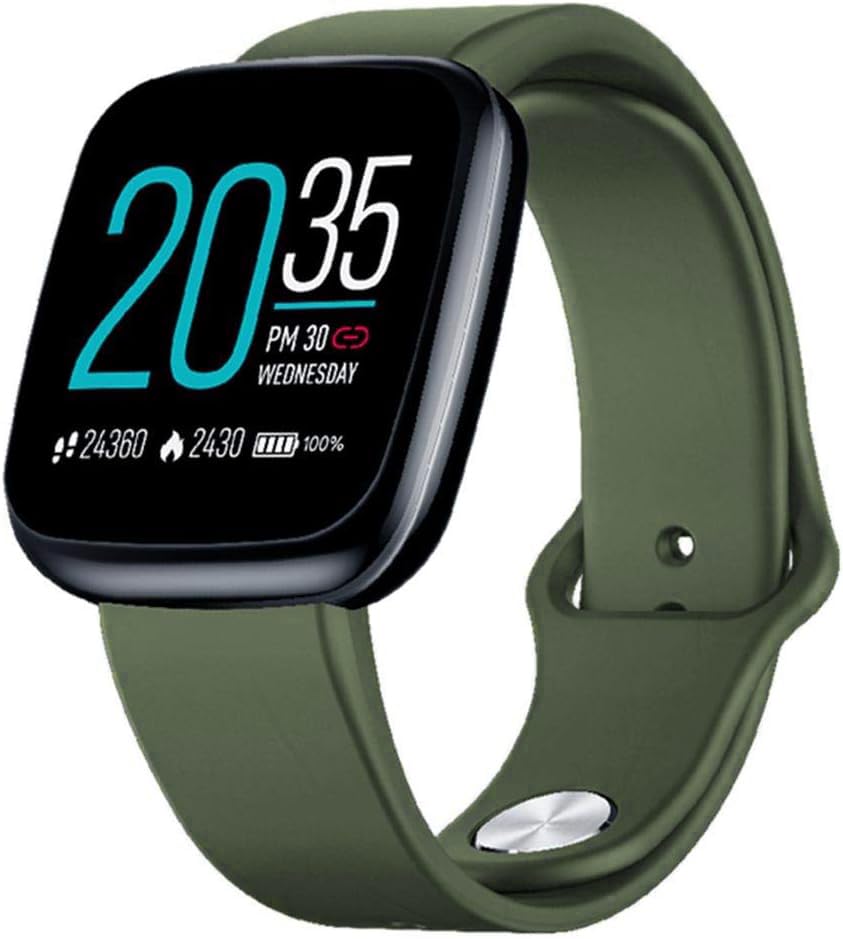
Image: Zeblaze Crystal 3 Smartwatch, showing the main display and green strap.
Príomhghnéithe:
- 1.3-inch HD Color Screen: A vibrant IPS display with 240x240 pixel resolution for clear visuals.
- Braiteoirí Ardchruinneas: Equipped with a heart rate sensor, proximity sensor, and accelerometer for accurate data collection.
- Friotaíocht Uisce IP67: Designed to withstand daily water exposure, such as splashes and rain.
- Saol Fada Battery: Up to 7 days of use on a single 2-hour charge, thanks to its 200 mAh battery.
- Rianú Gníomhaíochta: Monitors steps, distance, calories burned, and supports various sports modes.
- Monatóireacht Sláinte: Includes heart rate and sleep tracking.
- Comhoiriúnacht Fón Cliste: Works with Android 4.4 or newer and iOS 8.0 or newer devices.
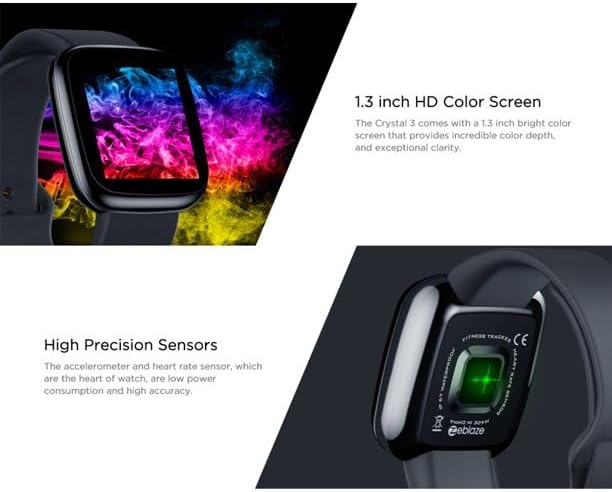
Image: Close-up of the 1.3-inch HD color screen and the high-precision heart rate sensor on the back of the watch.
3. Socrú
3.1 Muirearú an Uaireadóra Chliste
Before first use, fully charge your Zeblaze Crystal 3. Connect the charging cable to the watch's charging port and a USB power source (e.g., computer USB port or a 5V/1A USB adapter). A full charge typically takes about 2 hours.
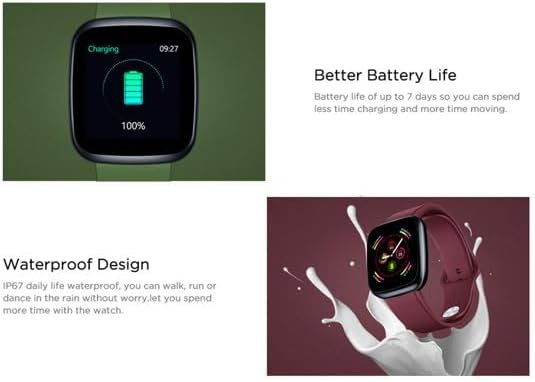
Image: Illustration showing how to connect the smartwatch to a USB port for charging.
3.2 Suiteáil agus Péireáil Aipeanna
- Íoslódáil an App: Cuardaigh le haghaidh the official Zeblaze companion app on your smartphone's app store (Google Play Store for Android or Apple App Store for iOS).
- Cruthaigh Cuntas: Oscail an app agus lean na treoracha ar an scáileán chun cuntas a chruthú nó logáil isteach.
- Gléas Péire: Ensure Bluetooth is enabled on your smartphone. In the app, navigate to the device pairing section and select "Zeblaze Crystal 3" from the list of available devices. Confirm the pairing request on both your phone and the smartwatch.
- Profile Socrú: Comhlánaigh do ghairm phearsantafile within the app to ensure accurate tracking of health and fitness data.
4. Treoracha Oibriúcháin
4.1 Nascleanúint Bhunúsach
- Scáileán Dúisigh: Raise your wrist or press the side button to wake the screen.
- Swipe Suas/Síos: Rochtain ar fhógraí nó ar shocruithe tapa.
- Swipe Ar Chlé/Deas: Navigate through different functions and widgets (e.g., heart rate, activity data, weather).
- Tapáil: Roghnaigh mír nó deimhnigh gníomh.
- Preas Fada: On the main watch face, long press to change watch faces.
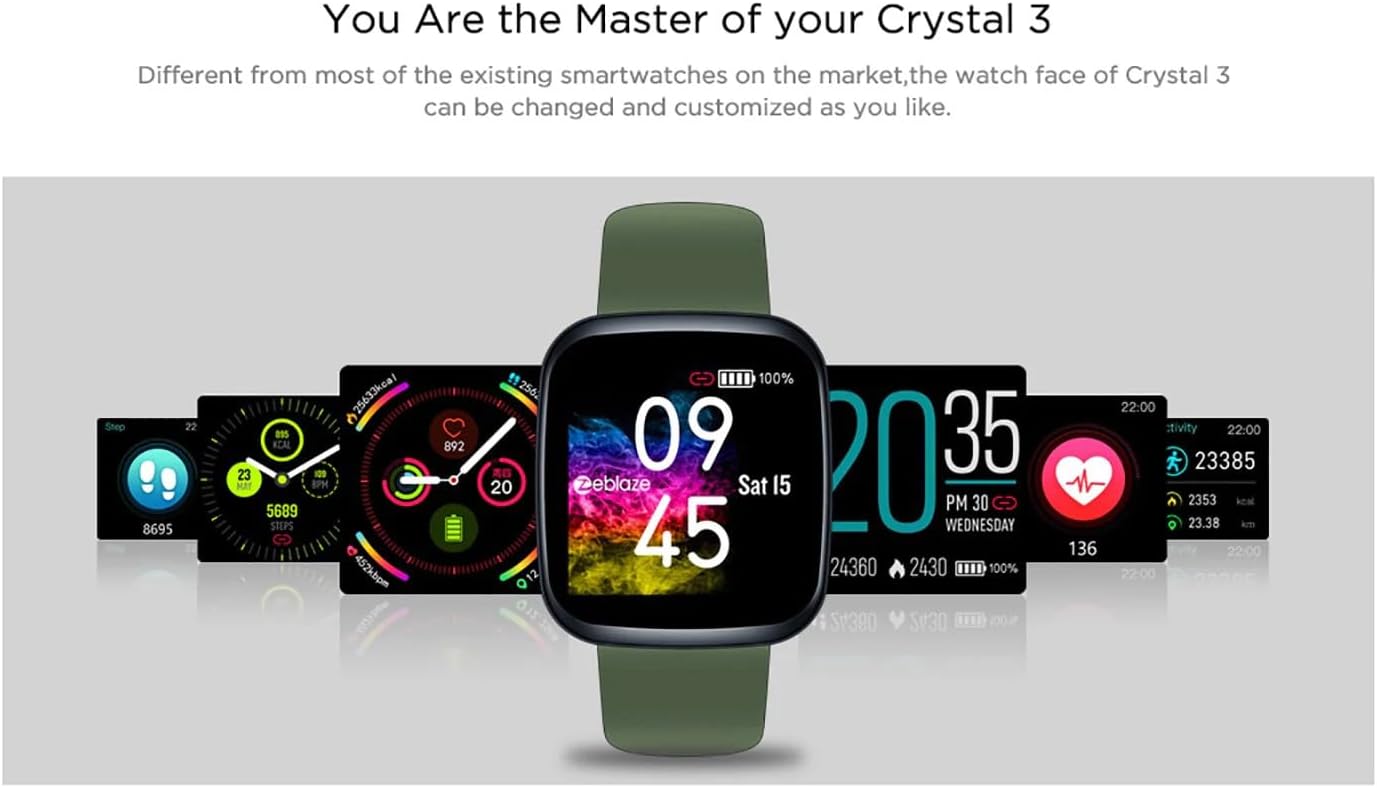
Image: The Zeblaze Crystal 3 displaying different customizable watch faces and data screens.
4.2 Rianú Gníomhaíochta
The smartwatch automatically tracks your daily steps, distance, and calories burned. You can view this data directly on the watch or in more detail within the companion app.
4.3 Monatóireacht ar Ráta Croí
The built-in heart rate sensor continuously monitors your heart rate. Ensure the watch is worn snugly on your wrist for accurate readings. View your current and historical heart rate data in the app.
4.4 Monatóireacht Codlata
Wear the smartwatch to bed to track your sleep patterns. The device records sleep duration and quality, which can be reviewed in the app to help you understand and improve your sleep habits.
5. Cothabháil
5.1 An Gléas a Ghlanadh
Regularly clean your smartwatch and strap to prevent skin irritation and maintain functionality. Use a soft, damp éadach chun an scáileán agus an strap a ghlanadh. Seachain ceimiceáin ghéara nó ábhair scríobacha a úsáid.
5.2 Friotaíocht Uisce (IP67)
The Zeblaze Crystal 3 is IP67 water-resistant, meaning it is protected against dust and can withstand immersion in water up to 1 meter for up to 30 minutes. It is suitable for daily use, such as washing hands, rain, or light splashes. Ní mholtar snámh, cithfholcadh le huisce te, ná tumadóireacht.

Image: Illustration highlighting the waterproof design of the Zeblaze Crystal 3 Smartwatch.
5.3 Cúram Ceallraí
- Seachain teochtaí foircneacha, a d’fhéadfadh saol na ceallraí a laghdú.
- Ná fág an gléas díluchtaithe go hiomlán ar feadh tréimhsí fada.
- Ná húsáid ach an cábla luchtaithe a chuirtear ar fáil nó a choibhéis dheimhnithe.
6. Fabhtcheartú
6.1 Gléas Gan Casadh Air
- Cinntigh go bhfuil an gléas luchtaithe go hiomlán. Ceangail leis an luchtaire é ar feadh 30 nóiméad ar a laghad.
- Try pressing and holding the side button for 10-15 seconds to force a restart.
6.2 Ní féidir péireáil le fón cliste
- Make sure Bluetooth is enabled on your phone and the smartwatch is within range.
- Atosaigh do ghuthán cliste agus d’uaireadóir cliste araon.
- Seiceáil an bhfuil an aip nuashonraithe go dtí an leagan is déanaí.
- Forget the device from your phone's Bluetooth settings and try pairing again through the app.
6.3 Inaccurate Heart Rate/Activity Data
- Cinntigh go bhfuil an uaireadóir caite go docht ar do chaol na láimhe, gan a bheith ró-dhaingean ná ró-scaoilte.
- Glan an braiteoir ar chúl an uaireadóra.
- Update the smartwatch firmware via the companion app if an update is available.
7. Sonraíochtaí
| Gné | Sonraigh |
|---|---|
| Branda | Zeblaze |
| Ainm an tSamhail | Criostail 3 |
| Taispeáin | Scáileán Datha IPS 1.3-orlach |
| Rún | 240*240 picteilín |
| Braiteoirí | Heart Rate Sensor, Proximity Sensor, Accelerometer |
| Friotaíocht Uisce | IP67 |
| Cumas Battery | 200 mAh |
| Am Muirir | Thart. 2 n-uaire |
| Saol Battery | Suas le 7 lá |
| Comhoiriúnacht | Android 4.4+ / iOS 8.0+ |
| Toisí | 4.05 x 3.55 x 1.2 cm (1.59 x 1.39 x 0.47 orlach) |
| Meáchan | 27 gram (0.95 unsa) |
| Nascacht | Bluetooth (for app pairing), USB (for charging) |
| Gnéithe Speisialta | Activity Tracker, Heart Rate Monitor, Sleep Monitor |
8. Barántas agus Tacaíocht
For warranty information and customer support, please refer to the documentation included with your purchase or visit the official Zeblaze website. If you encounter any issues not covered in this manual, please contact Zeblaze customer service for assistance.