
1. Réamhrá
The VTech 5-in-1 Make-a-Bot is a transformable robot toy designed to engage users aged 5 years and up in interactive missions. This robot, named V-Bot, can be reconfigured into five distinct forms by attaching different arms, legs, or wheels, each suited for specific tasks. V-Bot features a sound sensor and obstacle detector, allowing it to respond to its environment and user input. Its expressive eyes and sound effects provide real-time feedback during missions. This manual provides essential information for setting up, operating, and maintaining your V-Bot.

Image: V-Bot in its Rover Wheels configuration, ready for action.
2. Cad atá sa Bhosca
- VTech 5-in-1 Make-a-Bot (V-Bot main unit and interchangeable parts)
- Treoir Tosaigh Tapa
Nóta: 4 AA batteries are required for operation and are not included in the package. New batteries are recommended for regular use.
3. Socrú
3.1 Suiteáil Battery
- Locate the battery compartment on the underside of the V-Bot main unit.
- Ag baint úsáide as scriúire (nach bhfuil san áireamh), oscail clúdach urrann na ceallraí.
- Cuir 4 chadhnraí AA nua isteach, ag cinntiú go bhfuil an polaraíocht cheart (+/-).
- Cuir clúdach urrann na ceallraí in ionad agus daingnigh an scriú é.
3.2 Tionól Tosaigh
Refer to the included Quick Start Guide for detailed, illustrated instructions on how to attach V-Bot's various components (arms, legs, wheels) to form its different configurations. Ensure all parts are securely connected before operation.
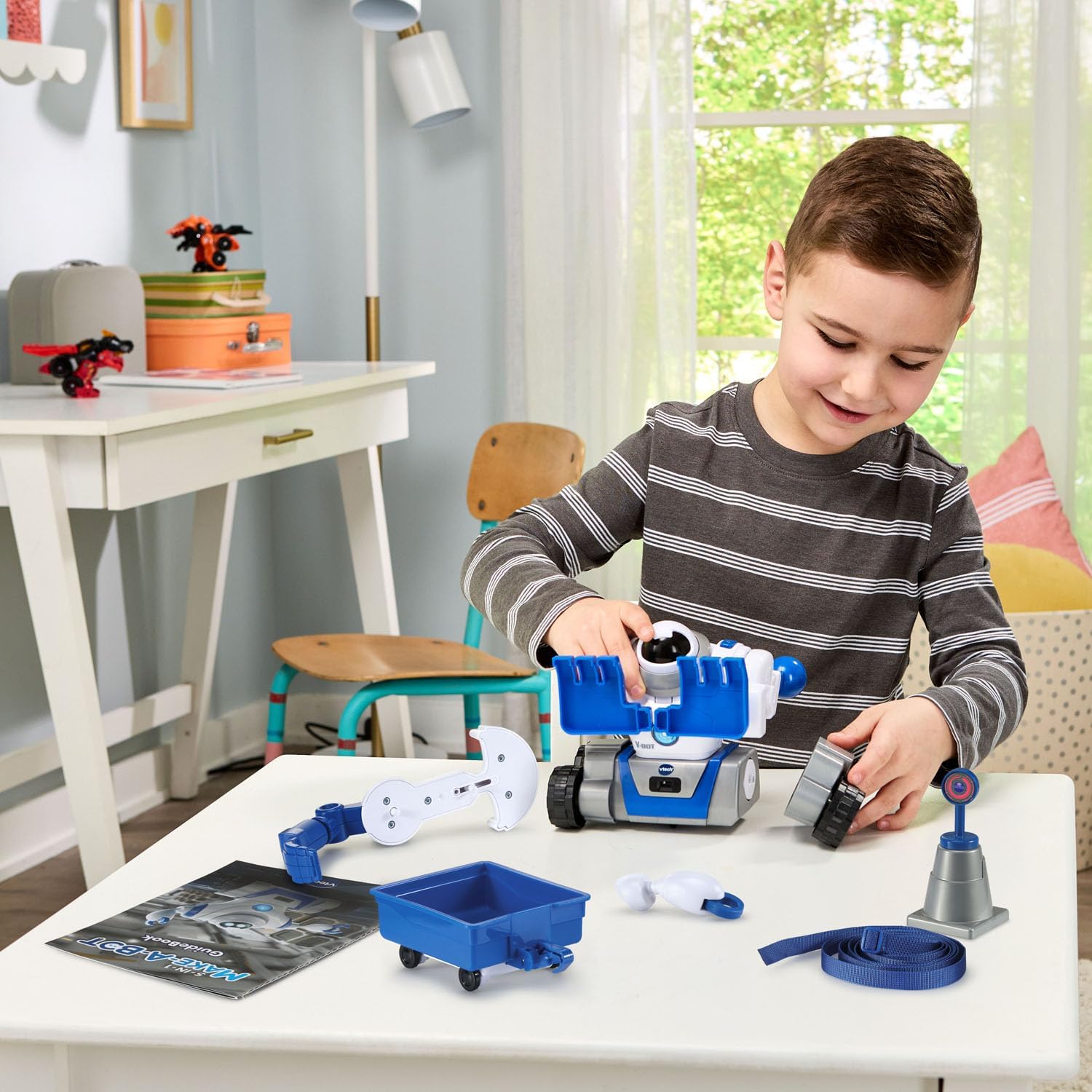
Image: A child assembling the V-Bot, demonstrating the modular design.
4. Treoracha Oibriúcháin
V-Bot is designed to complete five critical missions, each requiring a specific transformation. The Command Center will provide instructions, guiding you to attach the correct parts for each mission.
4.1 Mission Overview
- Rover Wheels: For navigating asteroid fields and open terrain.
- Big Feet: For carefully traversing icy surfaces.
- Climbing Arms: For crossing lava flows and elevated obstacles.
- Bulldozer Hands: For clearing obstacles and debris.
- Minecart: For retrieving essential materials.
4.2 Gnéithe Idirghníomhacha
- Braiteoir Fuaime: V-Bot responds to sounds, which may be part of mission cues or interactive play.
- Obstacle Detector: V-Bot can detect objects in its path, allowing it to navigate safely.
- Expressive Eyes & Sound Effects: V-Bot communicates its status and reactions through its eyes and various sound effects.
Follow the instructions from the Command Center and the included mission guide to successfully complete each challenge. The guide provides visual aids for each transformation.
Video: Demonstration of the VTech 5-in-1 Make-a-Bot's features and transformations.
5. Cothabháil
- Keep the V-Bot clean by wiping it with a soft, dry cloth. Avoid using harsh chemicals or abrasive cleaners.
- Store the toy and its components in a cool, dry place away from direct sunlight and extreme temperatures.
- Bain cadhnraí mura n-úsáidfear an bréagán ar feadh tréimhse fada chun sceitheadh a chosc.
6. Fabhtcheartú
- V-Bot is not responding: Ensure fresh AA batteries are correctly installed. Check that all interchangeable parts are securely attached.
- Movement issues: Verify that the chosen configuration's parts are properly aligned and not obstructed. Ensure V-Bot is on a flat, clear surface.
- Sound or light issues: Check battery levels. If issues persist, refer to the Quick Start Guide or contact VTech customer support.
7. Sonraíochtaí
| Gné | Sonraigh |
|---|---|
| Toisí Táirge | 7.48 x 10.16 x 9.65 orlach |
| Meáchan Mír | 2.74 punt |
| Uimhir Mhúnla Mír | 80-573700 |
| Aois Molta Monaróir | 5 bliana agus os a chionn |
| Cadhnraí ag Teastáil | 4 cadhnraí AA (gan áireamh) |
| Monaróir | VTech |
| Dáta Eisiúna | 12 Eanáir, 2024 |
8. Barántas agus Tacaíocht
For warranty information, product support, or to purchase replacement parts, please visit the official VTech website or contact their customer service department. Contact details can typically be found in the Quick Start Guide or on the VTech brand websuíomh.