
1. Réamhrá
Thank you for choosing the MAIRDI M890DBTC Wireless Headset. This manual provides detailed instructions for setting up, operating, and maintaining your headset to ensure optimal performance and longevity. Please read this manual thoroughly before use.

Aghaidh mhionsonraithe view of the MAIRDI M890DBTC Wireless Headset, showcasing its over-ear design, adjustable headband, and microphone boom.
2. Ábhar Pacáiste
Deimhnigh go bhfuil na hearraí go léir i do phacáiste:
- MAIRDI M890DBTC Bluetooth Headset x1
- Cábla Muirir USB x1
- Lámhleabhar úsáideora x1 saor in aisce,
3. Táirge Tharview
3.1 Comhpháirteanna Cluasán
- Headband inchoigeartaithe
- Padded Earmuffs
- Rotatable Microphone Boom (330-degree)
- Cnaipe Cumhachta
- Cnaipí Imleabhar Suas / Síos
- Cnaipe Ilfheidhme (MFB)
- Cnaipe Balbhaithe
- Solas Táscaire LED
- Charging Port (Mini USB)
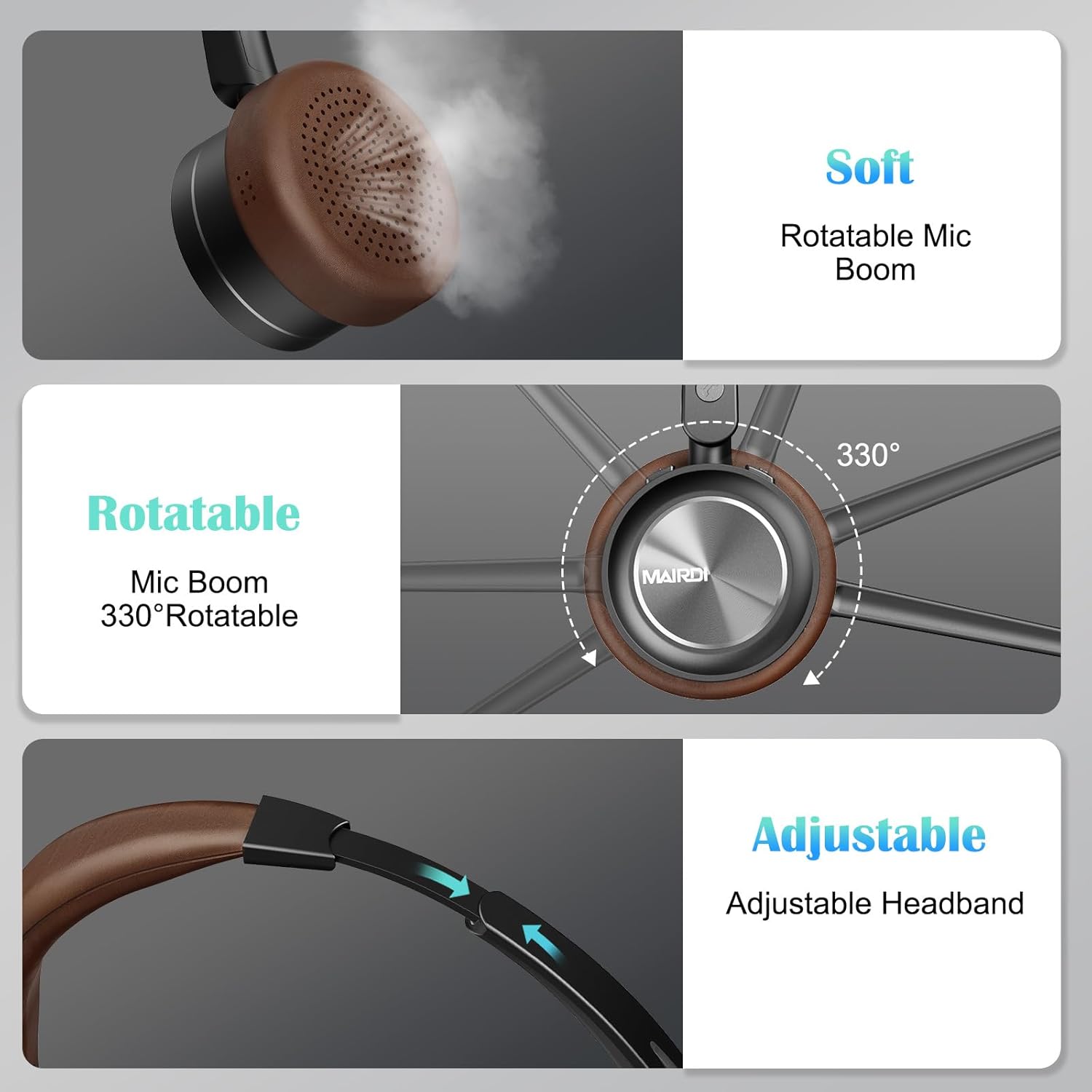
A visual breakdown of the MAIRDI M890DBTC headset's comfort features, including soft earpads, a 330-degree rotatable microphone boom, and an adjustable stainless steel headband.
4. Socrú agus Muirearú
4.1 Muirear Tosaigh
Before first use, fully charge the headset. Connect the provided USB charging cable to the headset's Mini USB port and a power source (e.g., computer USB port or USB wall adapter). The LED indicator will show charging status and turn off or change color when fully charged (approximately 2 hours).
4.2 Cumhacht ar siúl / as
- Cumhacht ar: Press and hold the Power Button for 3 seconds until the LED indicator flashes blue.
- Múch: Press and hold the Power Button for 3 seconds until the LED indicator flashes red and then turns off.
5. Treoracha Oibriúcháin
5.1 Péireáil Bluetooth
- Déan cinnte go bhfuil an headset cumhachtaithe.
- Press and hold the Power Button for approximately 5-7 seconds until the LED indicator flashes red and blue alternately. This indicates pairing mode.
- On your device (smartphone, PC, laptop), enable Bluetooth and search for available devices.
- Select "MAIRDI M890DBTC" from the list of found devices.
- Nuair a bheidh sé ceangailte, splancfaidh an táscaire LED gorm go mall.
5.2 Nascacht Ilphointe
The MAIRDI M890DBTC supports connecting to two Bluetooth devices simultaneously.
- Pair the headset with the first device (e.g., smartphone) as described in Section 5.1.
- Díchumasaigh Bluetooth ar an gcéad fheiste. Athróidh an cluasán an modh péireála.
- Pair the headset with the second device (e.g., laptop).
- Athchumasaigh Bluetooth ar an gcéad ghléas. Ba chóir go gceanglóidh na cluasáin leis an dá ghléas go huathoibríoch.

The MAIRDI M890DBTC headset connected simultaneously to a smartphone and a laptop, illustrating its multipoint pairing capability for stable connection with two devices.
5.3 Bainistiú Glaonna
- Freagra/Deireadh Glao: Brúigh an Cnaipe Ilfheidhmeach (MFB) uair amháin.
- Diúltaigh Glao: Brúigh agus coinnigh an MMB ar feadh 2 soicind.
- Uimhir Dheiridh Redial: Brúigh an MMB faoi dhó.
- Balbhaigh/Díbhalbhaigh an Micreafón: Press the Mute Button once during a call. The LED indicator on the microphone will illuminate when muted.

An image depicting a person wearing the MAIRDI M890DBTC headset, highlighting the noise-canceling microphone feature and the mute button functionality. Visual representation of sound waves before and after noise cancellation is included.
5.4 Rialú Toirt
- Imleabhar Suas: Brúigh an cnaipe Ardaigh an Toirt (+).
- Imleabhar an Dúin: Brúigh an cnaipe Ísliú Toirte (-).
6. Cothabháil
- Glan na cluasáin go rialta le héadach bog, tirim.
- Avoid exposing the headset to extreme temperatures, humidity, or corrosive substances.
- Stóráil na cluasáin in áit fhionnuar tirim nuair nach bhfuil siad in úsáid.
- Ná déan iarracht na cluasáin a dhíchóimeáil ná a dheisiú leat féin, mar cuirfidh sé seo an bharántas ar neamhní.
7. Fabhtcheartú
7.1 Headset Does Not Power On
- Ensure the headset is fully charged. Connect it to a power source and allow it to charge for at least 30 minutes before attempting to power on again.
7.2 Ní féidir péireáil leis an ngléas
- Ensure the headset is in pairing mode (LED flashing red and blue alternately).
- Make sure Bluetooth is enabled on your device and it is within 10 meters (33 feet) of the headset.
- Bain triail as an gcluasán agus do ghléas a atosú araon.
- Clear the Bluetooth pairing list on your device and attempt to pair again.
7.3 No Audio or Poor Audio Quality
- Seiceáil na leibhéil toirte ar an gcluasán agus ar do ghléas ceangailte araon.
- Ensure the headset is properly connected to your device. Re-pair if necessary.
- Bog níos gaire do do ghléas chun cur isteach nó fadhbanna raoin a sheachaint.
- If using with a PC, ensure the MAIRDI M890DBTC is selected as the default audio input/output device in your sound settings.
7.4 Micreafón Gan Obair
- Ensure the microphone is not muted (check the LED indicator on the microphone boom).
- Verify that the microphone boom is positioned correctly towards your mouth.
- Check your device's audio settings to ensure the headset microphone is selected as the input device.
8. Sonraíochtaí
| Múnla | M890DBTC |
| Teicneolaíocht Nascachta | Gan Sreang (Bluetooth 5.1) |
| Raon Bluetooth | Suas le 20 méadar (60 troigh) |
| Saol na Ceallraí (Am Labhairte) | Suas le 30 uair an chloig |
| Saol na Ceallraí (Am Fuireachais) | Suas le 200 uair an chloig |
| Am Muirir | Thart ar 2 uair an chloig |
| Micreafón | Advanced Noise-Canceling |
| Méid Tiománaí Cainteora | 40mm |
| Raon Minicíochta | 20 Hz - 20,000 Hz |
| Meáchan | 0.21 cileagram (7.4 unsa) |
| Ábhar | Leathar, Plaisteach, Cruach Dhosmálta |

The MAIRDI M890DBTC headset positioned over a circuit board, illustrating its advanced Bluetooth 5.1 technology and 40mm speaker drivers for high-definition audio.
9. Barántas agus Tacaíocht
MAIRDI products are designed for reliability and performance. For warranty information or technical support, please refer to the contact details provided on the MAIRDI official websuíomh gréasáin nó do dhoiciméid cheannaigh. Coinnigh do chruthúnas ceannaigh le haghaidh éilimh bharántais.
Le haghaidh tuilleadh cúnaimh, tabhair cuairt ar MAIRDI Store on Amazon.