
1. Réamhrá
This manual provides detailed instructions for the installation, operation, and maintenance of your Real HD A-Series 16 Channel PoE IP Camera System. This system includes the ARN-1610S 4K H.265 NVR and 12 ANV-L7012R 4MP IP Dome Weatherproof Cameras. Please read this manual thoroughly before using the product to ensure proper setup and functionality.
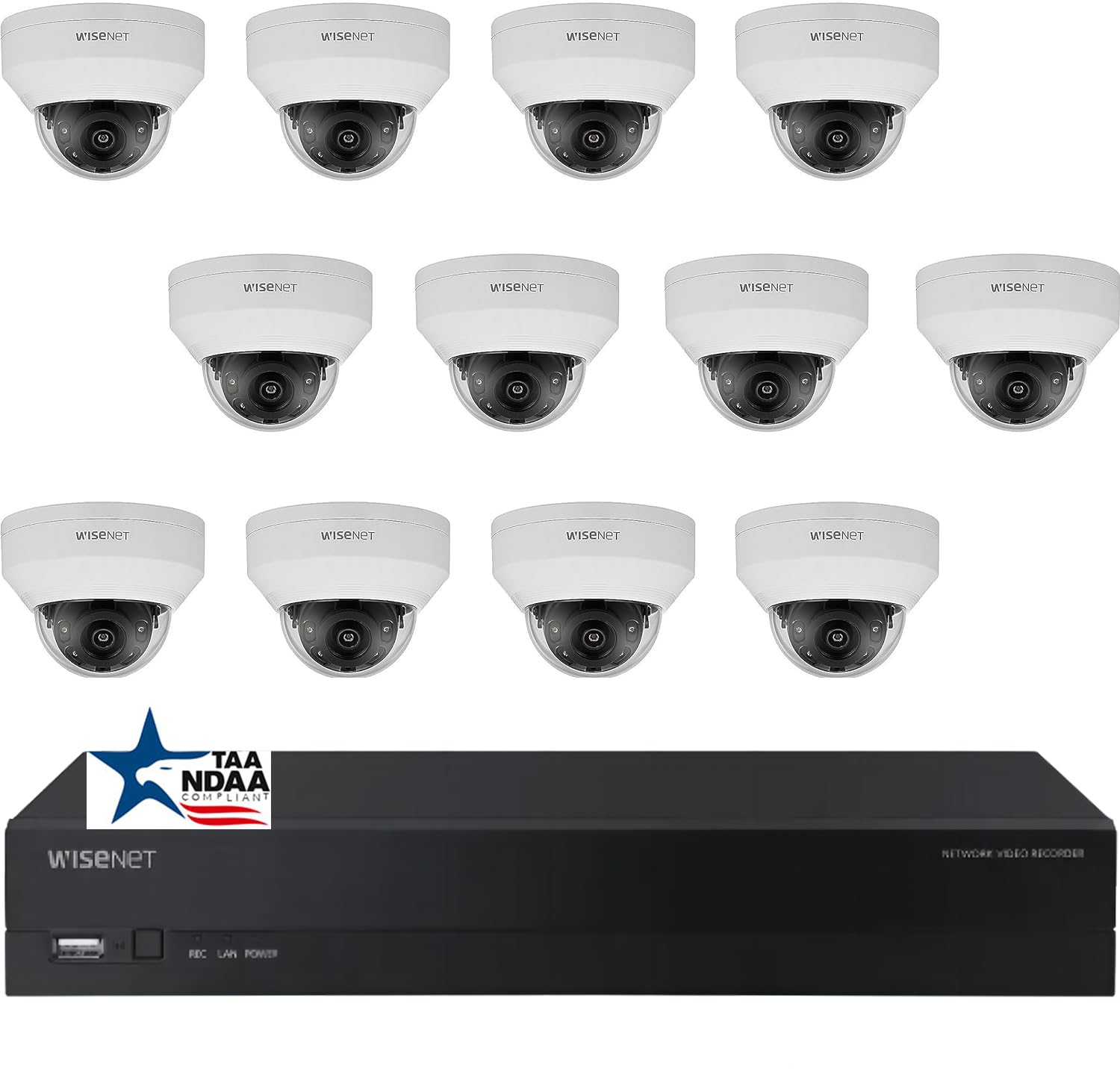
Íomhá: Tharview of the Real HD A-Series 16 Channel PoE IP Camera System, showing the NVR and dome cameras.
2. Faisnéis Sábháilteachta
Lean réamhchúraimí sábháilteachta bunúsacha i gcónaí agus an táirge seo á úsáid agat chun an baol dóiteáin, turraing leictrigh agus díobhála do dhaoine a laghdú. Coinnigh an lámhleabhar seo le haghaidh tagartha sa todhchaí.
- Ná húsáid ach an t-oiriúntóir cumhachta atá sonraithe don fheiste seo.
- Do not expose the NVR to rain or moisture.
- Ensure proper ventilation for the NVR to prevent overheating.
- Ná déan iarracht an táirge a dhíchóimeáil nó a mhodhnú.
- Installation should be performed by qualified personnel if you are unsure about any steps.
3. Ábhar Pacáiste
Deimhnigh go bhfuil na hearraí uile atá liostaithe thíos san áireamh i do phacáiste. Má tá aon earraí ar iarraidh nó má tá damáiste déanta dóibh, déan teagmháil le do mhiondíoltóir.
- 1 x ARN-1610S 16 Channel PoE NVR with 4TB HDD
- 12 x ANV-L7012R 4MP IP Dome Weatherproof Cameras
- Cuibheoir Cumhachta do NVR
- Luch USB
- Treoir Tosaigh Tapa
- Scriúnna agus Breiseáin Gléasta do Cheamaraí
Nóta: Ethernet cables for connecting cameras to the NVR are not included and must be purchased separately.
4. Socrú
4.1 NVR Overview

Íomhá: Tosaigh view of the ARN-1610S NVR, showing LED indicators and USB ports.

Íomhá: Cúl view of the ARN-1610S NVR, displaying PoE ports, VGA, HDMI, LAN, and power input.
4.2 Ceamara Tharview

Íomhá: Tosaigh view of the ANV-L7012R 4MP IP Dome Camera.
4.3 Ceangal Córais
Follow these steps to connect your NVR and cameras:
- Connect Monitor/TV: Connect a monitor or TV to the NVR's HDMI or VGA port. For optimal performance, a 1080P monitor/TV is recommended.
- Ceangail Luch: Plug the included USB mouse into one of the NVR's USB ports.
- Ceangail Ceamaraí: Connect the IP cameras to the NVR's PoE ports using Ethernet cables. The NVR provides power and data through these ports.
- Connect Router (Optional for Remote Access): Connect the NVR's LAN port to your network router using an Ethernet cable for remote viewcumais ing.
- Cumhacht Ceangail: Breiseán oiriúntóir cumhachta an NVR isteach sa NVR agus ansin isteach i asraon cumhachta.

Image: Connection diagram illustrating how to connect the NVR to a monitor, mouse, cameras, router, and power source.
4.4 Mobile App Setup (Wisenet Mobile)
To access your surveillance system remotely, download the Wisenet Mobile app:
- Scan the QR code below with your smartphone or tablet.
- Download and install the Wisenet Mobile app from Google Play Store or Apple App Store.
- Follow the in-app instructions to add your NVR by scanning the QR code displayed on the NVR's monitor interface.

Image: QR codes for downloading the Wisenet Mobile app from Google Súgartha agus Apple app store.
5. Treoracha Oibriúcháin
5.1 NVR Interface Basics
Upon powering on, the NVR will boot up and display the live view from connected cameras. Use the USB mouse to navigate the on-screen menus. Right-click to access the main menu, which includes options for live view, playback, recording settings, system configuration, and more.
5.2 Modhanna Taifeadta
Tacaíonn an NVR le modhanna taifeadta éagsúla:
- Taifeadadh Leanúnach: Taifid 24/7.
- Taifeadadh Braite Tairisceana: Ní thaifeadann sé ach amháin nuair a bhraitear gluaiseacht sa cheamara view.
- Taifeadadh Sceidealta: Taifid le linn amanna sonracha den lá nó den tseachtain.
- Taifeadadh Aláraim: Records when an alarm event (e.g., sensor trigger) occurs.
Configure these settings in the NVR's menu under Record > Schedule or Event > Motion Detection.
5.3 Advanced Image Features
Your cameras are equipped with advanced image processing features to enhance video quality:
- WDR (Raon Leathan Dinimiciúla): Balances extremely bright and dark areas in the same scene to provide clear images.
- 3DNR (3D Digital Noise Reduction): Reduces image noise, especially in low-light conditions, for clearer video.
- BLC (Backlight Compensation): Improves the visibility of objects in front of a strong backlight.
- IR cliste: Automatically adjusts the intensity of the infrared LEDs to prevent overexposure of objects close to the camera, ensuring clear night vision.

Image: Visual comparison demonstrating the effects of WDR, 3DNR, and BLC on video quality.

Image: Comparison illustrating the improved clarity and balanced illumination provided by Smart IR compared to ordinary IR night vision.
6. Cothabháil
6.1 Glanadh
- Ceamaraí: Glan lionsa an cheamara go tréimhsiúil le clúdach bog, damp éadach. Seachain glantóirí scríobach.
- NVR: Keep the NVR free from dust. Ensure ventilation openings are not blocked.
6.2 Nuashonrú Firmware
Seiceáil an monaróir website periodically for firmware updates. Firmware updates can improve performance, add new features, or fix bugs. Follow the instructions provided with the firmware update carefully.
6.3 Bainistíocht Tiomántán Crua
The NVR is equipped with a 4TB surveillance-grade hard drive. The system is configured to overwrite the oldest recordings when the hard drive is full. You can adjust recording retention settings in the NVR menu.
7. Fabhtcheartú
| Fadhb | Cúis Féideartha | Réiteach |
|---|---|---|
| Gan aon fhíseán ar taispeáint ar an monatóir | Loose cable connection, incorrect input source, NVR not powered on. | Check HDMI/VGA cable, ensure monitor is on correct input, verify NVR power. |
| Níl an ceamara ag taispeáint físeán | Ethernet cable issue, camera not powered, camera fault. | Check Ethernet cable connection to NVR PoE port, try a different port/cable. |
| Ní féidir rochtain a fháil ar NVR go cianda | NVR not connected to router, network configuration issues, app setup error. | Ensure NVR is connected to router, check network settings on NVR, re-add NVR to mobile app. |
| Radharc lag oíche | Dirty lens, IR obstruction, camera placement. | Clean camera lens, ensure no objects are blocking the IR illuminators, adjust camera angle. |
8. Sonraíochtaí
ARN-1610S NVR
- Cainéil: 16 Channel PoE
- Comhbhrú Físe: H.265
- Aschur Físeáin: 4K (3840×2160 picteilín)
- Stóráil: 4TB Surveillance Hard Drive (Pre-installed)
- Poirt USB: 2
- Comhéadan Crua-earraí: Ethernet
- Córas Oibriúcháin: Hanwha A Series NVR OS
- Foinse Cumhachta: Corded Leictreach
- Toisí: 18 x 20 x 16 orlach
ANV-L7012R IP Dome Camera
- Taifeach: 4MP (2560×1440 picteilín)
- Lionsa: Lionsa Seasta 2.8mm
- Réimse na View: 100° Horizontal Field of View (HFoV), 108° Viewing Uillinn
- Raon Fís Oíche: Suas le 65 troigh
- Rátáil Aimsire: IP67
- Gnéithe Speisialta: Night Vision, Built-in Microphone, WDR, 3DNR, BLC, Smart IR
- Teocht Oibriúcháin: -30 °C go 60 °C (-22 °F go 140 °F)
- Teicneolaíocht Braiteoir Optúil: CMOS
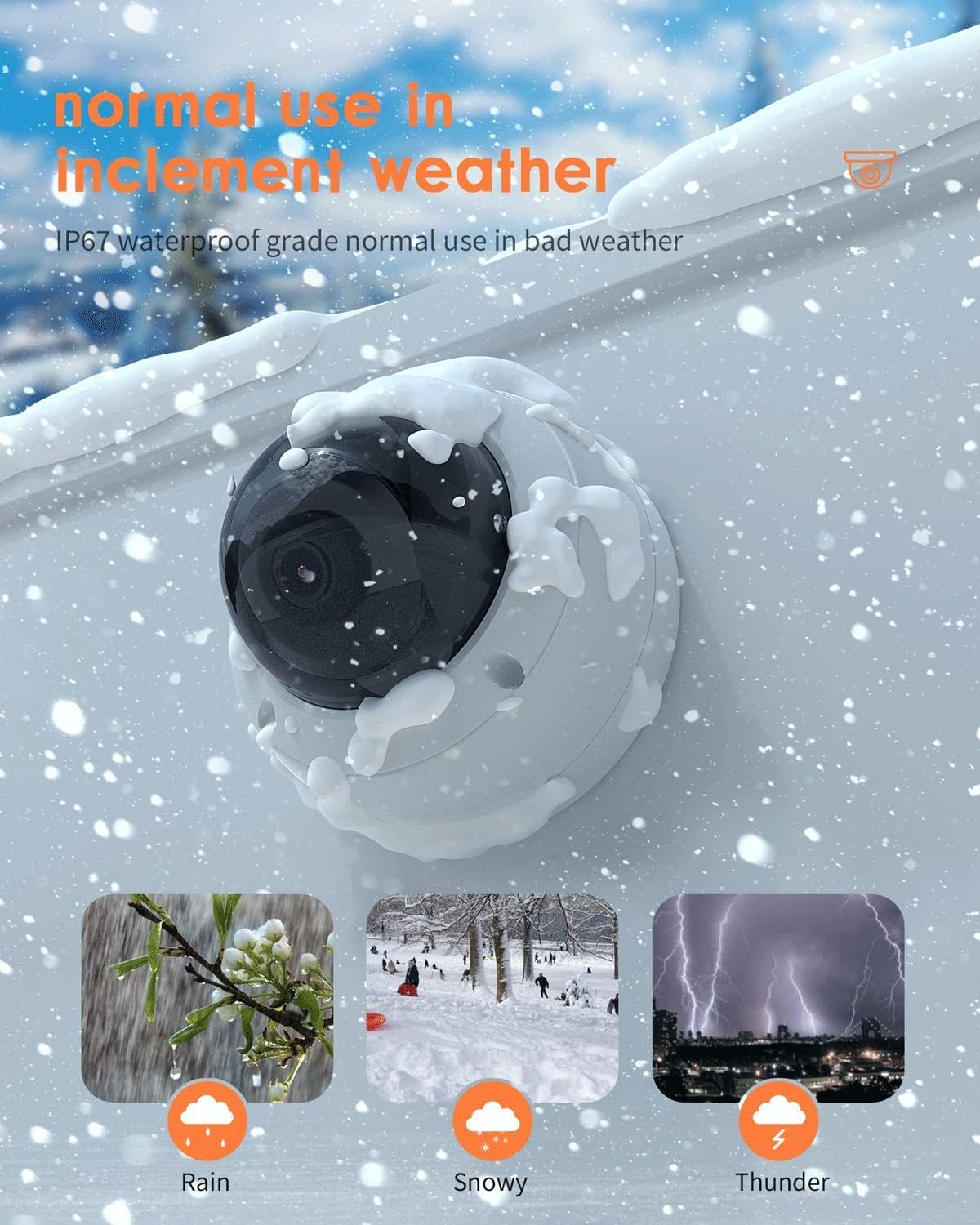
Image: The ANV-L7012R camera demonstrating its IP67 weatherproof capability in various conditions including rain, snow, and thunder.
9. Barántas agus Tacaíocht
9.1 Faisnéis Bharántas
This product comes with a standard manufacturer's warranty. Please refer to the warranty card included in your package or visit the Real HD official websuíomh gréasáin le haghaidh téarmaí agus coinníollacha mionsonraithe an bharántais. Coinnigh d’admháil ceannaigh mar chruthúnas ceannaigh le haghaidh éilimh bharántais.
9.2 Tacaíocht Theicniúil
If you encounter any issues that cannot be resolved using the troubleshooting guide, please contact Real HD customer support. Contact information can be found on the Real HD websuíomh nó i bpacáistiú do tháirge.