
Táirge Tharview
The Hikity DAB+ Android 15 Autoradio is an advanced 2 DIN car stereo system designed to enhance your in-car entertainment and navigation experience. It features a 7-inch IPS touchscreen, an octa-core processor, 4GB RAM, and 64GB ROM for smooth operation. Key functionalities include wireless CarPlay and Android Auto, Bluetooth 5.1, FM/RDS/DAB radio, built-in GPS, and a 36-band DSP for superior audio quality. A rear camera is included for added convenience.
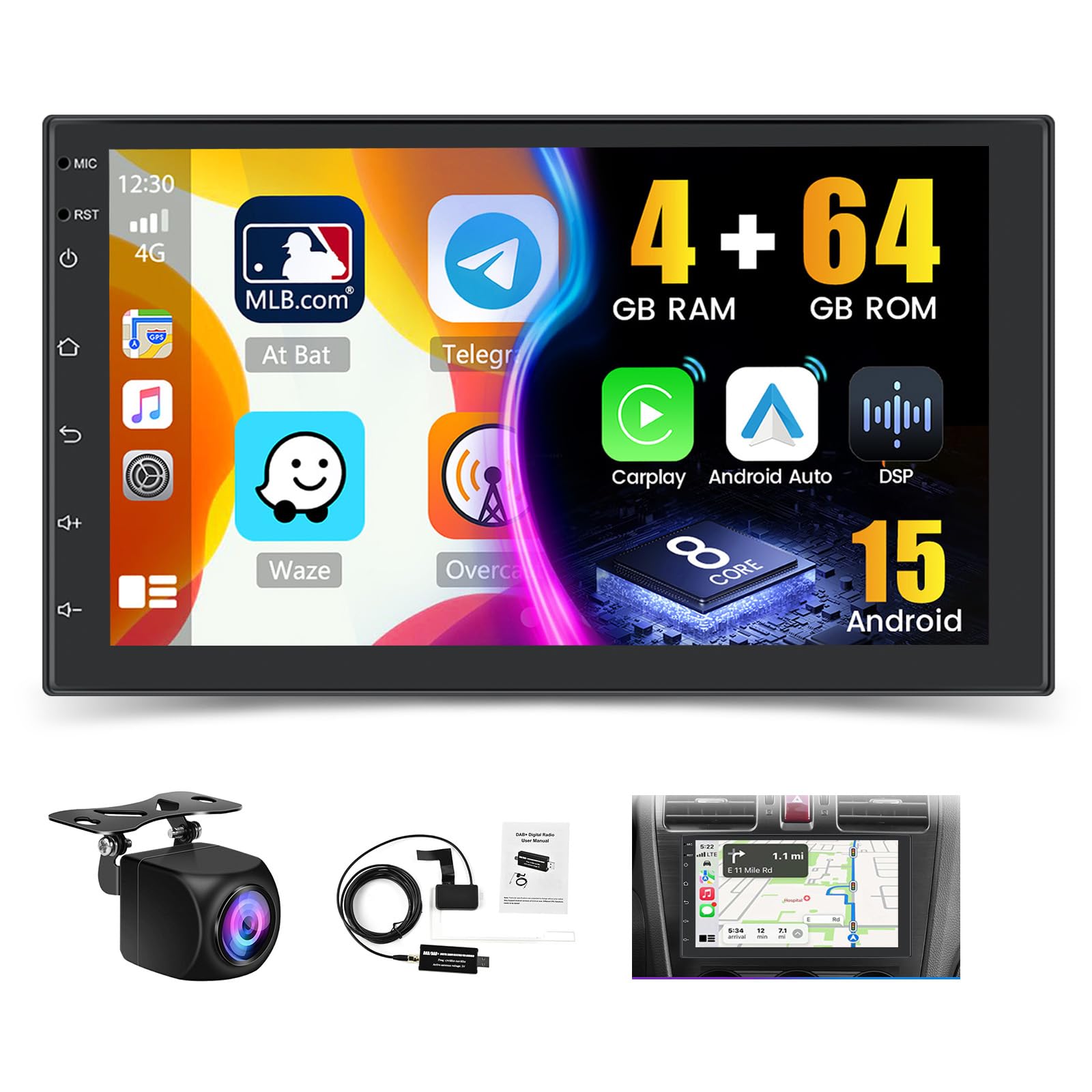
Íomhá: Tharview of the Hikity Autoradio's core features including processor, memory, and connectivity options.
Socrú agus Suiteáil
This section provides guidance for the physical installation and initial setup of your Hikity Autoradio. Professional installation is recommended.
Ábhar an Phacáiste
Roimh an suiteáil, déan cinnte go bhfuil na comhpháirteanna uile i láthair:
- Hikity Autoradio Unit
- Cáblaí Cumhachta (cineálacha éagsúla)
- Cábla Ionchuir Ceamara
- RCA Cable Bundle
- Antenna GPS
- Cábla USB
- Lúibíní Feistithe
- Lámhleabhar Úsáideora (an doiciméad seo)
- Ceamara Cúil AHD
- DAB+ Antenna (USB stick type)

Image: Product dimensions and a visual list of all items included in the package.
Naisc Sreangaithe
Connect the power cables, speaker wires, and accessory cables according to your vehicle's wiring diagram. Ensure proper insulation for all connections.
- Cábla Cumhachta: Connect to vehicle's power supply (constant 12V, accessory 12V, ground).
- Ionchur/Aschur RCA: Le haghaidh seachtracha amptaispeántais físe nó taispeántais físe.
- Ionchur Ceamara Cúltaca: Connect the included AHD rear camera.
- Cábla USB: For data transfer, charging, and connecting external devices.
- Antenna GPS: Suiteáil in áit a bhfuil radharc soiléir ann view den spéir.
- Antenna Raidió: Connect your vehicle's FM/AM antenna.
- Antenna DAB+: Connect the provided USB DAB+ receiver and antenna.

Image: DAB/DAB+ USB receiver and antenna for digital radio reception.
Gléasta
Use the provided mounting brackets to secure the autoradio in your vehicle's 2 DIN slot. Ensure a snug fit and proper ventilation.

Image: Visual representation of the car stereo before and after installation, showcasing the 7-inch IPS touchscreen.
Treoracha Oibriúcháin
This section details the various functions and features of your Hikity Autoradio.
Oibríocht Bhunúsach
- Cumhacht ar siúl / as: Press the power button or turn your vehicle's ignition key.
- Rialú Toirte: Use the on-screen controls or steering wheel controls (if configured).
- Scáileán tadhaill: Nascleanúint a dhéanamh ar an gcomhéadan trí thapáil, svaidhpeáil agus pincháil a dhéanamh ar an taispeáint IPS 7-orlach.
Gan sreang CarPlay & Android Auto
Connect your compatible smartphone wirelessly or via USB to access navigation, music, calls, and messages directly on the autoradio screen.
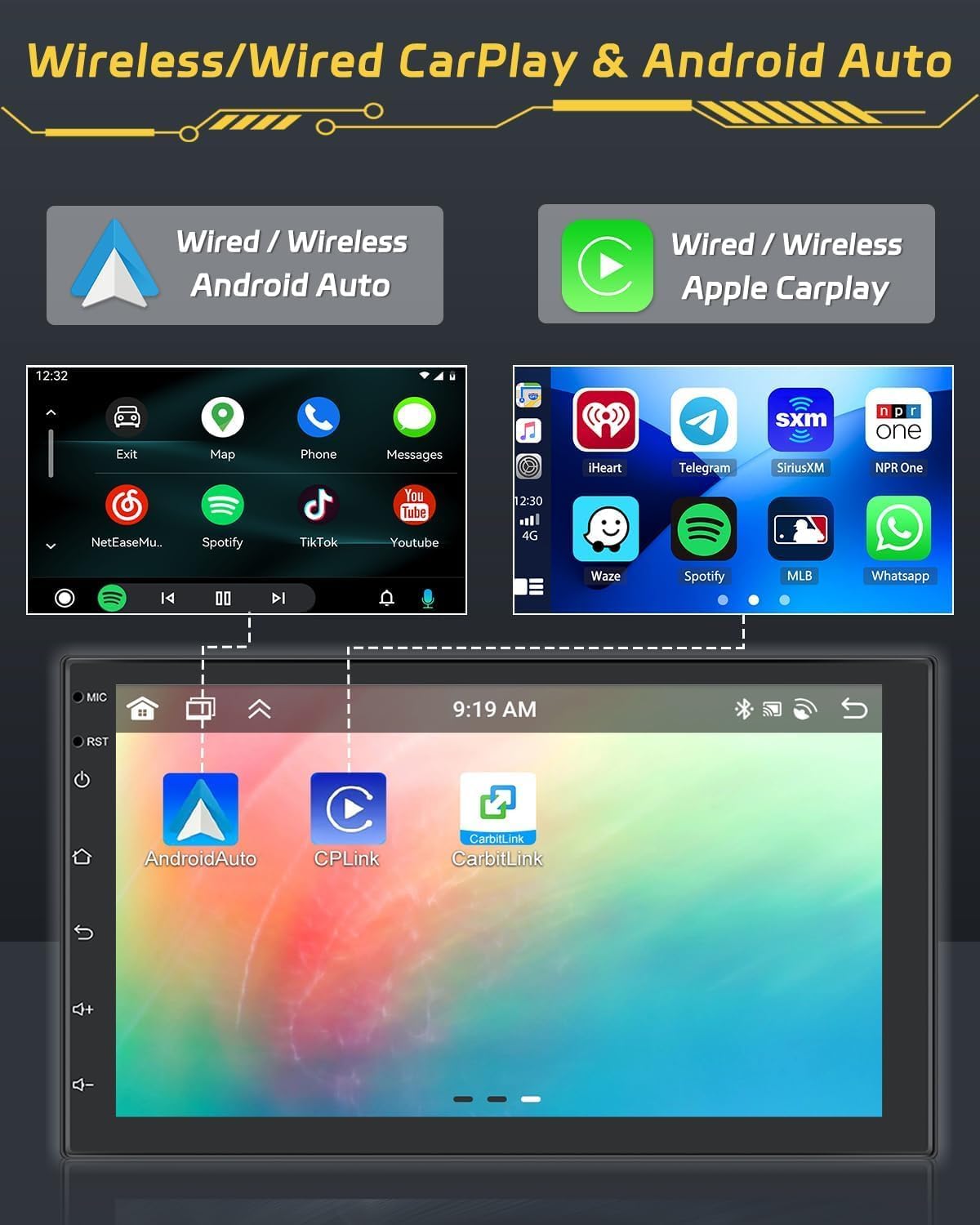
Image: Display of Wireless CarPlay and Android Auto functionality, showing smartphone integration.
Bluetooth 5.1
Pair your smartphone via Bluetooth for hands-free calling and audio streaming. Access your contacts and call history directly from the unit.

Image: Bluetooth 5.0 interface for hands-free calls and audio streaming.
Radio Functions (FM/RDS/DAB)
Tune into your favorite FM, RDS, or DAB+ radio stations. The DAB+ receiver provides access to a wider range of digital radio broadcasts.

Image: FM/RDS radio interface with station presets.
Nascleanúint GPS
Utilize the built-in GPS module for accurate navigation. Download and use your preferred navigation apps from the Android app store.

Image: GPS navigation display showing a map and route details.
36EQ DSP Technology
Fine-tune your audio experience with the integrated 36-band Digital Sound Processor (DSP). Adjust frequency, equalization, and sound field settings to optimize sound quality and reduce distortion.

Image: DSP interface for advanced audio equalization and sound customization.
Three-Screen Split Function
Multitask efficiently by displaying up to three applications simultaneously on the screen. For example, use navigation, music, and a web bhrabhsálaí ag an am céanna.

Image: Demonstration of the three-screen split function, allowing multiple apps to run concurrently.
Rialú Roth Stiúrtha (SWC)
Configure your vehicle's steering wheel buttons to control the autoradio functions. This feature enhances driving safety by keeping your hands on the wheel.

Image: SWC function interface for customizing steering wheel button controls.
Rear Camera Function
The included AHD rear camera automatically displays the rear view when reversing, aiding in parking and maneuvering. An optional front camera can also be integrated for dual recording.
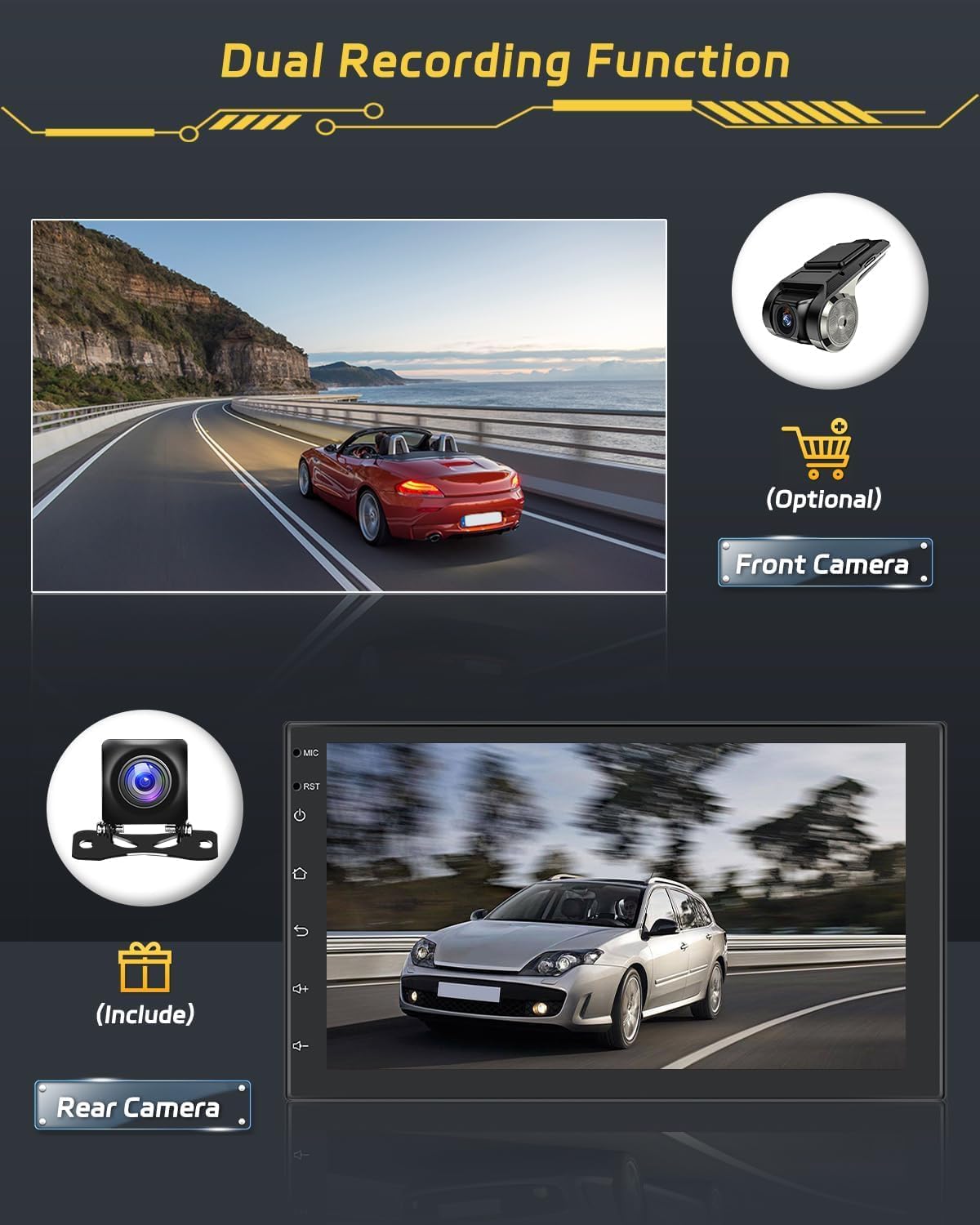
Image: Rear camera display and optional front camera for dual recording.
Nasc Scáthán
Mirror your smartphone's screen onto the autoradio display. This feature supports both wired and wireless connections. Note: Some phone models, such as Samsung and Huawei, may not be fully supported for Mirror Link functionality.

Image: Mirror Link function demonstrating smartphone screen mirroring.
Nasc wifi
Connect the autoradio to a WiFi hotspot to access online features, download apps, and browse the internet.

Image: WiFi connection feature with online content streaming.
Cothabháil
Cinntíonn cothabháil cheart fad saoil agus feidhmíocht optamach do raidió gluaisteáin.
Glanadh
Use a soft, dry cloth to clean the touchscreen and unit exterior. For stubborn smudges, a slightly damp cloth with a mild, non-abrasive cleaner can be used. Avoid harsh chemicals or abrasive materials that could damage the screen or finish.
Nuashonruithe Bogearraí
Periodically check for available software updates to ensure your system has the latest features and performance improvements. Updates can typically be performed via WiFi connection or USB.
Fabhtcheartú
This section addresses common issues you might encounter with your Hikity Autoradio.
| Fadhb | Cúis Féideartha | Réiteach |
|---|---|---|
| Ní chuireann an t-aonad cumhacht ar. | Sreangú mícheart, fiús séidte, fadhb chumhachta feithicle. | Check power connections (constant 12V, accessory 12V, ground). Inspect vehicle fuses. |
| Gan fuaim ná fuaim shaobhtha. | Speaker wiring issues, incorrect audio settings, DSP settings. | Verify speaker connections. Check volume levels and DSP equalizer settings. |
| Scáileán tadhaill neamhfhreagrach. | Fabht bogearraí, earráid chórais shealadach. | Perform a soft reset (refer to manual for specific reset button location, usually a small pinhole). If issue persists, contact support. |
| CarPlay/Android Auto disconnects frequently. | Weak WiFi signal, faulty USB cable, phone compatibility. | Ensure strong WiFi signal for wireless connection. Use a high-quality USB cable for wired connection. Check phone compatibility. |
| Poor radio reception (FM/DAB). | Antenna not properly connected, weak signal area, faulty antenna. | Ensure FM and DAB+ antennas are securely connected and properly positioned. Try in a different location. |
| Unit is slow or freezes. | Too many applications running, low memory, software issue. | Close unnecessary applications. Restart the unit. Ensure sufficient storage space. |
Sonraíochtaí Táirge
| Branda | Hikity |
| Uimhir Mhúnla | Hikity-A3452A4B1DA-3UK |
| Córas Oibriúcháin | Android 15 |
| Próiseálaí | 8-Croílár |
| RAM | 4GB |
| ROM | 64GB |
| Méid an Scáileáin | 7 orlach |
| Cineál Taispeána | IPS Touchscreen with 2.5D Glass |
| Nascacht | Bluetooth 5.1, Wi-Fi, AirPlay, FM, RDS, DAB+ |
| Gnéithe Speisialta | Wireless Android Auto, Wireless Apple CarPlay, Built-in GPS, DSP (36EQ), Split Screen, Rear Camera Input |
| Modh Aschuir Fuaime | Steirió |
| Surround Sound Config | 4.0 Cainéil |
| Cumhacht Aschuir Uasta | 445 Watts |
| Cumhacht Aschuir RMS | 45 Watts |
| Toisí Táirge | 2.5P x 17.2L x 10.2A cm |
| Dath | Dubh |
Faisnéis Bharántas
The Hikity Autoradio comes with a Barántas 24 mhí ón dáta ceannaigh. Clúdaíonn an bharántas seo lochtanna déantúsaíochta agus mífheidhmeanna faoi ghnáthúsáid. Coinnigh do chruthúnas ceannaigh le haghaidh éilimh bharántais.
Tacaíocht do Chustaiméirí
For any technical assistance, troubleshooting, or warranty inquiries, please contact Hikity customer support. We offer online inquiry support with a response time typically within 24 hours.
Please visit the official Hikity store or contact your retailer for support details.
Siopa Ar Líne: Hikity Amazon Store