
1. Réamhrá
Thank you for choosing the AULCMEET Replacement Remote Control. This remote is designed to be fully compatible with specific QBell 4K OLED Smart TV models, offering a seamless replacement experience without the need for complex setup or programming. Simply insert batteries, and it's ready for use.
Múnlaí Teilifíse Comhoiriúnacha: QBell 4K OLED Smart TV QT43J03, QT40K02, QT40J03.
2. Socrú: Suiteáil Ceallraí
To begin using your remote control, you must first install the batteries. This remote requires two AAA alkaline batteries (not included).
- Aimsigh an urrann ceallraí ar chúl an chianrialtáin.
- Brúigh síos ar an táb agus sleamhnaigh clúdach na ceallraí síos chun é a oscailt.
- Insert two AAA alkaline batteries, ensuring the positive (+) and negative (-) terminals align correctly with the markings inside the compartment.
- Sleamhnaigh an clúdach ceallraí ar ais ina áit go dtí go gcliceálann sé go daingean.
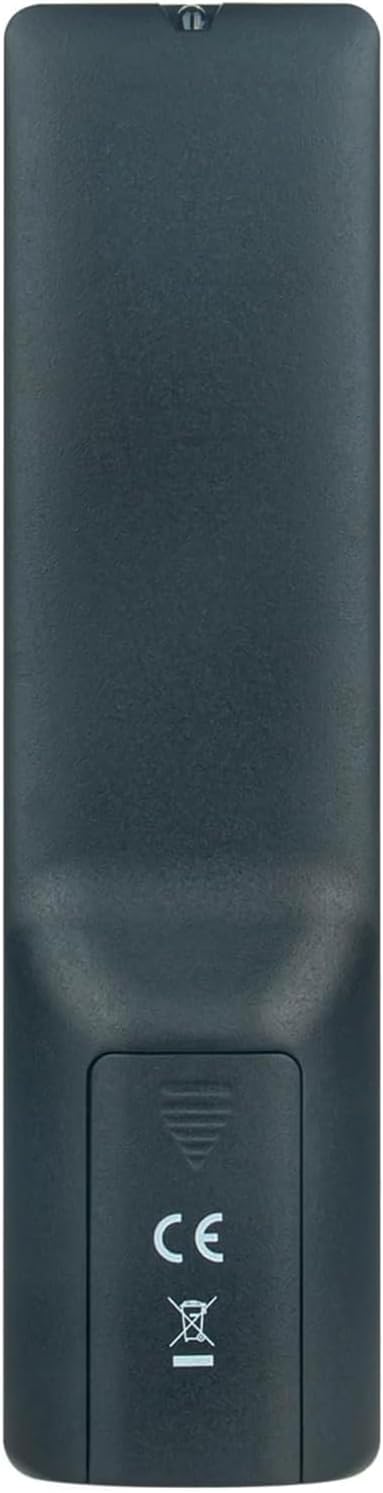
Íomhá 2.1: Cúil view of the remote control with the battery cover open, illustrating the correct orientation for AAA battery insertion.
Once batteries are installed, the remote is ready for immediate use with your compatible QBell Smart TV. No additional programming or pairing is required.
3. Treoracha Oibriúcháin
This remote control provides full functionality for your compatible QBell 4K OLED Smart TV. Below is a general overview of common buttons and their functions.

Íomhá 3.1: Tosaigh view of the AULCMEET remote control, displaying the layout of all control buttons.
- Cnaipe Cumhachta (●): Casann sé an teilifís air nó as.
- Líon Cnaipí (0-9): Roghnaigh bealaí go díreach.
- CH +/-: Athraíonn sé bealaí suas nó síos.
- VOL +/-: Coigeartaíonn an leibhéal toirte.
- Balbhaigh: Cuireann sé fuaim na teilifíse ar neamhní nó ar neamhní.
- FOINSE: Roghnaíonn sé foinsí ionchuir (HDMI, AV, srl.).
- MENU: Rochtain ar phríomh-roghchlár an teilifíse.
- Cnaipí Loingseoireachta (Suas, Síos, Ar Chlé, Ar Dheis, Ceart go leor): Nascleanúint trí na roghchláir agus deimhnigh roghanna.
- AN SLÍ AMACH: Scoir an roghchlár nó feidhm reatha.
- EOLAS: Taispeánann sé eolas faoin gclár reatha.
- Cnaipí Daite (Dearg, Glas, Buí, Gorm): Access specific functions depending on the TV menu or application.
- TÉACS: Activates or deactivates Teletext.
- FOtheideal: Casann sé fotheidil air nó as.
- AN MEÁIN: Rochtain ar fheidhmeanna athsheinm meán.
- Codladh: Sets the TV sleep timer.
For detailed functions of specific buttons, please refer to your QBell Smart TV's original user manual.
4. Cothabháil
- Athsholáthar Ceallra: Replace batteries when the remote's response becomes sluggish or stops working. Always replace both batteries simultaneously with new AAA alkaline batteries. Do not mix old and new batteries, or different types of batteries.
- Glanadh: To clean the remote control, gently wipe it with a soft, dry cloth. Do not use liquid cleaners, sprays, or abrasive materials, as these can damage the remote's surface or internal components.
- Stóráil: If the remote will not be used for an extended period, remove the batteries to prevent leakage and potential damage. Store the remote in a cool, dry place away from direct sunlight and extreme temperatures.
5. Fabhtcheartú
| Fadhb | Cúis Féideartha | Réiteach |
|---|---|---|
| Níl an cianrialtán ag obair. |
|
|
| Tá na cnaipí neamhfhreagrach nó moillithe. |
|
|
6. Sonraíochtaí
| Branda | AULCMEET |
| Ainm an tSamhail | BJKJ-MB1807-JKJBEU |
| Gléasanna Comhoiriúnacha | QBell 4K OLED Smart TV QT43J03, QT40K02, QT40J03 |
| Teicneolaíocht Nascachta | Infridhearg (IR) |
| Raon uasta | 10 Mhéadar |
| Líon na gCnaipí | 20 |
| Cineál Rialaitheora | Rialú Cnaipe |
| Cineál Battery | AAA Alkaline (x2) |
| Gné Speisialta | Níl gá le cláir |
| Tír Bhunaidh | tSín |
7. Tacaíocht
For any questions, concerns, or further assistance regarding your AULCMEET Replacement Remote Control, please do not hesitate to contact the manufacturer or your retailer. We are committed to ensuring your satisfaction.
Coinnigh an lámhleabhar seo le haghaidh tagartha sa todhchaí.