
1. Réamhrá
This manual provides instructions for the VTech CS2051 DECT 2 Handset Cordless Home Telephone with Answering Machine. It covers setup, operation, maintenance, and troubleshooting to ensure optimal performance of your device. Please read these instructions carefully before using your telephone.
2. Ábhar Pacáiste
Deimhnigh go bhfuil na míreanna seo a leanas i do phacáiste:
- 1 x Aonad Bonn
- 2 x Láimhseálacha Gan Sreang
- 2 x Luchtairí Fóin Phóca
- 2 x AC Adaptors (for base unit and chargers)
- 2 x Battery Packs (AAA batteries required, included)
- 1 x Corda Líne Teileafóin
- 1 x Treoir Mhearthosaithe

Image: The VTech CS2051 system, showing the main base unit with one handset, and a separate charger with the second handset.
3. Socrú
3.1 Suiteáil Battery
- Oscail clúdach urrann na ceallraí ar chúl gach gléas láimhe.
- Insert the supplied AAA battery pack, ensuring correct polarity.
- Dún an clúdach urrann ceallraí.
- Place each handset on its respective charger or the base unit to charge for at least 16 hours before first use.
3.2 Ceangal Aonaid Bhunáit
- Ceangail ceann amháin den sreang teileafóin leis an gcalafort LINE ar an aonad bonn.
- Ceangail an ceann eile den sreang teileafóin le soicéad balla do theileafóin.
- Connect the AC adaptor to the POWER port on the base unit.
- Plug the AC adaptor into a mains power outlet.
- For the additional charger, connect its AC adaptor to the charger and then to a mains power outlet.
3.3 Clárú Fóin Phóca
Your handsets are typically pre-registered to the base unit. If a handset displays 'Unregistered' or 'Register Handset', follow these steps:
- Ar an aonad bonn, brúigh agus coinnigh an cnaipe LEATHANACH ar feadh thart ar 5 soicind go dtí go splancfaidh an solas táscaire clárúcháin.
- On the handset, navigate to the 'Registration' menu (refer to the Quick Start Guide for specific menu navigation).
- Select 'Register Handset' and enter the system PIN (default is usually 0000).
- The handset will display 'Registering...' and then 'Handset Registered' upon successful completion.
4. Treoracha Oibriúcháin
4.1 Glaonna a Dhéanamh agus a Fháil
- Chun Glao a Dhéanamh: Brúigh an CAINT cnaipe, ansin diailigh an uimhir. Nó, diailigh an uimhir ar dtús agus ansin brúigh CAINT.
- Chun Glao a Fháil: Nuair a bhíonn an fón ag glaoch, brúigh an CAINT cnaipe.
- Chun Glao a Chríochnú: Brúigh an CRÍOCH cnaipe nó cuir an gléas láimhe ar ais ar an aonad bonn/luchtaire.
4.2 Digital Answering Machine
The base unit includes a digital answering machine to record messages when you are unavailable.
- Teachtaireachtaí a Sheinm: Brúigh an IMIR/STAIDIR button on the base unit. The display will show the number of new messages.
- Teachtaireachtaí á scriosadh: During message playback, press the Scrios cnaipe ar an aonad bonn.
- Socrú: Access the answering machine settings via the handset menu to record your outgoing message or adjust settings.

Image: The base unit of the VTech CS2051, highlighting the digital answering system with a message count display.
4.3 Blocálaí Glaonna Núis
This feature allows you to block unwanted incoming calls.
- Uimhir a Bhacáil: During or after a call, access the call blocker menu on the handset. You can add numbers to a block list.
- Blocking Unknown Numbers: The system can be configured to block calls from numbers not stored in your phonebook or from withheld numbers.

Image: A VTech CS2051 handset, illustrating the call blocker feature for managing unwanted calls.
4.4 Aitheantas Glaoiteora agus Glao ag Fanacht
These features require subscription from your telephone service provider.
- Aitheantas an ghlaoiteora: The handset display shows the caller's number (and name if stored in your phonebook) before you answer. The phone stores up to 20 incoming call records.
- Glaoigh ar Feitheamh: If you are on a call and another call comes in, you will hear a tone. You can switch between calls.

Image: A close-up of the VTech CS2051 handset display showing an incoming call number, demonstrating the Caller ID feature.
4.5 Fón Cainteora
The speakerphone function allows for hands-free conversations.
- Chun Gníomhachtú: Le linn glao, brúigh an Cainteoir cnaipe.
- Le Díghníomhachtú: Brúigh an Cainteoir cnaipe arís nó tóg an gléas láimhe suas go dtí do chluas.
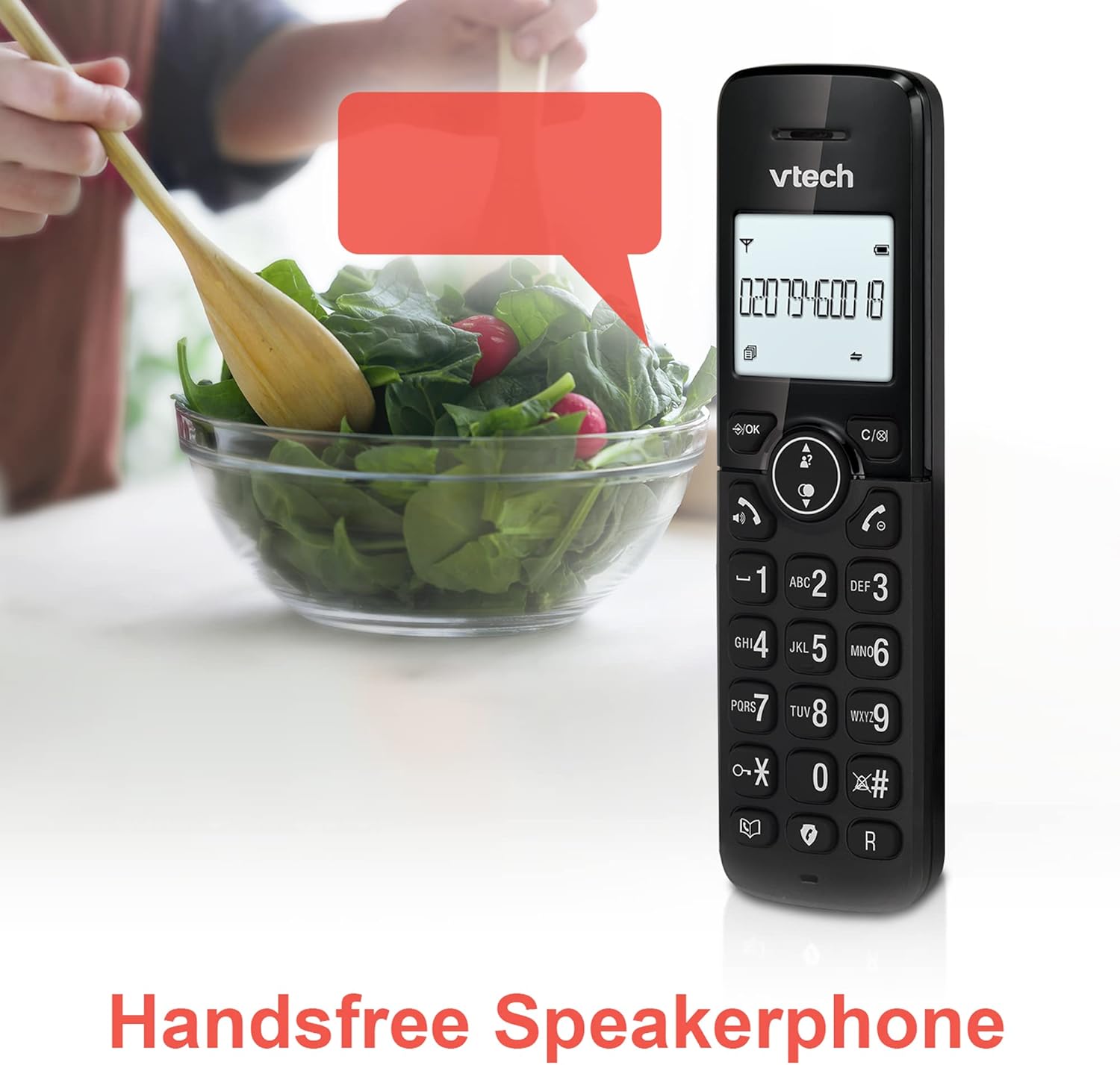
Image: A VTech CS2051 handset positioned for hands-free use, illustrating the speakerphone capability.
4.6 Idirchum
You can use the handsets to communicate with each other internally.
- To Initiate: Brúigh an INT button on one handset and select the desired handset to call.
4.7 Toirt agus Fonn Glaonna Inchoigeartaithe
Customize the ringtone and volume to your preference.
- Access the 'Ringtone Settings' or 'Volume Settings' menu on the handset to choose from available melodies and adjust the ring volume.

Image: A VTech CS2051 handset, highlighting the controls for adjusting ring volume and melody settings.
4.8 Feidhm Aláraim agus Mute
- Aláram: Socraigh aláram tríd an roghchlár ar an ngléas láimhe.
- Balbhaigh: Le linn glao, brúigh an MUTE button to temporarily silence your microphone. Press again to unmute.

Image: Illustrates the alarm function (represented by a clock icon) and the mute function (represented by a musical note icon) available on the VTech CS2051.
5. Cothabháil
- Glanadh: Wipe the telephone and handsets with a soft, damp éadach. Ná húsáid glantóirí nó tuaslagóirí scríobach.
- Cúram Battery: Ensure handsets are placed on the charger when not in use to maintain battery life. Replace batteries when performance significantly degrades.
- Suíomh: Place the base unit in a central location, away from other electrical appliances that may cause interference.
6. Fabhtcheartú
- Gan Ton Dial: Ensure the telephone line cord is securely connected to both the base unit and the wall socket. Check if the AC adaptor is properly plugged in.
- Fón póca nach bhfuil ag muirearú: Verify the handset is correctly seated in the charger/base unit. Clean the charging contacts on both the handset and charger with a dry cloth.
- Droch-Cháilíocht Glaonna/Cur isteach: Bog an t-aonad bonn ar shiúl ó fheistí leictreonacha eile (m.sh., ródairí Wi-Fi, micreathonnáin). Cinntigh go bhfuil an fón láimhe laistigh de raon an aonaid bonn.
- Handset Displays 'Unregistered': Follow the handset registration steps in Section 3.3.
- Meaisín Freagartha Gan Taifeadadh: Check the answering machine settings via the handset menu to ensure it is enabled and has sufficient recording time.
7. Sonraíochtaí
| Gné | Sonraíocht |
|---|---|
| Múnla | CS2051 |
| Cineál Teileafóin | DECT Cordless |
| Líon na nGluaisíní Láimhe | 2 |
| Cineál Córais Freagartha | Digital (up to 15 minutes record time) |
| Aitheantas Glaoiteora | Tá (síntiús ag teastáil) |
| Nuisance Call Blocker | Tá |
| Taispeáin | 1.8-inch Backlit Display |
| Cadhnraí | 4 cadhnraí AAA ag teastáil (san áireamh) |
| Ábhar | Styréin Bútaidhé-éin Aicritríle (ABS) |
| Foinse Cumhachta | Ceallraí Powered |
| Oibríocht Illíne | Tá |
8. Barántas agus Tacaíocht
This VTech CS2051 product is supplied as an Amazon Renewed item. For specific warranty details and support, please refer to the Amazon Renewed program terms and conditions or contact Amazon Renewed customer service directly. VTech provides manufacturing support for its products. For technical assistance or further information, please visit the official VTech support website or consult the full user manual if available from the manufacturer.