
Makeid L1
Makeid L1 Label Maker Machine User Manual
Model: L1 | Brand: Makeid
Réamhrá
This manual provides detailed instructions for the setup, operation, maintenance, and troubleshooting of your Makeid L1 Portable Wireless Sticker Label Maker Machine. Please read this manual thoroughly before using the device to ensure proper function and longevity.
Cad atá sa Bhosca
Deimhnigh go bhfuil na comhpháirteanna uile i láthair sa phacáiste:
- Makeid L1 Label Maker Machine
- 4-meter roll of label tape
- Cábla muirir USB
- Lámhleabhar Úsáideora (an doiciméad seo)
Táirge Tharview
Familiarize yourself with the key components of your Makeid L1 Label Maker.

Íomhá: Tharview of the Makeid L1 Label Maker, highlighting the power button, the lid for tape replacement, and the integrated cutter for crisp labels.
- Cnaipe Cumhachta: Located on the side, used to turn the device on/off.
- Clúdach: Opens to access the tape compartment for loading and replacing label rolls.
- Gearrthóir Insuite: Ensures clean and precise cuts of printed labels.
- Label Output Slot: Where printed labels emerge.
- Port Luchtaithe: USB port for recharging the device.
Socrú
1. An Gléas a mhuirearú
Before first use, ensure the label maker is fully charged. Connect the provided USB charging cable to the device's charging port and a compatible USB power source (e.g., computer USB port, USB wall adapter). The indicator light will show charging status (refer to device specific light indicators for full/charging status).
2. Téip Lipéid á Luchtú
The Makeid L1 supports various label tape widths (9mm, 12mm, 16mm) and types (continuous, die-cut, transparent, white, colored, pattern). Ensure the tape is correctly oriented.
- Open the lid of the label maker.
- Insert the label roll into the compartment, ensuring the tape feeds out from the bottom and through the output slot.
- Dún an clúdach go daingean.
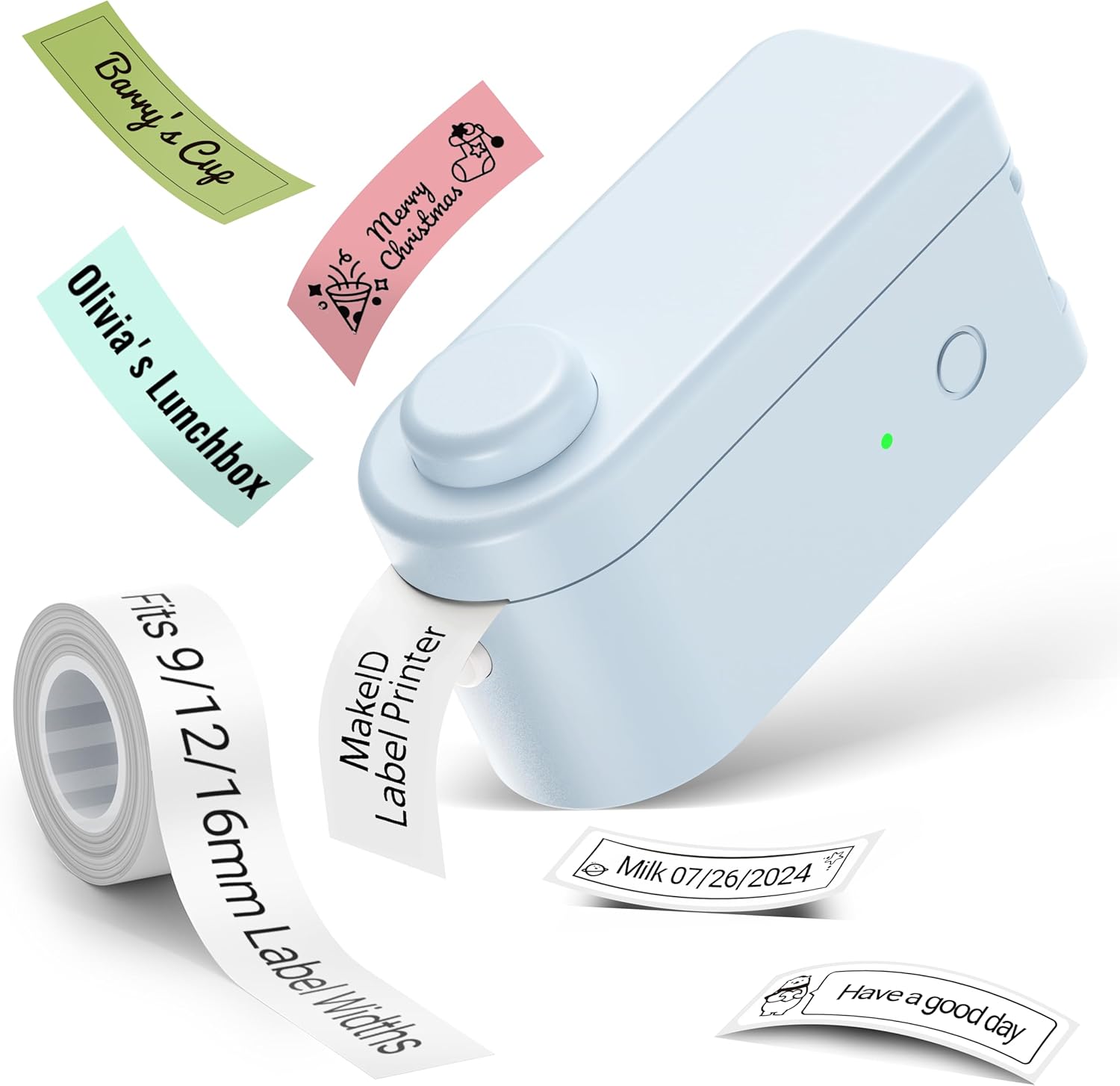
Íomhá: The Makeid L1 Label Maker demonstrating the label tape roll and examples of printed labels, including continuous and die-cut types.
3. An Aip a Íoslódáil agus a Shuiteáil
The Makeid L1 operates via a dedicated mobile application. Cuardaigh le haghaidh "MakeID-Life" on your device's app store.

Íomhá: Screenshots showing the "Get it on Google Play" and "Download on the App Store" buttons, indicating where to find the MakeID-Life application.
4. Péireáil Bluetooth
The label maker connects to your smartphone via Bluetooth.
- Cinntigh go bhfuil Bluetooth cumasaithe ar do ghuthán cliste.
- Turn on the Makeid L1 Label Maker by pressing the power button. The indicator light will flash, indicating it's ready for pairing.
- Open the "MakeID-Life" app. The app will automatically search for nearby devices.
- Select "L1" from the list of available devices to connect. Once connected, the indicator light on the label maker will become solid.

Íomhá: A visual guide demonstrating the three steps for Bluetooth connection: turning on Bluetooth, selecting the L1 model within the app, and confirming the device connection.
Treoracha Oibriúcháin
1. Designing Your Label
The "MakeID-Life" app offers extensive customization options:
- Ionchur Téacs: Type your desired text.
- Clónna: Choose from 88 different font styles.
- Deilbhíní & Siombailí: Access over 600 icons and various symbols.
- Teimpléid: Utilize over 400 pre-designed templates for various purposes (e.g., kitchen, office, school).
- Borders & Frames: Add decorative borders.
- Feidhmeanna Eile: Create barcodes, QR codes, tables, dates, and patterns.
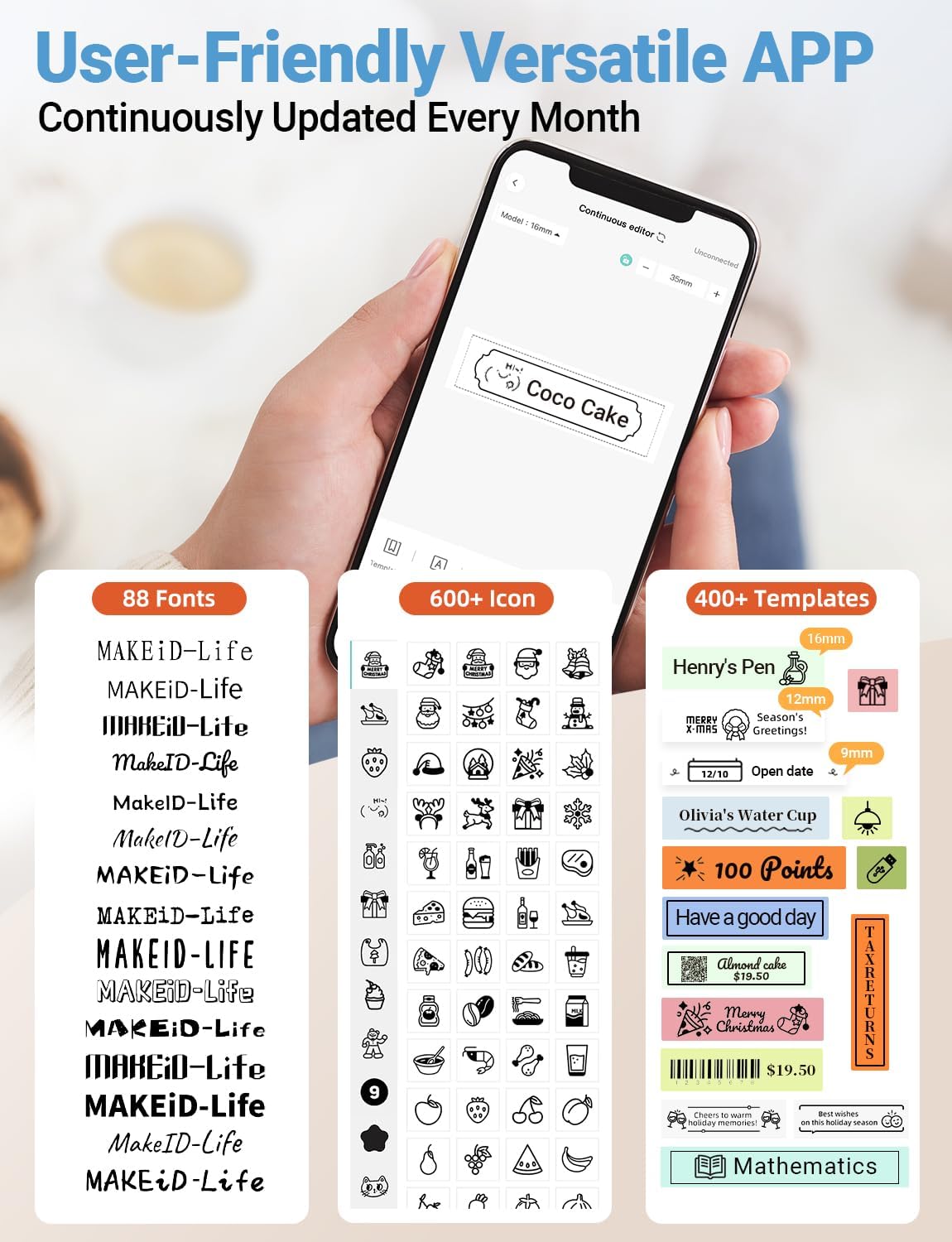
Íomhá: A mionsonraithe view of the MakeID-Life app interface, showcasing the wide selection of 88 fonts, over 600 icons, and more than 400 templates available for label customization.
2. Lipéid Priontála
Once your design is complete in the app:
- Review your label design on the app screen.
- Tap the "Print" button within the app.
- The label will be thermally printed and emerge from the output slot.
3. Lipéid a Ghearradh
The Makeid L1 features a built-in cutter for clean edges.
- After printing, gently pull the label forward slightly.
- Press the cutting button (refer to the Product Overview image for location) to cleanly cut the label.

Íomhá: Illustration of the Makeid L1's built-in cutter, demonstrating how it provides professional and safe cutting of labels, eliminating messy torn edges.
4. Types of Label Printing
The L1 supports two primary types of label printing:
- Continuous Labels: Ideal for custom lengths, allowing you to print text of any length and cut it precisely.
- Die-Cut Labels: Pre-sized labels with specific shapes, perfect for consistent labeling of items like jars or files.

Íomhá: Visual representation of continuous labels, which can be cut to any length, and die-cut labels, which are pre-shaped for specific applications.
Cothabháil
Glanadh an Ceann Priontála
To ensure optimal print quality, periodically clean the thermal print head.
- Turn off the label maker and disconnect it from the power source.
- Open the lid and remove the label tape.
- Gently wipe the print head with a soft, lint-free cloth dampened with isopropyl alcohol. Do not use water or abrasive cleaners.
- Allow the print head to dry completely before reinserting the tape and closing the lid.
Stóráil
Store the label maker in a cool, dry place away from direct sunlight and extreme temperatures. Remove the label tape if storing for extended periods.
Fabhtcheartú
Féach ar an tábla thíos le haghaidh saincheisteanna coitianta agus a réitigh.
| Fadhb | Cúis Féideartha | Réiteach |
|---|---|---|
| Ní chasann feiste air. | Ceallraí íseal. | Muirear an gléas ag baint úsáide as an gcábla USB a chuirtear ar fáil. |
| Ní féidir ceangal trí Bluetooth. | Bluetooth is off on phone; device not in pairing mode; app issue. | Ensure Bluetooth is enabled on your phone. Turn the label maker off and on again to re-enter pairing mode. Restart the "MakeID-Life" app. |
| Droch-chaighdeán priontála / Priontaí céimnithe. | Print head dirty; incorrect label tape; low battery. | Clean the print head. Ensure you are using Makeid compatible thermal label tape. Charge the device. |
| Label tape not feeding. | Tape incorrectly loaded; tape jammed. | Open the lid and re-insert the label tape correctly, ensuring it's not jammed. |
| Níl na lipéid ag gearradh go glan. | Cutter blade dull or obstructed. | Ensure no debris is obstructing the cutter. If issues persist, contact customer support. |
Sonraíochtaí
Detailed technical specifications for the Makeid L1 Label Maker Machine:
| Gné | Sonraigh |
|---|---|
| Branda | Makeid |
| Ainm an tSamhail | L1 |
| Teicneolaíocht Nascachta | Bluetooth |
| Teicneolaíocht Priontála | Teirmeach |
| Aschur Printéir | Monacrómach |
| Rún | 203 x 203 DPI (also 300 x 300 DPI for other variants) |
| Uasmhéid Méid na Meán | 0.63 orlach (16mm) |
| Gléasanna Comhoiriúnacha | Smartphones (Android & iOS) |
| Modh Rialaithe | App |
| Comhéadan Crua-earraí | USB |
| Foinse Cumhachta | 1 ceallraí ian litiam (san áireamh) |
| Toisí Táirge | 3.93"D x 1.6"L x 1.96"A (10 x 4.06 x 4.98 cm) |
| Meáchan Mír | 4.4 unsa (126 gram) |
| Gnéithe Speisialta | Continuous & Pre-cut Label Tapes, Waterproof, Oil-proof, Friction Resistant, Light Resistant, No Fading, Rich Font Icon Pattern, Portable, Inkless, Wireless, Rechargeable, Creative Print Functions (Barcode, Text, Picture, QR 2D Code, Table, Date, Border, Icon, Shape, Pattern, Template) |
Barántas agus Tacaíocht
The Makeid L1 Label Maker comes with a Barántas Saoil. For technical support, warranty claims, or further assistance, please contact Makeid customer service through the official Makeid websuíomh nó an fhaisnéis teagmhála a chuirtear ar fáil i bpacáistiú do tháirge.
Chun acmhainní breise agus Ceisteanna Coitianta a fháil, tabhair cuairt ar Makeid Store on Amazon.
Eolas Sábháilteachta
- Ná díchóimeáil ná déan iarracht an gléas a dheisiú tú féin.
- Coinnigh an gléas ar shiúl ó uisce agus taise ard.
- Use only original or certified compatible label tapes and charging cables.
- Coinnigh as teacht leanaí.
- Seachain an gléas a nochtadh do theocht foircneach nó solas díreach.
Ask a question about this manual
Ask about setup, troubleshooting, compatibility, parts, safety, or missing instructions. Manuals+ will review the question and use this page’s manual context to help answer it.