
1. Réamhrá
Thank you for choosing the LFF DAB/FM Digital Radio YT81107. This manual provides essential information for the safe and efficient use of your new radio. Please read these instructions carefully before operating the device and retain them for future reference.
Eolas Sábháilteachta
- Ná nochtaigh an t-aonad don bháisteach ná don taise chun tine nó turraing leictreach a chosc.
- Ná hoscail an casing. Tabhair aird phearsanra cáilithe ar gach seirbhísiú.
- Ná húsáid ach an t-oiriúntóir cumhachta nó na cadhnraí sonraithe.
- Seachain teochtaí foircneacha, solas díreach na gréine, agus timpeallachtaí deannach.
2. Táirge Tharview
The LFF DAB/FM Digital Radio YT81107 offers versatile listening options with DAB+ and FM radio, Bluetooth connectivity, and convenient features like a dual alarm and sleep timer. Its compact design and dual power options make it suitable for various environments.
Príomhghnéithe
- DAB+ and FM Digital Radio Tuner
- Bluetooth Connectivity for Audio Streaming
- Taispeáint LCD Lándath
- 60 Preset Stations (30 DAB+, 30 FM)
- Dual Alarm Clock Function
- Uaineadóir Codlata Inchoigeartaithe
- Jack Cluasán 3.5mm
- AC Power Adapter or Battery Operated (4x AA batteries, not included)

Fíor 2.1: Tosaigh view of the LFF DAB/FM Digital Radio highlighting its main features.
Rialuithe agus Comhpháirteanna
Familiarize yourself with the buttons and ports on your radio:

Fíor 2.2: Tosaigh agus barr view of the radio with labeled controls.
- Cnaipe Cumhachta / Mód: Turns the radio on/off and switches between modes (DAB, FM, Bluetooth).
- Menu/Info Button: Accesses menu settings or displays station information.
- Cnaipe Aláraim: Socraíonn agus bainistíonn aláraim.
- Cnaipí Réamhshocraithe (1-5): Quickly access saved favorite stations.
- Volume Knob/Select: Rotates to adjust volume or navigate menus; press to confirm selection.
- Tuning/Scroll Buttons: Nascleanúint trí stáisiúin nó roghanna roghchláir.
- Taispeáin: Full-color LCD screen.
- Cainteoir: Aschur fuaime comhtháite.
- Antenna: Extendable telescopic antenna for radio reception.
- DC IN Port: Chun an t-oiriúntóir cumhachta AC a nascadh.
- Jack Cluasán: Aschur 3.5mm le haghaidh éisteachta príobháideach.
- Roinn Battery: Located on the back for 4x AA batteries.
3. Socrú
Cumhacht an Raidió
Your radio can be powered by the included AC adapter or by batteries for portable use.
- Cumhacht AC: Connect the supplied AC adapter to the DC IN port on the back of the radio and plug it into a standard wall outlet.
- Cumhacht Battery: Open the battery compartment on the back and insert 4x 1.5V AA (LR6) batteries (not included), ensuring correct polarity. Close the compartment securely.

Figure 3.1: Power options and physical dimensions of the radio.
Coigeartú Antenna
Chun an glacadh raidió is fearr is féidir a fháil, sín amach an t-aeróg teileascópach go hiomlán. Coigeartaigh a suíomh chun an caighdeán comhartha is fearr a fháil.
4. Treoracha Oibriúcháin
Casadh Air/Múch agus Roghnú Mód
- Brúigh an Cumhacht/Mód cnaipe chun an raidió a chasadh air nó as.
- While on, press the Cumhacht/Mód button repeatedly to cycle through available modes: DAB, FM, and Bluetooth.
DAB/FM Radio Operation
Ensure the antenna is fully extended for best reception.

Figure 4.1: Radio reception ranges and preset capacity.
- Scanadh Uathoibríoch: I mód DAB nó FM, brúigh agus coinnigh an Roghchlár / Eolas button to initiate an automatic scan for available stations. The radio will store them automatically.
- Tiúnadh Lámhleabhar: Bain úsáid as an Tuning/Scroll cnaipí chun an minicíocht a choigeartú de láimh.
- Stáisiúin a Roghnú: Rothlaigh an Volume Knob/Select to browse through available stations. Press the knob to select a station.
- Réamhshocruithe á Shábháil: To save a station, tune to the desired station, then press and hold one of the Cnaipí Réamhshocraithe (1-5) until the display confirms it's saved. You can save up to 30 DAB+ and 30 FM stations.
- Réamhshocruithe a Athghairm: Brúigh go hachomair ar cheann de na Cnaipí Réamhshocraithe (1-5) to recall a saved station.
Mód Bluetooth
Connect your smartphone, tablet, or other Bluetooth-enabled device to stream audio wirelessly.
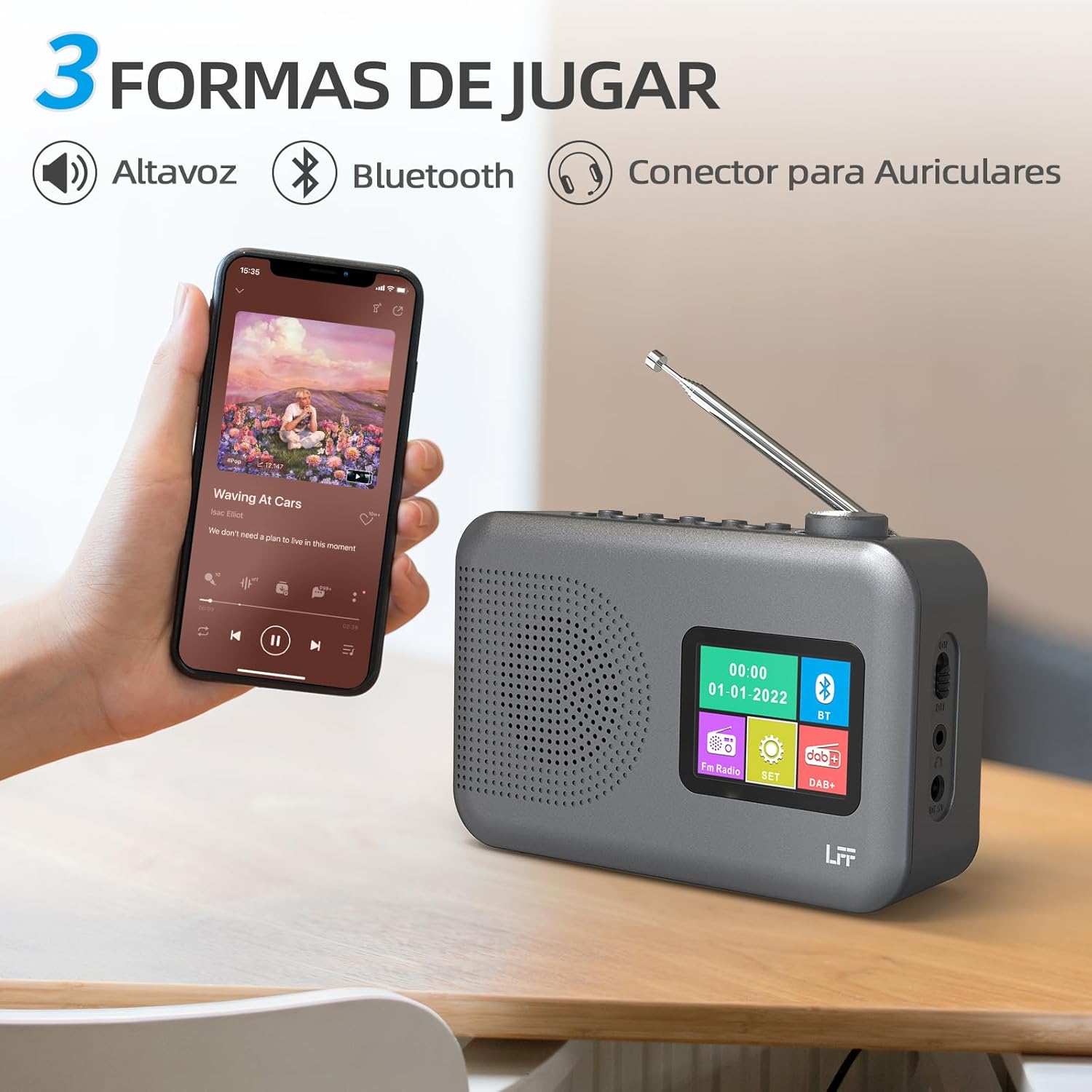
Figure 4.2: Bluetooth connectivity and audio playback options.
- Athraigh an raidió go mód Bluetooth ag baint úsáide as an Cumhacht/Mód button. The display will show "Bluetooth Pairing" or similar.
- On your device, enable Bluetooth and search for "LFF YT81107" (or similar).
- Select the radio to pair. Once connected, you can play audio from your device through the radio's speaker.
- Adjust volume using the radio's Knob Imleabhar or your connected device.
Feidhm Clog Aláraim
Socraigh suas le dhá aláram neamhspleácha.
- Brúigh an Aláram button to enter alarm settings.
- Bain úsáid as an Tuning/Scroll cnaipí agus Volume Knob/Select to set the alarm time, source (DAB, FM, or buzzer), and frequency (daily, weekdays, weekends, once).
- Brúigh an Aláram button again to confirm and activate the alarm.
- When an alarm sounds, press any button (except Power) to snooze, or press the Cumhacht/Mód cnaipe chun é a mhúchadh.
Uaineadóir Codlata
Ligeann an lasc ama codlata don raidió múchadh go huathoibríoch tar éis tréimhse socraithe.

Figure 4.3: Sleep timer function in use.
- Brúigh an Roghchlár / Eolas cnaipe chun an príomh-roghchlár a rochtain.
- Navigate to the "Sleep Timer" option using the Tuning/Scroll cnaipí agus brúigh an Volume Knob/Select.
- Select your desired duration (15, 30, 45, 60, 90, or 120 minutes) and confirm. The radio will automatically turn off after the selected time.
Úsáid Cluasáin
For private listening, connect standard 3.5mm headphones to the headphone jack on the side of the radio. The internal speaker will be muted automatically.
Note: This radio does not support Bluetooth headphones. The 3.5mm headphone jack is for wired headphones only.
5. Cothabháil
- Glanadh: Glan an raidió le héadach bog tirim. Ná húsáid glantóirí scríobacha ná tuaslagóirí.
- Athsholáthar Ceallra: If using batteries, replace all four AA batteries when the low battery indicator appears on the display or when performance degrades. Ensure proper disposal of old batteries.
- Stóráil: If storing the radio for an extended period, remove the batteries to prevent leakage.
6. Fabhtcheartú
| Fadhb | Cúis Féideartha | Réiteach |
|---|---|---|
| Gan chumhacht | AC adapter not connected or faulty; batteries depleted or incorrectly inserted. | Check AC adapter connection and power outlet. Replace batteries or ensure correct polarity. |
| Fáiltiú raidió lag | Antenna gan síneadh amach; limistéar comhartha lag; cur isteach. | Síneadh an t-antenna teileascópach go hiomlán agus coigeartaigh í. Bain triail as an raidió a bhogadh go suíomh difriúil. |
| Bluetooth gan nascadh | Radio not in Bluetooth mode; device not in pairing mode; radio already connected to another device. | Ensure radio is in Bluetooth mode. Put your device in pairing mode. Disconnect from other Bluetooth devices. |
| Aláram gan fuaim | Alarm not activated; volume too low; incorrect alarm settings. | Check alarm settings and ensure it is enabled. Increase volume. Verify alarm time and source. |
7. Sonraíochtaí
| Gné | Sonraigh |
|---|---|
| Uimhir Mhúnla | YT81107 |
| Branda | Síneadh LFF |
| Teicneolaíocht Tiúnála | DAB+, FM |
| Bandaí Raidió Tacaithe | DAB+ (174.928 - 239.2 MHz), FM (87.5 - 108 MHz) |
| Nascacht | Bluetooth, 3.5mm Headphone Jack |
| Foinse Cumhachta | AC Adapter (included), 4x 1.5V AA (LR6) Batteries (not included) |
| Toisí (L x W x H) | 16.1 cm x 5.9 cm x 10.9 cm |
| Dath | Liath |
| Gnéithe Speisialta | DAB Radio, DAB Plus Radio, DAB+ Radio, FM Radio, Color Display, Bluetooth, Dual Alarm, Sleep Timer |
| Gléasanna Comhoiriúnacha | Headphones, MP3 Player, Smartphone, Laptop, Speaker, Tablet |
8. Barántas agus Tacaíocht
LFF is committed to providing high-quality products. If you encounter any quality issues with your LFF DAB/FM Digital Radio YT81107, please contact us directly. Our customer support team is available to assist you and resolve any problems you may experience.
Féach ar dhoiciméid do cheannaigh le haghaidh téarmaí sonracha baránta agus sonraí teagmhála.