
1. Socrú agus Suiteáil
1.1 Seicliosta Réamhshuiteála
- Comhoiriúnacht an Chórais: Ensure your motherboard has an available PCI Express 4.0 x16 slot.
- Soláthar Cumhachta: Fíoraigh go gcomhlíonann d'aonad soláthair cumhachta (PSU) an íosmhéid uasta.tage requirements for the RTX 3060 Ti and has the necessary PCIe power connectors. Consult your PSU manual for details.
- Imréiteach: Confirm your PC case has adequate space for the graphics card dimensions.
- Tiománaithe: Íoslódáil na tiománaithe NVIDIA is déanaí ó shuíomh Gréasáin oifigiúil NVIDIA. websuíomh roimh shuiteáil.
1.2 Suiteáil Fhisiciúil
- Múch: Shut down your computer completely and disconnect the power cable.
- Cás Oscailte: Oscail cás do ríomhaire chun rochtain a fháil ar an máthairchlár.
- Aimsigh Sliotán PCIe: Identify an available PCI Express 4.0 x16 slot. Remove any expansion slot covers if necessary.
- Cuir isteach Cárta Grafaicí: Carefully align the graphics card with the PCIe slot and press down firmly until it is securely seated. You should hear a click from the slot's retention clip.
- Cárta Slán: Fasten the graphics card to the case using the screw or latch mechanism.
- Cumhacht Ceangail: Connect the appropriate PCIe power cables from your PSU to the graphics card. The PNY GeForce RTX 3060 Ti typically requires one 8-pin PCIe power connector. Ensure all pins are fully seated.
- Dún an Cás: Dún cás do ríomhaire agus athcheangail an cábla cumhachta.
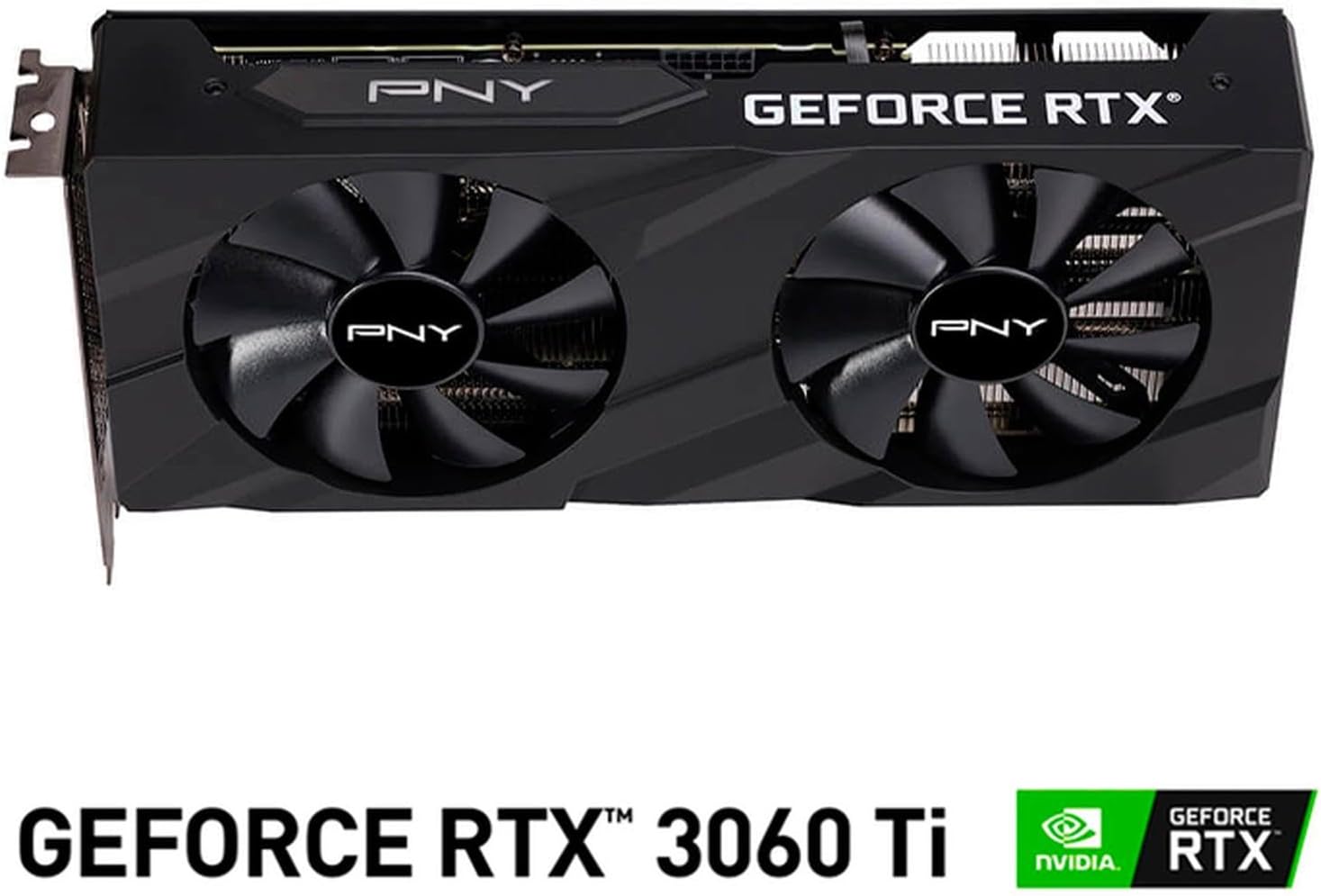
Íomhá: Tosaigh view of the PNY GeForce RTX 3060 Ti Verto Dual Fan Graphics Card, showing the dual fans and PNY branding.
1.3 Suiteáil Tiománaithe
- Córas Tosaithe: Power on your computer. It may boot into a lower resolution or use generic display drivers initially.
- Suiteáil Tiománaithe: Run the NVIDIA driver installer downloaded earlier. Follow the on-screen prompts to complete the installation. A restart may be required.
- Fíoraigh Suiteáil: After restarting, open NVIDIA GeForce Experience or the NVIDIA Control Panel to confirm the graphics card is recognized and drivers are up to date.
2. Oibríocht
2.1 Taispeántais a Cheangal
The PNY GeForce RTX 3060 Ti features multiple video output interfaces for connecting displays:
- DisplayPort 1.4a: For high-resolution and high-refresh-rate monitors.
- HDMI2.1: For connecting to TVs or monitors supporting 4K at higher refresh rates.
Connect your display cables to the appropriate ports on the graphics card. The card supports a maximum display resolution of 7680 x 4320 @60Hz.

Íomhá: Uilleach view of the PNY GeForce RTX 3060 Ti Verto Dual Fan Graphics Card, highlighting the cooling solution and overall design.
2.2 NVIDIA GeForce Experience
NVIDIA GeForce Experience is a companion application for your graphics card. It allows you to:
- Optimize Game Settings: Automatically configure game settings for the best experience.
- Keep Drivers Up to Date: Receive notifications and easily install the latest NVIDIA Game Ready Drivers.
- Capture & Share: Record gameplay, take screenshots, and livestream with friends using features like ShadowPlay.
2.3 Feidhmíocht Tharview
The GeForce RTX 3060 Ti is built on NVIDIA’s 2nd generation RTX architecture (Ampere), featuring enhanced Ray Tracing Cores and Tensor Cores for advanced graphics and AI acceleration. Key performance specifications include:
- Clog Lárnach: 1410MHz
- Clog a Mhéadú: 1665MHz
- Cuimhne: 8GB GDDR6X (256-bit) with up to 608GB/sec bandwidth.
- Cores CUDA: 4864
3. Cothabháil
3.1 Cleaning Your Graphics Card
Regular cleaning helps maintain optimal performance and extends the lifespan of your graphics card. Always power off your computer and disconnect the power cable before cleaning.
- Baint deannaigh: Bain úsáid as aer comhbhrúite chun deannach a shéideadh go réidh ó na lucht leanúna agus ó eití an doirteal teasa. Coinnigh na lucht leanúna chun cosc a chur orthu sníomh go tapa le linn glantacháin.
- Glanadh Dromchla: Wipe the exterior surfaces with a soft, dry, lint-free cloth. Avoid using liquid cleaners directly on the card.
3.2 Nuashonruithe Tiománaithe
Keep your graphics drivers updated to ensure compatibility with the latest games and applications, and to benefit from performance improvements and bug fixes. Use NVIDIA GeForce Experience or visit the official NVIDIA webAn láithreán gréasáin áit ar féidir leat a íoslódáil agus a shuiteáil na tiománaithe is déanaí.
4. Fabhtcheartú
4.1 Ceisteanna Coitianta agus Réitigh
- Gan Aschur Taispeána:
- Cinntigh go bhfuil cáblaí taispeána ceangailte go daingean leis an gcárta grafaicí agus leis an monatóir araon.
- Deimhnigh go bhfuil an cárta grafaicí suite go hiomlán sa sliotán PCIe agus go bhfuil na nascóirí cumhachta go léir ceangailte.
- Déan tástáil le cábla taispeána nó monatóir difriúil más féidir.
- Éagobhsaíocht nó Tuairteanna Córais:
- Cinntigh go gcomhlíonann do sholáthar cumhachta an méid atá moltatage.
- Check for overheating. Monitor GPU temperatures using software like MSI Afterburner or HWMonitor.
- Perform a clean installation of the latest graphics drivers.
- Drochfheidhmíocht i gCluichí:
- Cinntigh go bhfuil na tiománaithe grafaicí is déanaí suiteáilte agat.
- Seiceáil socruithe sa chluiche; laghdaigh an taifeach nó cáilíocht na grafaicí más gá.
- Verify that your system is not bottlenecked by other components (CPU, RAM).

Íomhá: Taobh view of the PNY GeForce RTX 3060 Ti Verto Dual Fan Graphics Card, showing the heatsink fins and power connectors.
5. Sonraíochtaí
Below are the detailed technical specifications for the PNY GeForce RTX 3060 Ti 8GB GDDR6X Verto Dual Fan Graphics Card:
| Gné | Sonraíocht |
|---|---|
| Comhphróiseálaí grafaicí | NVIDIA GeForce RTX 3060 Ti |
| Branda | PNY |
| Méid RAM na nGrafaicí | 8 GB |
| Grafaicí Cineál RAM | GDDR6X |
| Luas Clog GPU | 1410 MHz |
| Luas Clog Cuimhne | 1410 MHz (Effective 19000 MHz) |
| Comhéadan Aschur Físeáin | DisplayPort, HDMI |
| Comhéadan Cárta Grafaice | PCI-Express x16 |
| Líon Lucht leanúna | 2 |
| Uasmhéid Taifeach Taispeána | 7680 x 4320 @ 60Hz |
| Gléasanna Comhoiriúnacha | Deasc |
| Ainm an tSamhail | VERTO Dual Fan |
| Uimhir Mhúnla | VCG3061T8LDFBPB1 |
| UPC | 751492767314 |
| Meáchan Mír | 1 Cileagram |

Íomhá: Ar ais view of the PNY GeForce RTX 3060 Ti Verto Dual Fan Graphics Card, showing the backplate and PCB.
6. Barántas agus Tacaíocht
6.1 Barántas Táirgí
This PNY GeForce RTX 3060 Ti Graphics Card comes with a Barántas 3 bhliain. For specific terms and conditions, please refer to the warranty documentation included with your product or visit the official PNY websuíomh.
6.2 Tacaíocht Theicniúil
If you encounter any issues not covered in this manual or require further assistance, please contact PNY Technical Support. You can typically find support contact information, FAQs, and driver downloads on the official PNY websuíomh:


