
Réamhrá
Thank you for choosing the Baseus Adaman Digital Display Power Bank (Model: PPAD070001). This portable power bank is designed to provide reliable and efficient charging for your electronic devices. Please read this manual carefully before use to ensure proper operation and to maximize the lifespan of your device.
Eolas Sábháilteachta
- Ná nochtaigh an banc cumhachta do theocht mhór, do sholas díreach na gréine, ná do thine.
- Seachain an gléas a ligean titim, a dhíchóimeáil ná a mhodhnú.
- Coinnigh ar shiúl ó uisce agus leachtanna eile.
- Ná húsáid ach cáblaí muirir agus oiriúnaitheoirí deimhnithe.
- Coinnigh as teacht leanaí.
- Má atann an banc cumhachta, má sceitheann sé, nó má astaíonn sé boladh neamhghnách, scor d’úsáid láithreach.
Ábhar an Phacáiste
- Baseus Adaman Digital Display Power Bank (PPAD070001)
- Cábla Muirearú USB
- Lámhleabhar Úsáideora
Táirge Tharview
The Baseus Adaman Power Bank (Model PPAD070001) is a portable charging solution featuring a digital display for battery status and multiple ports for wide compatibility. Its slim design makes it convenient for travel.

Íomhá: Barr view of the Baseus Adaman Power Bank showing its various input and output ports. From left to right: Type-C (Input/Output), IP/IN (Input), Micro/IN (Input), USB2 (Output), USB1 (Output).

Íomhá: Taobh profile of the Baseus Adaman Power Bank, highlighting its slim and portable design.
- Port Cineál-C: Supports both input and output (PD 3.0).
- Calafoirt USB1/USB2: Output ports for charging devices (QC 3.0).
- Port Micrea-USB: Input port for charging the power bank.
- IP/IN Port: Input port for charging the power bank (e.g., for Apple Lightning cables).
- Taispeántas Digiteach: Taispeánann sé céatadán ceallraí i bhfíor-amtage.
Socrú
Before first use, fully charge the power bank. This ensures optimal battery performance.
An Banc Cumhachta a mhuirearú
- Connect the provided USB charging cable to one of the input ports on the power bank (Type-C, Micro-USB, or IP/IN).
- Connect the other end of the cable to a USB wall charger (not included).
- Taispeánfaidh an taispeántas digiteach stádas an mhuirir agus céatadán na ceallraítage.
- Once the display shows 100%, the power bank is fully charged. Disconnect it from the charger.
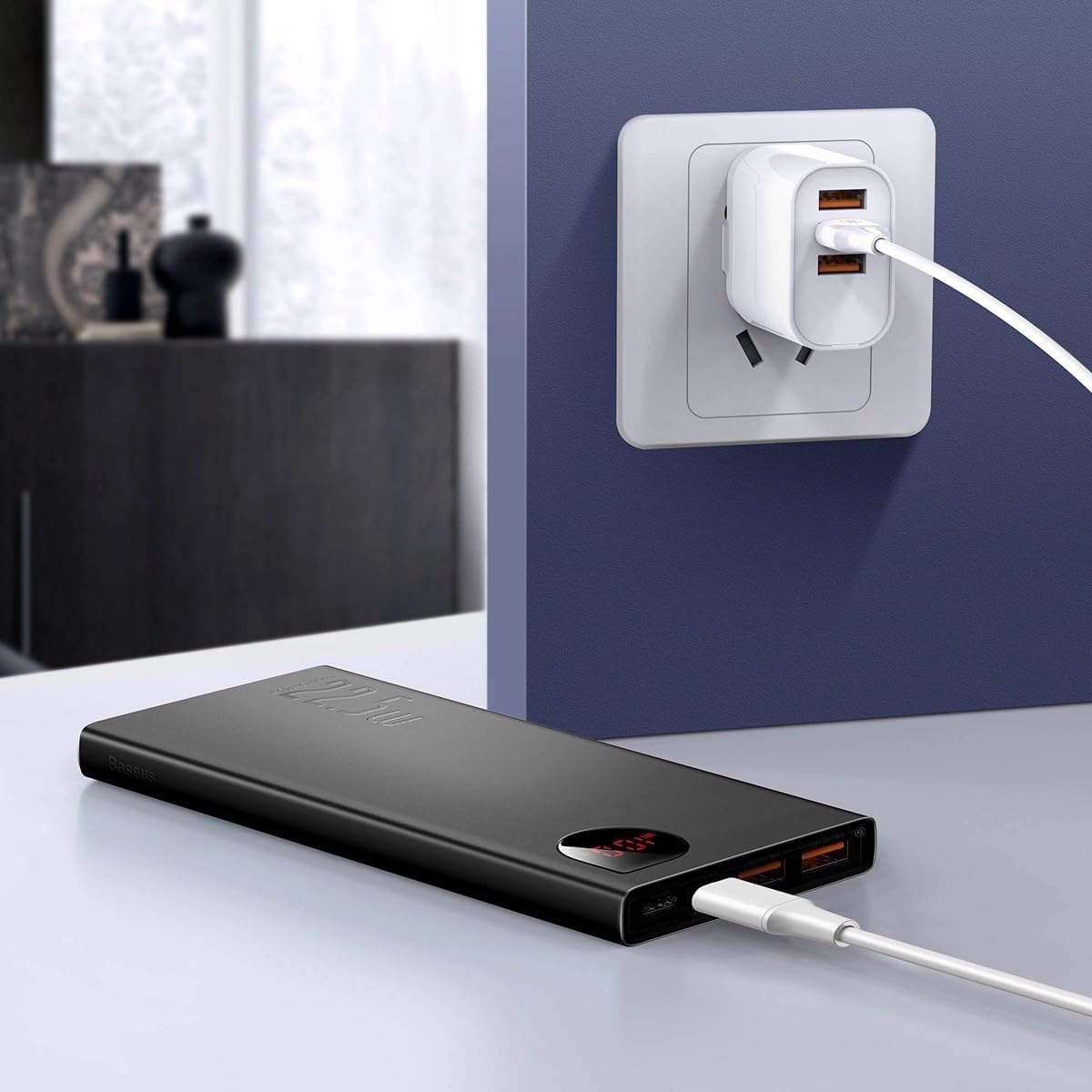
Íomhá: The Baseus Adaman Power Bank connected to a wall charger via a USB cable, illustrating the process of recharging the power bank itself.
Treoracha Oibriúcháin
Do Ghléasanna á Muirearú
- Connect your device's charging cable to one of the output ports on the power bank (Type-C, USB1, or USB2).
- Ceangail foirceann eile an chábla le do ghléas.
- Tosóidh an banc cumhachta ag muirearú do ghléis go huathoibríoch. Taispeánfaidh an taispeáint dhigiteach céatadán na ceallraí atá fágtha.tage.
- To stop charging, simply disconnect your device from the power bank.

Íomhá: A smartphone being charged by the Baseus Adaman Power Bank, demonstrating the device's charging capability for mobile phones.
Leibhéal Battery á Seiceáil
The digital display on the power bank will show the current battery percentage when it is in use or when a device is connected. If the power bank is idle, you may need to briefly press the power button (if available, not explicitly mentioned but common) to activate the display.
Cothabháil
- Glan an banc cumhachta le héadach bog, tirim. Ná húsáid ceimiceáin ghéara ná ábhair scríobacha.
- Stóráil an banc cumhachta in áit fhionnuar, tirim nuair nach bhfuil sé in úsáid.
- For optimal battery health, fully charge and discharge the power bank at least once every three months if it's not used regularly.
Fabhtcheartú
| Fadhb | Cúis Féideartha | Réiteach |
|---|---|---|
| Ní mhuirearaíonn an banc cumhachta gléasanna. | Ceallraí íseal, cábla lochtach, gléas neamh-chomhoiriúnach. | Charge the power bank. Try a different cable. Ensure your device is compatible. |
| Ní athluchtaítear an banc cumhachta. | Faulty charging cable/adapter, damaged port. | Try a different charging cable and wall adapter. Check ports for damage. |
| Níl an taispeáint dhigiteach ag obair. | Power bank is off, low battery, malfunction. | Ensure power bank is on or connected to a device. Charge the power bank. If issue persists, contact support. |
Sonraíochtaí
| Gné | Sonraigh |
|---|---|
| Uimhir Mhúnla | PPAD070001 |
| Branda | Baseus |
| Cumas Battery | 10000 mAh |
| Gnéithe Speisialta | Taispeáint Digiteach |
| Cineálacha nascóirí | Input: USB Type-C, Micro-USB, IP/IN; Output: USB Type-C, USB-A (x2) |
| Imltage | 5 Volta |
| Reatha | 5 Amps |
| Aschur Cumhachta | Up to 22.5W (PD 3.0, QC 3.0) |
| Comhdhéanamh Cill Battery | Polymer Litiam |
| Líon na gCalafort Aschuir | 3 (1x Cineál-C, 2x USB-A) |
| Number of Input Ports | 3 (1x Type-C, 1x Micro-USB, 1x IP/IN) |
| Gléasanna Comhoiriúnacha | All Smartphones and other USB-powered devices |
| Inaistrithe | Tá |
Barántas agus Tacaíocht
Tagann an táirge seo le Gan Bharántas as per the provided specifications. For any technical support or inquiries, please refer to the official Baseus webláithreán gréasáin nó déan teagmháil le do mhiondíoltóir.
Le haghaidh tuilleadh eolais, tabhair cuairt ar: www.baseus.com