
1. Réamhrá
This manual provides essential instructions for the proper use, setup, maintenance, and troubleshooting of your IINE Nintendo Switch Hard Pouch, Model L517. Please read this manual thoroughly before using the product to ensure optimal performance and longevity.
2. Táirge Tharview
The IINE Nintendo Switch Hard Pouch (L517) is designed to protect your Nintendo Switch console and accessories during travel and storage. It features a durable exterior and a soft interior lining.
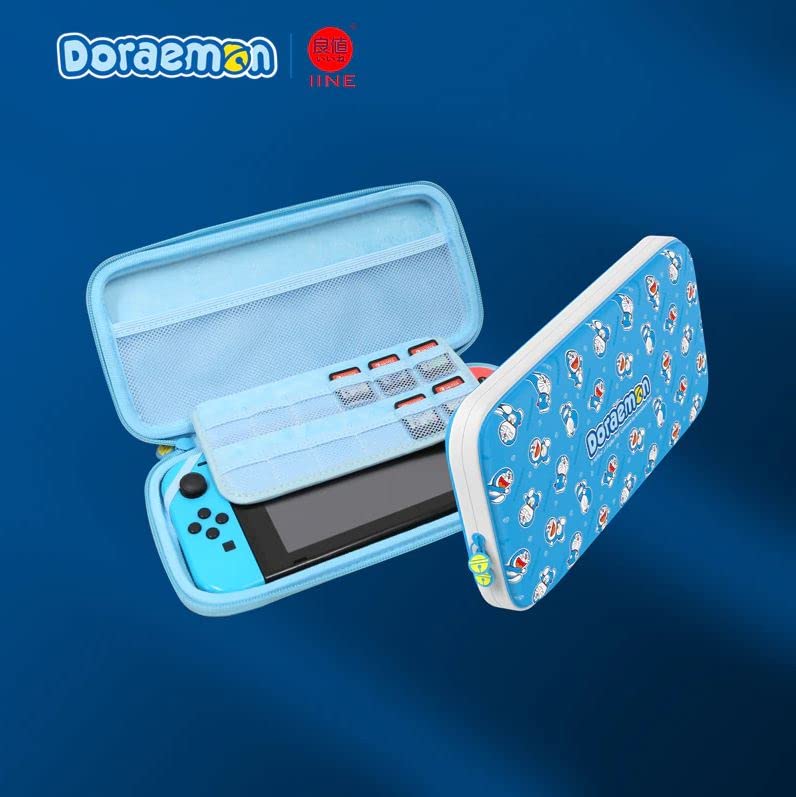
Fíor 2.1: Tosaigh view of the IINE Nintendo Switch Hard Pouch in Doraemon Blue, designed for console protection and portability.
3. Socrú
- Oscail an Mála: Unzip the main compartment of the hard pouch.
- Cuir Consól isteach: Carefully place your Nintendo Switch console into the designated slot within the pouch. Ensure it fits snugly to prevent movement.
- Accessories Store: Utilize any mesh pockets or elastic straps provided for storing small accessories such as game cartridges, Joy-Con straps, or charging cables.
- Close the Pouch: Zip the main compartment securely to protect the contents.
4. Treoracha Oibriúcháin
- Ag iompar: Use the integrated handle or strap (if included) for convenient transportation.
- Cosaint: The hard shell exterior is designed to absorb impacts and protect against scratches and minor drops.
- Stóráil: When not in use, store the pouch in a cool, dry place away from direct sunlight and extreme temperatures.
5. Cothabháil
- Glanadh an Taobh amuigh: Glan an dromchla seachtrach le clúdach bog, damp éadach. Seachain ceimiceáin gharbh nó glantóirí scríobacha a úsáid.
- Glanadh an Taobh istigh: Gently dust the interior with a soft, dry cloth. If necessary, use a slightly damp cloth, ensuring the interior is completely dry before placing the console back inside.
- Cúram zipper: Periodically check the zipper for any debris. If the zipper becomes stiff, apply a small amount of zipper lubricant.
- Seachain ró-líonadh: Do not overfill the pouch, as this can stress the zippers and seams, potentially causing damage.
6. Fabhtcheartú
| Fadhb | Réiteach |
|---|---|
| Zipper is stiff or stuck. | Check for any fabric caught in the zipper teeth. Apply a small amount of zipper lubricant or a graphite pencil lead to the teeth and gently work the zipper back and forth. |
| Pouch does not close properly. | Ensure the pouch is not overfilled. Rearrange contents to allow for proper closure. Check for any obstructions along the zipper path. |
| Minor scuffs or marks on exterior. | Bain go réidh le bog, damp éadach. I gcás marcanna righne, is féidir tuaslagán gallúnaí éadrom a úsáid, agus ansin iad a ghlanadh le héadach glan,amp cloth and air drying. |
7. Sonraíochtaí
- Cineál Táirge: Hard Pouch for Nintendo Switch
- Múnla: L517
- Dath: Doraemon Blue
- Branda: IINE
- ASIN: B0BLC5XST3
- Gnéithe: Durable exterior, soft interior lining, accessory storage.
8. Barántas agus Tacaíocht
For warranty information or technical support, please refer to the documentation provided at the time of purchase or contact your retailer. You may also visit the official IINE websuíomh le haghaidh tuilleadh cúnaimh.