
ORIA Bluetooth Receiver 5.0 User Manual
Model: Bluetooth Receiver 5.0
1. Réamhrá
The ORIA Bluetooth Receiver 5.0 is a versatile audio adapter designed to add Bluetooth functionality to non-Bluetooth devices. It supports both receiving (RX) and transmitting (TX) modes, allowing you to wirelessly stream audio from your smartphone to a car stereo or speaker, or from your TV to Bluetooth headphones. Featuring Bluetooth 5.0 technology and CVC noise reduction, it provides stable connections and clear audio quality for music and hands-free calls.
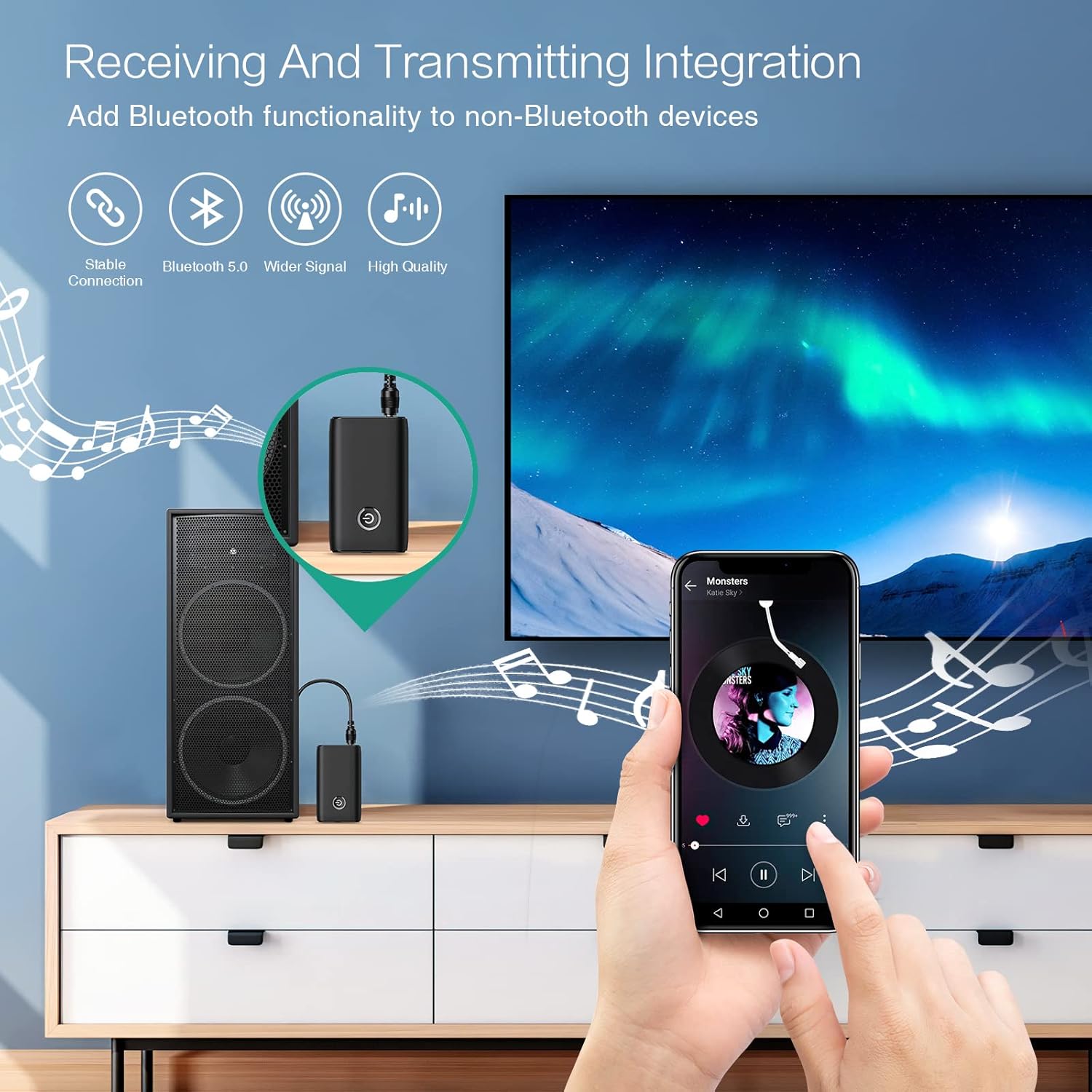
Figure 1.1: The ORIA Bluetooth Receiver 5.0 integrating with various audio systems, showcasing its dual receiving and transmitting functions.
2. Ábhar Pacáiste
Seiceáil an pacáiste le do thoil le haghaidh na míreanna seo a leanas:
- ORIA Bluetooth Receiver 5.0 Unit
- Cábla Fuaime 3.5mm
- Cábla Muirir USB (Cineál-C)
- Lámhleabhar Úsáideora

Figure 2.1: All items included in the ORIA Bluetooth Receiver 5.0 package.
3. Táirge Tharview
Familiarize yourself with the device's components and indicators:

Figure 3.1: Detailed diagram of the ORIA Bluetooth Receiver 5.0, highlighting its ports, buttons, and LED indicator meanings.
- Port Fuaime 3.5mm: Connects to audio input/output devices.
- Port Muirearú Micrea USB: Chun an gléas a mhuirearú.
- RX/TX Switch: Toggles between Receiver (RX) and Transmitter (TX) modes.
- Cnaipe Ilfheidhme: Cumhacht air/as, seinn/sos, freagair/deireadh glaonna.
- Connection Indicator Light:
- Red & Blue flashing: Pairing State
- Red flashing: Low Battery Warning
- Blue solid: Connected
4. Gnéithe
- Bluetooth 5.0: Provides a stable wireless connection up to 10 meters for music streaming and audio calls.
- Intelligent Noise Reduction (CVC): Enhances audio clarity by reducing background noise, supporting A2DP, AVRCP, HFP, HSP protocols.
- Dual Mode (TX/RX): Converts non-Bluetooth devices into Bluetooth-enabled devices for both transmitting and receiving audio.
- Saol Fada Battery: Up to 8 hours of play/talk time, 60 days standby, with a 2-hour full charge time.
- Muirearú USB: Allows use while charging without interrupting calls or music.
- Oibríocht Éasca: Simple one-button control for power, play/pause, and call management.
- Dearadh Inaistrithe: Small and lightweight for convenient transport and use anywhere.
5. Socrú agus Oibriú
5.1 Muirearú an Ghléis
Before first use, fully charge the device. Connect the provided USB charging cable to the Micro USB Charging Port on the receiver and the other end to a USB power source (e.g., car charger, wall adapter, computer USB port). The indicator light will show charging status.

Figure 5.1: Battery life and charging duration of the ORIA Bluetooth Receiver 5.0.
5.2 Switching Between Receiver (RX) and Transmitter (TX) Modes
The device features a physical switch to change between RX and TX modes. Tábhachtach: Always power off the device before switching modes to ensure proper functionality.

Figure 5.2: Instructions for switching between Transmitter (TX) and Receiver (RX) modes.
5.3 Receiver Mode (RX) Setup
Use RX mode to receive audio from a Bluetooth-enabled device (e.g., smartphone, tablet) and play it through a non-Bluetooth audio system (e.g., car stereo, home speaker, wired headphones).
- Switch to RX: Ensure the device is powered off, then slide the switch to the "RX" position.
- Ceangail le Córas Fuaime: Plug one end of the 3.5mm audio cable into the receiver's 3.5mm Audio Port and the other end into the AUX input of your car stereo, home speaker, or wired headphones.
- Cumhacht ar: Press and hold the Multi-function Button to power on the receiver. The indicator light will flash red and blue, indicating pairing mode.
- Pair with Phone: On your smartphone or other Bluetooth device, enable Bluetooth and search for "ORIA-B6" (or similar name). Select it to pair. Once connected, the indicator light will turn solid blue.
- Seinn Ceol: Start playing audio on your paired device. The sound will now be transmitted wirelessly to your connected audio system.

Figure 5.3: Easy setup steps for Receiver (RX) mode, typically used in a car.
5.4 Transmitter Mode (TX) Setup
Use TX mode to transmit audio from a non-Bluetooth device (e.g., TV, PC, MP3 player) to a Bluetooth-enabled audio output (e.g., Bluetooth headphones, Bluetooth speaker).
- Switch to TX: Ensure the device is powered off, then slide the switch to the "TX" position.
- Ceangail le Foinse Fuaime: Plug one end of the 3.5mm audio cable into the receiver's 3.5mm Audio Port and the other end into the audio output (e.g., headphone jack) of your TV, PC, or MP3 player.
- Cumhacht ar: Press and hold the Multi-function Button to power on the transmitter. The indicator light will flash red and blue, indicating pairing mode.
- Pair with Bluetooth Headphones/Speaker: Put your Bluetooth headphones or speaker into pairing mode. The receiver will automatically search for and connect to nearby Bluetooth audio devices. Once connected, the indicator light will turn solid blue.
- Bain sult as Fuaim: Play audio from your connected source device. The sound will now be transmitted wirelessly to your Bluetooth headphones or speaker.

Figure 5.4: Easy setup steps for Transmitter (TX) mode, typically used with a TV.
5.5 Comhoiriúnacht Uilíoch
The ORIA Bluetooth Receiver 5.0 is designed for broad compatibility with various devices in both TX and RX modes.
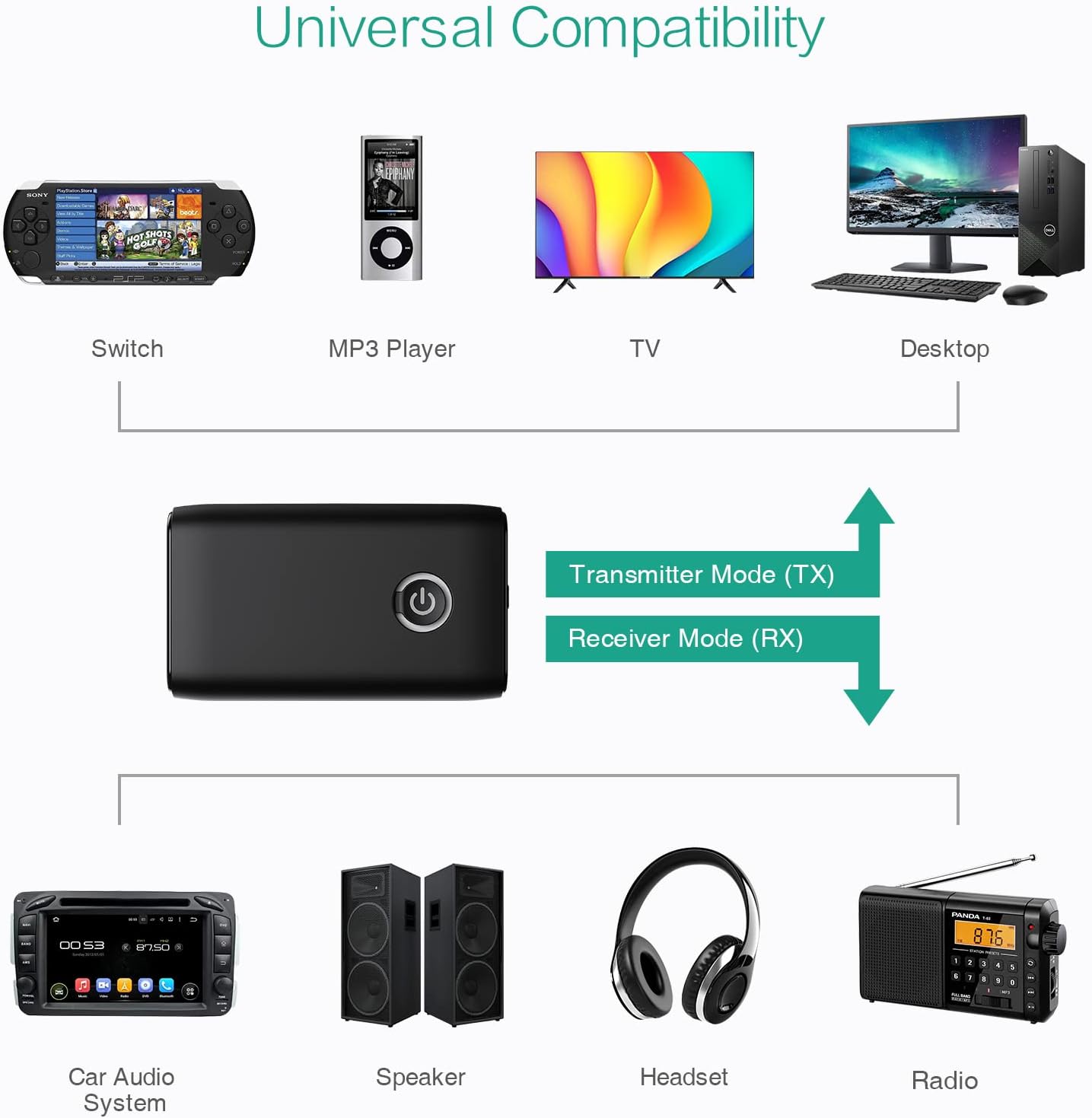
Fíor 5.5: Examples of devices compatible with the ORIA Bluetooth Receiver 5.0 in both TX and RX modes.
6. Treoracha Oibriúcháin
6.1 Rialú Athsheinm Ceoil
- Seinn/Sos: Gearr gearr an Cnaipe Ilfheidhm.
- An Chéad Amhrán Eile: (Functionality may vary depending on connected device and mode. Typically controlled via the source device.)
- Rian Roimhe Seo: (Functionality may vary depending on connected device and mode. Typically controlled via the source device.)
- Rialú Toirte: Adjust volume directly on your paired device (smartphone, TV, etc.) or the connected audio system.
6.2 Hands-Free Calling (RX Mode Only)
When in Receiver (RX) mode and paired with a smartphone:
- Freagra Glao: Short press the Multi-function Button when a call comes in.
- Glao Deiridh: Short press the Multi-function Button during a call.
- Diúltaigh Glao: Press and hold the Multi-function Button for 2 seconds when a call comes in.
- Uimhir Dheiridh Redial: Brúigh an Cnaipe Ilfheidhmeach faoi dhó.
7. Cothabháil
- Coinnigh an gléas tirim. Seachain nochtadh do thaise nó do leachtanna.
- Ná déan iarracht an gléas a dhíchóimeáil ná a mhodhnú. Cuirfidh sé seo an bharántas ar neamhní.
- Glan an gléas le héadach bog, tirim. Ná húsáid ceimiceáin ghéara ná glantóirí scríobacha.
- Stóráil an gléas in áit fhionnuar, thirim nuair nach bhfuil sé in úsáid ar feadh tréimhsí fada.
8. Fabhtcheartú
If you encounter issues with your ORIA Bluetooth Receiver 5.0, please refer to the following common solutions:
| Fadhb | Réiteach |
|---|---|
| Ní chuireann an gléas cumhacht ar. | Ensure the device is fully charged. Connect it to a power source using the USB charging cable. |
| Ní féidir péireáil le gléas Bluetooth. |
|
| Gan fuaim nó droch-chaighdeán fuaime. |
|
| Dícheanglaíonn an gléas go minic. |
|
9. Sonraíochtaí
| Gné | Sonraigh |
|---|---|
| Branda | ORIA |
| Teicneolaíocht Nascachta | Bluetooth, USB |
| Caighdeán Cumarsáide Gan Sreang | Bluetooth 5.0 |
| Foinse Cumhachta | Cadhnra Powered, Corded Leictreach |
| Gné Speisialta | Bluetooth Receiver, Portable |
| Cineál Suiteáil | Breiseán Isteach |
| Comhéadan Crua-earraí | Bluetooth, USB |
| Laghdú Torainn | Teicneolaíocht CVC |
| Battery Life (Play/Talk) | Suas le 8 uair an chloig |
| Am Fuireachas | 60 lá |
| Am Muirir | Thart ar 2 uair an chloig |
10. Barántas agus Tacaíocht
This ORIA Bluetooth Receiver 5.0 comes with a Barántas 1 bhliain ó dháta an cheannaigh.
If you experience any problems with the product's use or function, or if the product is defective or damaged, please contact the seller directly for assistance. They will provide support and solutions to resolve your issue.