
Réamhrá
Thank you for choosing the NOKLEAD Digital Indoor Thermometer Hygrometer. This device provides accurate and real-time monitoring of indoor temperature and humidity, along with a clock display. Designed for ease of use, it helps you maintain a comfortable and healthy living environment. Please read this manual carefully before use to ensure proper operation and longevity of your device.
Príomhghnéithe
- Fast Refresh & High Accuracy: Updates readings every 10 seconds with temperature accuracy of ±1°C (0-40°C) / ±2°C (40-60°C) and humidity accuracy of ±3%RH.
- Táscaire Chompord Aeir: Displays DRY, COMFORT, or WET conditions at a glance.
- Taispeáint LCD 3.34-orlach: Clear, bold numbers for easy readability from various angles.
- Roghanna Ilsuiteála: Includes desktop stand, magnetic attachment, and adhesive pad for wall mounting.
- Saol Fada Battery: Powered by 2 x CR2032 button cell batteries, lasting 8-12 months.
- Taispeáint Ama agus Dáta: Integrated clock function with 12h/24h selection.
- Upgraded Calibration Function: Allows for manual adjustment of temperature and humidity readings for optimal accuracy.
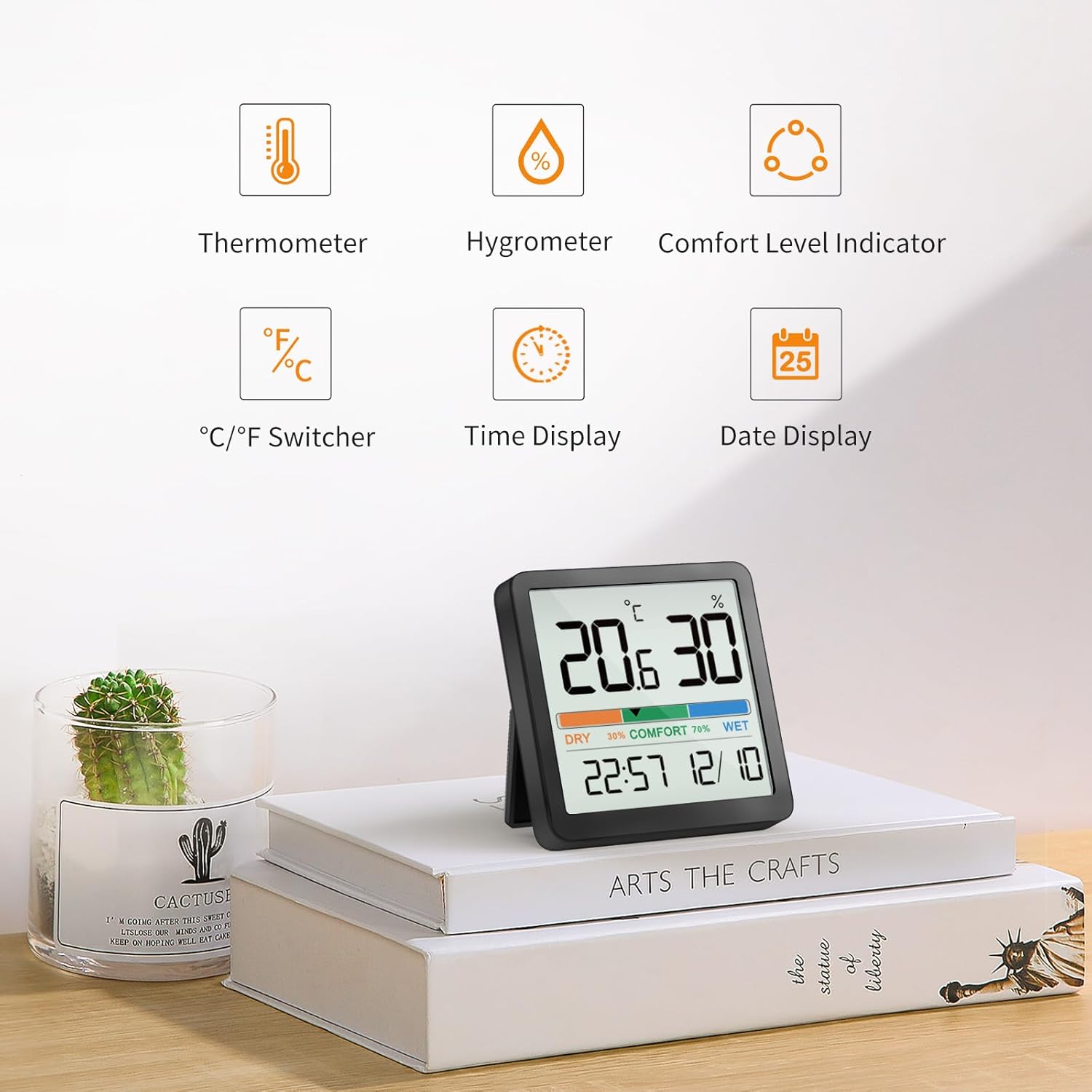
Fíor 1: Os a chionnview of device features.
Cad atá sa Bhosca
- NOKLEAD Digital Indoor Thermometer Hygrometer x 1
- CR2032 Button Cell Batteries x 2 (one installed, one spare)
- Adhesive Metal Pad x 1
- Lámhleabhar úsáideora x1 saor in aisce,
Táirge Tharview

Figure 2: Front display of the device.
The device features a large LCD screen displaying temperature (in °C or °F), relative humidity (%), a comfort level indicator (DRY, COMFORT, WET), current time, and date. On the back, you will find the battery compartment and control buttons for settings.
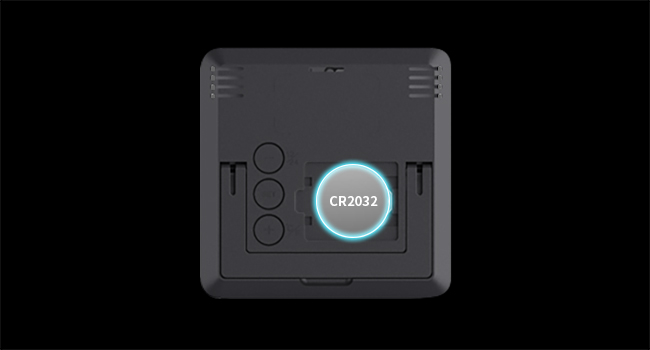
Fíor 3: Cúil view with battery compartment and buttons.
Socrú
Suiteáil Battery
- Aimsigh clúdach urrann na ceallraí ar chúl na feiste.
- Bain an clúdach.
- Insert two CR2032 button cell batteries, ensuring correct polarity (+/-). One battery is typically pre-installed.
- Replace the battery compartment cover. The device will power on automatically.
Roghanna Socrúcháin
The NOKLEAD 5253T offers versatile placement options:
- Seasamh Deisce: Utilize the integrated foldable stand on the back to place the device on any flat surface, such as a desk, shelf, or counter.
- Ceangaltán Maighnéadach: The device has a built-in magnet, allowing it to be securely attached to metallic surfaces like refrigerators.
- Suiteáil Balla: Use the provided adhesive metal pad to stick the device to a non-metallic wall surface.

Fíor 4: Examples of device placement in different environments.
Oibríocht
Cumhacht ar / As
The device automatically powers on once batteries are installed. There is no manual power on/off button.
Roghnú Aonaid Teochta (°C/°F)
To switch between Celsius (°C) and Fahrenheit (°F), press the '+' button located on the back of the device.
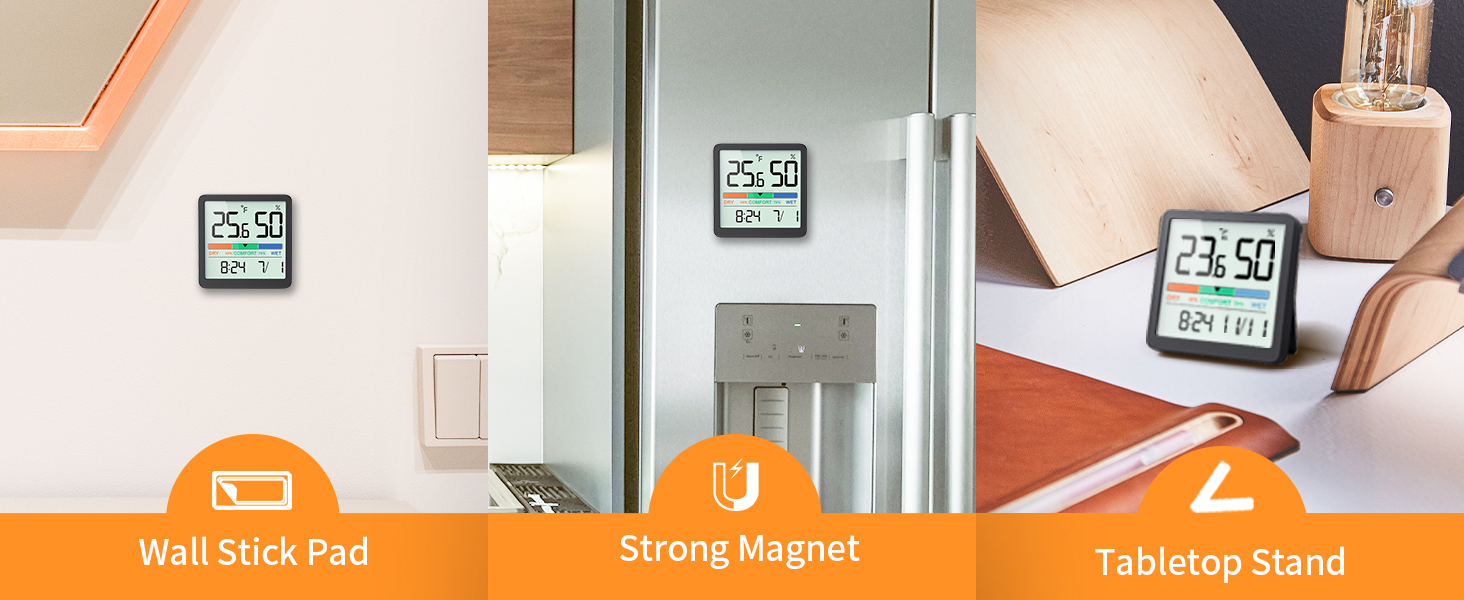
Figure 5: Switching between °C and °F.
Time Format Selection (12h/24h)
To switch between 12-hour and 24-hour time formats, press the '-' button located on the back of the device.
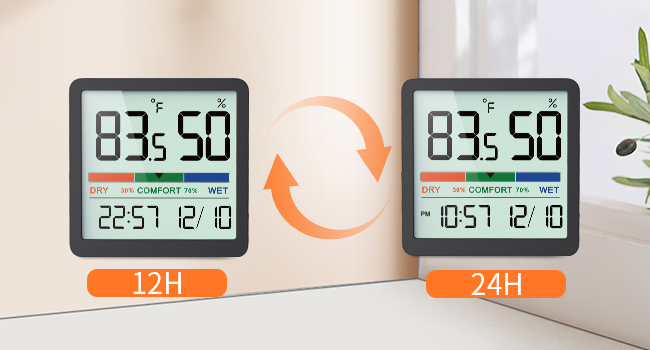
Figure 6: Switching between 12h and 24h time formats.
Táscaire Chompord Aeir
The device features a visual comfort indicator bar that quickly displays the current air conditions:
- TIRIM: Taise faoi bhun 30%
- COMÓRTAS: Taise idir 30% agus 69%
- WET: Humidity 70% or above
This indicator helps you determine if a humidifier or dehumidifier is needed to maintain optimal indoor air quality.

Figure 7: Air Comfort Indicator ranges.
Feidhm Chalabrúcháin
If you suspect the readings are inaccurate due to placement or environmental factors, you can calibrate the sensor. The calibration allows for adjustments of up to ±5°C/±41°F for temperature and ±10%RH for humidity. Refer to the detailed instructions provided in the full user manual for the specific calibration procedure.
Cothabháil
Glanadh
Cuimil an gléas le héadach bog tirim. Ná húsáid glantóirí scríobacha agus ná tum an gléas in uisce.
Athsholáthar Ceallraí
When the display becomes dim or the device stops functioning, replace the CR2032 batteries. Follow the battery installation steps outlined in the Setup section.
Fabhtcheartú
- Gan Taispeáin: Ensure batteries are correctly installed with proper polarity. Replace batteries if they are depleted.
- Léamha Míchruinn: Allow the device to stabilize for at least 30 minutes after initial setup or relocation. If discrepancies persist, utilize the calibration function as described in the Operation section.
- Gan Athrú ar an Taispeántas: The device refreshes every 10 seconds. Ensure there are actual changes in temperature or humidity for the display to update.
Sonraíochtaí
| Gné | Sonraíocht |
|---|---|
| Uimhir Mhúnla | 5253T |
| Raon Teochta | -9.9°C - 60°C (14.2°F - 140°F) |
| Cruinneas Teochta | ± 2 ° F (1 ° C) |
| Raon Taise | 10% - 95% RH |
| Cruinneas Bogthaise | ±3% RH |
| Ráta Athnuachana | Gach 10 soicind |
| Méid Taispeána | 3.34 orlach |
| Foinse Cumhachta | 2 x CR2032 Button Cell Batteries |
| Toisí Táirge | 2.76 x 2.76 x 0.55 orlach (70mm x 70mm x 14mm) |
| Meáchan Mír | 2.12 unsa (60 ghram) |
Barántas agus Tacaíocht
NOKLEAD products are designed for reliability and performance. If you encounter any issues or have questions regarding your NOKLEAD Digital Indoor Thermometer Hygrometer, please contact our customer support team. We are committed to providing the best possible solution for you.
For support, please refer to the contact information provided with your purchase or visit the official NOKLEAD websuíomh.