
VoltEdge CX40
VoltEdge CX40 Camo Blue Controller User Manual
Model: CX40 | Brand: VoltEdge
Réamhrá
This manual provides detailed instructions for the setup, operation, maintenance, and troubleshooting of your VoltEdge CX40 Camo Blue Controller. Please read this manual thoroughly before using the product to ensure optimal performance and longevity.

Fíor 1: Tosaigh view of the VoltEdge CX40 Camo Blue Controller.
Gnéithe Táirge
- Creathadh Dúbailte: Experience immersive feedback with built-in dual vibration motors.
- Feidhm Turbo: Enhance your gameplay with programmable turbo functionality.
- 2-Meter Cable: Soláthraíonn ample reach le haghaidh seisiúin cearrbhachais compordach.
- Dearadh eirgeanamaíochta: Engineered for comfort during extended periods of use.
- Comhoiriúnacht Il-Ardáin: Compatible with PlayStation 4 (PS4), PlayStation 3 (PS3), and PC.
Socrú
Ag ceangal le PS4/PS3:
- Cinntigh go bhfuil do chonsól ar siúl.
- Connect the USB cable of the VoltEdge CX40 controller to an available USB port on your PS4 or PS3 console.
- The controller will automatically be recognized and configured. The indicator light on the controller will illuminate once connected.
Ag nascadh le ríomhaire:
- Cinntigh go bhfuil do ríomhaire faoi thiomáint.
- Connect the USB cable of the VoltEdge CX40 controller to an available USB port on your PC.
- The operating system will typically install the necessary drivers automatically. This may take a few moments.
- Once drivers are installed, the controller will be ready for use with compatible PC games.

Figure 2: VoltEdge CX40 Controller in its retail packaging, showing the included cable.
Treoracha Oibriúcháin
Rialuithe Bunúsacha:
The VoltEdge CX40 controller features standard button layouts for intuitive gameplay.
- Bataí Analógacha: Use for movement and camera control.
- D-Pad: Le haghaidh ionchur treorach beacht.
- Action Buttons (X, O, Triangle, Square / A, B, X, Y): Perform in-game actions.
- Cnaipí Gualainne (L1, R1) agus Truicear (L2, R2): For various in-game functions like aiming, shooting, or menu navigation.
- Cnaipe ROINN: (PS4/PS3) For sharing gameplay content.
- Cnaipe ROGHANNA: (PS4/PS3) For accessing in-game menus or pause functions.
- P4 Button: (PS4/PS3) Functions as the PlayStation button.
Turbo Function Activation:
- Brúigh agus coinnigh an TURBO button (if present, or a designated button for turbo activation, typically indicated in the manual or on the controller itself).
- While holding the TURBO button, press the action button you wish to apply turbo to (e.g., X, Square, R1).
- Release both buttons. The selected action button will now rapidly repeat its input when held down.
Turbo Function Deactivation:
- Brúigh agus coinnigh an TURBO cnaipe.
- While holding the TURBO button, press the action button that currently has turbo activated.
- Release both buttons. The turbo function for that specific button will be deactivated.
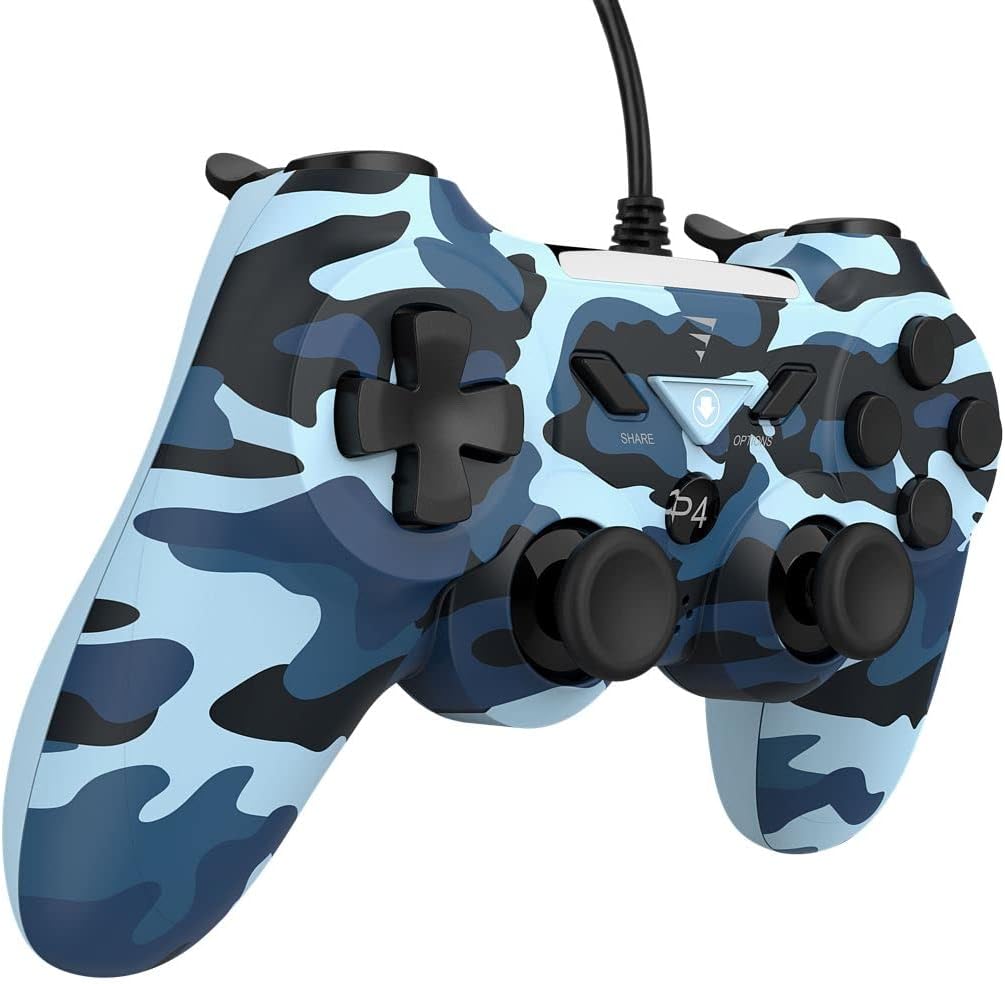
Fíor 3: Taobh view of the VoltEdge CX40 Controller, highlighting its ergonomic shape.
Cothabháil
- Glanadh: Use a soft, dry cloth to wipe the surface of the controller. For stubborn dirt, slightly dampNigh an t-éadach le huisce. Ná húsáid ceimiceáin ghéara ná glantóirí scríobacha.
- Stóráil: Stóráil an rialtóir in áit fhionnuar, thirim amach ó sholas díreach na gréine agus ó theochtaí foircneacha.
- Cúram Cábla: Avoid bending or twisting the cable excessively. Do not pull the controller by its cable.
- Teagmháil Leachtach: Keep the controller away from liquids. If liquid enters the controller, disconnect it immediately and allow it to dry completely before attempting to use it again.
Fabhtcheartú
| Fadhb | Cúis Féideartha | Réiteach |
|---|---|---|
| Ní aithníonn an consól/ríomhaire an rialtóir. | Loose USB connection, faulty USB port, driver issue (PC). |
|
| Níl an creathadh ag obair. | Game does not support vibration, vibration setting disabled, internal fault. |
|
| Buttons or analog sticks unresponsive. | Dirt/debris under buttons, physical damage, software glitch. |
|

Fíor 4: Bun view of the VoltEdge CX40 Controller, showing the grip texture.
Sonraíochtaí
- Múnla: VoltEdge CX40 Camo Blue
- Comhoiriúnacht: PlayStation 4 (PS4), PlayStation 3 (PS3), PC
- Nascacht: USB sreangaithe
- Fad Cábla: 2 méadar
- Gnéithe: Dual Vibration, Turbo Function
- Toisí (Pacáiste): Timpeall 17 x 14.5 x 6.2 cm
- Meáchan (Pacáiste): Thart ar 400 g
- ASIN: B0B4PRL244
Barántas agus Tacaíocht
VoltEdge products are designed for durability and performance. For information regarding warranty coverage and terms, please refer to the warranty card included with your product or visit the official VoltEdge websuíomh.
For technical support, troubleshooting assistance beyond this manual, or inquiries about replacement parts, please contact VoltEdge customer support through their official channels. Contact information can typically be found on the product packaging or the official VoltEdge websuíomh.
Acmhainní Ar Líne: For the latest drivers, firmware updates, and additional support resources, please visit the official VoltEdge support page.
Ask a question about this manual
Ask about setup, troubleshooting, compatibility, parts, safety, or missing instructions. Manuals+ will review the question and use this page’s manual context to help answer it.