
Réamhrá
This manual provides essential information for the proper setup, operation, and maintenance of your ZEBRONICS K24 Wired USB Keyboard. Please read this manual thoroughly before using the product to ensure optimal performance and longevity.
Ábhar an Phacáiste
- 1 x ZEBRONICS K24 Wired USB Keyboard
Treoracha Socraithe
- Díphacáil an Méarchlár: Bain an méarchlár go cúramach as a phacáistiú.

Image: ZEBRONICS K24 Wired USB Keyboard, showing the keyboard and its USB cable.
- Connect to your Device: Locate an available USB port on your computer or laptop. Insert the USB connector of the keyboard cable into the USB port.
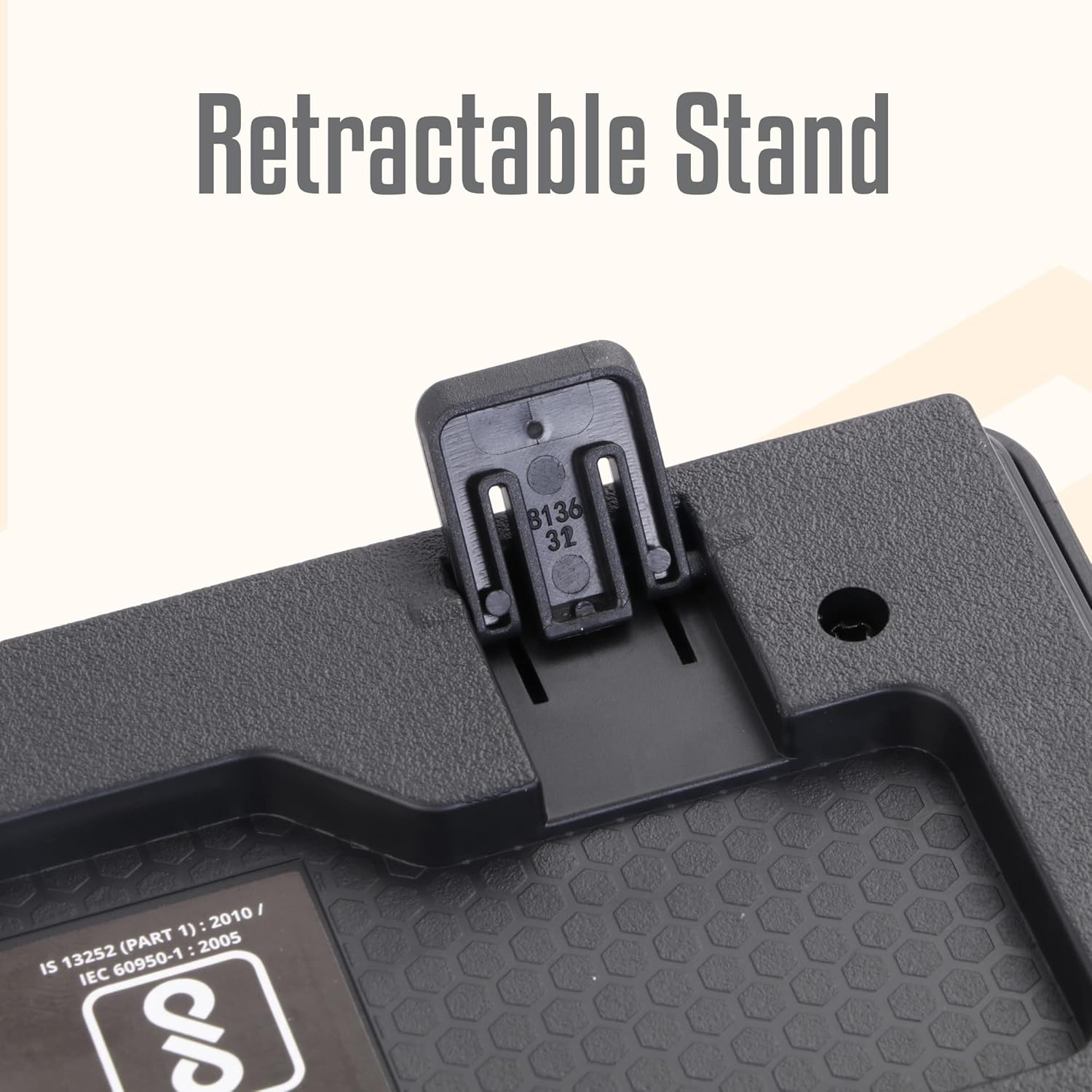
Image: A hand connecting the USB cable of the keyboard to a laptop's USB port.
- Suiteáil Tiománaí: The keyboard is plug-and-play. Your operating system (Windows, macOS, Linux) will automatically detect and install the necessary drivers. No manual driver installation is required.
- Adjust the Stand (Optional): For an ergonomic typing angle, extend the retractable stands located on the underside of the keyboard.

Image: Close-up of the retractable stand on the back of the keyboard, extended for ergonomic use.
Treoracha Oibriúcháin
The ZEBRONICS K24 keyboard operates like any standard 104-key keyboard. Simply connect it to your device, and it will be ready for use.
- Clóscríobh: Use the keys for text input, data entry, and command execution.
- Eochracha Ilmheáin: The keyboard may feature integrated multimedia functions accessible via the 'Fn' key combined with function keys (F1-F12). Refer to your operating system's settings for specific key assignments if needed.
- Rupee Key: The keyboard includes a dedicated Rupee key for convenient currency input.

Image: Close-up of the keyboard highlighting the Rupee symbol on a key.
Gnéithe
- Standard Layout with 104 Keys: Full-size keyboard for comprehensive functionality.
- UV Coated Keycaps: Ensures durability and prevents legend fading over time.
- Long Life 8 Million Keystrokes: Designed for extended usage and reliability.
- Silent and Comfortable Use: Provides a quiet typing experience suitable for various environments.
- Dearadh caol: Space-saving and aesthetically pleasing for any desk setup.
- Seastán Inghlactha: Offers adjustable ergonomic typing angles.
- 1.5 Meter Textured Cable: Soláthraíonn ample length and durability for flexible placement.
- Nascacht USB: Ensures broad compatibility with PCs and laptops.

Image: Close-up of the keyboard keys, showing their round, chiclet style and UV coating.

Image: The keyboard with its 1.5-meter textured USB cable coiled next to it.
Cothabháil
- Glanadh: Use a soft, dry cloth to wipe the keyboard surface. For deeper cleaning, use a can of compressed air to remove dust and debris from between the keys. Avoid using harsh chemicals or abrasive materials.
- Stóráil: When not in use, store the keyboard in a clean, dry place away from direct sunlight and extreme temperatures.
- Cúram Cábla: Seachain an cábla USB a lúbadh nó a chasadh rómhór chun damáiste a chosc.
Fabhtcheartú
| Fadhb | Cúis Féideartha | Réiteach |
|---|---|---|
| Méarchlár gan freagairt | Nasc USB scaoilte, port USB lochtach, fadhb leis an tiománaí. | Ensure the USB cable is securely plugged in. Try a different USB port. Restart your computer. |
| Eochracha nach bhfuil ag obair | Debris under keys, software conflict. | Clean the keys with compressed air. Check for any software conflicts or update keyboard drivers. |
| Incorrect characters appearing | Incorrect keyboard layout setting. | Check your operating system's keyboard language and layout settings. |
If you encounter issues not listed here, please contact ZEBRONICS customer support.
Sonraíochtaí
| Gné | Sonraigh |
|---|---|
| Branda | ZEBRONICS |
| Uimhir Mhúnla | Zeb-k24 |
| Teicneolaíocht Nascachta | Sreangaithe (USB) |
| Líon na nEochracha | 104 |
| Cineál eochairchaipín | UV Coated Chiclet Keys |
| Saol eochairbhuillí | 8 Milliún |
| Fad Cábla | 1.5 méadar |
| Gléasanna Comhoiriúnacha | ríomhaire glúine, ríomhaire |
| Leagan Amach Méarchláir | QWERTY, includes Rupee key |
| Dearadh | Slim, Ergonomic with Retractable Stand |
| Dath | Dubh |
| Ábhar | Plaisteach |
| Toisí na Mír L x W x H | Thart. 435mm x 133mm x 20mm |
| Meáchan Mír | 510 gram |
Note: Keyboard dimensions are approximate.
Barántas agus Tacaíocht
Barántas: The ZEBRONICS K24 Wired USB Keyboard comes with a 1-year carry-in warranty to the service center from the date of purchase.
Tacaíocht do Chustaiméirí: For any product-related queries, technical assistance, or warranty claims, please contact ZEBRONICS customer support. Refer to the official ZEBRONICS websuíomh gréasáin le haghaidh an fhaisnéis teagmhála is déanaí.