
Réamhrá
This manual provides essential information for the safe and efficient operation of your BALLU Apollo Portable Convection Panel Space Heater. Please read all instructions carefully before use and retain this manual for future reference.

Image: The BALLU Apollo Portable Convection Panel Space Heater, showcasing its sleek white design and freestanding feet.
Socrú agus Suiteáil
The BALLU Apollo heater offers versatile installation options: freestanding or wall-mounted. No additional tools are required for assembly.
Socrú saorsheasaimh
- Bain an téitheoir go cúramach as a phacáistiú.
- Attach the provided caster wheels to the base of the heater. Ensure they are securely fastened.
- Place the heater on a stable, level surface, ensuring adequate clearance from walls and flammable materials.
Suiteáil Wall Mount
- Remove the caster wheels if they are already attached.
- Identify a suitable wall location. The wall must be heat-resistant and capable of supporting the heater's weight.
- Use the provided wall-mounting brackets and hardware to secure the heater to the wall. Follow the detailed instructions in the included wall-mount guide for proper installation.
Video: Demonstrates the assembly of the freestanding feet and highlights the wall-mounting bracket on the rear of the heater.
Treoracha Oibriúcháin
The BALLU Apollo heater features a TFT Digital Display control panel for easy operation.

Image: Close-up of the heater's TFT Digital Display control panel, showing temperature, mode, and power buttons.
Painéal Rialaithe Tharview
- Cnaipe Cumhachta: Brúigh agus coinnigh ar feadh 2 shoicind chun an t-aonad a chasadh air nó as.
- Coigeartú Teochta: Use the arrow buttons to set the desired temperature between 41°F and 95°F.
- Roghnú Mód: Cycle through available modes: Comfort, Eco, and Anti-frost.
- Feidhm Uaineadóir: Program the heater to operate for specific durations or at scheduled times (7 days, 24 hours).
- Glas Leanaí: Activate to prevent accidental changes to settings.
- Aimsiú Fuinneog Oscailte: The heater automatically adjusts temperature if a sudden drop is detected, optimizing energy use.
Heating Efficiency and Comfort
The Apollo heater utilizes a patented hedgehog heating element for 100% conversion of electrical energy to thermal energy, resulting in rapid heating (within 30 seconds) and even room temperature distribution. It operates silently, without consuming oxygen or moisture, which helps maintain comfortable air quality.
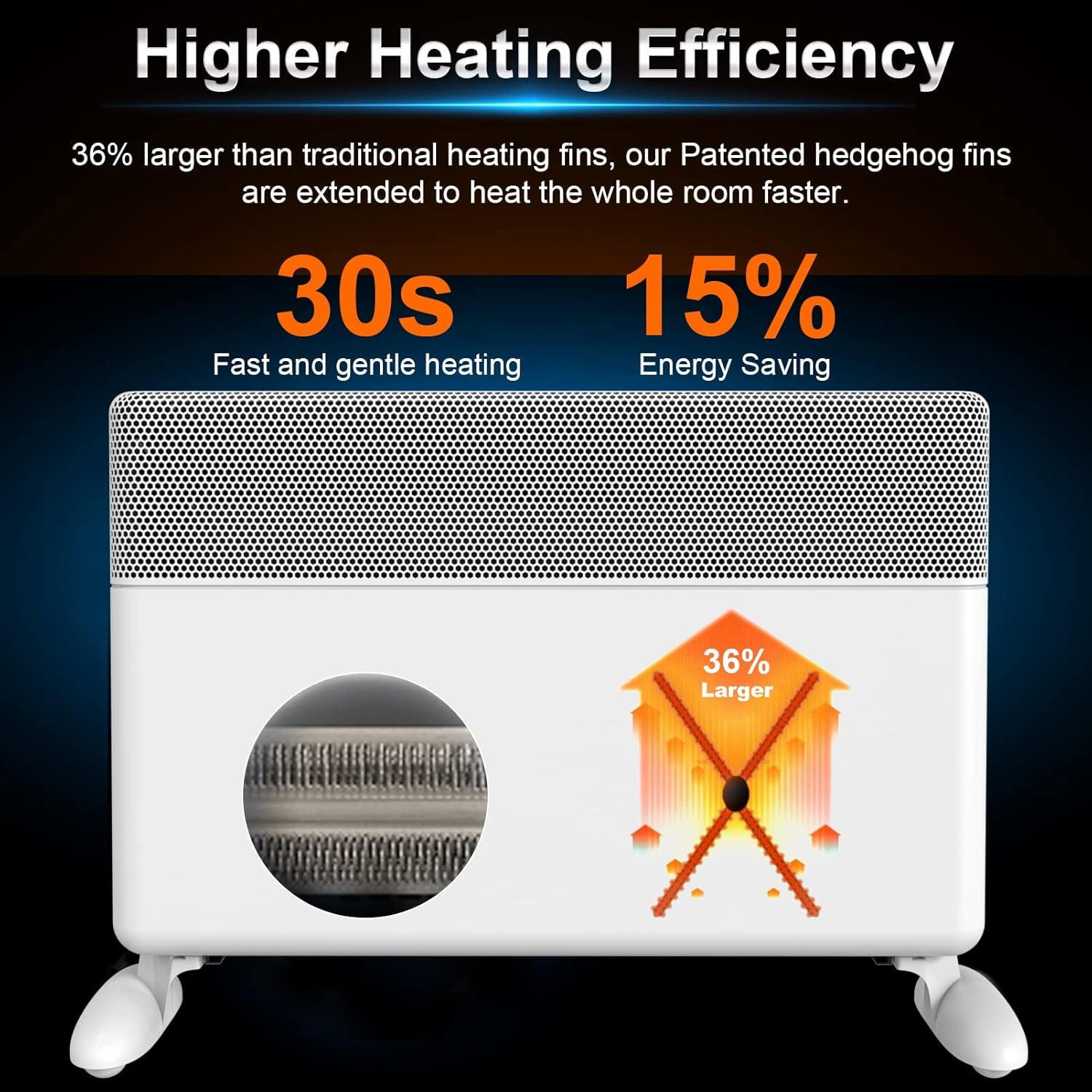
Image: Diagram illustrating the heater's high heating efficiency and rapid warm-up time.

Image: Illustration showing how the BALLU Apollo heater effectively warms a room up to 300 sq ft through natural convection.

Image: Depiction of the heater's silent operation, emphasizing no fan, no dry air, and no dazzling light for a comfortable environment.
Gnéithe Sábháilteachta
Your BALLU Apollo heater is equipped with multiple safety mechanisms to ensure secure operation:
- Cosaint Leid: Automatically shuts off the unit if it is accidentally knocked over.
- Cosaint róthéamh: The heater will power down if internal components reach an unsafe temperature.
- Glas Leanaí: Prevents unauthorized access to the control panel settings.
- Ábhair Lasair-mhoillitheacha V0: Constructed with high-quality, flame-retardant power cord and plug.

Image: Icons representing the heater's safety features: Tip-over protection, Child lock, and Overheat protection.
Cothabháil
To ensure optimal performance and longevity of your heater, follow these maintenance guidelines:
- Díphlugáil an téitheoir i gcónaí agus lig dó fuarú go hiomlán sula ndéantar é a ghlanadh.
- Glan na dromchlaí taobh amuigh le bog, damp éadach. Ná húsáid glantóirí nó tuaslagóirí scríobach.
- Ensure the air intake and exhaust grilles are free from dust and debris. Use a vacuum cleaner with a brush attachment to gently clean these areas.
- Ná tumadh an téitheoir in uisce nó in aon leacht eile.
- Stóráil an téitheoir in áit fhionnuar, tirim nuair nach bhfuil sé in úsáid.
Fabhtcheartú
If you encounter issues with your BALLU Apollo heater, please refer to the following common solutions:
- Ní chasann an téitheoir air: Ensure the power cord is securely plugged into a functional outlet. Check if the main power switch (if applicable) is in the 'ON' position. Verify that the child lock is not activated.
- No heat output: Confirm the desired temperature setting is higher than the current room temperature. Check the selected operating mode.
- Múchann an téitheoir go tobann: This may indicate activation of the overheat or tip-over protection. Ensure the heater is on a stable surface and not obstructed. Allow the unit to cool down before restarting.
- Display shows an error or locked symbol: Consult the detailed troubleshooting section in the full user manual or contact customer support for assistance.
Sonraíochtaí
| Gné | Sonraigh |
|---|---|
| Branda | Ballú |
| Múnla | Apollo |
| Gné Speisialta | Energy Efficient, Noiseless, Portable |
| Dath | Bán |
| Fachtóir Foirme | Coisithe |
| Úsáid Laistigh / Lasmuigh | Laistigh |
| Cineál Gléasta | Wall Mount |
| Cineál Seomra | Seomra Leapa, Oifig Baile, Seomra Staidéir |
| Clúdach Téimh | 300 troigh cearnach |
| Cineál dóire | Radiantach |
| Aschur Teasa | 1500 Watts |
| Toisí Táirge | 25.2 x 4 x 15.9 orlach |
| Meáchan Mír | 17.56 punt |
| Dáta Ar Fáil den Chéad Uair | 17 Meán Fómhair, 2021 |
Barántas agus Tacaíocht
For warranty information, technical support, or service inquiries, please refer to the contact details provided with your product packaging or visit the official Ballu websuíomh. Coinnigh d’admháil ceannaigh mar chruthúnas ceannaigh.